A VPN changed what we saw on TikTok, but it didn’t move the account. On a US NordVPN server, our existing account’s For You feed picked up English-language creators, and TikTok Shop never appeared, with the SIM card in or out. A new account created over the same connection had an English-only feed instead.
Uploads barely slowed. In our October tests on a Galaxy S26 Ultra, a 208 MB clip took 93 seconds to post with no VPN. Through NordVPN, Proton VPN, ExpressVPN, Private Internet Access, and Surfshark, it took 95 to 101 seconds.
Top TikTok VPNs for 2026
- NordVPN: Best Overall TikTok VPN. The fastest phone download in our tests, 50.1 Mbps, and a 95-second upload.
- Proton VPN: Best for School and Office Networks. Its Stealth protocol disguises VPN traffic on every server.
- ExpressVPN: Best for Posting on Filtered Networks. Upload stayed at 16.97 Mbps with obfuscation active.
- Private Internet Access: Best Budget TikTok VPN. Under $2 a month, with no device limit.
- Surfshark: Best for Matching GPS to Your Server. GPS Override moves an Android phone’s location to the server’s country.
TikTok VPNs Compared
Speeds come from a Galaxy S26 Ultra on home Wi-Fi in Europe, which measured 54.7 Mbps with no VPN. TikTok Live played without a stutter on every VPN.
| VPN | UK download (phone) | 208 MB upload | Android free trial | Device limit | Long-term price |
|---|---|---|---|---|---|
| NordVPN | 50.1 Mbps | 95 s | 3 days | 10 | Under $3.50/mo |
| Proton VPN | 48.8 Mbps | 98 s | Free plan instead | 10 | Under $3/mo |
| ExpressVPN | 48.9 Mbps | 95 s | 3 days | 10 (Basic plan) | Under $3/mo |
| Private Internet Access | 47.0 Mbps | 99 s | 7 days | Unlimited | Under $2/mo |
| Surfshark | 48.6 Mbps | 101 s | 7 days | Unlimited | About $2.50/mo |
TikTok VPN Reviews
1. NordVPN: Best Overall TikTok VPN
Pros
- Quick uploads on UK servers
- NordWhisper for networks that block TikTok
- Threat Protection Pro on the Complete plan
- Dedicated IP option
- Android free trial
Cons
- Price rises at renewal
- No GPS spoofing
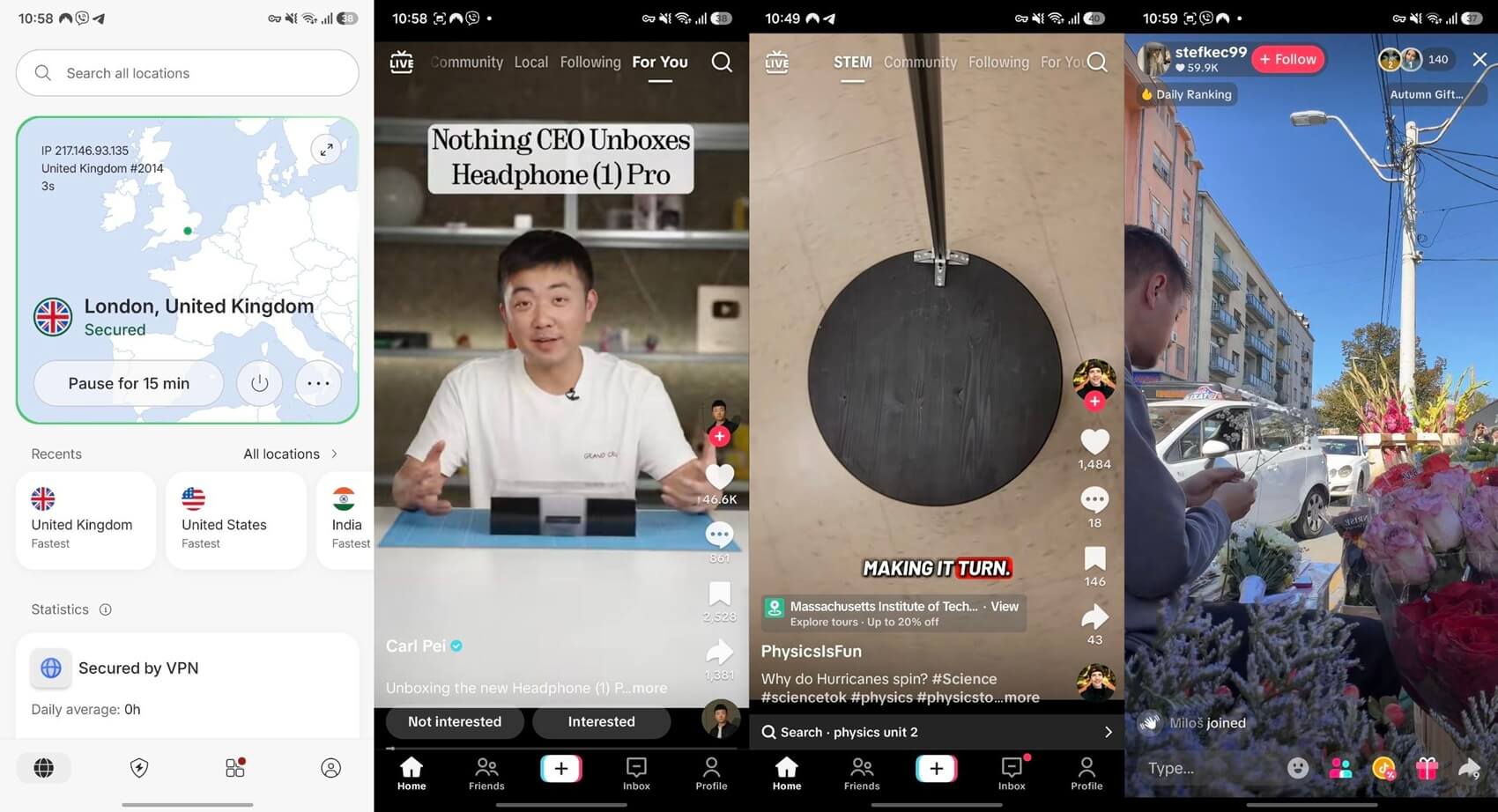
NordVPN’s UK server measured 50.1 Mbps at 46 ms on our Galaxy S26 Ultra, the fastest phone result we recorded. Our 208 MB clip posted in 95 seconds, two seconds slower than with no VPN. Creators who want TikTok to see a GPS position in the server’s country should look at Surfshark instead. The Basic plan costs under $3.50 a month on a 27-month term, and Android users have a 3-day free trial.
2. Proton VPN: Best for School and Office Networks
Pros
- Stealth on every server
- NetShield ad and tracker blocker
- Secure Core servers
- Open-source apps
- Swiss jurisdiction
Cons
- Slow uploads with Stealth on distant servers
- No post-quantum encryption
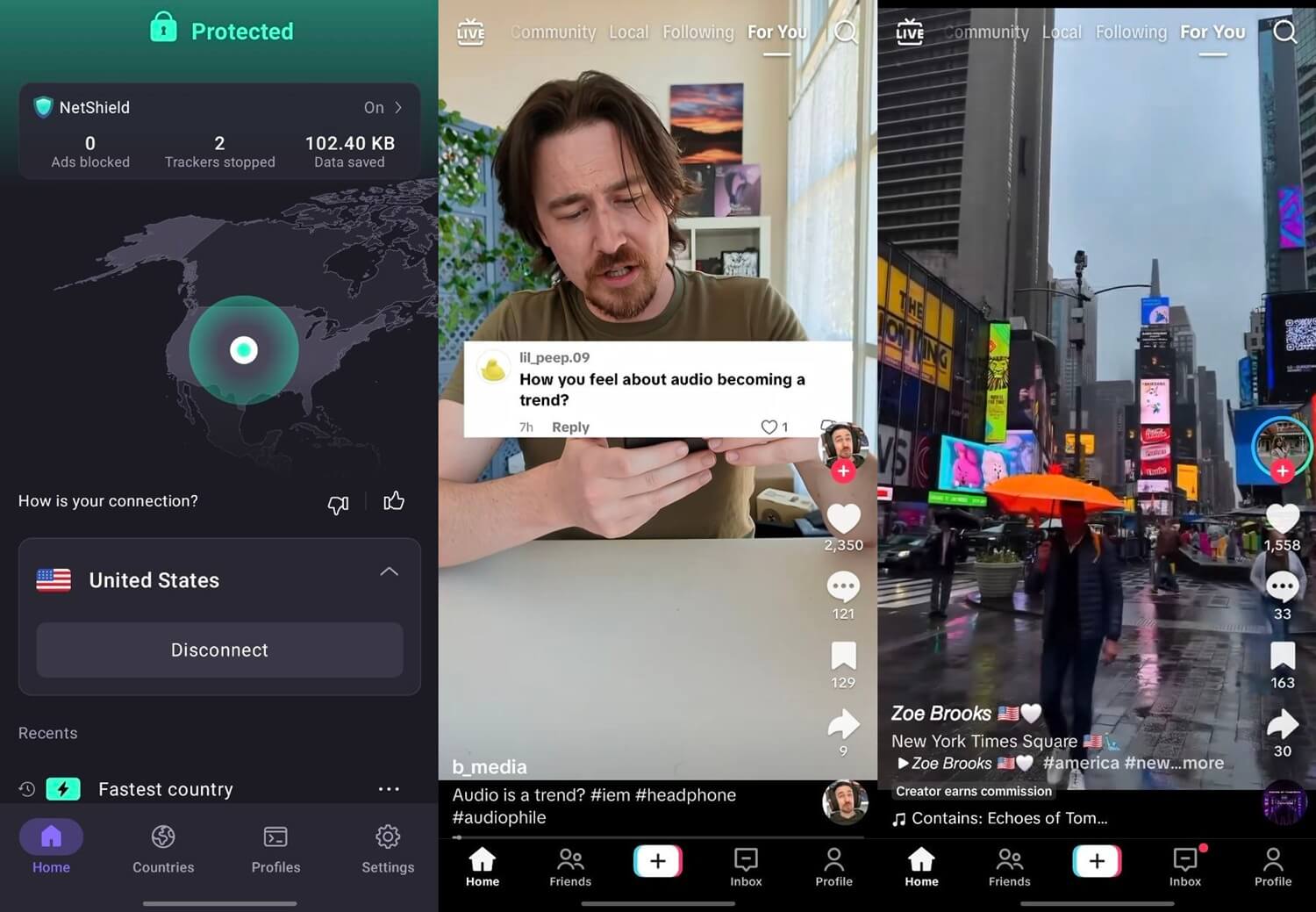
On the phone, Proton VPN recorded 48.8 Mbps at 52 ms, and our upload took 98 seconds. Its Stealth protocol disguises VPN traffic as ordinary web traffic, so school and office firewalls have a harder time spotting it. On a UK server in our desktop tests, Stealth cost 1.9% of download speed. We didn’t test it on a school network.
On a Hong Kong server, Stealth uploads dropped to 3.48 Mbps, which makes long videos slow to post. The VPN Plus plan comes to under $3 a month across two years, and our Proton VPN review covers Secure Core and NetShield.
3. ExpressVPN: Best for Posting on Filtered Networks
Pros
- Obfuscation applied automatically
- Strong uploads with obfuscation active
- Low ping on phones
- Android free trial
Cons
- Trackers unblocked on the Basic plan
- Few advanced settings
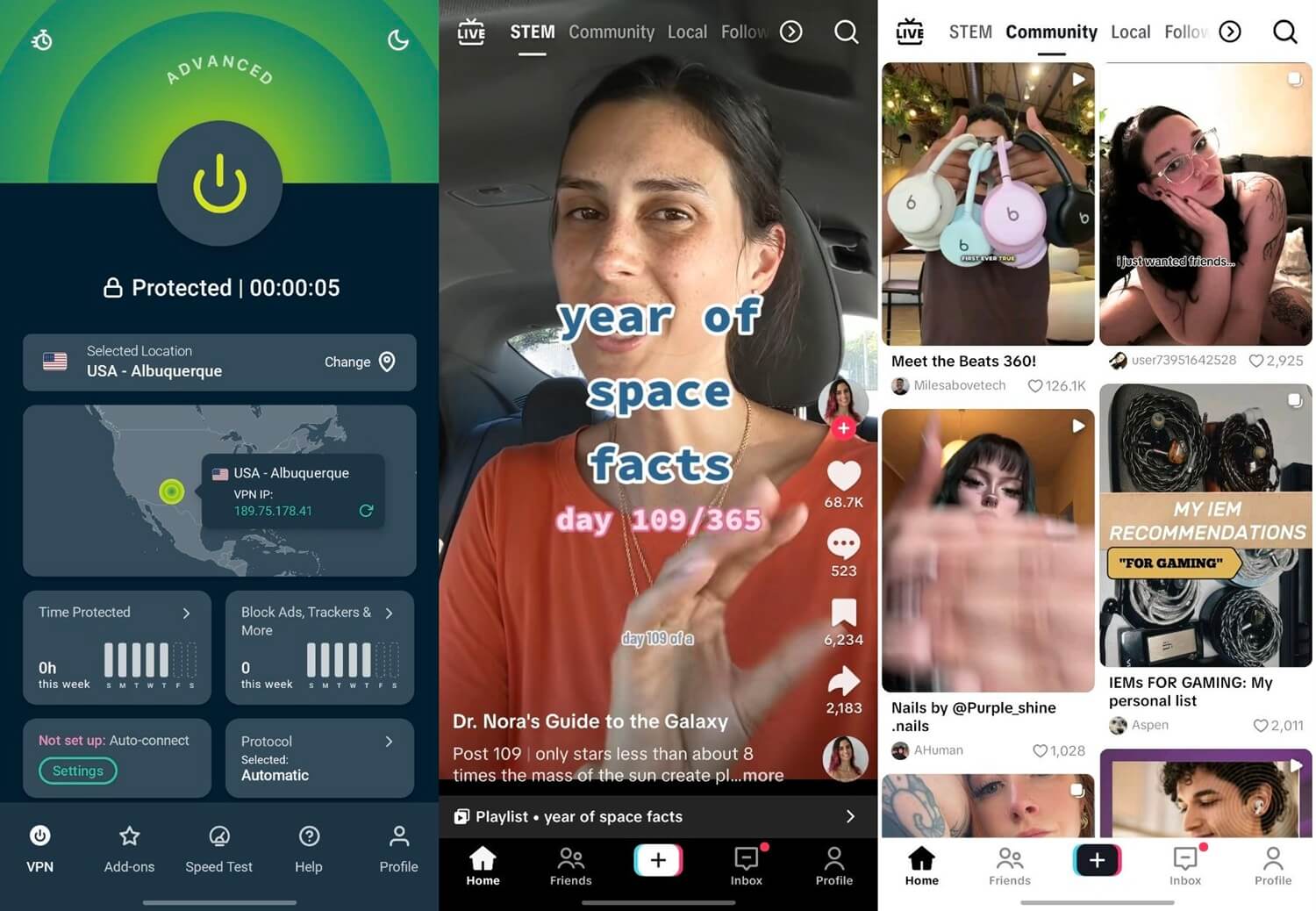
ExpressVPN posted the test clip in 95 seconds, matching NordVPN, and had the lowest phone ping we recorded, 43 ms, with a 48.9 Mbps download. It obfuscates every connection without a setting to find. With that obfuscation active on its Hong Kong server, upload stayed at 16.97 Mbps, the highest obfuscated upload we measured.
ExpressVPN isn’t for users who like to adjust protocols and ports by hand. On the 28-month term, ExpressVPN’s Basic plan averages under $3 a month, and our ExpressVPN review goes deeper into Lightway.
4. Private Internet Access: Best Budget TikTok VPN
Pros
- Lowest long-term price
- No device limit
- MACE ad and tracker blocker
- Open-source apps
- Android free trial
Cons
- Cluttered, dated app
- Lower phone download speeds
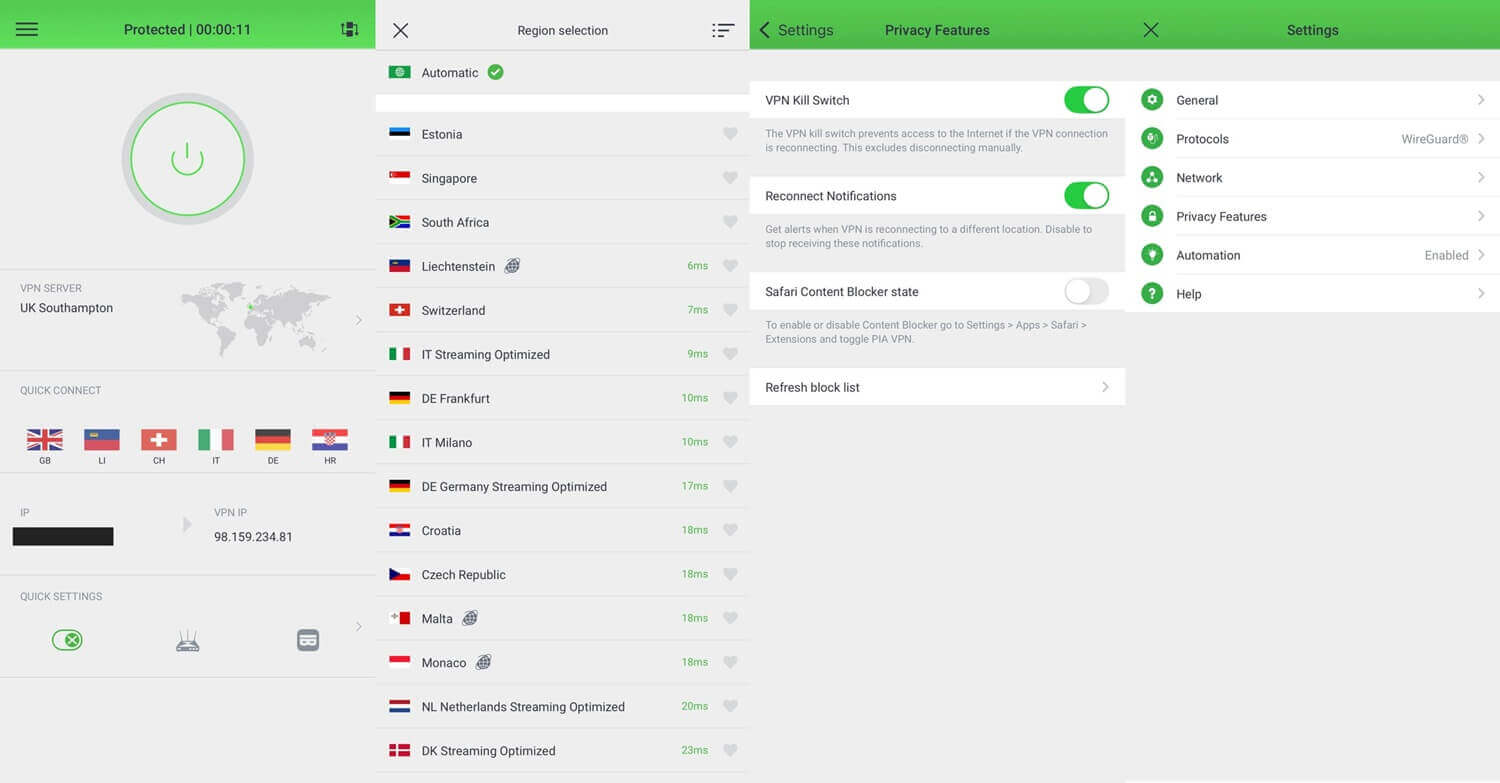
On WireGuard, Private Internet Access came in at 47.0 Mbps and 49 ms, the lowest phone download we recorded. The clip took 99 seconds to post. Its app is the drawback, with menus that look cluttered and dated next to the other four. Under $2 a month on the two-year plan makes PIA the cheapest VPN we tested. With no device limit, one subscription covers every phone and tablet in a home. Our PIA review covers its kill switch and port forwarding.
5. Surfshark: Best for Matching GPS to Your Server
Pros
- GPS Override on Android
- Unlimited simultaneous devices
- CleanWeb ad blocker
- Bypasser split tunneling
- Android free trial
Cons
- Slower uploads
- Occasionally long connection times
Surfshark’s GPS Override sets an Android phone’s GPS position to match the server. In an earlier test with Grindr, it changed the phone’s coordinates and the app showed different profiles. TikTok reads GPS only with location permission, so the feature applies to users who allow it. Download on the phone was 48.6 Mbps, with 44 ms ping.
Posting the clip took 101 seconds, the slowest upload we recorded, though still within eight seconds of no VPN. Surfshark’s Starter plan works out to about $2.50 a month over 27 months, and our Surfshark review covers its antivirus bundles.
What a VPN Changes on TikTok
TikTok’s privacy policy says it estimates location from the SIM card’s region, the IP address, and device settings. We tested which of those a VPN moves, with NordVPN connected to US servers:
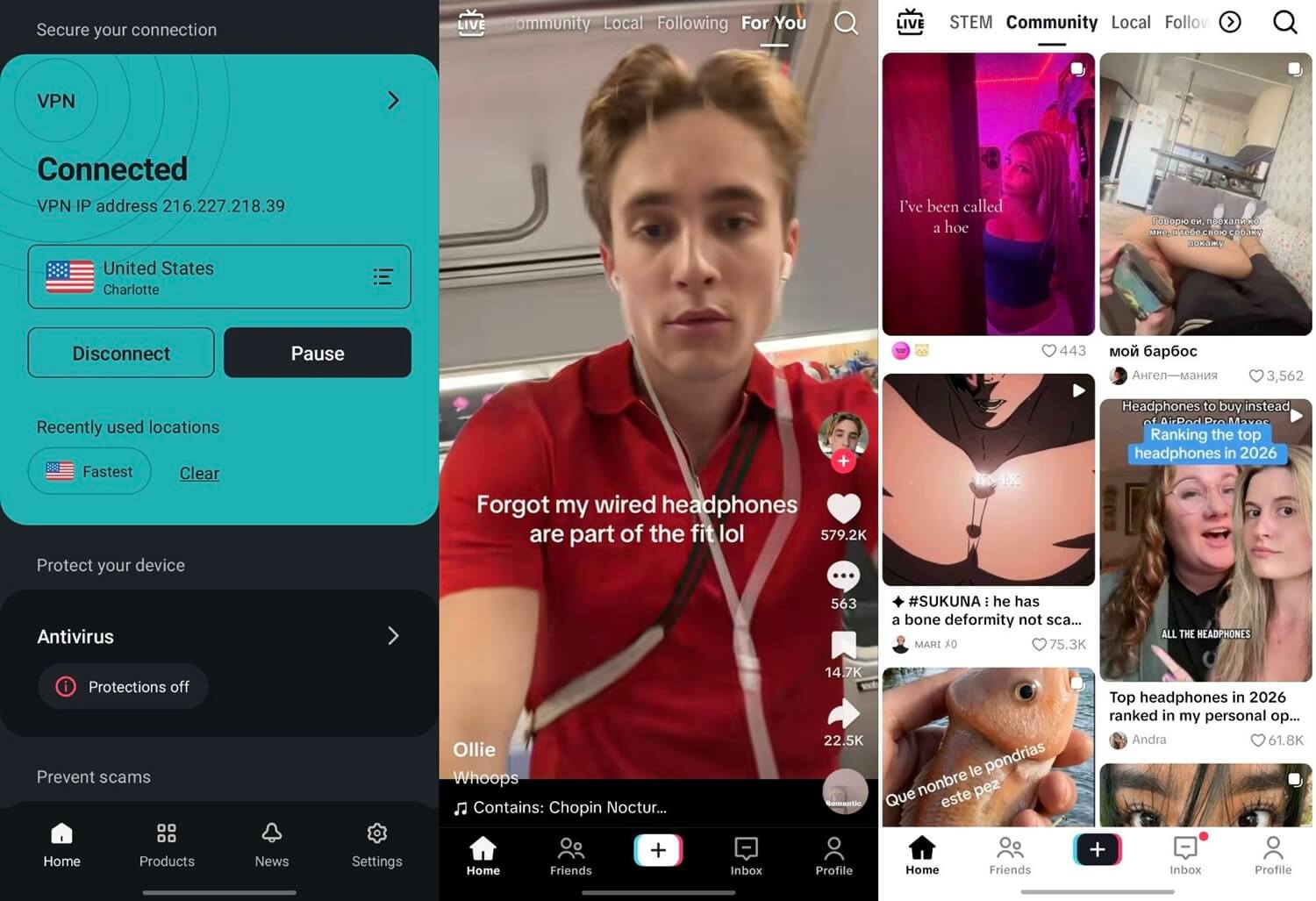
- Existing account, SIM in: English-language creators appeared in the For You feed, mixed with content in our own language. TikTok Shop didn’t appear.
- Existing account, SIM out: no change after removing the SIM, switching to airplane mode on Wi-Fi, and clearing TikTok’s cache.
- New account, created on the US server: an English-only feed and a STEM tab that the existing account never showed. Shop still didn’t appear.
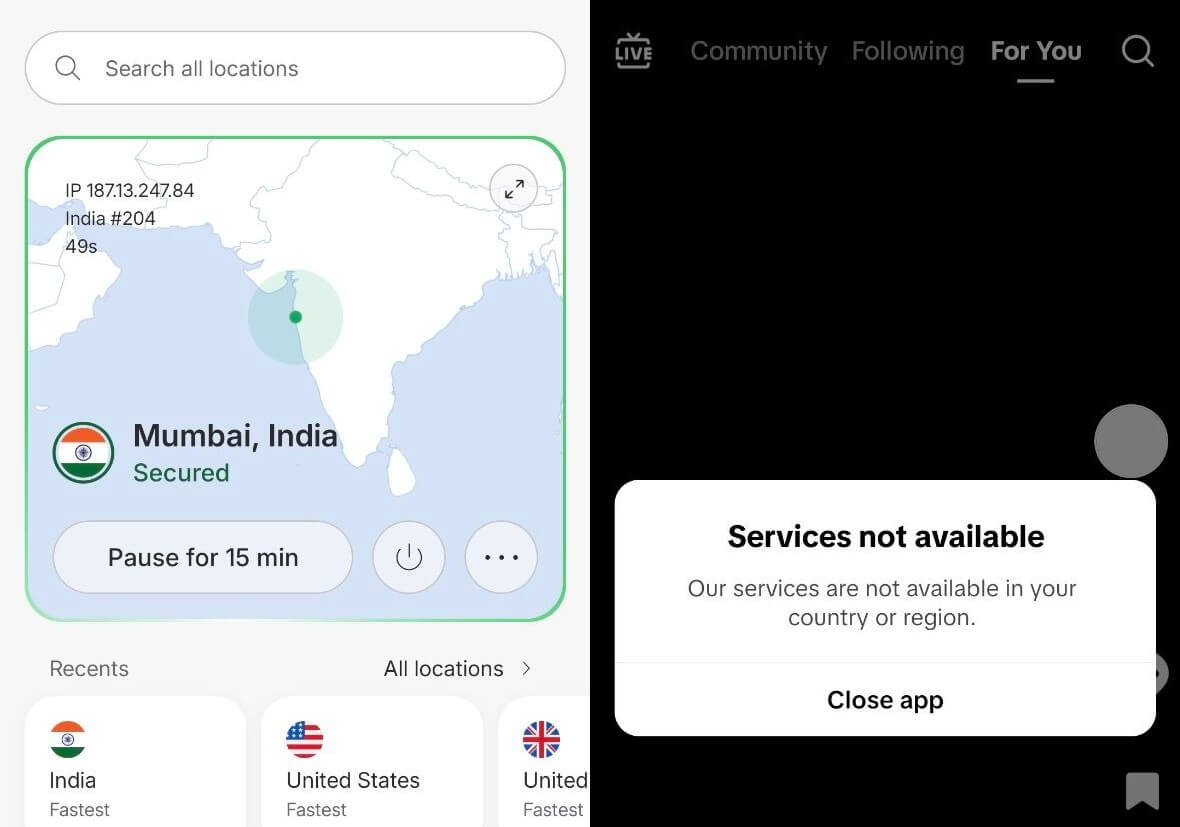
- Indian server: TikTok showed “Services not available in your country or region” and offered only to close the app.
The IP address controls access and part of the feed. An existing account kept its region through every change, so a VPN won’t add TikTok Shop or move an established account into another country’s monetization programs. TikTok’s website reads the same IP address in a browser, and our Chrome VPN rankings cover extensions for desktop use.
Where TikTok Is Blocked
- India: banned since 2020, and TikTok blocks Indian IP addresses itself. Our guide to TikTok in India covers the details.
- Hong Kong: TikTok withdrew in 2020, and our Hong Kong TikTok page explains the setup.
- China: TikTok isn’t offered, and ByteDance runs Douyin there instead.
- Afghanistan, Iran, Jordan, Somalia, and Kyrgyzstan: blocked nationwide.
- Gabon: suspended by the national regulator in February 2026.
- Pakistan: banned four times in 2020 and 2021, with each ban later lifted.
- Schools and offices: many networks block TikTok locally.
Nepal lifted its ban in August 2024, and Albania in February 2026. TikTok went offline in the US for about half a day in January 2025. Its US business moved to the TikTok USDS Joint Venture on January 22, 2026, and TikTok in the US kept working on the same app.
Free VPNs and TikTok’s Data Use
Proton VPN’s free plan has unlimited data and usually assigned us an Amsterdam server, with no way to choose. Windscribe and PrivadoVPN let free users pick from a short list of countries, and TikTok worked on the ones we tried. Their data caps are the limit. TikTok used 294 MB in 20 minutes of scrolling at default quality and 165 MB with Data Saver on. A 10 GB monthly allowance lasts about 11 hours at default quality, or about 20 with Data Saver. Our free VPN rankings compare the three in more detail.
Can TikTok Ban You for Using a VPN?
TikTok’s terms bar attempts to circumvent its access restrictions. That covers using a VPN in a country where TikTok isn’t available, such as India. Everyday use looked different in our tests: no VPN triggered a captcha, warning, or extra sign-in check, including on the new account. A VPN doesn’t help with monetization.
The Creator Rewards Program is open only to accounts in supported countries, and our existing account’s region didn’t change on a US server.
Conclusion: What Is the Best VPN for TikTok?
Every VPN we tested kept TikTok usable, so the choice depends on what you do in the app. NordVPN came out ahead on the phone, with the fastest download and a 95-second upload. Proton VPN covers school and office networks with Stealth on every server, and ExpressVPN kept the most upload speed with obfuscation active.
A VPN brings TikTok back where it’s blocked and shifts part of the feed, while Shop and creator programs stayed unavailable on both accounts we tried.
Frequently Asked Questions
Which VPN works best for TikTok on a phone?
NordVPN works best for TikTok on Android and iPhone, with fast mobile speeds and quick uploads. Proton VPN is the strongest alternative, with Stealth for networks that block TikTok.
Does a VPN change your TikTok region?
Partly. A VPN changes which country's creators appear in the For You feed, but an existing account keeps its region, so TikTok Shop and creator programs stay the same.
Is there a free VPN for TikTok?
Yes. Proton VPN Free offers unlimited data but assigns the server automatically. Windscribe and PrivadoVPN let users choose a country, with about 10 GB of data a month.
Does a VPN slow down TikTok?
Slightly. A good VPN adds a few seconds to a large upload and keeps scrolling and TikTok Live smooth, while a distant server or obfuscation cuts upload speed further.
Can TikTok detect a VPN?
TikTok can tell when an IP address belongs to a data center, but it doesn't usually block VPN users. It does block IP addresses from countries where it's unavailable, such as India.
Does a VPN stop TikTok from collecting data?
No. A VPN hides the IP address and encrypts traffic on the local network, but TikTok still records the account, device details, and activity in the app.