TikTok makes more decisions based on location than most apps. Where it thinks you are decides whether the app loads, which creators fill your For You feed, whether TikTok Shop appears, and which creator programs your account can join.
It works that out from your IP address, your SIM card, and your phone’s settings. A VPN for TikTok changes the first of those. That alone brings the app back in a country that blocks it, or on a school network that filters it. The rest doesn’t always follow, and a slow connection adds time to every video you post.
Here’s what a VPN changes on TikTok, and which five handled the app best.
Five VPNs That Work With TikTok
- NordVPN: Best Overall TikTok VPN. The fastest phone download in our tests, with uploads close to normal.
- Proton VPN: Best for School and Office Networks. It disguises VPN traffic on every server.
- ExpressVPN: Best for Posting on Filtered Networks. The strongest upload with obfuscation switched on.
- Private Internet Access: Best Budget TikTok VPN. The lowest price, with no device limit.
- Surfshark: Best for Matching GPS to Your Server. It moves an Android phone’s location to the server’s country.
TikTok VPNs Compared
We tested on a Galaxy S26 Ultra over home Wi-Fi in Europe. Speed loss compares each VPN’s UK server with the phone’s speed without a VPN. The upload column shows how long a 208 MB clip took to post, compared to 93 seconds with no VPN.
| VPN | Speed loss (UK server) | 208 MB upload | Android free trial | Device limit | Long-term price |
|---|---|---|---|---|---|
| NordVPN | 8.4% | 95 s | 3 days | 10 | About $3.50/mo |
| Proton VPN | 10.8% | 98 s | Free plan instead | 10 | About $3/mo |
| ExpressVPN | 10.6% | 95 s | 3 days | 10 (Basic plan) | About $3/mo |
| Private Internet Access | 14.1% | 99 s | 7 days | Unlimited | About $2/mo |
| Surfshark | 11.2% | 101 s | 7 days | Unlimited | About $2.50/mo |
TikTok VPN Reviews
1. NordVPN: Best Overall TikTok VPN
Pros
- Fastest download in our phone tests
- Uploads almost as fast as without a VPN
- Disguised servers for networks that block TikTok
- Malware protection on the Complete plan
- Dedicated IP option
Cons
- No way to change the phone’s GPS
- Price rises at renewal
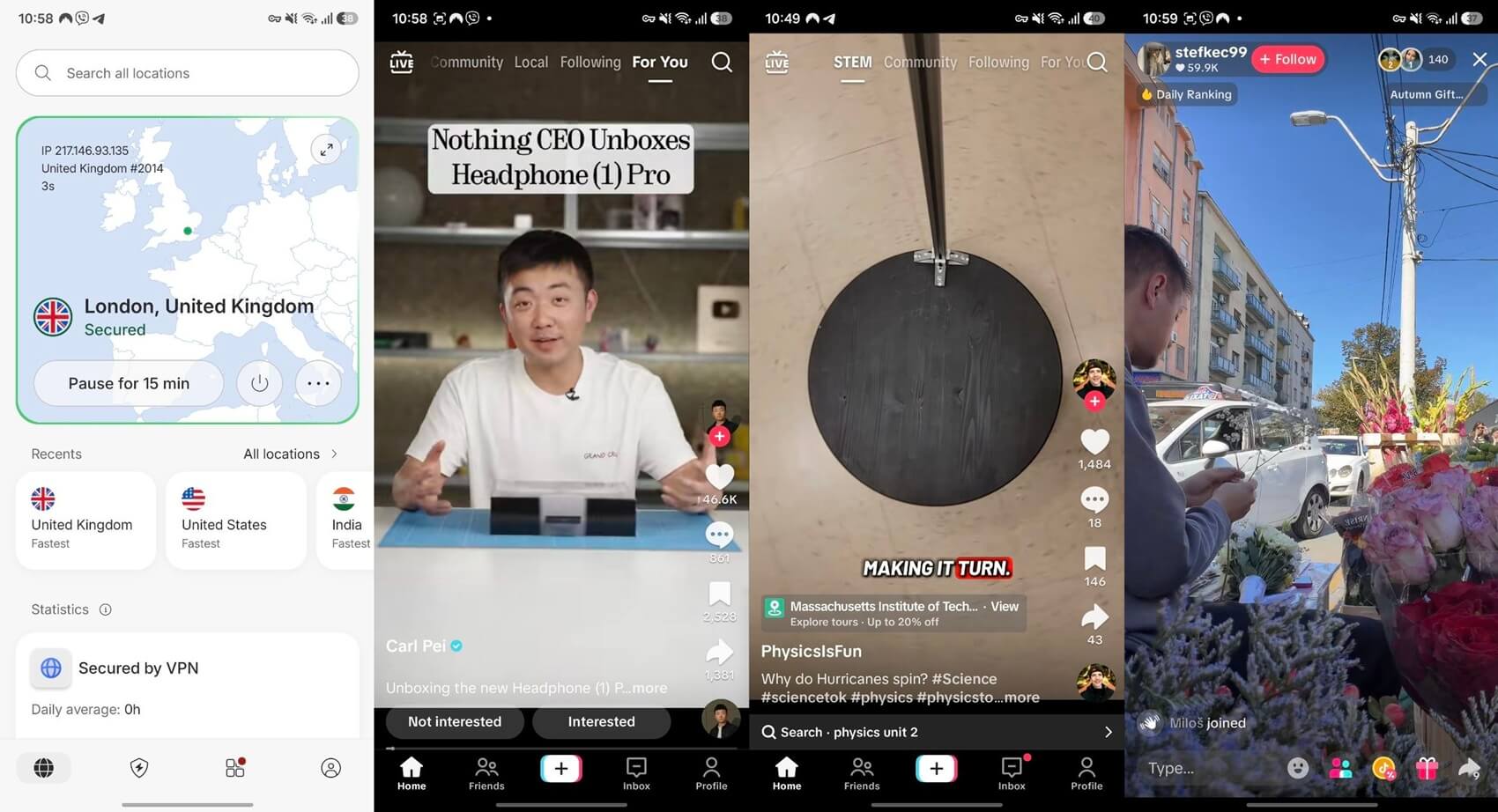
NordVPN was the fastest VPN on our phone. Its UK server lost 8.4% of our download speed, which you won’t notice while scrolling. Our 208 MB clip also posted in 95 seconds, two seconds slower than with no VPN. For creators who post several clips a day, a slow VPN adds up quickly, and NordVPN barely added any time.
On restrictive networks, its obfuscated servers hide the fact that you’re using a VPN. They use NordWhisper, NordVPN’s own protocol, which helps where a school or office filters TikTok. In addition, the Complete plan adds next-gen antivirus, which blocks malicious downloads and sites.
For creators, a dedicated IP also lets TikTok see the same IP address every time you sign in. What NordVPN can’t do is move your phone’s GPS. TikTok reads it only with location permission, so deny that permission, or choose Surfshark if you want GPS to match the server.
Android users can start with a NordVPN free trial through Google Play. After that, the Basic plan is about $3.50 a month on a 27-month term, with a higher price at renewal.
2. Proton VPN: Best for School and Office Networks
Pros
- Disguised connection on every server
- Ad and tracker blocking on paid plans
- Optional routing through privacy-focused servers
- Open-source apps
- Protected by Swiss privacy law
Cons
- Slow uploads with Stealth on distant servers
- No post-quantum encryption
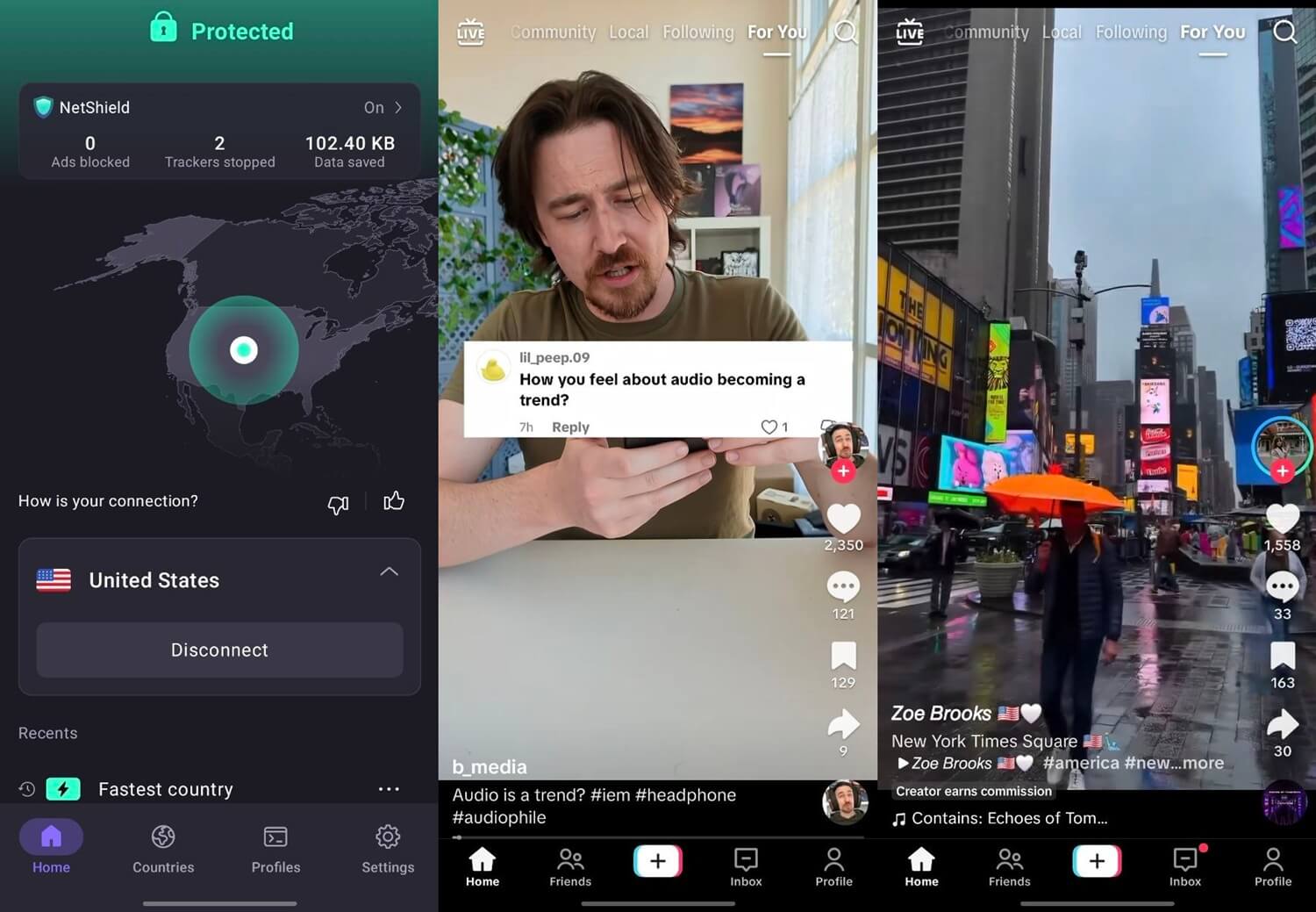
Proton VPN is the one to use where a school or office network blocks TikTok. Its Stealth protocol hides VPN traffic from network filters, and it works on every server, so you don’t have to search for a special location. In our desktop tests, Stealth cost only 1.9% of download speed on a UK server.
On the phone, it lost 10.8% of our speed, and the clip took 98 seconds to upload, close to the leaders. Distance is the weak spot, however. With Stealth on a Hong Kong server, upload speed fell sharply, so long videos take much longer to post.
If you post from a filtered network, choose a server near you and switch Stealth on only when the normal connection is blocked. Beyond that, the paid plan adds NetShield, which blocks ads and trackers, and Secure Core, which passes your traffic through servers in Switzerland, Iceland, or Sweden first.
The VPN Plus plan comes to about $3 a month across two years, and its audited no-logs policy suits creators who want their activity kept private.
3. ExpressVPN: Best for Posting on Filtered Networks
Pros
- Obfuscation on every connection, with nothing to set up
- Strongest upload with obfuscation active
- Lowest ping on our phone
- Blocks trackers and malicious sites
Cons
- Few advanced settings
- Higher price at renewal
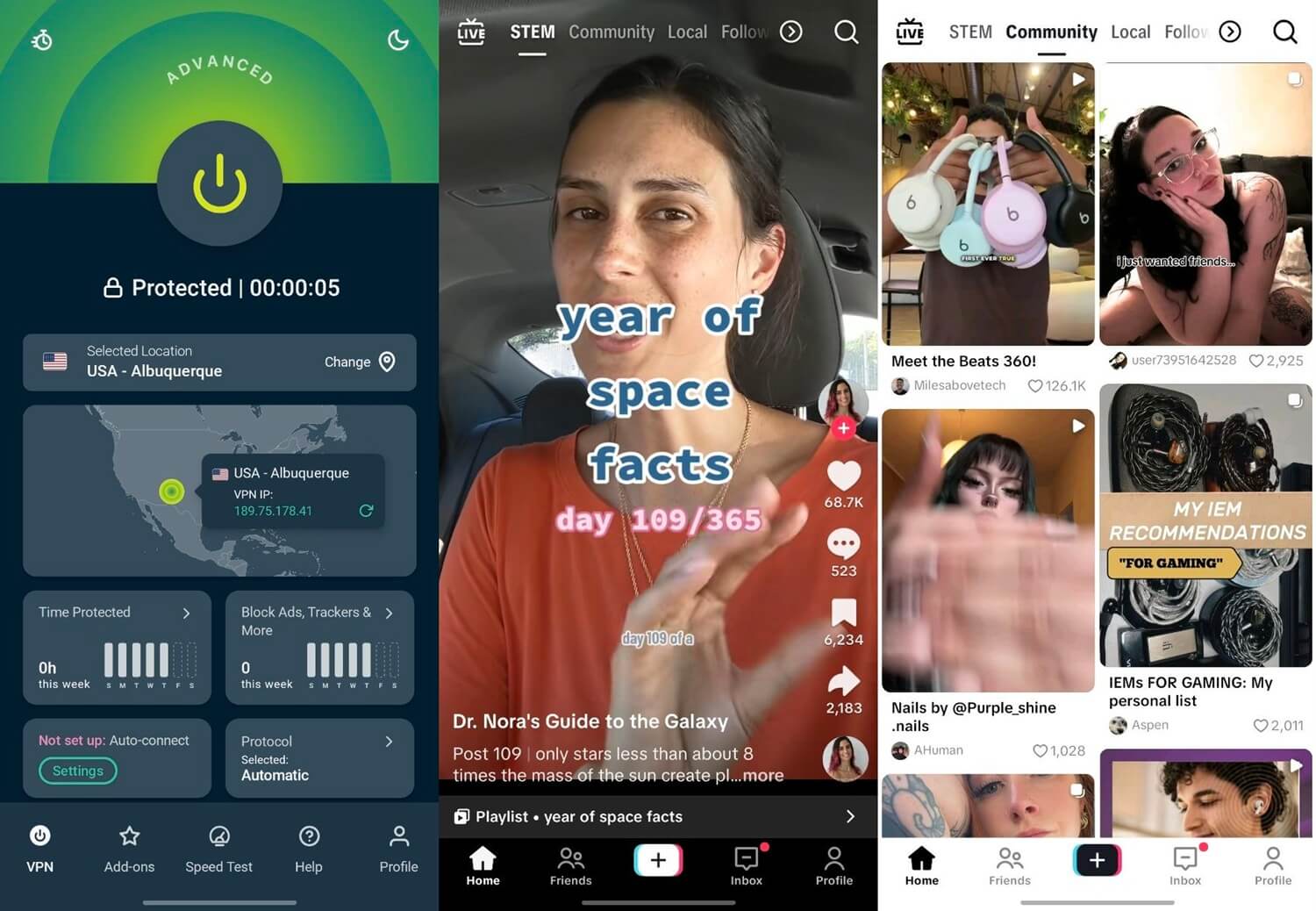
ExpressVPN is built for creators who post from a filtered network. It obfuscates every connection automatically, so there’s no setting to look for. On a Hong Kong server with obfuscation active, its upload speed was about five times Proton VPN’s with Stealth on the same location. That was the highest obfuscated upload we recorded.
On the phone, it matched NordVPN on the 208 MB clip at 95 seconds. Its ping, the delay before a server responds, was 43 ms, the lowest of the five, which helps a Live stream keep pace with the chat. Advanced Protection, which blocks trackers and malicious sites, comes with every plan.
The trade-off is control. ExpressVPN has few settings for users who like to choose protocols and ports by hand, so they’ll find more options on NordVPN or Proton VPN. Everyone else connects and forgets about it, and on the 28-month term, ExpressVPN’s Basic plan averages about $3 a month.
4. Private Internet Access: Best Budget TikTok VPN
Pros
- Lowest long-term price
- No device limit
- Blocks ads and trackers
- Open-source apps
- Android free trial
Cons
- Cluttered, dated app
- Biggest speed loss of the five on our phone
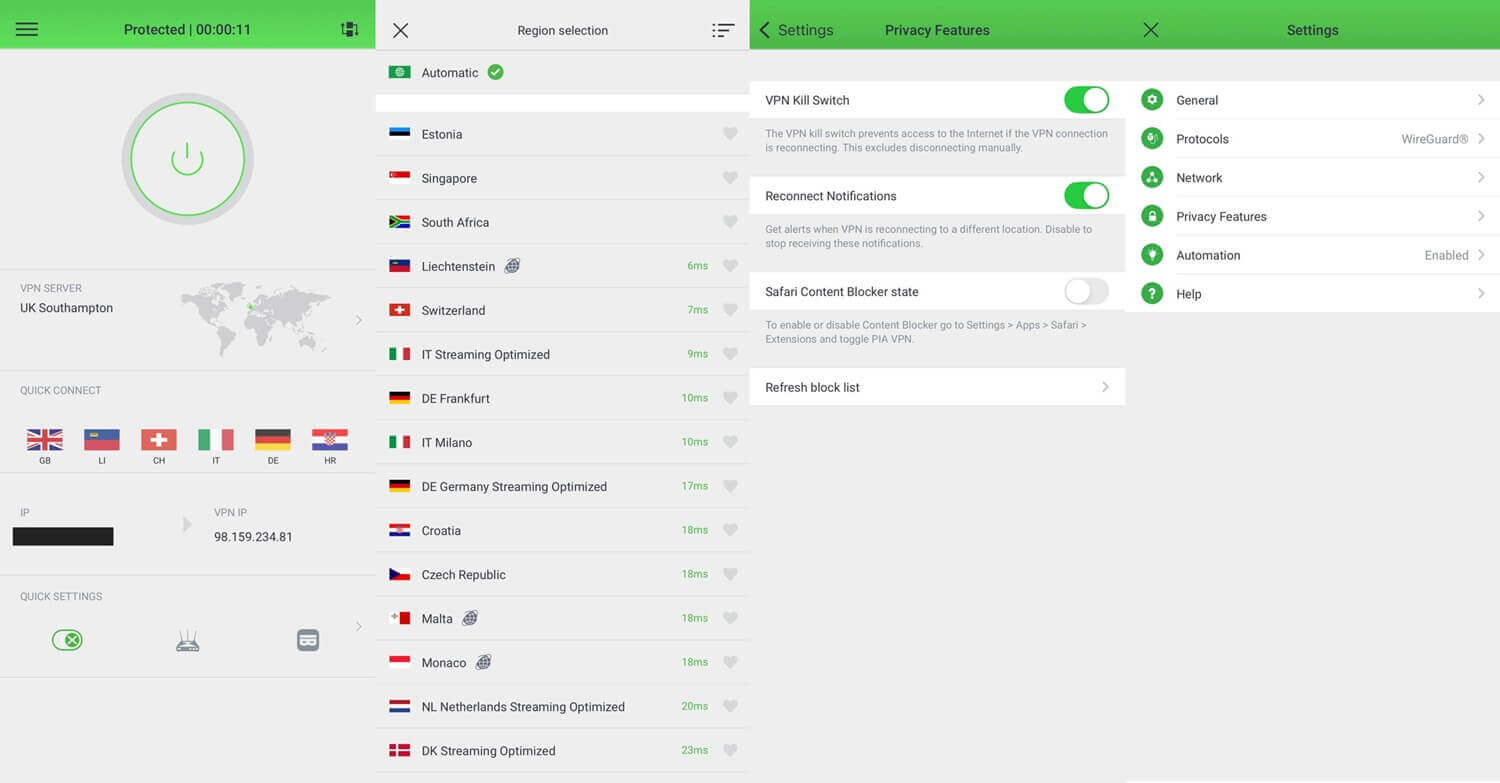
Private Internet Access is the cheapest VPN we tested, at about $2 a month on its long plan. It also has no device limit, so one subscription covers every phone and tablet in a home. That low price costs some speed.
On WireGuard, its UK server lost 14.1% of our download speed, the most of the five, and the clip took 99 seconds to post. Six extra seconds on an upload is easy to live with, and the speed loss doesn’t show while you scroll. However, the app is the main drawback.
Its menus look cluttered and dated next to the other four, so expect a few minutes of setup. After that, MACE, PIA’s ad and tracker blocker, and its kill switch, which blocks traffic whenever the VPN disconnects, work in the background.
The kill switch also keeps TikTok from seeing your actual IP address for a moment if the connection suddenly fails (that happens rarely).
5. Surfshark: Best for Matching GPS to Your Server
Pros
- Sets an Android phone’s GPS to the server’s country
- Unlimited simultaneous devices
- Ad blocker on every plan
- Split tunneling for apps and websites
- Android free trial
Cons
- Slowest upload in our tests
- Occasionally long connection times
Surfshark is the only VPN here that changes an Android phone’s GPS position. Its GPS Override matches the phone’s coordinates to the server, and in our tests with Grindr, the app showed profiles from the new location. TikTok reads GPS only with location permission, so the feature applies to users who allow it.
As for speed, it was close to the others. Its UK server lost 11.2% of our download speed, and the clip took 101 seconds. That was the slowest upload we recorded, but still within eight seconds of no VPN. Still, some connections took longer to start.
Turning on auto-connect helps, since the VPN is then ready before you open TikTok. On top of that, CleanWeb blocks ads on every plan, including the Starter plan at about $2.50 a month over 27 months, and Bypasser, Surfshark’s split tunneling, can exclude banking apps from the VPN.
What a VPN Changes on TikTok
TikTok’s privacy policy lists those three signals. We tested which of them a VPN changes, with NordVPN connected to US servers:
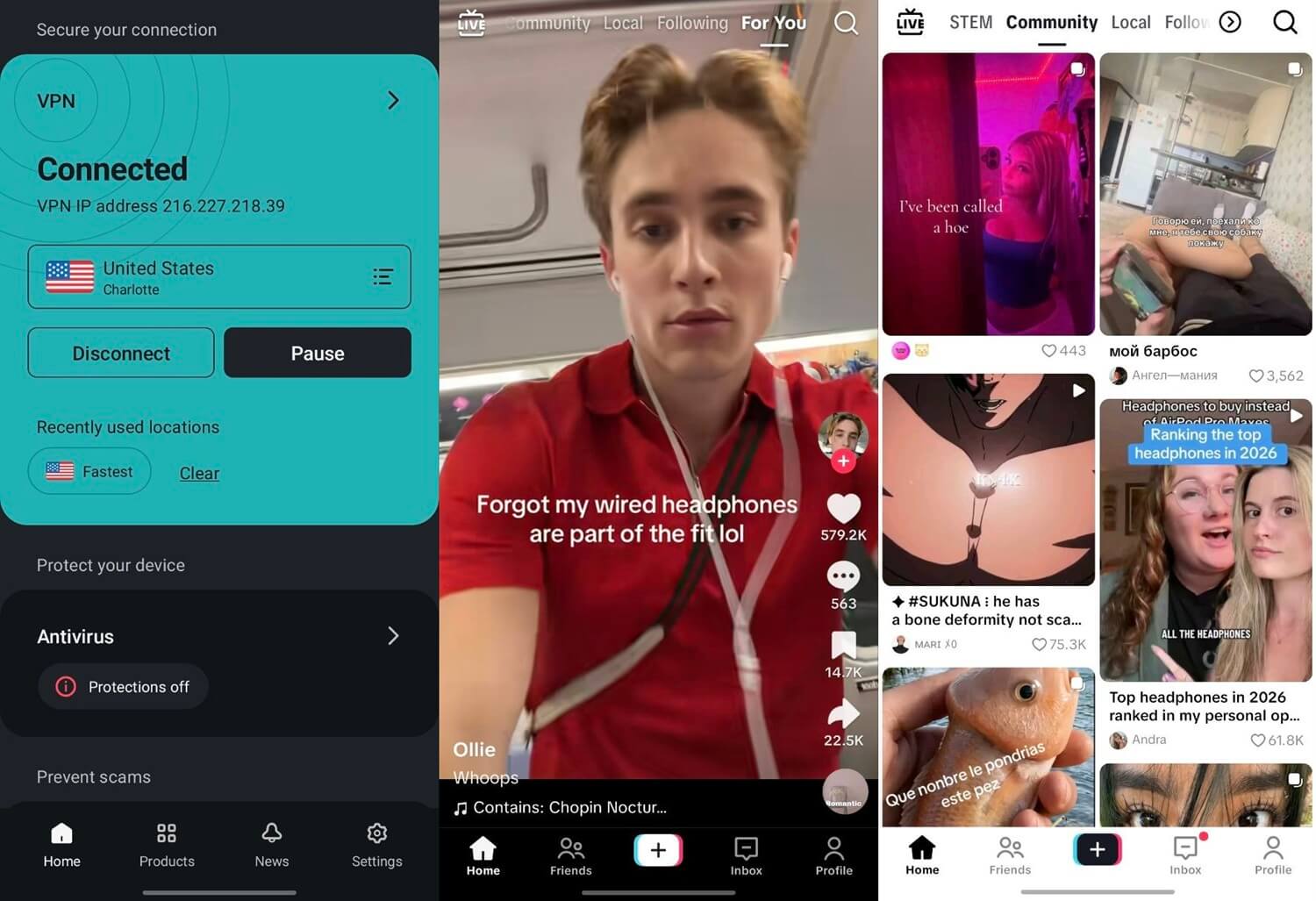
- Existing account, SIM in: English-language creators appeared in the For You feed, mixed with content in our own language. TikTok Shop didn’t appear.
- Existing account, SIM out: nothing changed after we removed the SIM, switched to airplane mode on Wi-Fi, and deleted TikTok’s cache.
- New account, created on the US server: an English-only feed and a STEM tab the existing account never showed. Shop still didn’t appear.
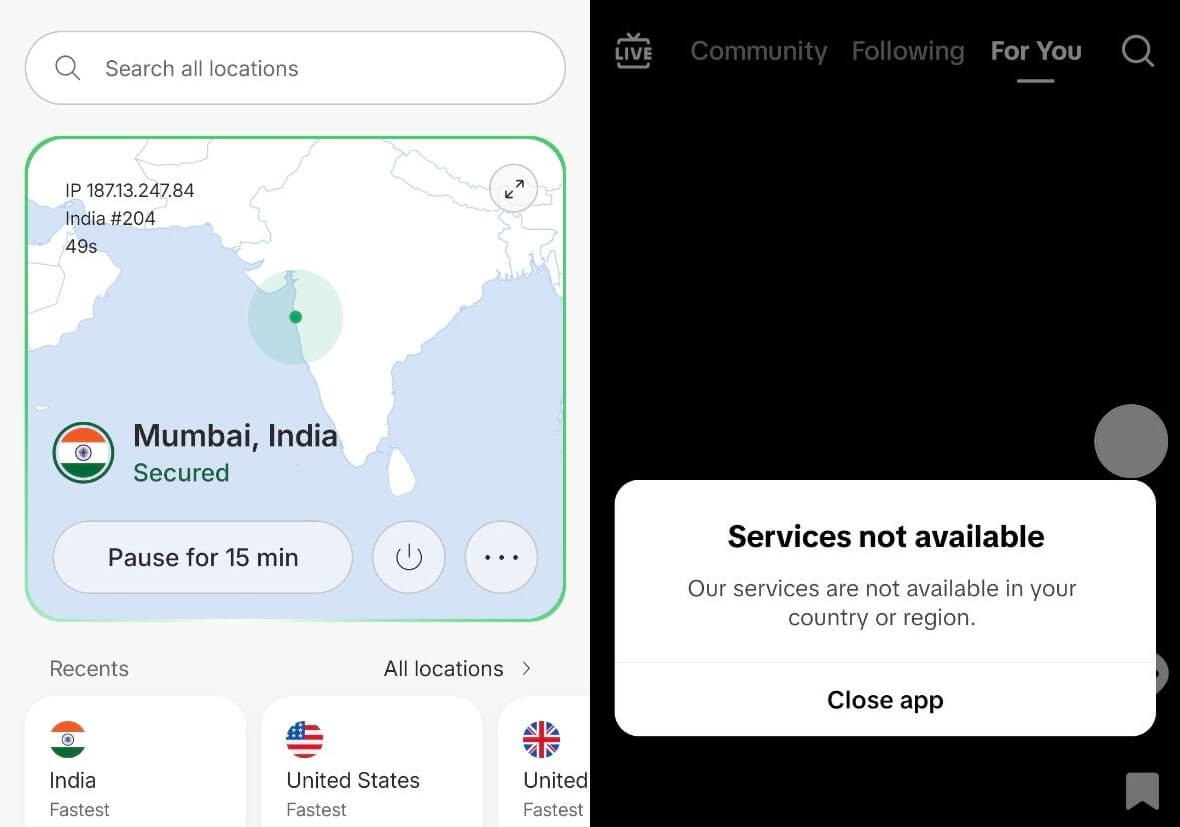
- Indian server: TikTok showed a region error and offered only to close the app.
So the IP address controls access and part of the feed, while the account’s region didn’t change through any of these steps. A VPN won’t add TikTok Shop or move an established account into another country’s monetization programs. TikTok Live is a different story.
Streams showed no stuttering on any of the five VPNs, and every upload finished within eight seconds of our time without a VPN. In a browser, tiktok.com reads the same IP address, so a VPN extension for Chrome covers TikTok on a computer.
Where TikTok Is Blocked
- India: banned since 2020. TikTok blocks Indian IP addresses and reads the SIM’s country, so phones require extra steps, and the instructions for using TikTok in India cover each device.
- Hong Kong: TikTok withdrew in 2020, and a Hong Kong SIM keeps the app blocked on phones. Our page on TikTok in Hong Kong explains the setup.
- China: TikTok isn’t offered, so ByteDance operates Douyin there instead.
- Afghanistan, Iran, Jordan, Somalia, and Kyrgyzstan: blocked nationwide.
- Gabon: suspended by the national regulator in February 2026.
- Pakistan: banned four times in 2020 and 2021, with each ban later lifted.
- Schools and offices: many networks block TikTok locally.
Elsewhere, however, bans have been lifted. Nepal lifted its ban in August 2024, and Albania in February 2026. In the US, TikTok went offline for about half a day in January 2025. Its US business then moved to the TikTok USDS Joint Venture on January 22, 2026, and TikTok in the US kept working on the same app.
Free VPNs and TikTok’s Data Use
Proton VPN’s free plan, one of the best free VPNs we’ve tested, has unlimited data, but it assigns the server automatically, usually one in Amsterdam in our tests. Windscribe and PrivadoVPN let free users choose from a short list of countries, and TikTok was available in every location we tested.
Even so, their data caps are the limit. TikTok used 294 MB in 20 minutes of scrolling at default quality, and 165 MB with Data Saver on. At that rate, a 10 GB monthly allowance lasts about 11 hours at default quality, or about 20 with Data Saver.
For daily use, that’s a week or two of scrolling at most.
Can TikTok Ban You for Using a VPN?
TikTok’s terms prohibit attempts to get around its access restrictions, which covers using a VPN in a country where TikTok isn’t available, such as India. Everyday use looked different in our tests. No VPN triggered a captcha, warning, or extra sign-in check, including on the new account.
Keep in mind, too, what a VPN doesn’t hide. TikTok still sees your account details, your activity in the app, your device information, and your GPS position if you allow it. A VPN changes the IP address and encrypts traffic on the network you’re using, but the app itself collects the same data as before.
As for earnings, monetization doesn’t move either. The Creator Rewards Program is open only to accounts in supported countries, and our existing account’s region didn’t change on a US server.
Conclusion
Uploads were where the five VPNs differed most. On that measure, NordVPN is the one we’d install first, since it added the least time to each post. Proton VPN is the better fit if TikTok is blocked on the network you use every day. Before you subscribe, set your expectations.
A VPN brings TikTok back where it’s blocked and shifts part of the feed, but Shop and creator programs follow the account’s region. If you want a feed from another country from day one, create the new account while you’re connected to that country.
Frequently Asked Questions
Is it legal to use a VPN for TikTok?
Yes, in most countries. VPNs are legal in the US, the UK, and most of Europe, although TikTok's terms prohibit using one to get around its block where the app isn't available.
Can TikTok detect a VPN?
Yes, it can recognize many VPN IP addresses, but it rarely blocks them. Regular use through a VPN usually triggers no captcha, warning, or extra sign-in check on TikTok.
Does a VPN change your TikTok region?
No, not for an existing account. A VPN changes which creators appear in the For You feed, but the account's region, TikTok Shop, and creator programs remain unchanged.
Is there a free VPN for TikTok?
Yes. Proton VPN offers a free plan with unlimited data, while Windscribe and PrivadoVPN have free plans with monthly data caps that short videos use up quickly.
Does a VPN work with TikTok Live?
Yes. A fast VPN keeps TikTok Live smooth, since a live stream uses less bandwidth than a good VPN connection offers. A nearby server keeps the delay to the chat low.
Does a VPN hide your data from TikTok?
No. A VPN hides the IP address and encrypts traffic on the local network, but TikTok still collects account details, in-app activity, device information, and GPS location when allowed.