Instagram Stories, Reels, and posting worked over obfuscated Hong Kong connections on NordVPN, Proton VPN, and ExpressVPN. China has blocked Instagram since 2014, and its Great Firewall can detect standard VPN connections, so we tested all three with obfuscation enabled. NordVPN comes first for its obfuscated servers in Hong Kong, Japan, Taiwan, and Singapore.
Instagram in China: Setup Before and After You Land (October 2026)
- Subscribe to NordVPN and install it before the trip.
- Download Instagram on the same phone while you’re still outside China.
- Enable obfuscation by choosing NordVPN’s obfuscated servers.
- Connect to Hong Kong, Japan, Taiwan, or Singapore.
- Open Instagram and browse or post as usual.
Why Instagram Doesn’t Work in China
China blocked Instagram in late September 2014, as photos of the Hong Kong protests spread on the app. The Great Firewall blocks it along with Facebook and Google, so the app doesn’t load on Chinese mobile networks or Wi-Fi. Our guides to Facebook in China and Google’s services in China cover those blocks.
Is It Legal to Use a VPN in China?
China’s industry ministry began requiring VPN services to obtain a government license in January 2017. That July, Apple removed ExpressVPN and other unlicensed VPN apps from its Chinese App Store. Foreign VPN services don’t have that license, so using one in China breaks those rules. We’re not lawyers, and this isn’t legal advice. Our guide to VPNs for China covers the wider picture.
How to Set Up Instagram and a VPN Before You Fly
Install Both Apps at Home
Most VPN websites are blocked in China, and Google Play doesn’t operate on the mainland. Subscribe to NordVPN before departure, using the latest NordVPN discount, then install it and Instagram on the same phone and sign in to both.
Enable Obfuscation
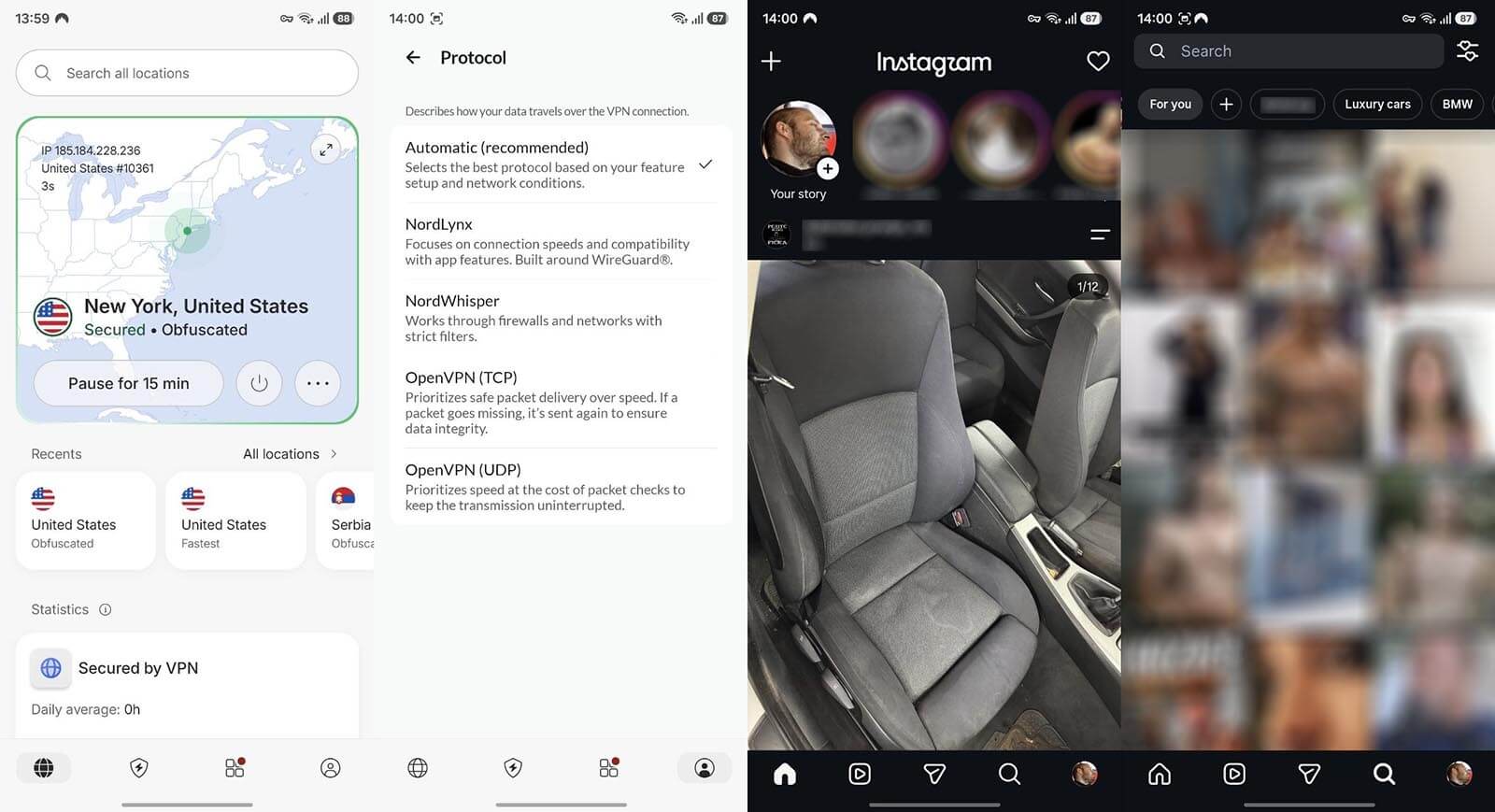
Obfuscation disguises VPN traffic as ordinary encrypted traffic, which is how VPNs get past VPN blocks. In NordVPN, set the protocol to OpenVPN, then pick Obfuscated servers from the specialty servers list. Proton VPN users select Stealth as the protocol, and ExpressVPN obfuscates every connection without a setting.
Connect to a Nearby Server and Open Instagram
Choose Hong Kong, Japan, Taiwan, or Singapore for the shortest distance, then open Instagram and sign in. The example below shows New York, but the closer the server is, the faster the speed and the lower the latency is.
Roaming and eSIMs: Instagram Without a VPN
Mobile data on a foreign SIM usually passes through the home carrier’s network outside China, so Instagram opens without a VPN. Travel eSIMs work the same way. In our best eSIM for China tests in Beijing, Shenzhen, and Shanghai, Saily kept Instagram, WhatsApp, and Google working with no VPN app. Roaming fees can be high, and hotel Wi-Fi and Chinese SIM cards stay behind the firewall, so a VPN is still required on those connections.
Hong Kong Obfuscation Speeds Compared
We measured each VPN in October with obfuscation on and a Hong Kong server selected, from a Windows 11 PC with a 190.36 Mbps connection in Europe.
| VPN | Obfuscation used | Hong Kong download | Hong Kong upload | Nearby obfuscated locations | Price, longest plan |
|---|---|---|---|---|---|
| NordVPN | Obfuscated servers | 116.30 Mbps | 5.71 Mbps | Hong Kong, Japan, Taiwan, Singapore | $3.49/mo |
| Proton VPN | Stealth (WireGuard-based) | 60.75 Mbps | 3.48 Mbps | Every server location | $2.99/mo |
| ExpressVPN | Automatic on every connection | 133.56 Mbps | 16.97 Mbps | Hong Kong, Japan, Taiwan, Singapore | $2.99/mo |
Best VPNs for Instagram in China
- NordVPN: Best overall, with NordWhisper as a second obfuscation option.
- Proton VPN: Best for flexible obfuscation, with Stealth available on every server.
- ExpressVPN: Best for posting speed, with the highest Hong Kong upload we measured.
1. NordVPN: Best Overall VPN for Instagram in China
Pros
- NordWhisper protocol
- App kill switch
- Double VPN servers
- Post-quantum NordLynx
Cons
- Obfuscation limited to OpenVPN
- Slow upload when obfuscated
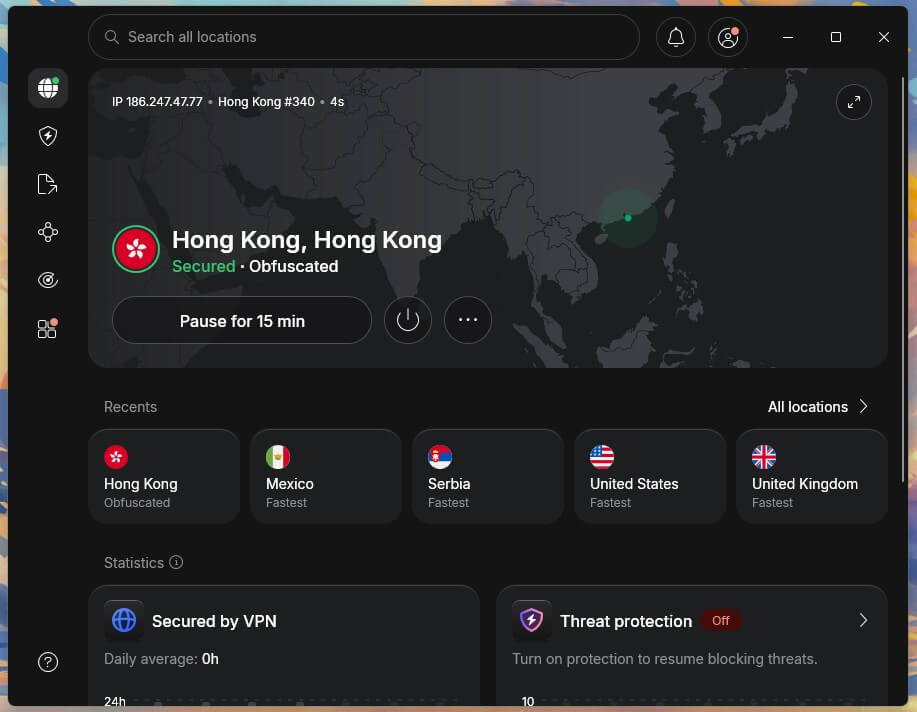
NordVPN’s obfuscated servers cover Hong Kong, Japan, Taiwan, and Singapore. On the Hong Kong one, download speed was 116.30 Mbps, Instagram loaded Stories and Reels, and we posted a Story without errors. Upload dropped to 5.71 Mbps, compared to 19.37 Mbps without a VPN, so long Reels upload more slowly. NordWhisper, a separate protocol built to disguise VPN traffic, is the second option when obfuscated servers won’t connect.
No traffic escaped when we pulled the cable, closed the app by force, or restarted the PC. NordVPN charges $3.49 a month for the Basic plan’s 27-month term ($94.23), with renewal at $139.08 a year.
2. Proton VPN: Best for Obfuscation on Any Server
Pros
- Swiss jurisdiction
- Open-source apps
- Secure Core servers
- Annual no-logs audits
Cons
- Slowest obfuscated result
- No post-quantum cipher
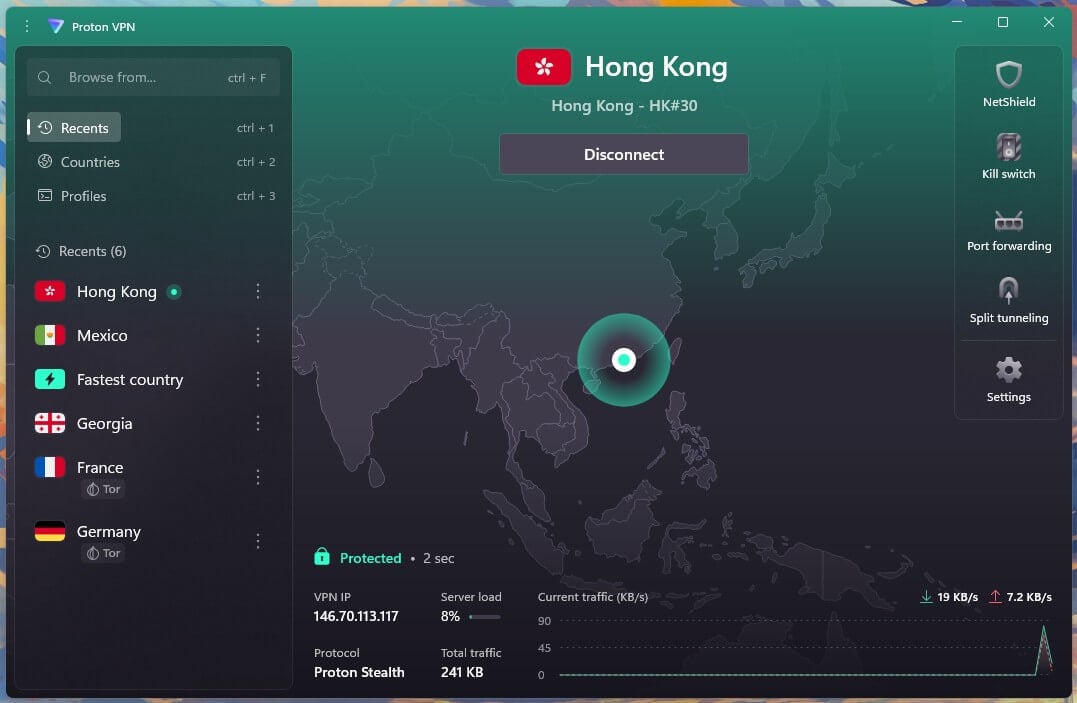
We used Proton VPN’s newer Stealth protocol, built on a WireGuard framework, which works on every Proton VPN server. On the Hong Kong server, Stealth recorded 60.75 Mbps down and 3.48 Mbps up, the slowest Hong Kong result we measured, yet Stories and Reels still played, and we posted a Story.
Stealth isn’t limited to specific locations, so Japan, Taiwan, and Singapore are alternatives when Hong Kong is busy. The VPN Plus plan costs $71.76 for 24 months, about $2.99 a month, and renews yearly at $83.88.
3. ExpressVPN: Best for Posting Speed From Hong Kong
Pros
- RAM-only servers
- KPMG-audited no-logs policy
- Post-quantum Lightway
- Dedicated router app
Cons
- No Double VPN option
- Limited customization
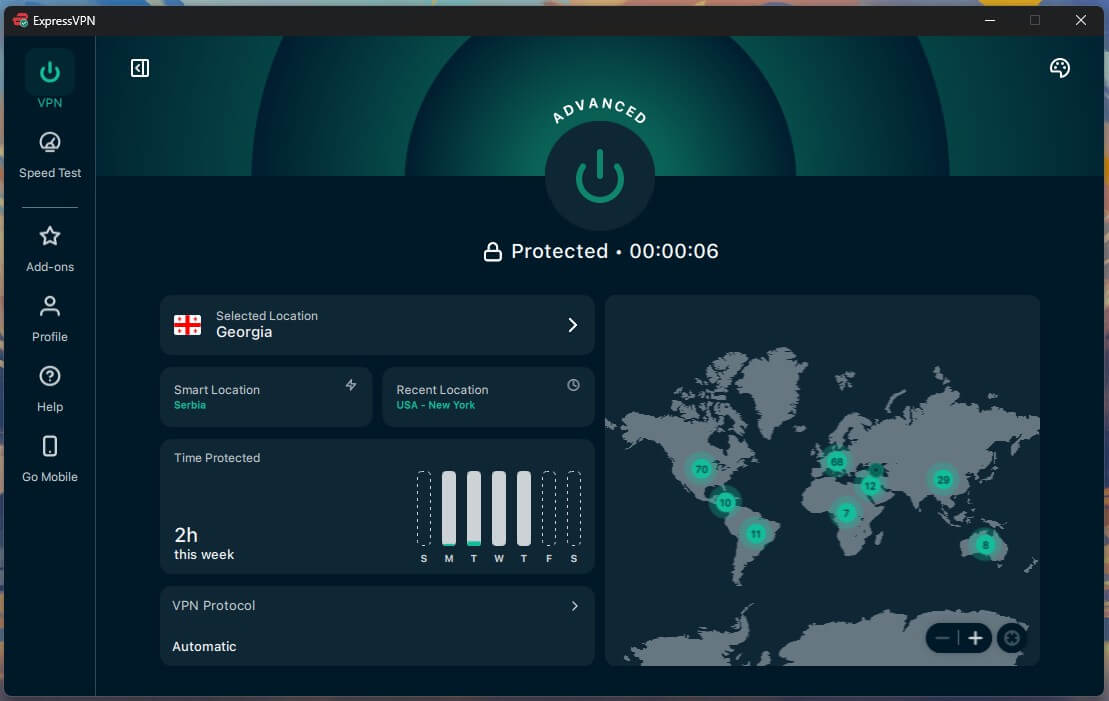
ExpressVPN obfuscates every connection automatically, so there’s nothing to enable before connecting. Its Hong Kong server recorded 133.56 Mbps down and 16.97 Mbps up, the fastest obfuscated Hong Kong result we measured, and posting a Story worked normally. ExpressVPN also has servers in Japan, Taiwan, and Singapore. The Basic plan comes to $83.72 over 28 months, or $2.99 a month, before a $99.95 annual renewal.
Tips for Using Instagram in China
- Change locations when Hong Kong is slow. Japan, Taiwan, and Singapore are the other nearby locations on all three VPNs.
- Disable location tags on posts. A tagged location can still show where a photo was taken.
- Keep instagram.com as a backup. The website works through the VPN if the app won’t refresh.
Choosing a VPN for Instagram in China
For Stories and Reels on hotel Wi-Fi, NordVPN is our first choice, with two obfuscation methods to switch between if one won’t connect. Proton VPN can apply Stealth to a less crowded server when one location is busy, though its Hong Kong speeds were the lowest we recorded. ExpressVPN delivered the quickest uploads for frequent posters. Travelers on a budget can compare these with the low-cost VPNs we recommend.
Use Instagram in China With NordVPN
FAQs About Using Instagram in China
Is Instagram blocked in China?
Yes. China has blocked Instagram since September 2014, along with Facebook, WhatsApp, and Google services, so the app won't open on mainland mobile data or Wi-Fi networks.
Can I download Instagram in China?
No, not easily. Instagram isn't listed on the Chinese App Store, and Google Play doesn't operate in mainland China, so the app should be installed before arrival.
Does Instagram work in Hong Kong?
Yes. The Great Firewall doesn't cover Hong Kong, so Instagram opens on local networks there, and Hong Kong VPN servers are a nearby choice for users on the mainland.
Does Instagram work in China with roaming?
Yes, usually. Foreign SIM cards typically send data via the home carrier abroad, which leaves Instagram accessible without a VPN, although roaming fees can add up.
Which VPN works best for Instagram in China?
NordVPN works best for Instagram in China, offering obfuscated servers in Hong Kong and Japan, as well as Taiwan and Singapore. Proton VPN is an alternative, with Stealth on any server.