
Game prices on the PlayStation Store swing wildly by country. The same title can cost half as much in one storefront as another; PS Plus pricing varies just as much, and some promotions never reach certain regions. That’s why people want to change their PSN country. Sony locks the region when the account is created, and there’s no setting that changes it afterward.
There is a workaround, and it involves a new account plus a VPN. Here’s how it works on PS5 and PS4, and how to buy games once your storefront has moved.
Change Your PSN Region in 5 Steps
- Get a VPN with servers in your target country. NordVPN covers 149 countries.
- Install it on any device. A phone or laptop works, and the PlayStation console isn’t needed yet.
- Connect to a server in the country you want.
- Create a new PSN account and pick that country in the region selector.
- Add the account to your PS5 or PS4, and the store switches over.
Can You Change Your PSN Region Without a New Account?
No. Sony does not allow a region change on an existing PSN account, and nothing about that has shifted in years. The country you pick at signup becomes a permanent part of the account. PlayStation’s own support staff confirm it, and contacting Sony with a legitimate reason such as relocation, long-term travel, or military posting produces the same answer every time. That leaves 2 options.
Keep your existing account and fund it through gift cards in its original currency, or create a second account in the region you want and use both. Most take the second path, since your original account keeps its games, trophies, and subscriptions. Nothing is lost. Purchases stay in the account that bought them, and both accounts can operate on the same console.
Where to Find the PlayStation Country Selector
A PSN country selector sounds like a setting buried somewhere in the menus, and so does changing your location on PS5. People also look for a PlayStation region selector, the same thing under a different name. Neither is editable. There is no menu entry to change PSN region after the fact.
The selector appears once, in the Country/Region dropdown during account creation, and that choice is final. Everything downstream follows from it: the storefront you see, the currency in your wallet, and which promotions you’re offered. You can check which region an account belongs to:
- On console: open the PlayStation Store, press the 3-dot menu, and look at Storefront Country
- On the web: sign in to Account Management, open Your Information, and the country appears at the bottom of the address details
How to Change Your PSN Region on PS5 and PS4
Most of the work happens on a computer or phone. You’ll add the finished account to your PlayStation at the end, which is the point where the region on PS5 or PS4 actually changes.
1. Set Up a VPN
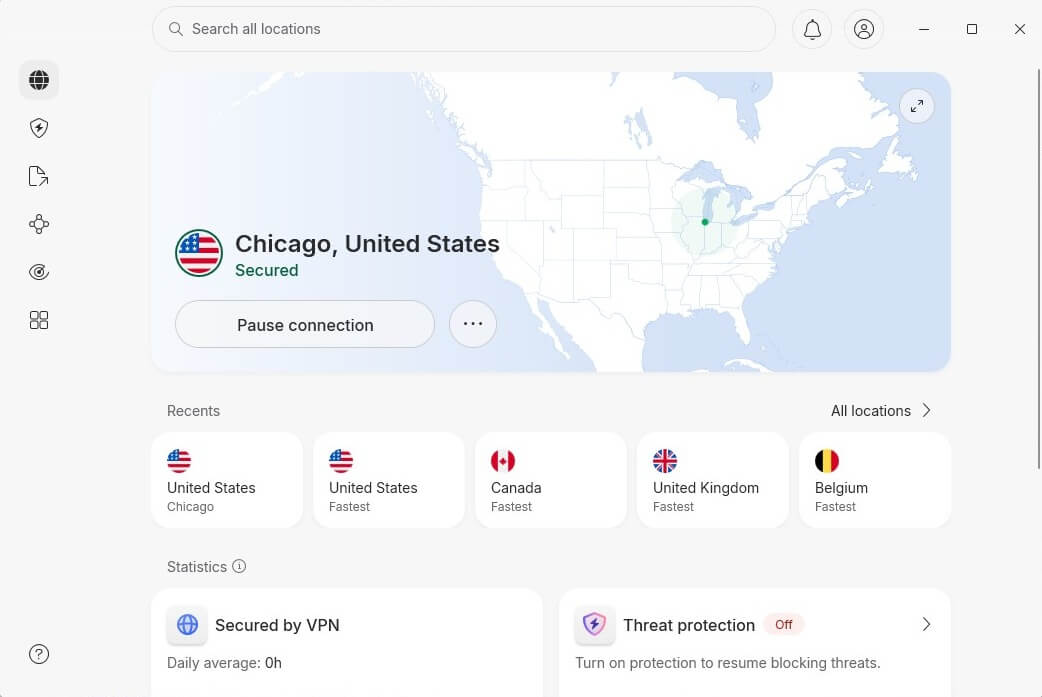
Sony reads your IP address during signup. If it says Germany while you’re selecting the United States, that mismatch can trigger verification problems or a failed registration, so align the 2 before you start. Any device works. We used a Windows PC. Install the app, sign in, and connect to your target country.
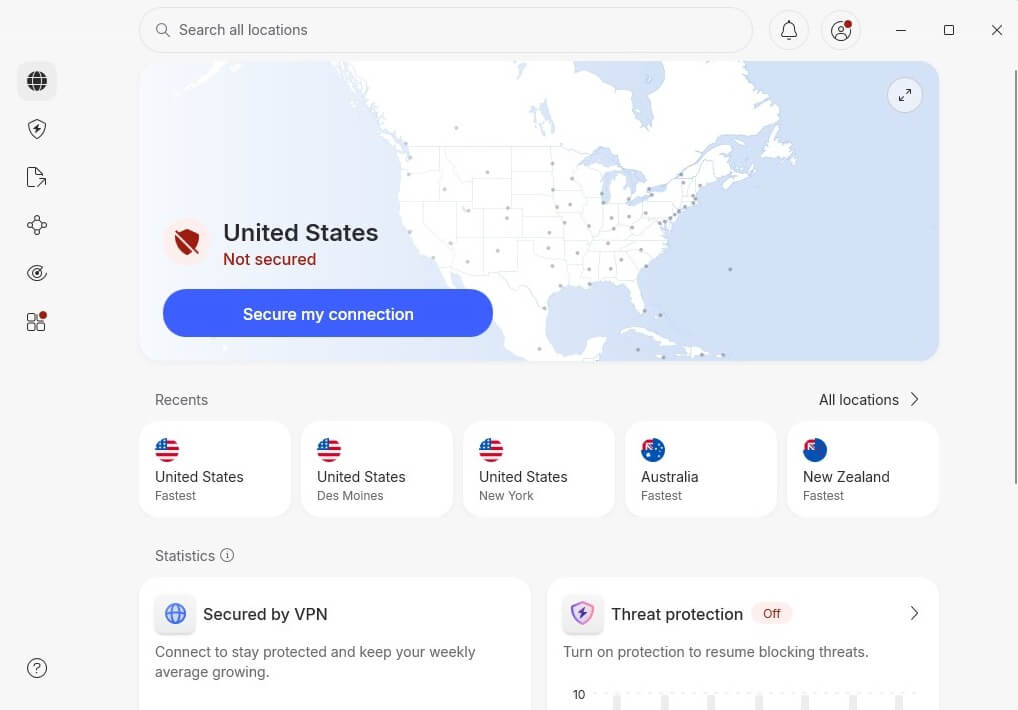
We picked a US server for this walkthrough, though any of NordVPN’s 149 countries works the same way. A 30-day money-back guarantee covers the whole process if you only need the VPN once.
2. Create a New Account
- Open the official PSN site and select Create Your Account, then Create.
- Choose your region. This is a permanent decision. Match it to your VPN server. The page language may switch, so use your browser’s translation if needed.
- Enter your date of birth, then Next.
- Supply an email address that has never been used with PSN, plus a password.
- Verify through the confirmation email.
- Add a profile picture and details.
A valid city and postal code for the chosen country are usually required, so have one ready before you begin.
3. How to Change Region on PS5
Open Settings, then Users and Accounts, then Users, then Add User. Sign in with the account you just made, and the store changes. Prices appear in the new country’s currency, which confirms it worked. Your original account stays on the console and keeps everything it owned.
4. How to Change Region on PS4
Open Settings, then Users, then Create User, then Sign In with PlayStation Network. The steps are shorter than on PS5 because the PS4 treats each user as its own login from the start. Both consoles let you switch between accounts from the power menu, so you can browse one storefront and play from the other.

How to Buy Games on a Different Region PS Store
Switching your PS Store region brings a new obstacle: Sony requires a payment method issued in the account’s country. A UK card gets declined by the US store, and PayPal follows the same rule. Gift cards solve it. No country-of-issue check applies to the buyer, so you top up the wallet directly and pay from the balance. The same approach works when changing your Steam region.
- Buy a PS Store gift card for your new region. Amazon sells them for major markets, and specialist retailers cover the rest.
- Check the card matches the region exactly. A US card won’t redeem on a Canadian account and vice versa.
- Copy the 12-digit code.
- On the PSN site, open your Profile icon and select Redeem Code.
- Paste the code and confirm.

Buy from established sellers. Grey-market marketplaces are cheaper, and codes bought there are occasionally revoked when the original purchase turns out to be fraudulent, which leaves you with nothing and no recourse. Funds land in the wallet immediately and stay there until spent.
Things to Know Before PSN Region Change
PlayStation’s terms of service ask for accurate residency information, and buying from a storefront outside your country conflicts with that. Enforcement is rare, and Sony has never made a habit of closing accounts over it, though the possibility exists and the account holds your library. Second, PSN doesn’t operate everywhere.
Sony supports a limited list of countries, so people in unsupported territories have no home region. For them, a second account isn’t about lower prices; it’s the only way onto the network. Region-locking on discs is separate and unaffected. It’s enforced by the console hardware, and no account change or VPN alters it.
Do You Need a Region Change to Unblock Streaming?
Usually not. Netflix, Prime Video, and similar apps work in every PSN region, and what they show you depends on your IP address instead of your account country. Netflix reads the connection, so the US library appears when your traffic comes from the US. That makes a VPN sufficient on its own, with no second account.
The same applies to most streaming apps and to blocked sites generally. Consoles don’t accept VPN apps natively, which is the practical hurdle.
Why Change Your PSN Region?
- Cheaper games. Regional pricing differs enormously, and Turkey, India, and Argentina are the storefronts people usually name.
- Cheaper PS Plus. A 12-month Essential subscription runs $79.99 in the US, and considerably less in several other regions.
- Region-locked promotions. Sales rotate by country, and a modest discount on an already cheap storefront often beats a large one on an expensive market. There’s a NordVPN discount going on the same principle.
- Earlier launches. Time zones mean some regions unlock a new title hours before yours.
- Access. For players in countries PSN doesn’t serve, a supported region is the only way in.
How to Set Up a VPN on PS4 or PS5
You don’t need one to change your store country. You do need one for:
- Avoiding ISP throttling
- Reducing exposure to DDoS attacks
- Connecting to game servers elsewhere
- Region-locked streaming apps
PlayStation consoles run no VPN software of their own, so the connection has to come from elsewhere. A router setup covers every device at once, though it depends on your router model and may mean flashing new firmware. Sharing a PC connection over Ethernet is simpler:
- Connect the console to your computer with an Ethernet cable.
- Open network settings on the computer and find the VPN’s network adapter.
- Right-click it, open Properties, and enable connection sharing.
- In the VPN app, set OpenVPN as the protocol.
- Connect to your chosen country.
- On the console, open network settings and set up the internet connection.
- Select LAN or Wired, not wireless.
- Choose Do Not Use a Proxy Server when asked.
- Accept the settings.
The console now shares your computer’s VPN connection. This also helps with throttling during long gaming sessions.
Best VPNs to Change Your PSN Country in 2026
Speed, country coverage, and router support are what matter here. All 3 were tested for gaming use, so here’s what they actually offer.
1. NordVPN: Best VPN Overall
Pros
- 149 countries to choose from
- 10 Gbps ports keep latency low
- Router support for console setups
- Kill switch guards against leaks
Con
- Higher renewal costs
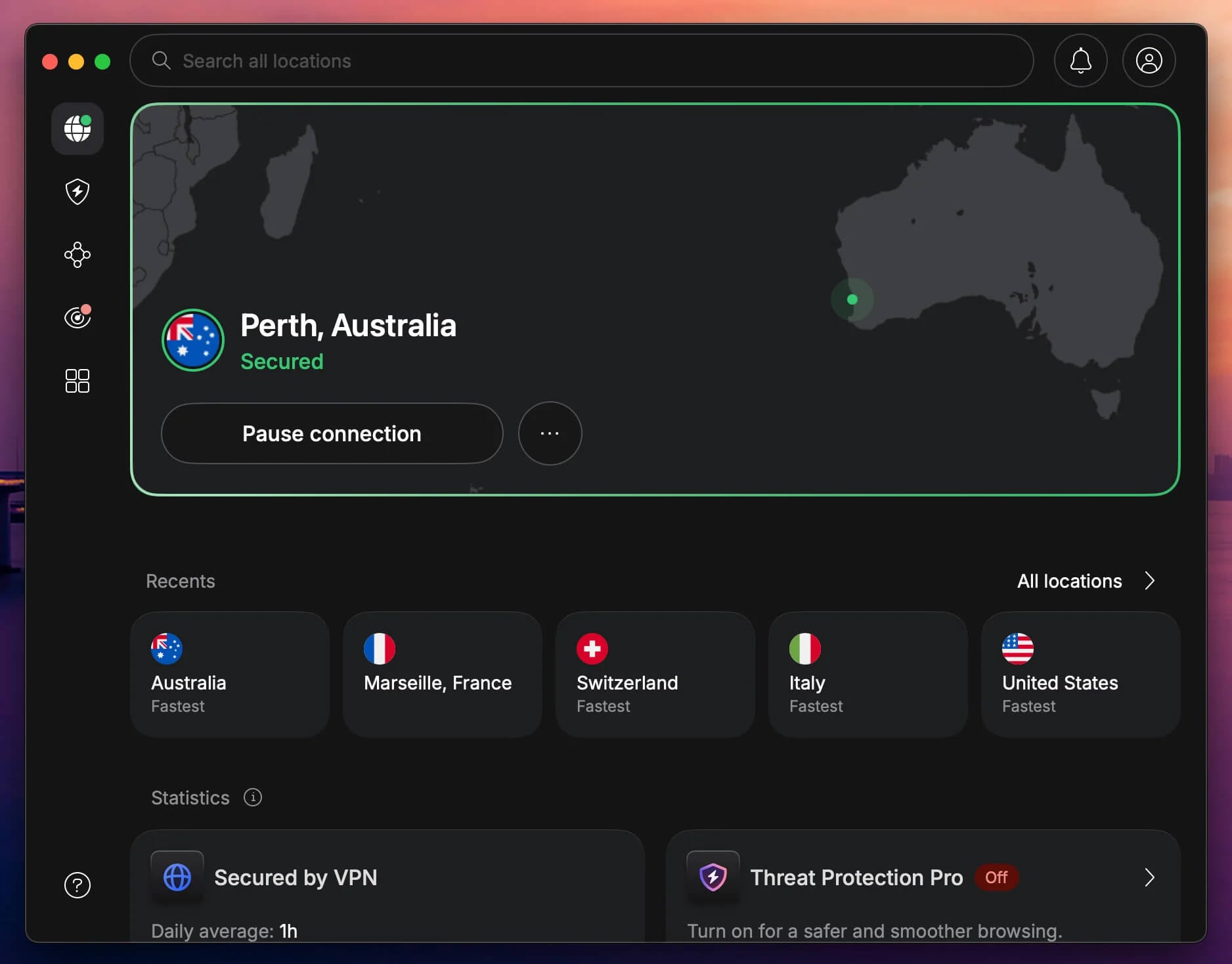
Country coverage decides this category, and NordVPN’s 149 countries mean the region you want is almost certainly available. That breadth is also why it works well with Netflix once your console is connected. Its 9,500+ servers use 10 Gbps ports, and NordLynx keeps latency low so a shared connection doesn’t spoil a session.
Bandwidth is unlimited, so long play sessions are fine. Router support matters more than app count for consoles, and NordVPN documents the setup thoroughly. One subscription covers 10 devices. Our full NordVPN review goes deeper, and apps are available across macOS, Windows, and mobile.
2. Proton VPN: Best for Privacy
Pros
- 148 countries on paid plans
- Open-source, audited apps
- No bandwidth limits on any tier
- Kill switch built into every plan
Cons
- Free tier picks the server for you
- No Smart DNS
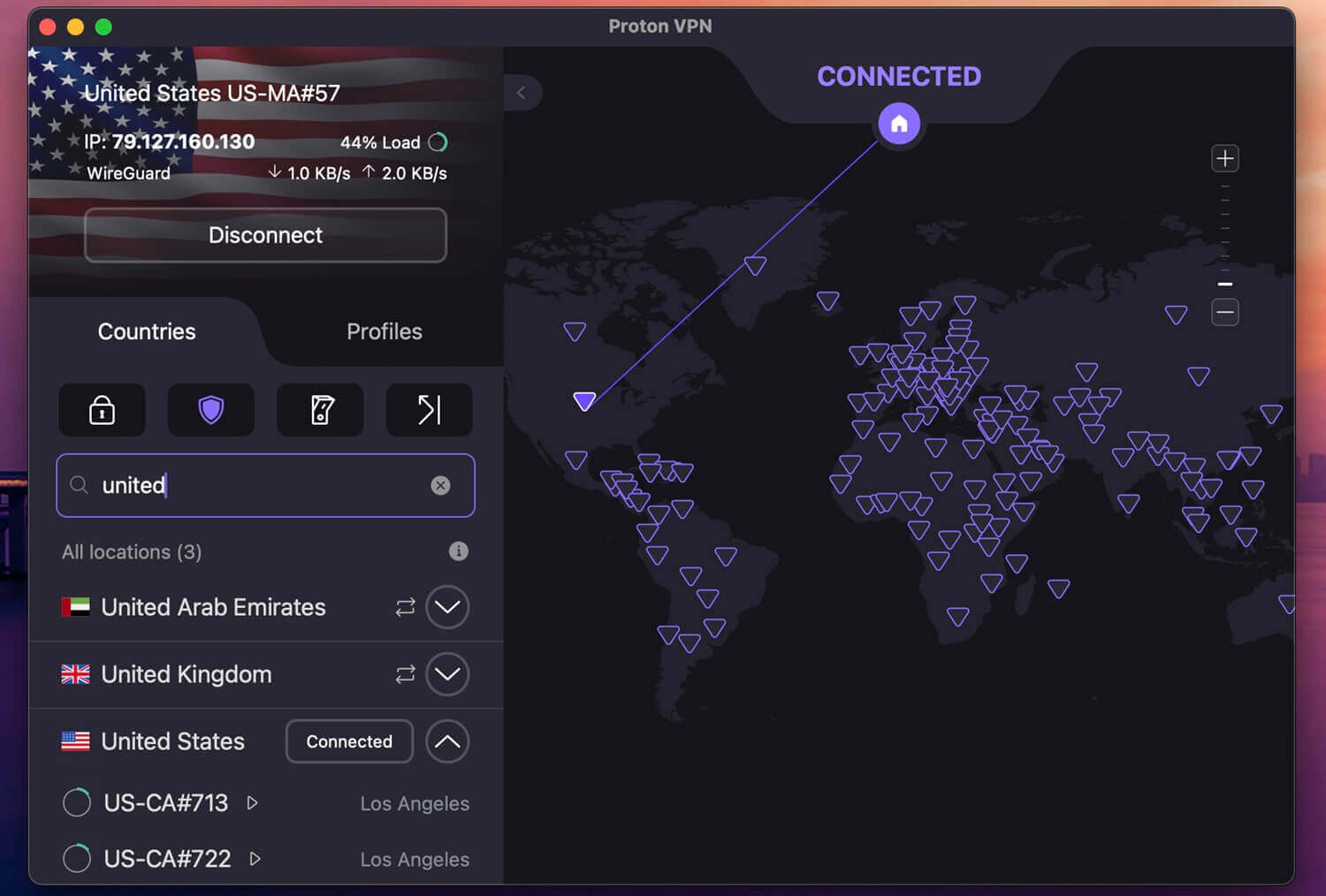
Proton VPN’s free tier won’t work for this. It covers 10 countries, including the US, Japan, Canada, and the Netherlands, but it assigns the server automatically with no way to pick one. Choosing your PSN region means choosing your server, so this task needs a paid plan. The paid version is a strong choice.
Its 148 countries give you almost any storefront you might want, the apps are open source and independently audited, and Swiss law places no data retention obligation on VPN operators. Bandwidth is unlimited on every tier, and a kill switch is standard. For console use, it supports router configuration.
However, the absence of Smart DNS makes Ethernet sharing from a PC the simpler path. Paid plans come to $71.76 for 2 years, or $2.99 a month.
3. ExpressVPN: Best for Speed and No Lag
Pros
- Simple apps for first-time users
- Lightway keeps ping low
- MediaStreamer for console streaming
- Router firmware is easy to flash
Cons
- Steep renewal price
- No Double VPN
ExpressVPN is the least fiddly option, which counts when you’re configuring connection sharing for the first time. Its apps are near-identical across platforms, and its router firmware is the most approachable. Lightway keeps latency low, so ping stays workable on a shared console connection.
AES-256 encryption and a kill switch cover the security side, and post-quantum key exchange is included. MediaStreamer is its own Smart DNS, useful for streaming apps on the console, though it changes no PSN region by itself. The Basic 28-month tier costs $2.99/mo and covers 10 devices, including iPhone.
Summary
Sony locks your PSN region at account creation and provides no way to change it afterward. The workaround is a second account, created while connected to a VPN server in the country you want, added to your console alongside the original. Funding it is the second half of the job. Local payment methods get declined, so gift cards for the matching region are how you buy anything.
NordVPN handled it in our testing, and its 149 countries cover almost any storefront you’d want. Proton VPN covers 148 countries on its paid plans, and ExpressVPN is the simplest to configure for console sharing. Each offers refunds within 30 days, which is longer than this task takes.
Frequently Asked Questions
🗺️ Can I change my PSN account region?
No. There is no way to change PSN account region once it exists, and PlayStation Support confirms it. A second account in the target country is the only workaround.
🌎 Can I change my PS5 region without making a new account?
No. No console setting, account page, or support request changes the region of an existing account. The Storefront Country entry in the PlayStation Store displays it without allowing an edit.
🎮 Will I lose my games if I create a second account?
No. Purchases, trophies, and save data stay attached to the account that made them. Each library belongs to its own account, and switching users on the console moves between them.
⛔ Does Sony ban accounts for using a different region?
No, not as a rule. The practice conflicts with terms of service that ask for accurate residency details, though enforcement has historically been light.
📍 Is a PlayStation region change permanent?
Yes. The second account keeps the country picked at signup, exactly as the first one does. Switching again would mean creating a third account.
🌐 Do I need a VPN after the account is created?
No, you don't. The region locks at signup, so the VPN has no further role in the region change itself.
💿 Can a VPN change the region of PS5 discs?
No. Disc region coding is enforced by console hardware, and neither an account change nor a VPN affects it.