Looking for a free Firefox VPN extension that’s actually worth installing? A VPN app encrypts your entire device’s traffic, but the right extension extends that protection into your browser with tools built for it: WebRTC leak protection, ad blocking, and enough server choice to get past stubborn geo-blocks. A free Mozilla Firefox VPN goes a long way in preventing data leaks.
While premium Firefox VPN extensions do more, not everyone wants to pay. So we tested and ranked the top 5 free VPNs for Firefox that still deliver on performance, security, and privacy (we tested 20 in total).
Free VPN Firefox: Best Firefox VPN Free Extensions to Install in 2026
- NordVPN: Best risk-free Firefox VPN overall
- Proton VPN: Best forever-free VPN for Firefox (with premium trial)
- ExpressVPN: Fast, reliable, and free for 30 days
- CyberGhost: Really free VPN for Firefox, no signup needed
- Hide.me: Forever free VPN for Firefox with unlimited data
Compare the Best Free VPN Firefox Extensions
Free Firefox VPNs come in two categories:
- Risk-free VPNs, usable for free for 30 days via money-back guarantees
- Really free options forever, which you can use without paying a cent
| NordVPN | Proton VPN | ExpressVPN | CyberGhost | Hide.me | |
| Free Model | 30-day MBG + 3-day trial | 30-day MBG + really free tier | 30-day MBG + 3-day trial | Forever free | Forever free |
| Signup Required | Yes 🚧 | Yes 🚧 | Yes 🚧 | No ✅ | No ✅ |
| Countries | 149 | 148 in paid, 10 in free (no manual server selection) | 113 | 4 | 2 |
| WebRTC Leak Protection | Yes ✅ | Yes ✅ | Yes ✅ | Yes ✅ | Yes ✅ |
| Data Limit | None | None | None | None | None |
| Streaming | All major platforms ✅ | All platforms on paid, none on free | All major platforms ✅ | No ❌ | No ❌ |
| Malware or Ad Blocking | Both | Both on paid, none on free | Both | No ❌ | No ❌ |
| Premium Price | $3.49/mo | $2.99/mo | $2.49/mo | No paid addon | No paid addon |
Our list covers both, and one pick, Proton VPN, genuinely belongs to both camps. The risk-free options remain stronger overall, with unlimited data, better security, and streaming ability, but the forever-free tier has improved a lot since we first tested it. But here’s the table to compare them and my personal experience with all five.
1. NordVPN: Best Free Firefox VPN Extension (Guarantee + Trial)
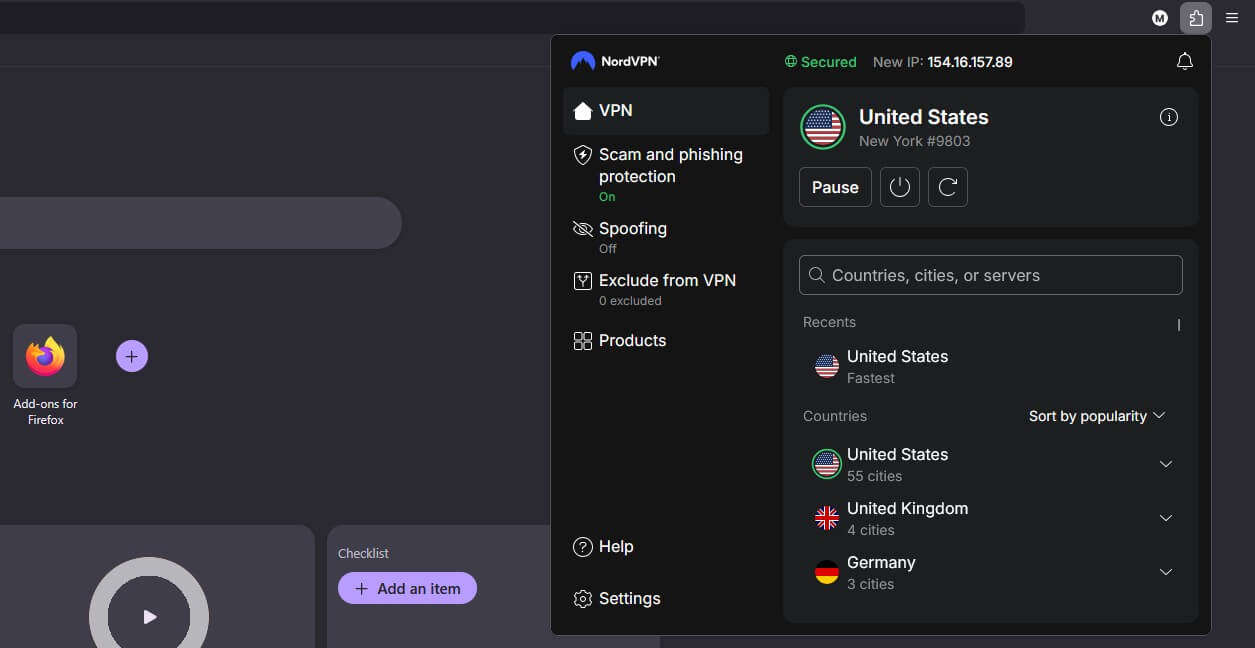
NordVPN is a premium provider, as our NordVPN review makes clear. However, you can use it for free in one of two ways (or both):
- Opting for a 3-day free trial when you sign up via Android
- Using the 30-day money-back guarantee to get a refund
Combine the two, and you get the #1 free VPN for Firefox for 33 days. What separates it from the forever-free picks below is everything else: security, speed, streaming, and ease of use. No free Firefox VPN compares.
Try NordVPN for Free for 30 Days
Pros
- Location Spoofing
- WebRTC Leak Protection
- Threat Protection Lite
- Unlimited speed and data
- All 149 countries accessible
- Great for unblocking
Cons
- It’s not free forever
- Complex app UI
NordVPN Features
NordVPN runs 9,500+ servers in 149 countries, with 10 Gbps ports and uncapped data, so performance never becomes the bottleneck. The Firefox extension is where it earns this spot. Its Location Spoofing feature aligns your browser’s reported location with your VPN server, which gets past geo-blocks efficiently; we noticed the VPN unblocks ESPN Select abroad, where other VPNs fail.
WebRTC blocking ensures no website discovers your original IP address through Firefox’s built-in leak vector, and Threat Protection Lite blocks malicious sites and ads inside the browser. The Quick Connect button gets you protected in one click, or you can use a specific location when unblocking is the goal. Beyond Firefox, apps cover Windows, Linux, macOS, Android, and iOS.
NordVPN adds Meshnet, Double VPN, malware protection, and the NordLynx protocol, with 10 simultaneous connections on every plan. Higher plans also throw in 1 TB of NordLocker, NodPass, and Coveron, which I recently reviewed.
How Much Is the Premium Version?
If you’d rather go full premium than juggle refund windows, plans start at $3.49/mo with the browser extension included. The Basic plan usually suffices, though NordVPN’s site lists bigger bundles if you want them.
2. Proton VPN: Forever Free + Paid Tier With 30-Day Guarantee
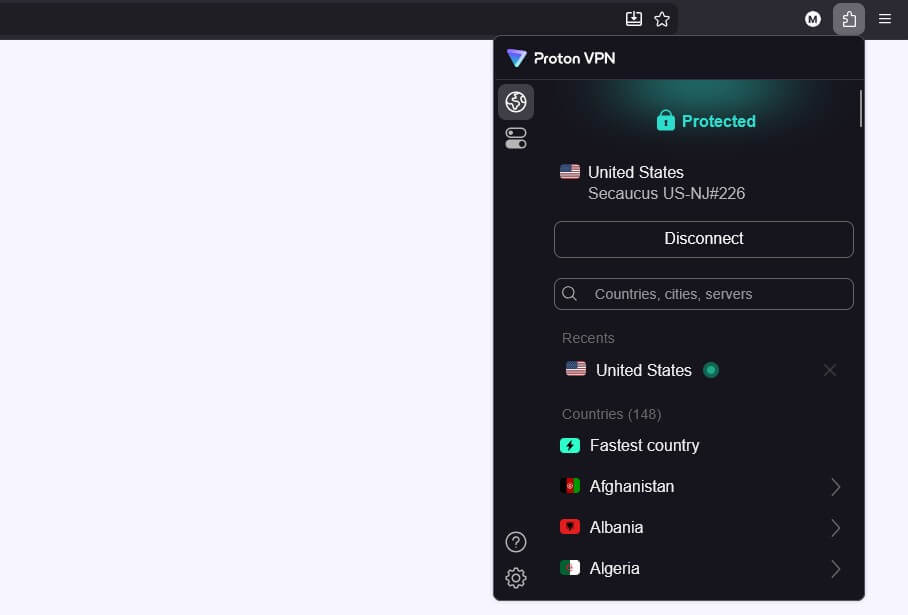
Proton VPN earns the second spot by playing both sides of this list. It’s a premium provider with a 30-day money-back guarantee, and simultaneously a forever-free VPN for Firefox, no credit card required. Since late 2024, the browser extension, once a paid perk, has been available to free users too, which changed what a free provider can offer considerably. And here’s what I mean by that.
Pros
- Secure Core servers
- NetShield blocks ads
- WebRTC leak protection
- Unblocks Netflix USA
- Audited no-log policy
- Fully open-source apps
Cons
- Free tier blocks P2P
- No streaming in free tier
Proton VPN Features
For a non-paid option, it’s impressive how much Proton squeezed in. The free extension carries unlimited data, a rarity that even some paid rivals don’t match, and speeds held up in our tests for browsing, social media, and Full HD YouTube. WebRTC leak protection is built in, with Proton’s always-on 256-bit encryption and a no-logs policy backed by open-source, independently audited apps.
The extension’s cleverest trick is independence: it runs without a desktop app, protects browser traffic, and each browser counts as its own connection. You can keep Firefox connected to a free VPN server in the USA while other apps use your normal connection. And it works on Firefox-based browsers like LibreWolf and Waterfox. It remains a good free VPN for Mac for the same reason.
The free tier’s limits are real. You can’t choose a server; the extension auto-connects you to the fastest nearby location, so region-specific unblocking is off the table, and streaming isn’t supported. Secure Core, Proton’s take on MultiHop, is reserved for paying users, as is Split Tunneling.
How Much Is the Premium Version?
The Plus plan runs $2.99/mo on its 2-year deal, unlocking manual server choice across the full network, streaming support, Secure Core, and 10 connections, with a 30-day refund policy to back out if you’re disappointed. Between the free tier for testing and one of the lowest premium prices here, it’s the most flexible pick.
3. ExpressVPN: Fastest Free VPN for Firefox (30-Day Guarantee)
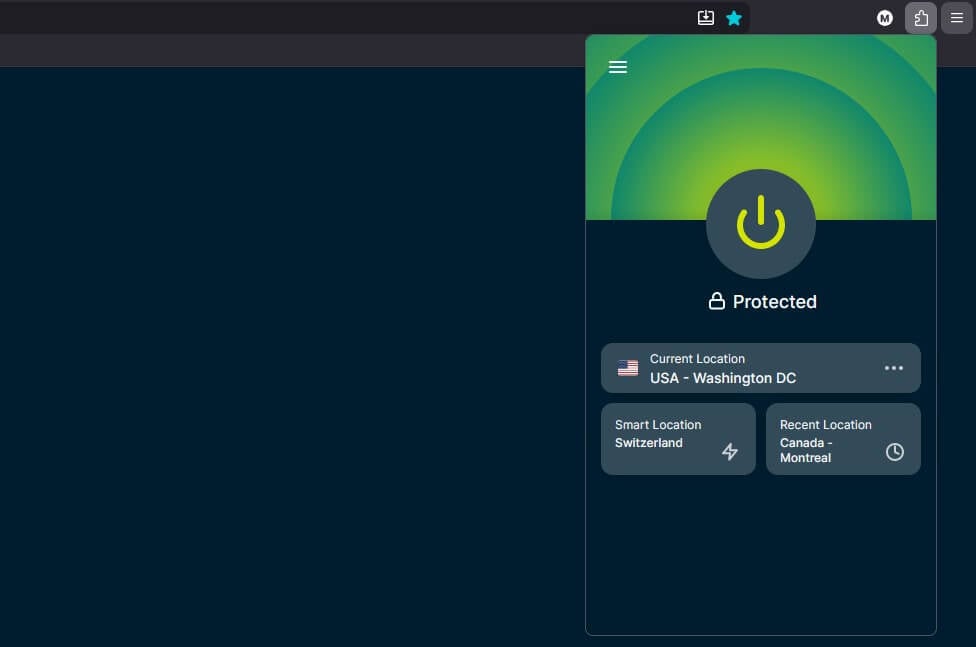
ExpressVPN follows the same playbook as NordVPN: a 3-day free trial on iOS/Android plus a 30-day money-back guarantee. Is ExpressVPN better than NordVPN? We found it a tad inferior because it lacks MultiHop and is slower, though it’s considerably closer than it was before. Here’s precisely why.
Try ExpressVPN for Free for 30 Days
Pros
- Very easy to set up
- Malicious website blocking
- Works with streaming sites
- Fast Firefox VPN extension
- P2P support in desktop apps
Cons
- No MultiHop
- No actual free plan
ExpressVPN Features
Following its July 2026 expansion, ExpressVPN covers 214 locations across 113 countries, with some of the fastest speeds around thanks to its Lightway protocol. The Firefox extension mirrors the desktop app’s look, so there’s nothing to learn, and connecting instantly wraps your browser traffic in 256-bit AES encryption. Two extension features matter most here. WebRTC leak protection is ON.
It closes Firefox’s most common leak before you think about it, and Location Spoofing in the Settings makes sites see only the VPN location. Threat Manager works silently in the background, blocking ads, malicious sites, and trackers. We tested ExpressVPN on Netflix and found it works with over 15, and it handles TV channels, online bookies, and other blocked sites just as well.
The desktop apps add P2P support and safe dark web access with IP/DNS leak protection, and every plan now covers 10+ simultaneous connections.
How Much Is the Premium Version?
Pricier than NordVPN at renewal, but Gizmodo’s discount with 4 free months on the 2-year plan drops the price to $2.49/mo on the Basic tier, which flips the price argument entirely. On the risk-free route, it matters very little either way.
4. CyberGhost: No-Sign-Up, 100% Free Firefox VPN Addon
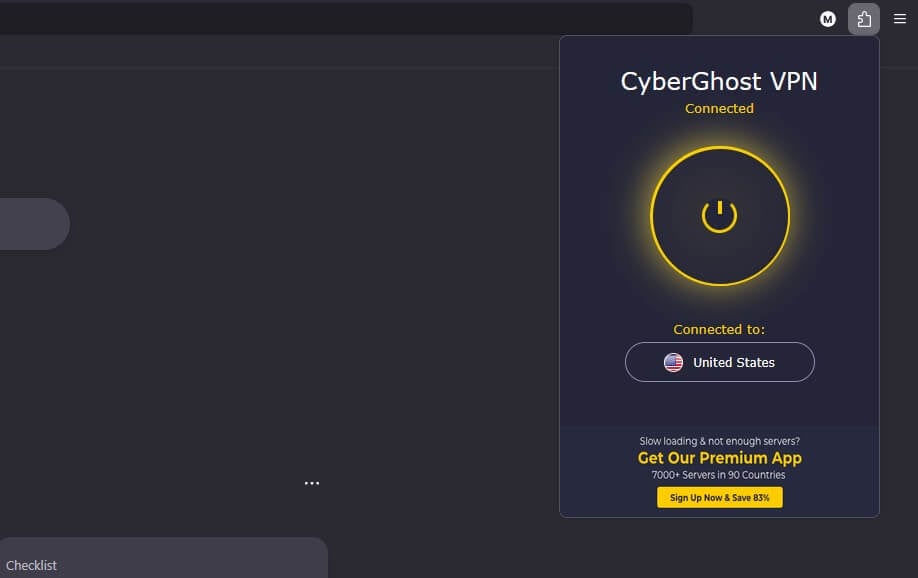
CyberGhost is a Romanian provider rooted in a privacy-friendly country with strict laws, which boosts its no-logging trustworthiness. It earns the #4 spot for one simple reason: its Firefox extension is really free, so you add it to Firefox and use it without signing up. There’s a premium version with desktop and mobile apps too, and it’s very affordable, as you’ll soon see.
Pros
- No-logging policy
- WebRTC blocking
- No need to sign up
Cons
- No split tunneling
- Limited server park
- No Firefox VPN paid tier
CyberGhost VPN Features
As a forever-free Firefox VPN, CyberGhost keeps things minimal. It’s a browser proxy protecting in-browser traffic only, with four server locations to choose from: Romania, the Netherlands, Germany, and the USA. Click one, and CyberGhost connects in seconds, wrapping your session in AES encryption and its no-log practices. It also automatically blocks malicious content.
The manual location choice, which Proton’s free tier lacks, makes it usable for lighter geo-unblocking, like accessing betting sites with the VPN. Being really free, it skips the advanced stuff: no split tunneling, weak streaming, and no NoSpy servers, which stay exclusive to the desktop app. WebRTC leak protection is present, though, which is the one feature a Firefox extension can’t do without.
Should You Get Its Premium Version?
There’s no premium version of the extension. The paid VPN is the full app, testable free for 24 hours on Windows/macOS and 3 or 7 days on Android and iOS. At $2.19/mo on the 2-year plan with a 45-day money-back guarantee, it’s priced modestly, though we still rate the NordVPN, Proton VPN, and ExpressVPN equivalents higher. Read our CyberGhost review for the full picture.
5. Hide.me: Free Firefox VPN With Unlimited Data
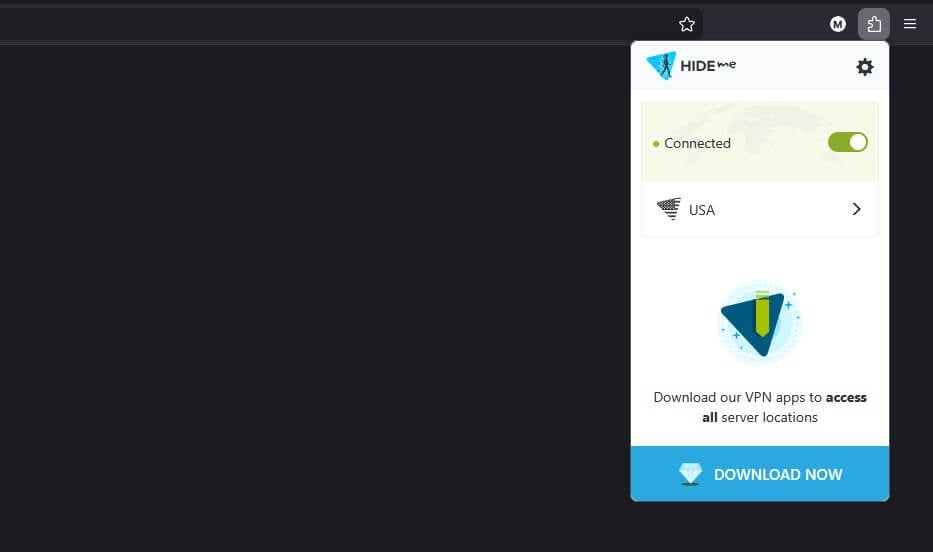
Hide.me is both a premium and a free Firefox VPN extension, and both versions impress with uncapped data, solid performance, and tight security. Like CyberGhost, it’s 100% free and doesn’t require a sign-up: grab it from the Mozilla Add-ons store, add it to Firefox, and connect. The extension has no premium version, so extra features live in the full VPN app if you’re interested in those.
Pros
- SOCKS proxy
- Split tunneling (Bypass)
- Strong encryption
Cons
- No premium VPN extension
- Only US/Switzerland servers
- Blocked streaming
Hide.me Features
Within the extension, Hide.me pairs bank-grade encryption with WebRTC leak protection to keep your original location hidden. The Always-On option auto-connects on browser launch, and a SOCKS proxy is available for lighter-weight rerouting, with fewer security benefits than a full VPN. The standout is Bypass: Hide.me’s split tunneling: add domains one by one, and they skip the proxy. It’s something neither CyberGhost’s nor Proton’s free extension offers.
The trade-offs mirror the other really free picks: no streaming unblocking, no P2P protection, and only 2 VPN locations, the USA and Switzerland. The free VPN app for Windows and other systems adds 6+ locations plus OpenVPN and IP/DNS leak protection, while the premium apps expand to 91+ locations with MultiHop, WireGuard, and streaming and P2P. Hide.me doesn’t store logs, and 24/7 live chat support has your back if you have any issues.
Free VPN Extension Firefox vs VPN App: What is Better?
A VPN application beats an extension for one simple structural reason: the app protects your entire device, encrypting every bit of inbound and outbound traffic, whether you’re streaming, torrenting, gaming, or shopping. An extension works only within the browser. The same goes for any other VPN for Chrome, Brave, or Safari: in-browser traffic is covered; everything else isn’t.
Download over a torrent client, and your ISP sees it. Play Fortnite or Valorant, and your original IP stays exposed. The best free Firefox VPN is excellent for in-browser work, privacy, security, even some streaming, while a VPN app delivers full 360-degree coverage. Connect through the app, and both worlds are handled at once.
How to Set Up and Use a Free VPN on Firefox
No expertise required. We’ll use NordVPN as the example, but all five work the same way and install in virtually 3-5 minutes.
- Go to NordVPN and get a subscription for 75% off. For a forever-free option like Proton VPN, CyberGhost, or Hide.me, skip this step.
- Go to the official Mozilla Add-ons page.
- Search for the free Firefox VPN you want and press Enter.
- Click the top result and choose Add to Firefox.
- Once installed, click the Extension icon to locate it.
- Select the VPN and sign in with your email and password (CyberGhost and Hide.me skip even this step).
- Connect to a server, and your in-browser data is secured.
Summary
Match the pick to your patience with limits. If you want the full experience, NordVPN, Proton VPN, and ExpressVPN give you 30 risk-free days, enough to cover two months of premium protection back to back without spending anything permanently.
If you’d rather never enter a card number, Proton VPN’s unlimited-data extension is the strongest forever-free option, with CyberGhost and Hide.me close for their no-signup simplicity. Install one, test it against the sites you use, and upgrade only if the free tier’s walls start bothering you.
Try NordVPN for Free for 30 Days
Frequently Asked Questions
🦊 What is Mozilla VPN?
Mozilla VPN is a separate VPN service from Mozilla, the maker of Firefox. It offers its own servers and security features, but as a whole, it's vastly inferior to third-party VPNs, such as NordVPN, Proton VPN, and ExpressVPN. Mozilla VPN is good for basic privacy, but doesn't work well for streaming, gaming, and unblocking.
🥇 What is the best VPN addon for Firefox?
It's NordVPN, with servers in 149 countries, fast speeds, and strong security that rivals its desktop app counterpart. However, even NordVPN, the #1 Firefox VPN extension, protects only in-browser traffic, so you need both the extension and the app to enjoy full protection for out-of-browser activities.
🟡 Is CyberGhost VPN extension for Firefox good?
Yes, it's good as a basic proxy for light unblocking and secure browsing. Unfortunately, there is no premium version of its Firefox VPN, and the free VPN is limited to 4 locations and has no advanced security features.
🛡️ Is a free VPN for Firefox safe?
Yes, a tried-and-tested free VPN addon for Firefox is safe, and those are NordVPN, Proton VPN, ExpressVPN, CyberGhost, and Hide.me. Shady extensions exist on the Firefox Store, but you'll be able to recognize them by negative reviews or by inspecting their privacy policies for data logging.