Mozilla, the company behind the trusted Firefox browser, has long been associated with privacy and security. Known for prioritizing users over profits, Firefox has earned a reputation as a favorite for those who value online freedom. Building on this legacy, Mozilla launched its VPN in 2020.
But does it live up to the high standards of its legendary browser? Our detailed Mozilla VPN review for 2026 explores its key features, strengths, and potential shortcomings to help you decide if it’s the right VPN for your needs.
Mozilla VPN
If safeguarding your online activities is your top priority, Mozilla VPN excels. However, it has limited success at bypassing streaming restrictions and supports a narrow range of devices and platforms.
Pros
- Strong AES-256 encryption
- User-friendly interface
- Fast and reliable regional speeds
- Blocks ads, trackers, and malware
- Affordable prices
Cons
- Based in the US
- Subpar streaming performance
- Stores IP addresses for 90 days
- No support for routers
- Limited customer support
- No split tunneling on iOS
Mozilla VPN Review 2026: Quick Look
| 💸 Starting price | $4.99 per month billed annually (50% off) or $9.99 per month billed monthly |
| 🔖 Money-back guarantee | 30 days |
| 🌐 Protocols | WireGuard |
| 🥸 No-log policy | Yes (stores your IP for 90 days) |
| 💾 Servers | 500 servers in 30 countries |
| ⏸️ Double VPN/Multi-hop | Yes |
| 🦠 Malware/ad/tracker protection | Yes |
| 📺 Streaming performance | Subpar |
| 🔁 Torrenting | Allowed |
| ⚡ Speed | Fast on regional servers |
| ⚙️ Ease of use | Beginner-friendly |
| 💯 Third-party audits | Yes |
| 💻 Supported platforms | Windows, macOS, Linux, iOS, Android |
| #️⃣ Simultaneous connections | 5 |
| ☎️ Customer support | Help center, ticket system |
Mozilla VPN Pricing: Is It Affordable?
When choosing a VPN, price is a key factor for those seeking reliable protection without overspending. That’s why we’re starting this Mozilla VPN review by taking a closer look at its pricing plans. Mozilla VPN offers a simple pricing model: $4.99 per month on an annual plan or $9.99 per month.
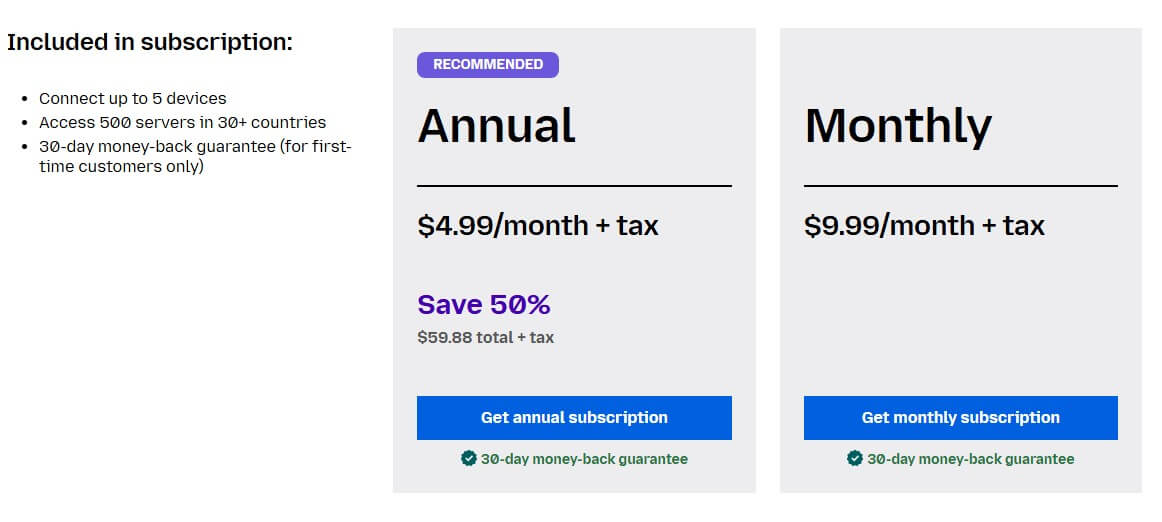
There are no hidden charges; what you see is what you get. This pricing structure is appealing if you’re looking for a cost-effective way to secure up to five devices. However, unlike many VPNs that offer discounts and multi-year plans, Mozilla doesn’t provide long-term pricing benefits.
This could be a drawback if you’re aiming to maximize savings over time. Furthermore, while Mozilla VPN’s pricing is reasonable, it is far from being one of the most affordable VPNs in 2026. Lastly, Mozilla VPN has a 30-day money-back guarantee, so it’s easy to get a refund if you’re unsatisfied.
Are There Renewal Costs?
Thankfully, Mozilla VPN doesn’t come with renewal surprises, as the $4.99 monthly cost stays consistent. While this simplicity is refreshing, it means you won’t see price reductions for sticking with the service longer, commonly offered by competing VPNs, such as NordVPN or ExpressVPN.
Mozilla VPN Review: Is It Safe and Secure?
Security is one of the key factors fundamental to any VPN. Mozilla VPN delivers robust protection with a mix of essential and advanced features designed to safeguard your online privacy. But does it deliver on this promise? We’ll explore this in detail in the next section of our Mozilla VPN review.
🟢 Basic Security Features
- AES-256 Encryption: Uses the industry standard for encrypting your internet traffic, ensuring your data stays safe from interception. It makes sure that even if someone finds a way to access your traffic, it’s practically unreadable.
- Kill Switch: Automatically cuts off internet access if the VPN connection drops, preventing accidental exposure of your real IP address. It is crucial for maintaining privacy, especially when using unsecured networks like public Wi-Fi.
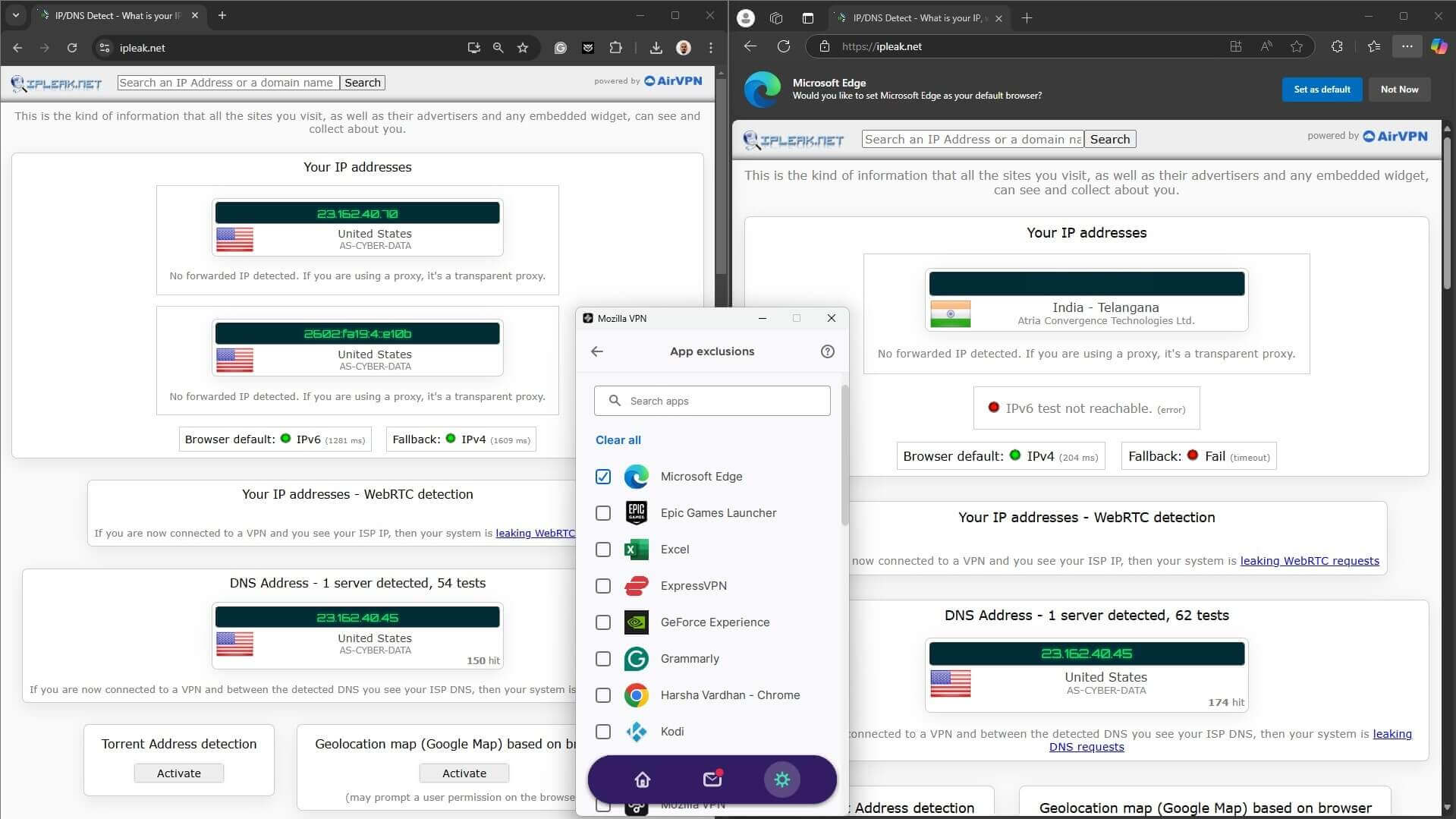
- App Exclusion (Split Tunneling): This lets you choose which apps route through the VPN while others connect directly to the internet. Available only on Windows, Android, and Linux devices.
- Dynamic IP Addresses: You are assigned a new IP address every time you connect, making it harder to track your online activity. This helps improve your anonymity while browsing, streaming, or torrenting.
🔴 Advanced Security Features
- WireGuard Protocol: A modern, open-source VPN protocol that combines fast speeds with strong encryption for a smoother experience.
- Multi-Hop Feature: Routes your traffic through two servers for double encryption, adding an extra layer of anonymity. It is especially useful for concerns about enhanced surveillance or high-risk scenarios.
- Mullvad-Backed Servers: Mozilla VPN relies on Mullvad’s secure infrastructure, known for its strong privacy policies and commitment to no-logs practices, ensuring your data stays safe at all times. If you want to learn more about this VPN provider, you can read our full review of Mullvad.
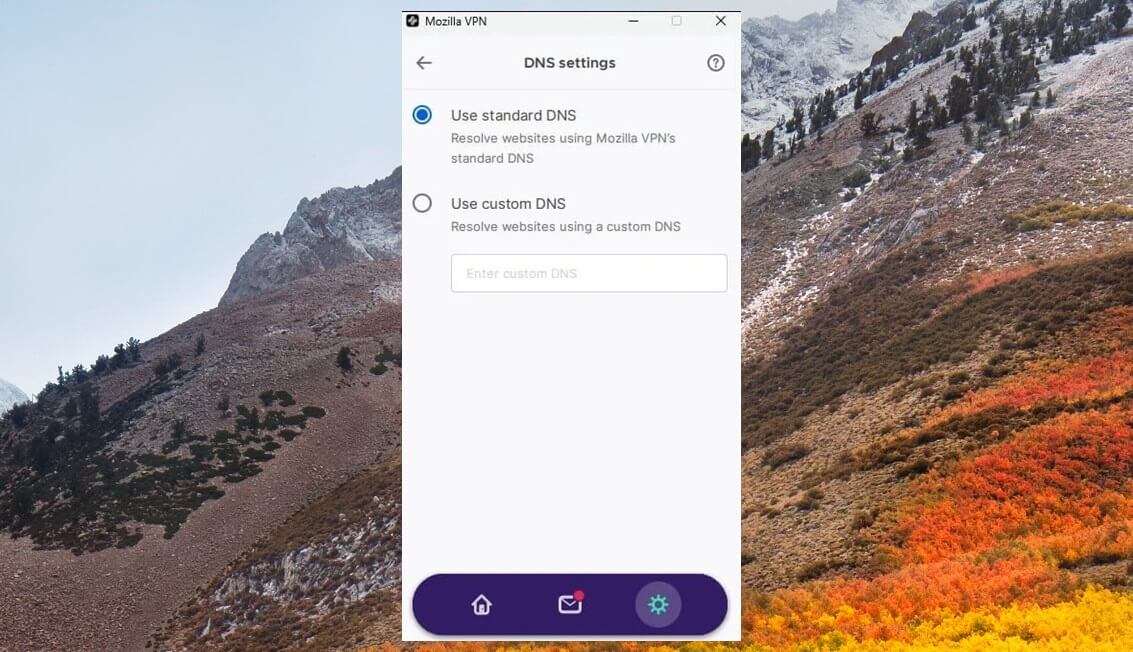
- Custom DNS: Mozilla VPN lets you configure custom DNS servers, enhancing your privacy and allowing more control over how your internet traffic is routed. It’s simple to set up for bypassing restrictions or using secure DNS providers.
- Privacy Features: Mozilla VPN includes tools to block ads, trackers, and malware, enhancing your browsing privacy and protecting you from harmful content.
Does Mozilla VPN Keep Logs?
When choosing a VPN, one of the most crucial aspects to consider is its logging policy. A no-logs policy makes sure that your online activities remain private, even from the VPN provider itself. During our review and analysis, we found Mozilla VPN to be slightly lacking in a few scenarios, so let’s highlight them.
Mozilla VPNs Logging Practices
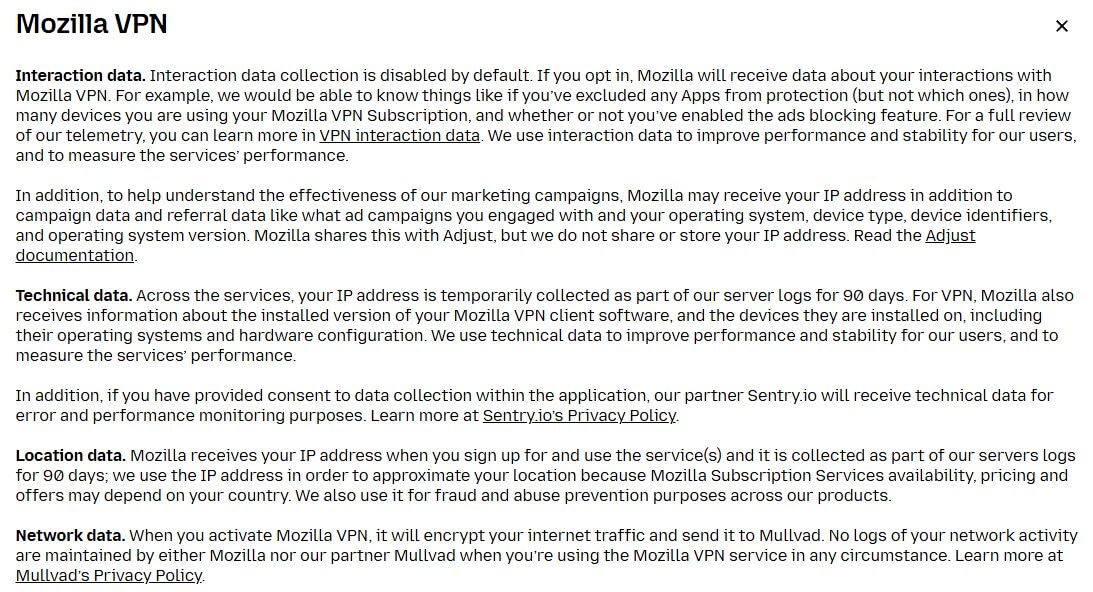
Mozilla VPN claims to follow a strict no-logs policy, meaning it does not track or store your browsing activity, DNS queries, or connection timestamps. There are a few exceptions I must mention in this review:
- Temporary Data Storage: Mozilla stores your IP address for 90 days after signing up. While this may raise privacy concerns, the data is primarily used for account management and troubleshooting, not for monitoring your activity.
- Minimal Operational Data: Mozilla logs some anonymized information, such as the amount of bandwidth used, to maintain and improve its services. Again, this data is not tied to individual users and does not compromise your privacy.
Jurisdiction and Privacy Concerns
Mozilla VPN operates under the US jurisdiction, part of the 5 Eyes, known for intelligence-sharing agreements. This could lead to government requests for user data. However, as per our review, Mozilla’s commitment to transparency and its no-logs policy minimizes the risk of sensitive data disclosure.
Independent Audits by Cure53
To build up trust, Mozilla VPN underwent independent security audits by Cure53, a reputable cybersecurity firm. During our analysis, these audits stood out as a significant step in proving Mozilla’s commitment to user privacy and security. The audits confirmed Mozilla’s infrastructure is free from vulnerabilities.
In turn, they validated its no-log policy. Based on our experience and the reviews conducted to date, NordVPN and ExpressVPN remain the VPNs with the most robust no-log policies. They are based in privacy-friendly jurisdictions, adhere to stricter no-logs policies, and have been independently audited.
How Large is the Mozilla VPN Server Network?
Servers play a critical role in a VPN’s performance, and Mozilla VPN leverages Mullvad’s infrastructure to support its network. This collaboration brings strong privacy features, as Mullvad is well-regarded for its strict no-logs policy and dedication to user security. But what about the size? It’s small.
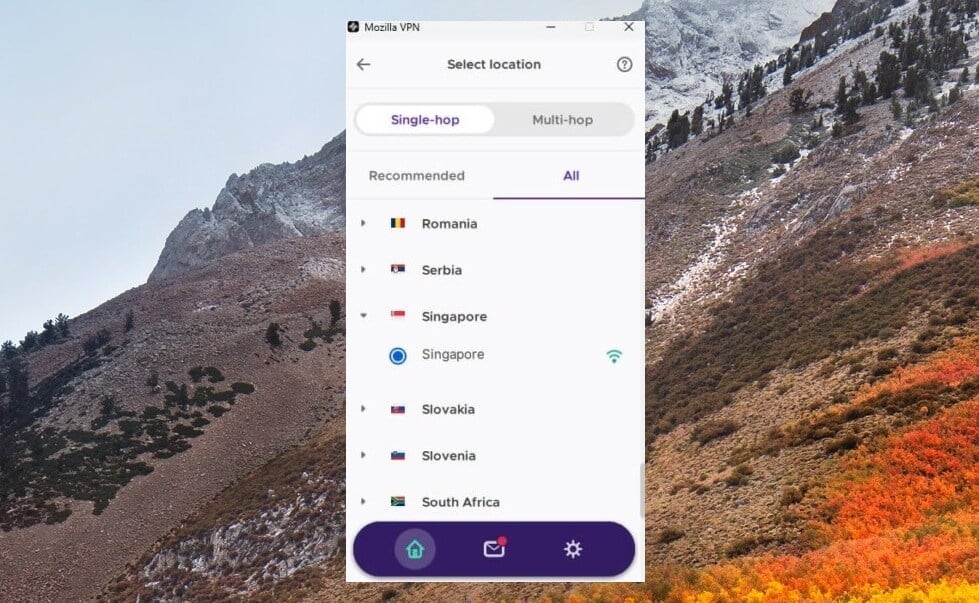
With over 500 servers across 30+ countries, it can be considered decent, but it’s far from the best providers, which often cost less. During our review and analysis, we found that Mozilla VPN’s server network lacks coverage in countries like India, Russia, and the Middle East.
This limitation means you may miss out on accessing local content. For a better experience, consider NordVPN or ExpressVPN for their extensive server networks. These are, for example, two of the best VPNs for the UAE, another country (out of hundreds more) where Mozilla VPN isn’t present.
Mozilla VPN Review: Real-World Performance
VPN performance is one of the most critical factors. A key question is whether Mozilla VPN meets expectations in real-world use. In our Mozilla VPN review, we conducted extensive speed tests and encryption analyses to provide a detailed assessment of its capabilities. Here’s how it performs.
Speed Tests: How Fast is Mozilla VPN?
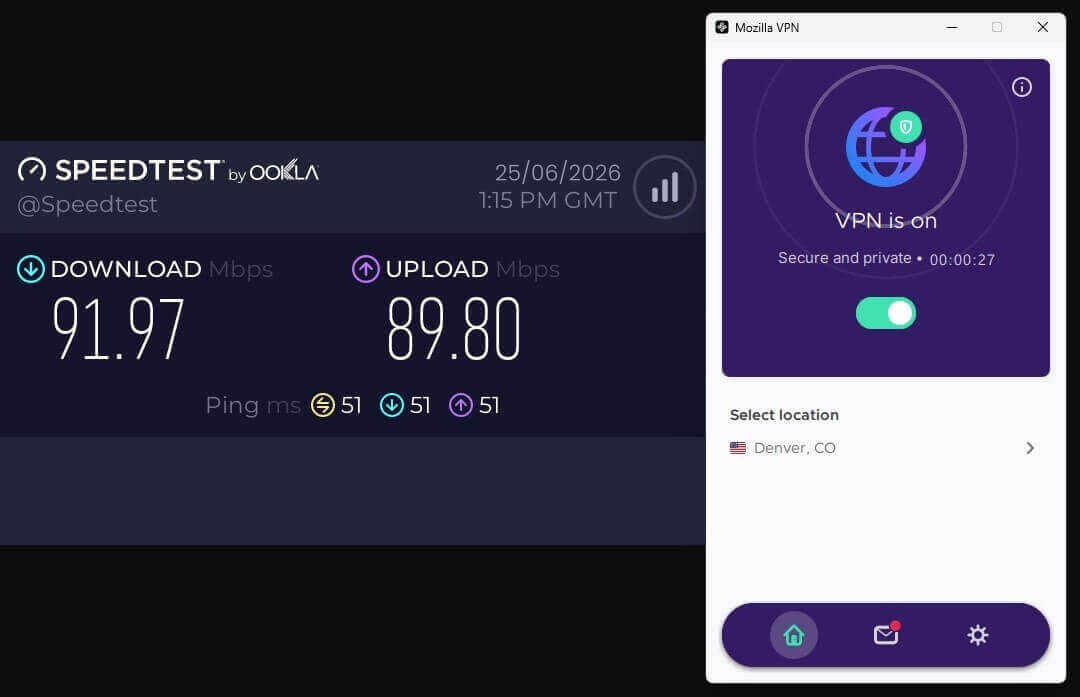
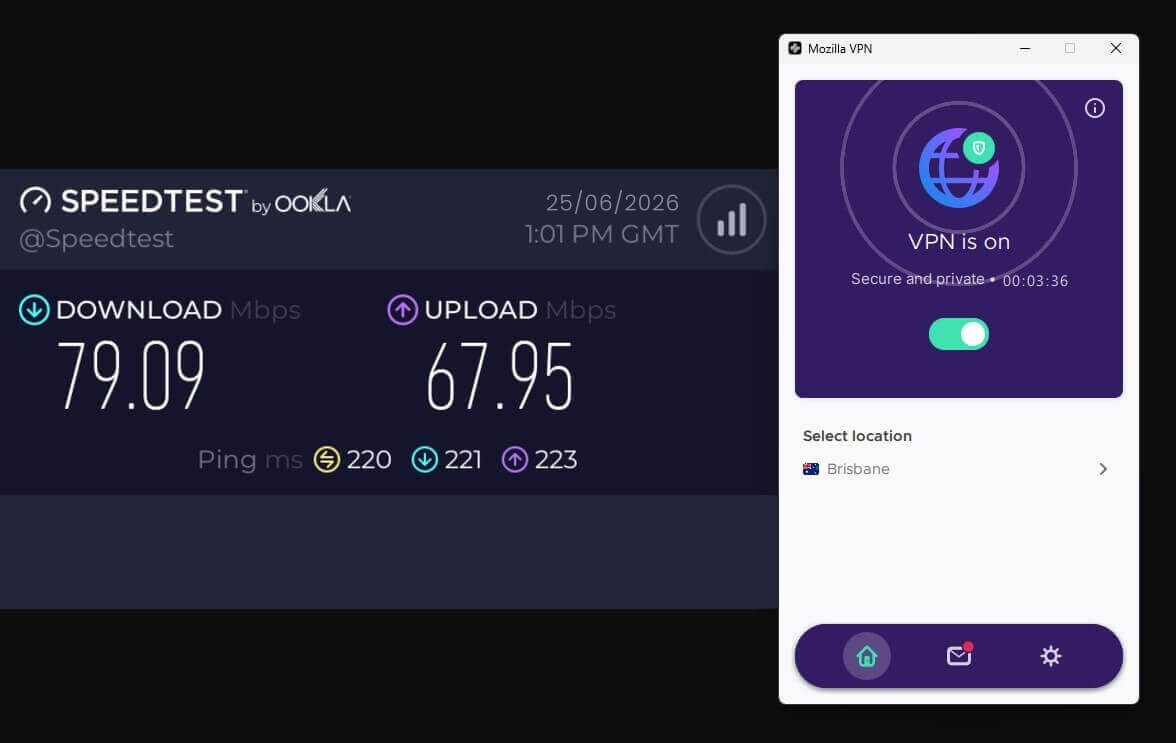
With a base speed of 100 Mbps for both download and upload, our speed tests revealed how Mozilla VPN performs under different conditions.
Regional Servers
When connected to regional servers, the speed drop was minimal, only 5-10%. This means you can enjoy fast and stable connections, making it ideal for tasks like streaming, downloading, and browsing. The low ping times were especially impressive, making it even more suitable for gaming.
Long-Distance Servers
On long-distance servers, we observed a 12–15% drop in speed. While this is still reliable for most activities, you might notice a slight lag during gaming or video conferencing. The connections remained stable, but they didn’t perform as well as top-tier competitors like NordVPN, ExpressVPN, and PIA VPN.
Protocol Efficiency
One thing to consider is Mozilla VPN’s limited protocol options. It uses only WireGuard, known for speed and efficiency. Having multiple protocols can be helpful in some situations. Without this option, your experience may feel restricted compared to more versatile VPNs like NordVPN and ExpressVPN with proprietary protocols.
Encryption and Leak Test: How Secure Is Mozilla VPN?
Our review of Mozilla VPN shows that its speed test results are quite good. As a result, we conducted a detailed analysis of its encryption methods and tested its ability to prevent common leaks. Now, we’ll delve into the specifics to see how Mozilla VPN performed based on our findings during the review.
Encryption Test
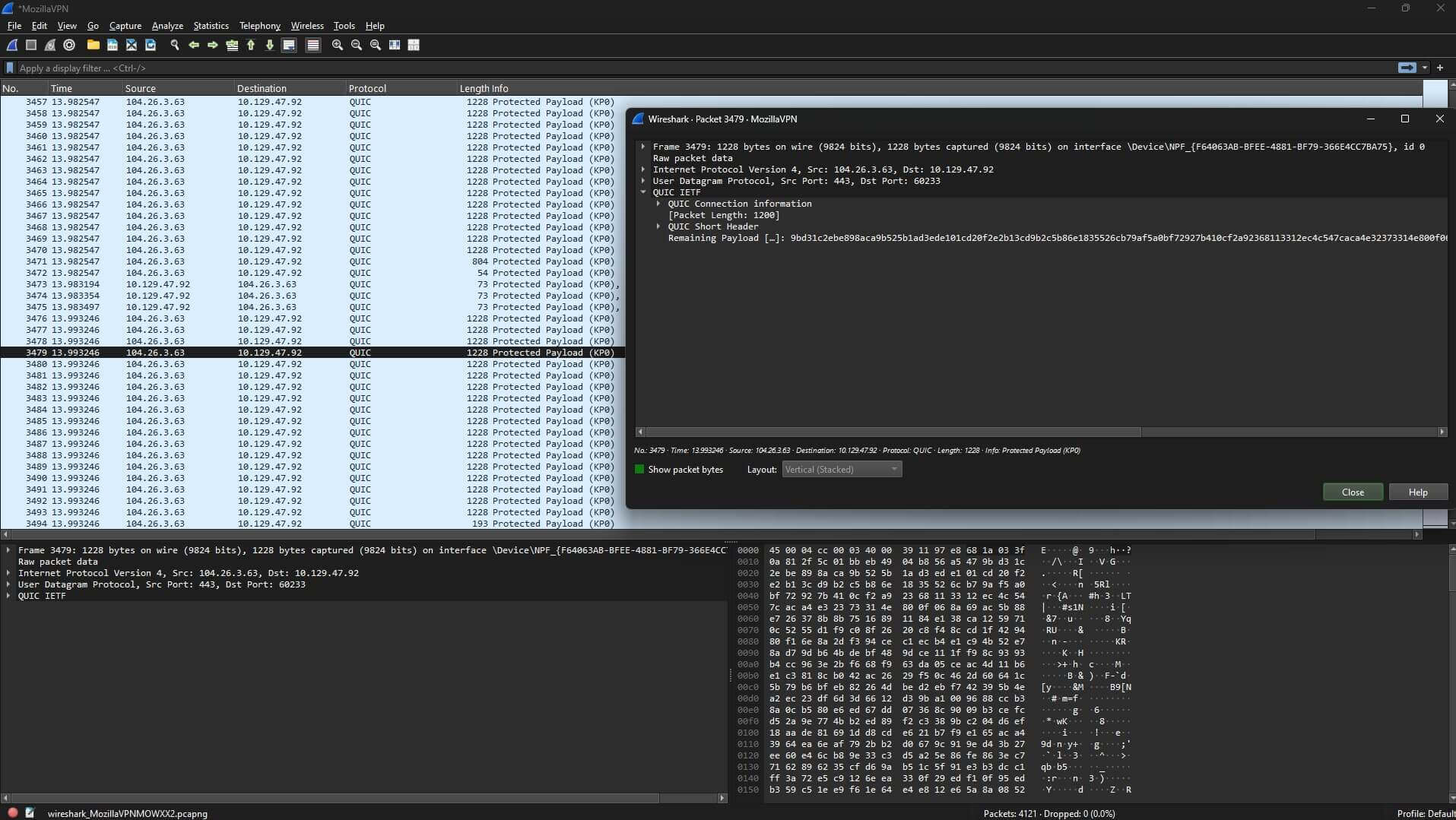
Mozilla VPN uses WireGuard, a highly efficient and secure protocol known for its state-of-the-art encryption capabilities. During our test, we used Wireshark to track packets, and the encryption remained consistent across different servers. Your data is kept private and inaccessible to unauthorized parties.
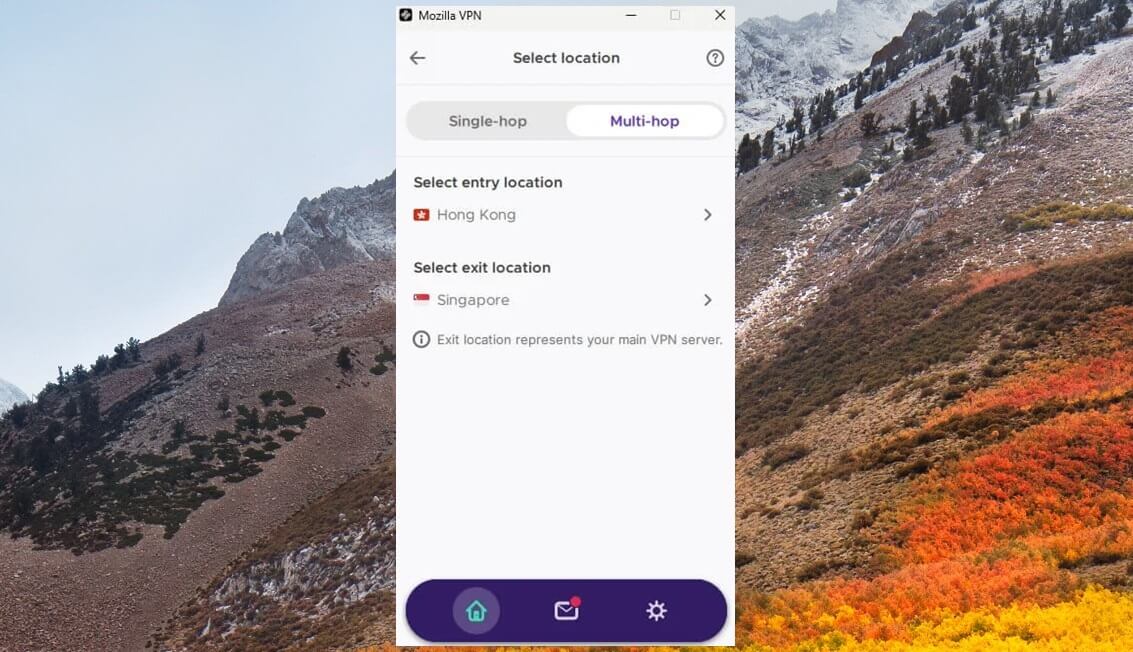
One of Mozilla VPN’s standout features is its multi-hop functionality, which routes your traffic through two servers for an added layer of security. While this feature is handy, choosing servers located far apart may significantly reduce your connection speed, making the VPN inadequate for gaming and streaming.
IP Leak Test
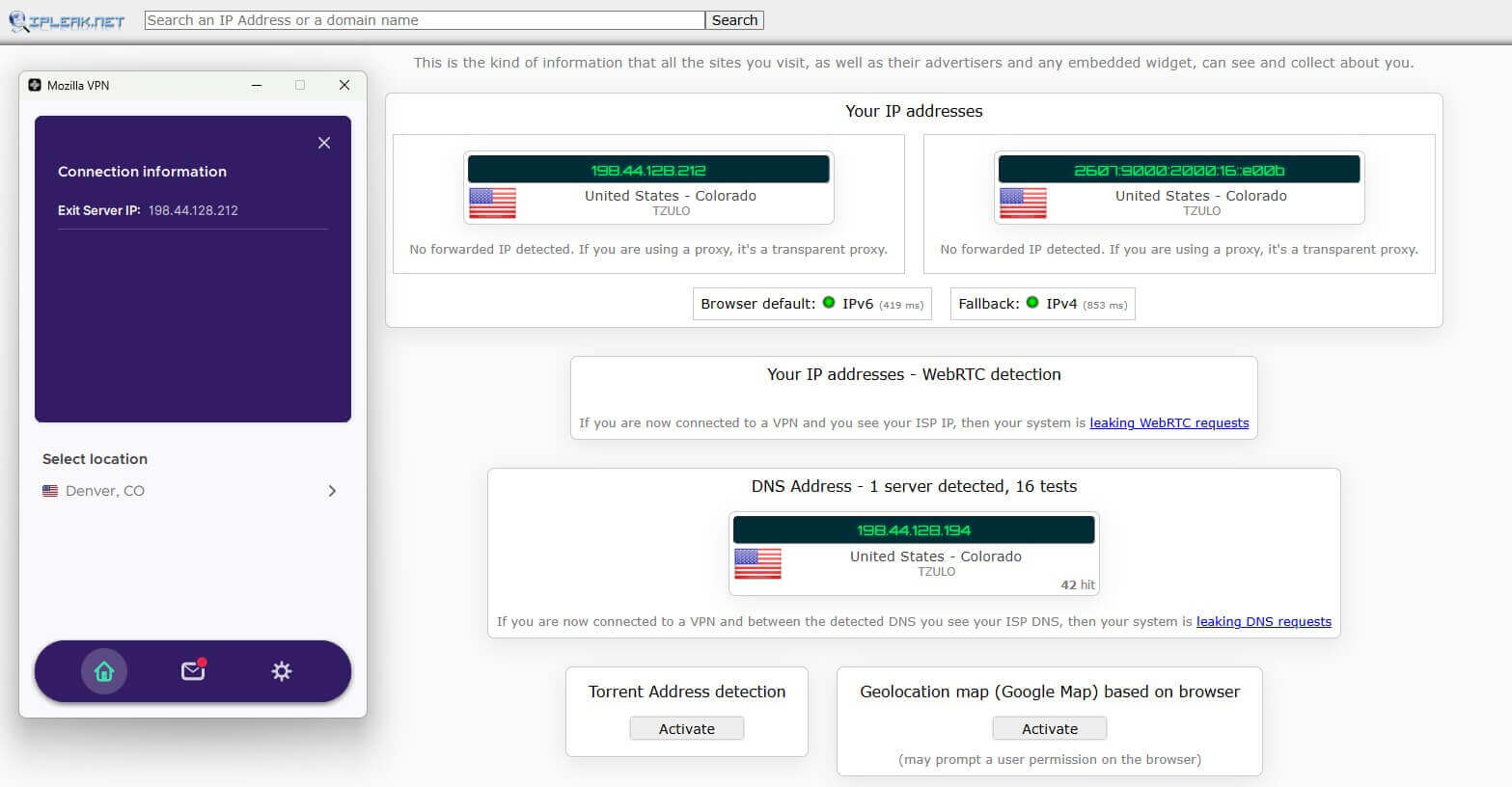
A VPN that fails to mask your IP address isn’t doing its job. In our detailed analysis, Mozilla VPN successfully concealed our real IP address during every test. Tools like ipleak.net were used to verify this, and even with frequent server switching, the VPN maintained a strong shield against IP exposure.
DNS Leak Test
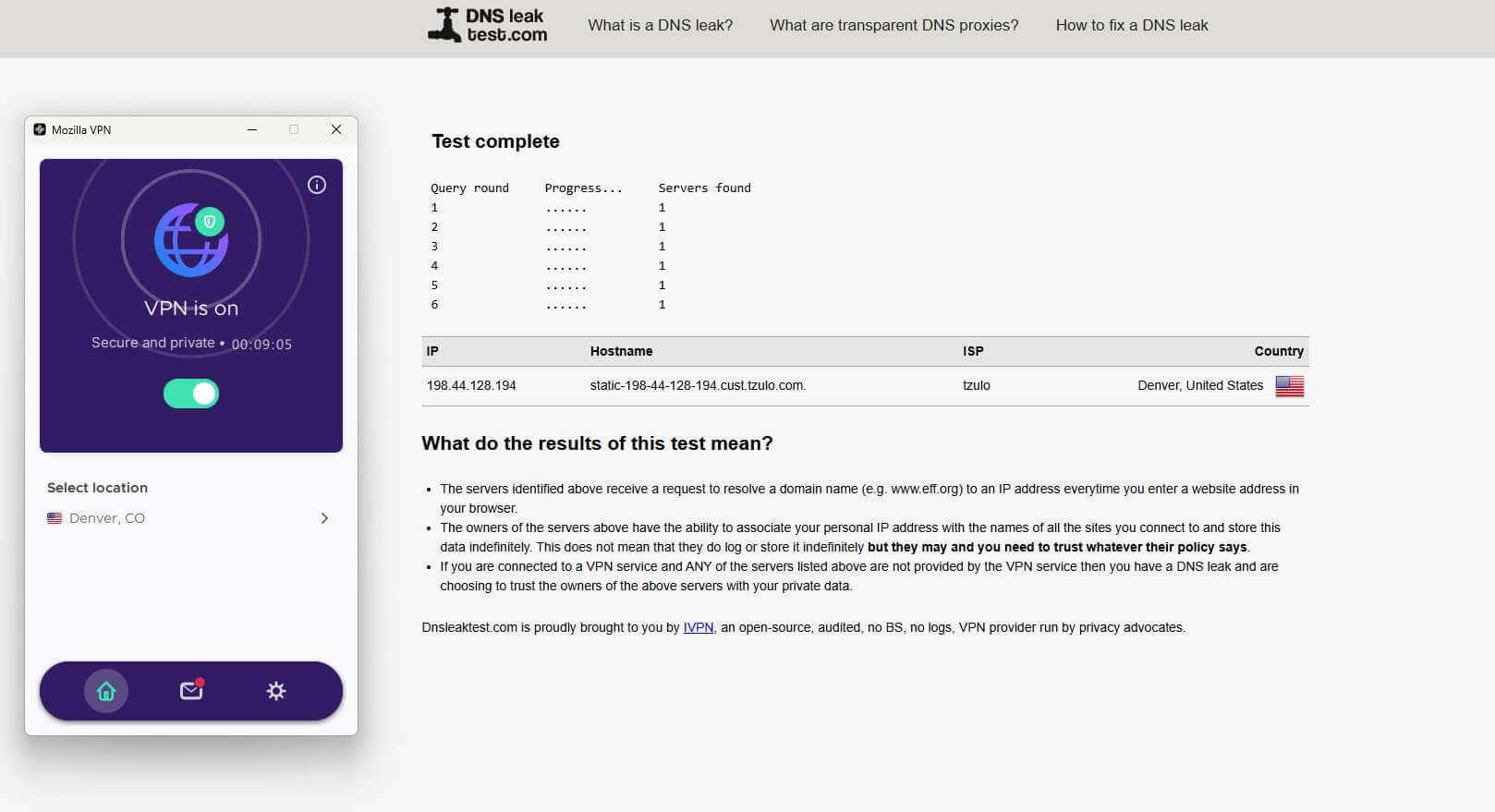
DNS leaks can expose your browsing habits, even when connected to a VPN. Our in-depth review included tests using browserleaks.com to confirm if Mozilla VPN routed DNS queries exclusively through its secure servers. The results displayed all VPN servers, and no ISP servers, so there were no signs of leaks.
WebRTC Leak Test
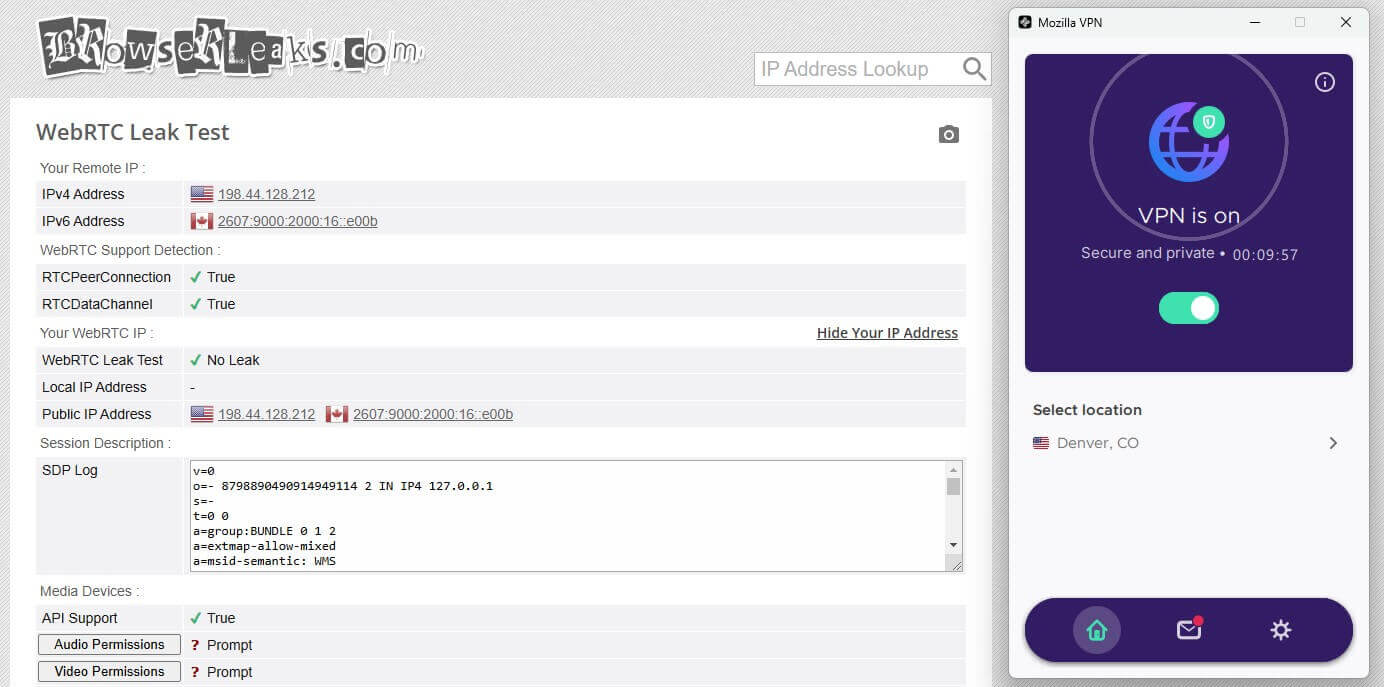
WebRTC leaks are a known vulnerability, especially for Chrome and Firefox users. We tested Mozilla VPN with WebRTC leak detection tools, and the results were excellent. Not a single WebRTC leak was detected, and our IP address stayed hidden even when we used browser-based apps for real-time communication.
How Does Mozilla VPN Keep Up With Everyday Use?
When considering a VPN, evaluate its performance in real-world scenarios. Mozilla VPN clearly passes the performance tests, but how does it fare in everyday tasks like streaming, torrenting, blocking ads, and even gaming? Here’s an in-depth review of our experience using Mozilla VPN for these activities.
Accessing Streaming Platforms and Bypassing Censorship
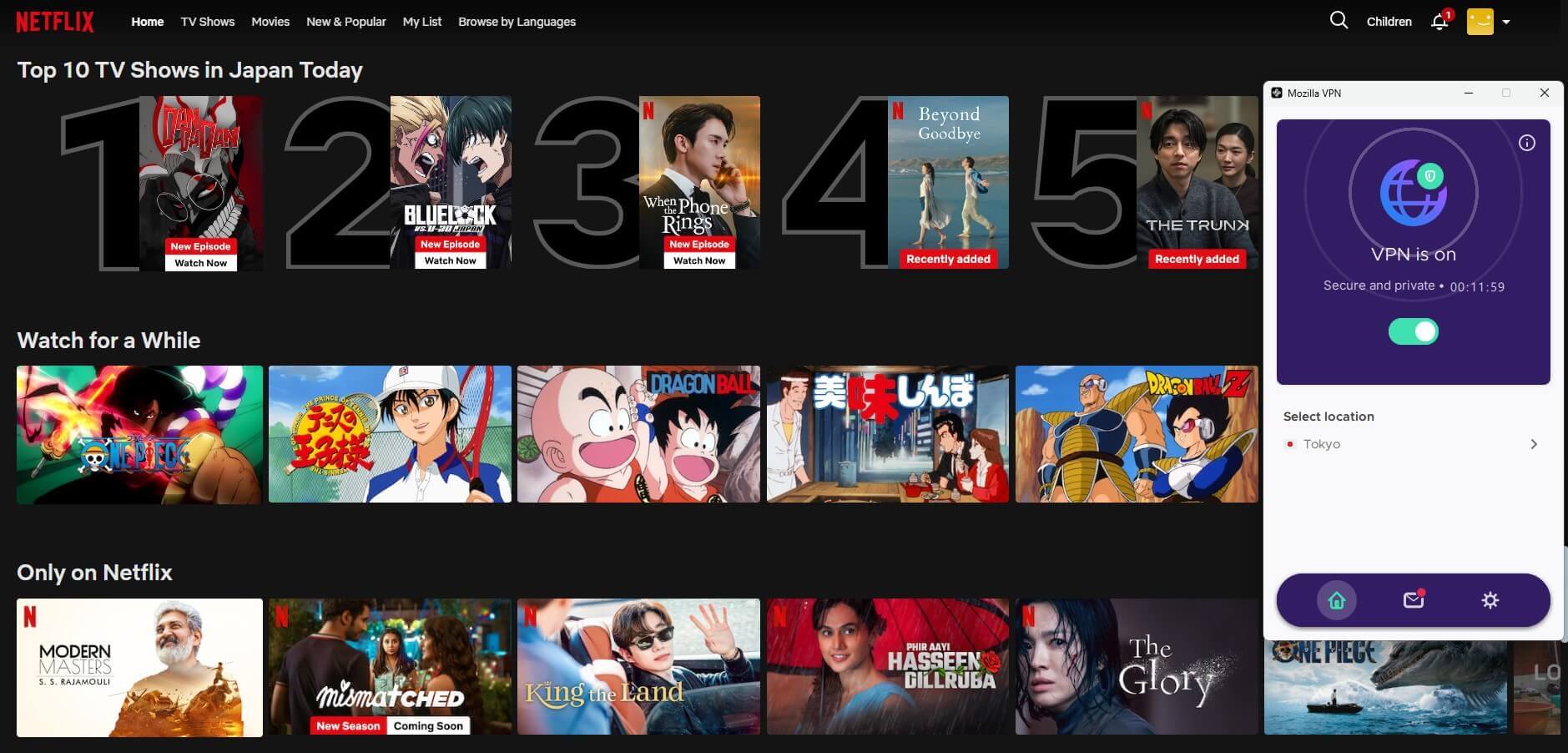
Streaming enthusiasts will appreciate Mozilla VPN’s unblocking prowess of major platforms like Netflix, Hulu, and Amazon Prime Video. We still want to mention that there are VPNs that perform better with Netflix, like NordVPN, Proton VPN, or ExpressVPN. With them, you’ll be able to access even more catalogs than with Mozilla VPN. For instance, NordVPN allowed me to access over 20 catalogs.
As you can see, using a UK server to access Channel 5 caused no issues. If you’re an avid sports fan, you’ll be pleased to know that we also used Mozilla VPN to access a free TV channel streaming Formula One races, and one that allows you to watch a live stream of the Australian Open.
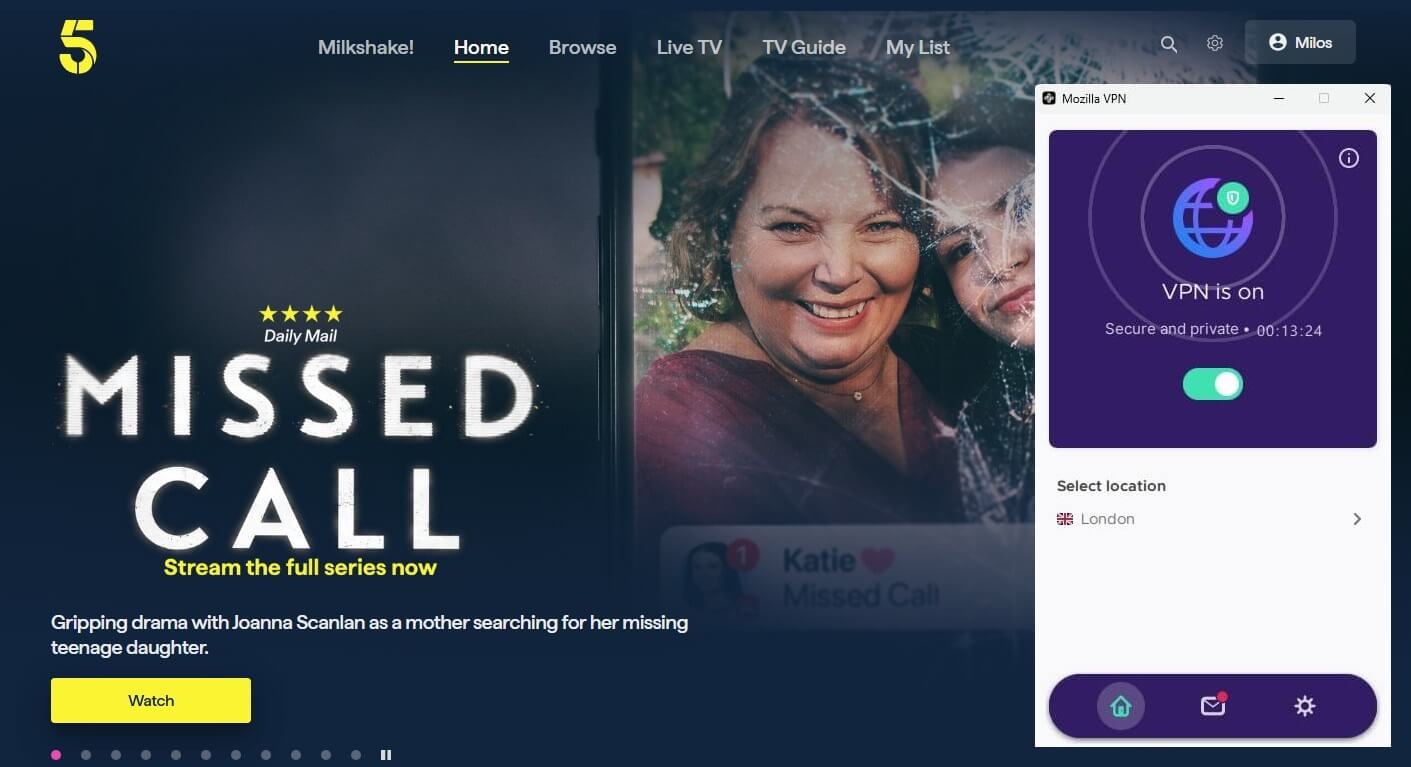
Here are my Mozilla VPN streaming test results. Pretty much all the major platforms worked, but Disney+ and BBC iPlayer detected the VPN and always blocked my access, no matter the devices I tested it on.
| Netflix US | BBC iPlayer | Disney+ | Channel 5 | Hulu | Prime Video |
| ✅ Works | ⛔ Detected | ⛔ Detected | ✅ Works | ✅ Works | ✅ Works |
Can It Block Ads?
Mozilla VPN incorporates privacy-focused features to block ads, trackers, and malware. While these features contribute to an impressive security score of 96% on d3wardd’s Ad-blocker test, they are better suited for privacy than ad-blocking. If you want advanced ad-blocking, pair Mozilla VPN with a browser extension.
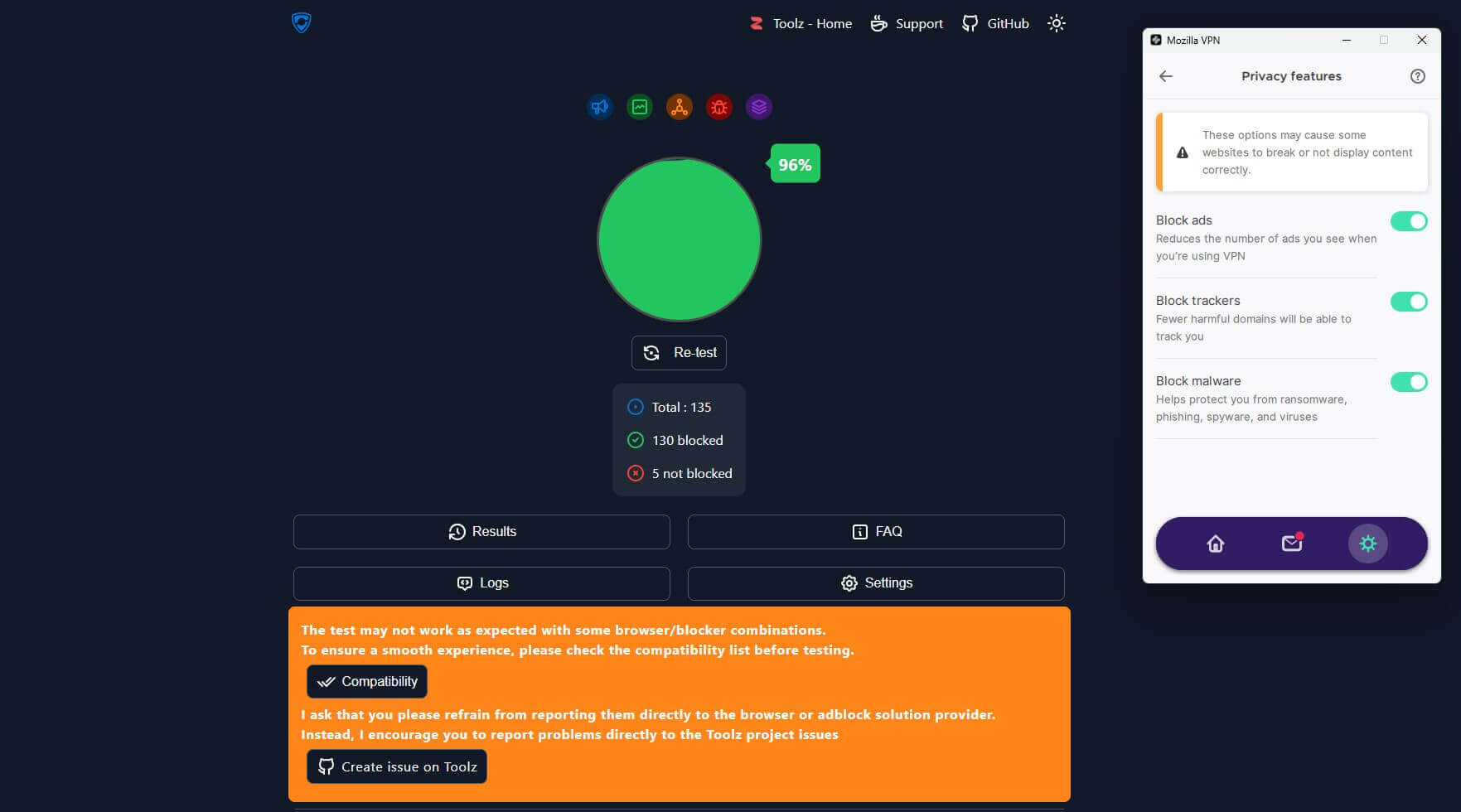
Still, the integrated tracking and malware prevention features make it a valuable addition to enhancing your online privacy and security.
Is Mozilla VPN Good for Torrenting?
Mozilla VPN offers solid support for torrenting activities, leveraging Mullvad’s robust server infrastructure. During our Mozilla VPN review, its regional servers provided reliable speeds and encryption for secure P2P sharing. However, long-distance servers demonstrated slowdowns, which affected large file downloads.
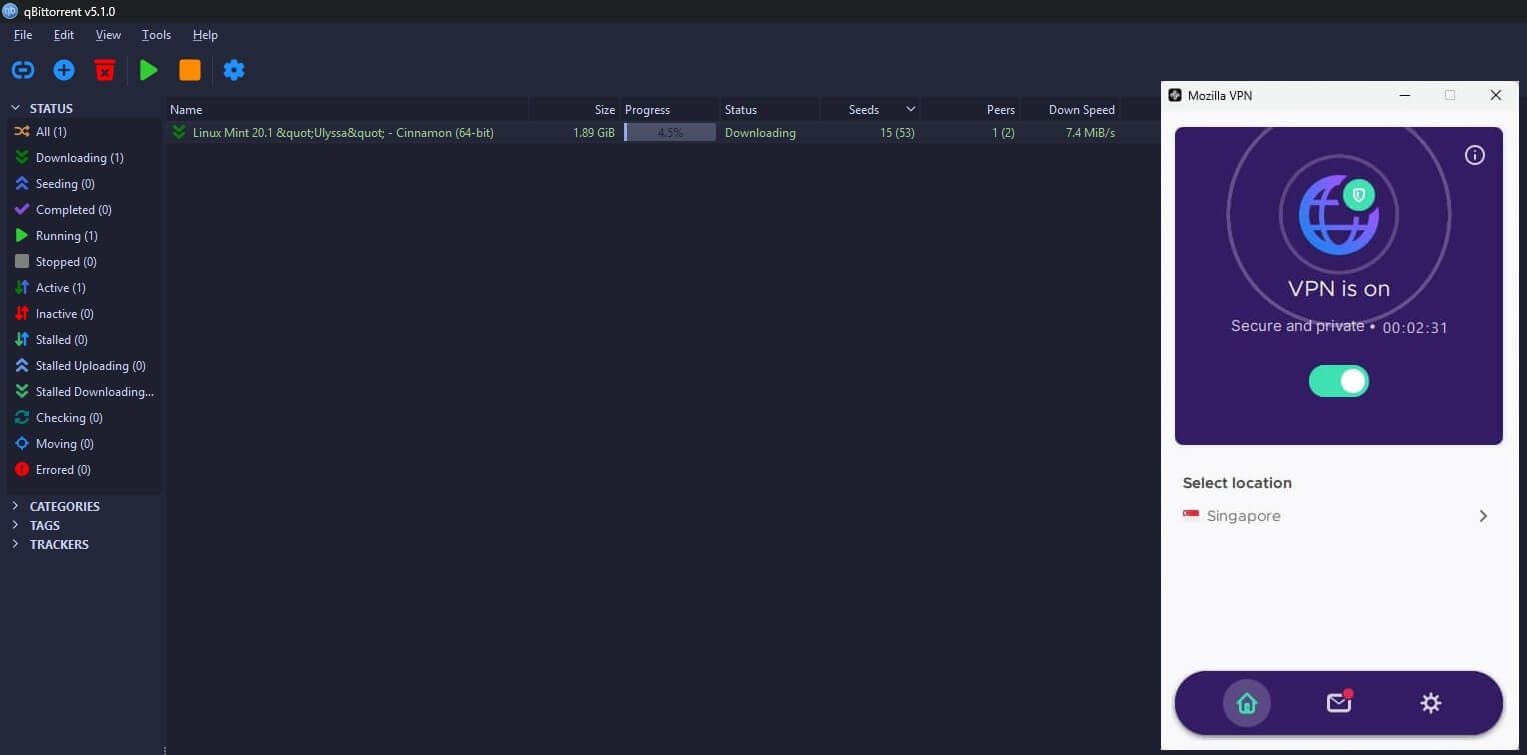
Mozilla VPN does the job well for torrenting, offering security and performance. However, advanced torrenting features, as seen with NordVPN, are missing here. So be careful when using it with torrenting. We recommend it for casual torrenting rather than heavy, consistent use.
What About Gaming?
Gaming performance on a VPN depends on latency and speed. Mozilla VPN delivers a solid gaming experience on regional servers, with low ping and minimal lag during our speed test results. For casual players, it provides a secure and smooth connection. However, on long-distance servers, latency increases significantly.
This instantly affects competitive gaming sessions. Our analysis of Mozilla VPN’s everyday usability shows that it’s a reliable option for tasks like streaming and torrenting, provided you use regional servers. In contrast, NordVPN is balanced across all servers, so no regional selection is necessary.
Additionally, NordVPN’s Meshnet lets you create virtual networks for LAN gaming over the internet, bringing your friends together. You can also use this feature to bypass Netflix password-sharing restrictions, impossible with Mozilla VPN.
Ease of Use and Compatibility
Ease of use and compatibility can make or break your experience. Mozilla VPN promises simplicity, but how well does it deliver in real-world usage? Let’s dive into an in-depth review of its app interface, device support, simultaneous connections, and setup process to analyze its usability.
Mozilla VPN App Interface
Your experience with a VPN often starts with its app interface, and Mozilla VPN doesn’t disappoint. The app offers a straightforward, minimalist design that focuses on functionality. Whether you’re using it on Windows, macOS, Android, or iOS, the interface is largely the same.
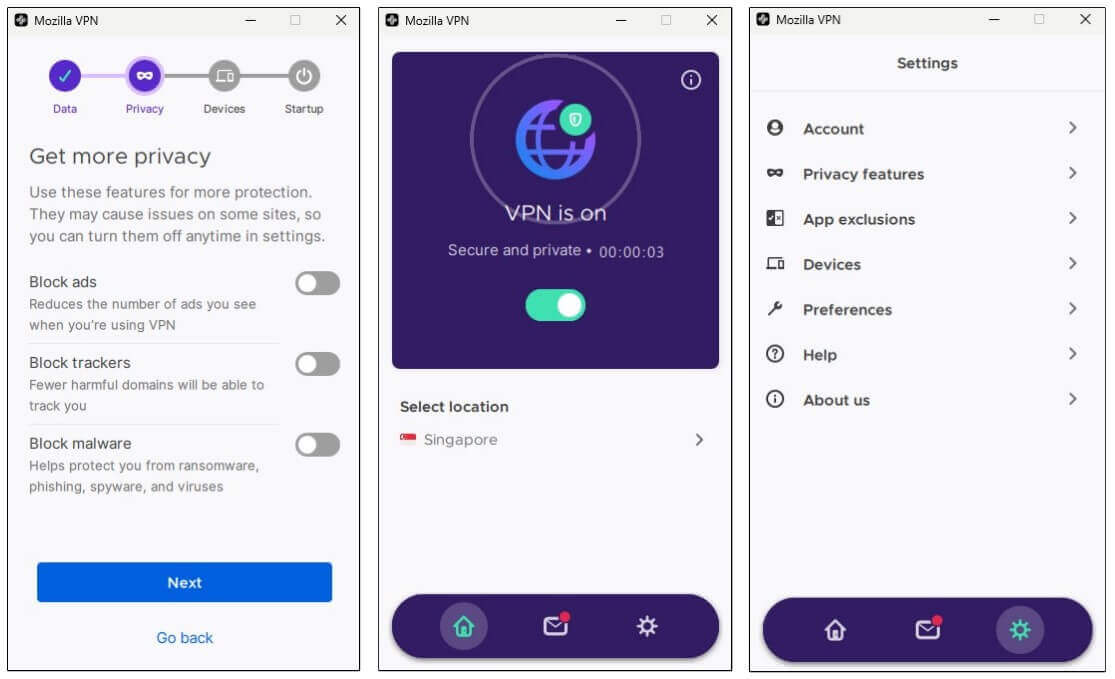
Considering the features are limited, everything can be managed while setting up the VPN. By the time you’re on the home screen, you’re all set up and don’t have to bother about making any changes. However, while the app excels in simplicity, it doesn’t offer much in terms of customization, and there are no stats.
This tradeoff might make it less appealing if you’re looking for a highly tailored VPN experience found in NordVPN, which we consider the best Android VPN app.
Device Compatibility
Mozilla VPN supports a wide range of devices, including Windows, macOS, Android, iOS, and Linux. This means you can protect nearly every gadget in your home or workplace. Based on our review and analysis, the VPN integrates well across platforms for a seamless experience regardless of your operating system.
Unfortunately, there’s no support for gaming consoles or smart TVs. If that bothers you, we recommend you check our comparison of the best VPNs for Android TV or our list of the most relevant VPNs for PS5.
Simultaneous Device Connections
Mozilla VPN allows up to 5 simultaneous device connections. For most households or individuals, this is sufficient to ensure that all essential devices are secured. However, compared to competitors like Private Internet Access, which offer unlimited devices, this limit feels restrictive, especially for larger families.
Setting Up Mozilla VPN on Routers
Unlike some VPNs, Mozilla VPN doesn’t currently support router-level installations. This means you can’t secure devices that lack native VPN support, such as certain smart home gadgets or gaming consoles, through your router.
Mozilla VPN Review: Customer Support
When it comes to VPNs, reliable customer support is a crucial factor in your experience. Even the best VPN providers face technical hiccups, and reliable support ensures you’re never left stranded. In this section, we review Mozilla VPN’s support channels and response quality based on our experience.
Available Support Channels
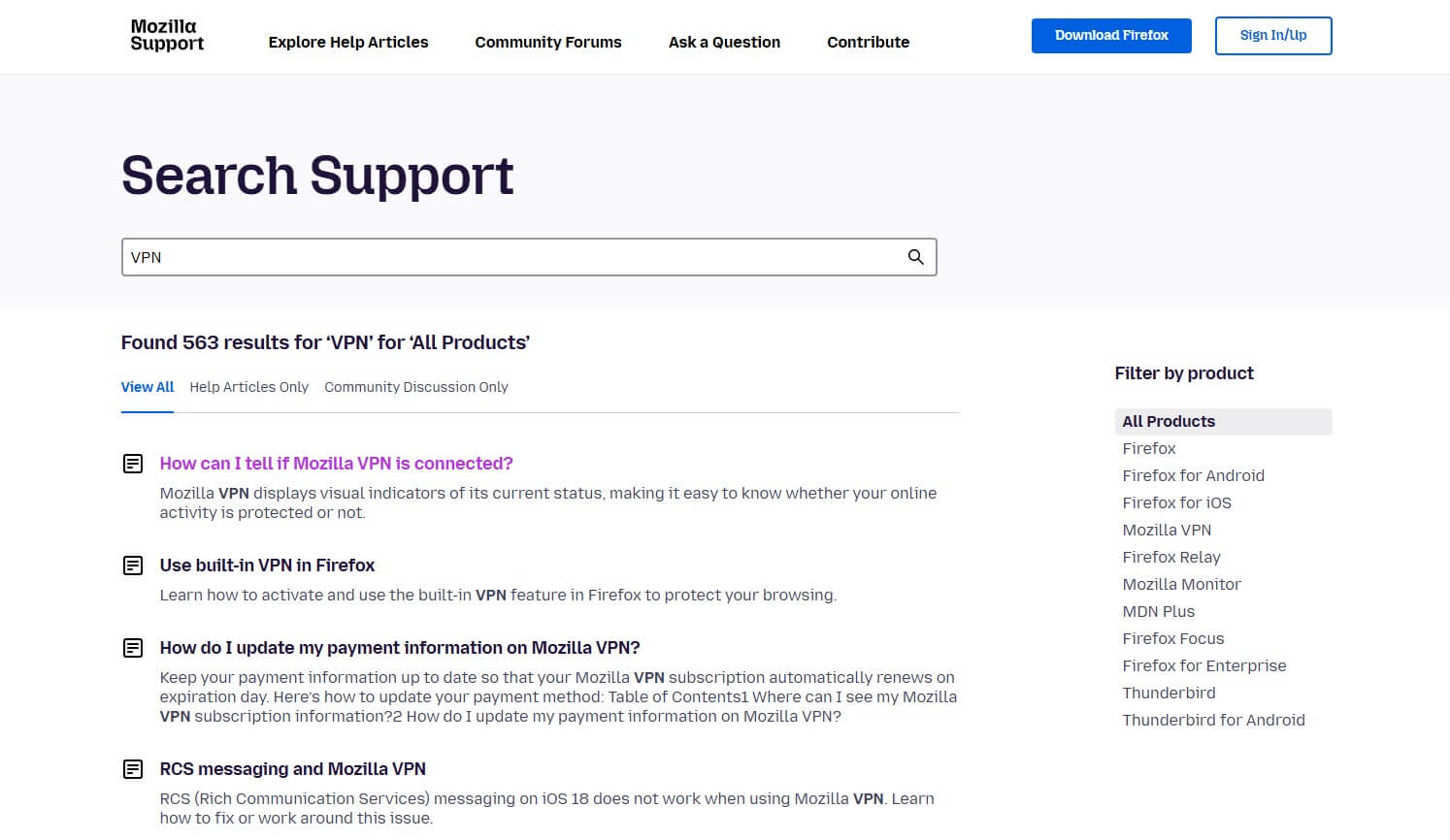
Mozilla VPN offers a knowledge base and a community forum as its primary support options. The knowledge base is well-structured and provides answers to common questions and setup guides. For many users, this resource is reliable enough to troubleshoot basic VPN-related issues.
The community forum also serves as a helpful platform where you can interact with other users and find solutions to less common problems. If you’re looking for direct help from Mozilla’s team, you may be disappointed. Mozilla VPN doesn’t have live chat support, leaving you reliant on self-help tools.
Response Quality
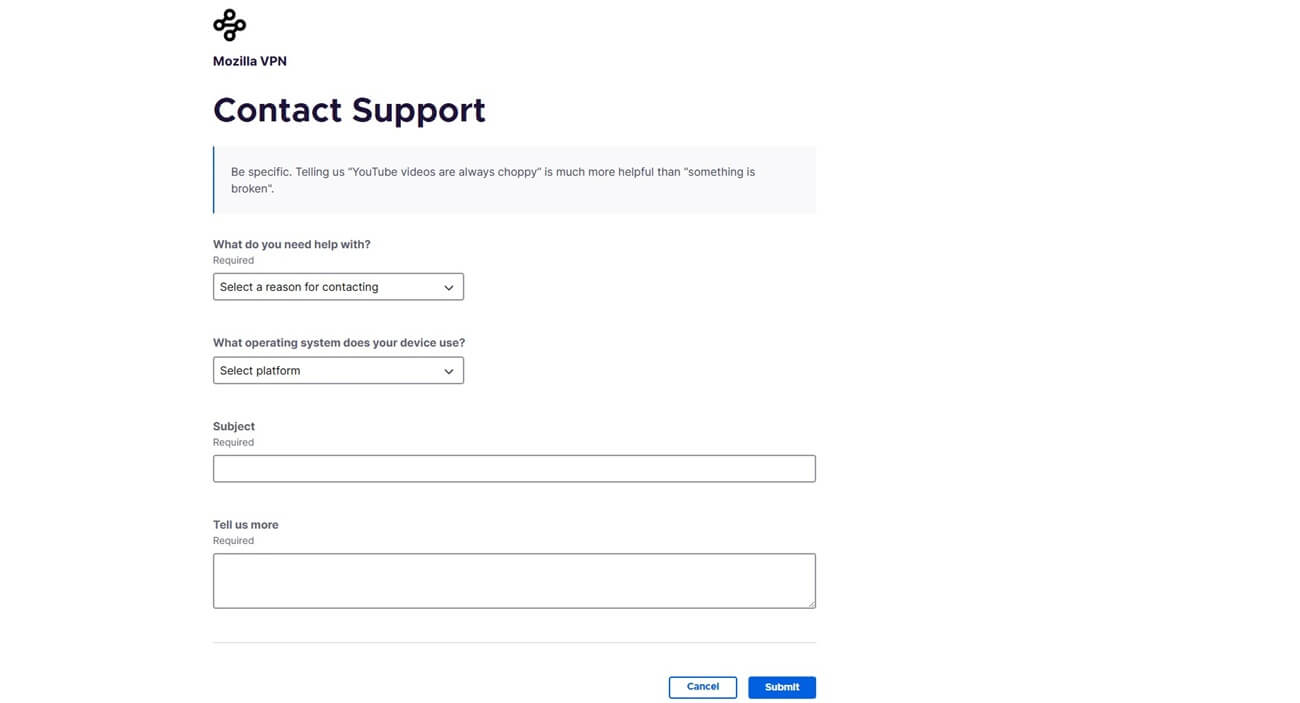
If your issue goes beyond what the knowledge base or forum can resolve, you need to fill out a contact form to reach Mozilla. Unfortunately, this process fell short. We submitted a query and waited over six hours without receiving a reply. We felt frustrated, especially because we’re used to better treatment. By better treatment, we refer to 24/7 live chat support from NordVPN, Proton VPN, ExpressVPN, Private Internet Access, Surfshark, and other, superior providers.
Final Verdict: Should You Choose Mozilla VPN?
Mozilla VPN is suitable for basic needs but falls short for power users. It’s a solid, affordable option from the trusted Mozilla brand, ideal for casual users who prioritize privacy and need basic VPN functions like secure browsing, occasional streaming, and casual torrenting. Features like WireGuard, ad-blocking, and multi-hop enhance its value, especially when using regional servers.
However, its limited global server coverage, lack of protocol options, and absence of live customer support prevent it from being a top-tier VPN. If you need advanced features, optimal performance over long distances, or support in restrictive regions, VPNs like NordVPN, Proton VPN, and ExpressVPN are better options.