Mullvad is a Swedish VPN based in Gothenburg. It launched in 2009, and its two founders, Fredrik Strömberg and Daniel Berntsson, still own the company. It doesn’t advertise streaming or offer seasonal discounts. Its focus is privacy, and that’s clear from sign-up, which requires no email address, name or password.
Instead, Mullvad creates a random account number, you pay for the time you want, and the company knows almost nothing about who you are. That’s a strong start, but privacy alone doesn’t make a VPN pleasant to use every day. I used Mullvad on my Windows PC, Android phone and iPhone for browsing, streaming, torrenting and speed tests.
I really wanted to see how it holds up day to day, and to be honest, it does a lot right, but it isn’t flawless, and one weakness could rule it out for some users. The verdict is up next, followed by my test results.
Mullvad VPN
Mullvad is a powerful VPN for top-to-bottom anonymity, with some of the most advanced features for a fair price. While slower speeds and inconsistent unblocking are drawbacks, its top-tier privacy tools make it a strong choice for security-focused users.
Pros
- Quantum-resistant encryption
- Obfuscation for bypassing censorship
- Multi-hop connections
- No-logging policy
- Pay-as-you-go pricing model
Cons
- Can't unblock popular streaming services
- Not the best connection speeds
- No Fire TV Stick App
Mullvad VPN Review 2026: Quick Look
| Price | €5 a month (under $6), same rate for any length |
| Money-back guarantee | 14 days (not for cash or crypto) |
| Free plan or trial | No |
| Protocols | WireGuard only |
| No-log policy | Yes, independently audited |
| Servers | 560+ servers in 50 countries |
| Multihop | Yes |
| Ad, tracker and malware blocking | Yes, DNS content blockers |
| Streaming | Limited: Netflix US, BBC iPlayer, 9Now |
| Torrenting | Allowed on all servers, no port forwarding |
| Speed | Fast nearby, slower on distant servers |
| Ease of use | Beginner-friendly |
| Supported platforms | Windows, macOS, Linux, iOS, Android |
| Simultaneous connections | 5 |
| Customer support | Email, help center |
Mullvad VPN Pricing: One Flat Rate
Mullvad costs €5 a month, or just under $6, and the rate doesn’t change with the length of the subscription. One month, one year and even a decade cost the same per month, so there’s no long-term discount and no holiday sale to wait for. The only reduction is 10% off for paying in cryptocurrency.
There’s no free plan or free trial either, so users who want to pay nothing have to look at a free VPN instead. That makes Mullvad cheaper than most VPNs on a monthly plan, but more expensive over time. NordVPN and Proton VPN cost $3 to $3.50 a month on two-year plans. Mullvad never renews automatically, though: when the paid time ends, the account stops working until you add more.
Keep your 16-digit account number in a safe place, because Mullvad can’t recover a lost one, and any remaining time goes with it.
Refund Policy
Paid accounts come with a 14-day money-back guarantee, cut from 30 days in January 2025 so the company keeps payment details for less time. Refunds cover card, PayPal, Google Play, Swish and bank transfer payments.
Cash and cryptocurrency aren’t refundable, and App Store purchases go through Apple. To request one, email Mullvad with your account number and the payment reference it requires.
Payment Methods
Mullvad accepts a long list of payment methods, and several of them leave no name behind:
- Anonymous options: cash sent by mail, Bitcoin (including Lightning), Bitcoin Cash and Monero
- Standard options: card, PayPal, bank transfer, Swish, iDEAL, Bancontact, EPS and Przelewy24
- Other options: vouchers, the App Store and Google Play
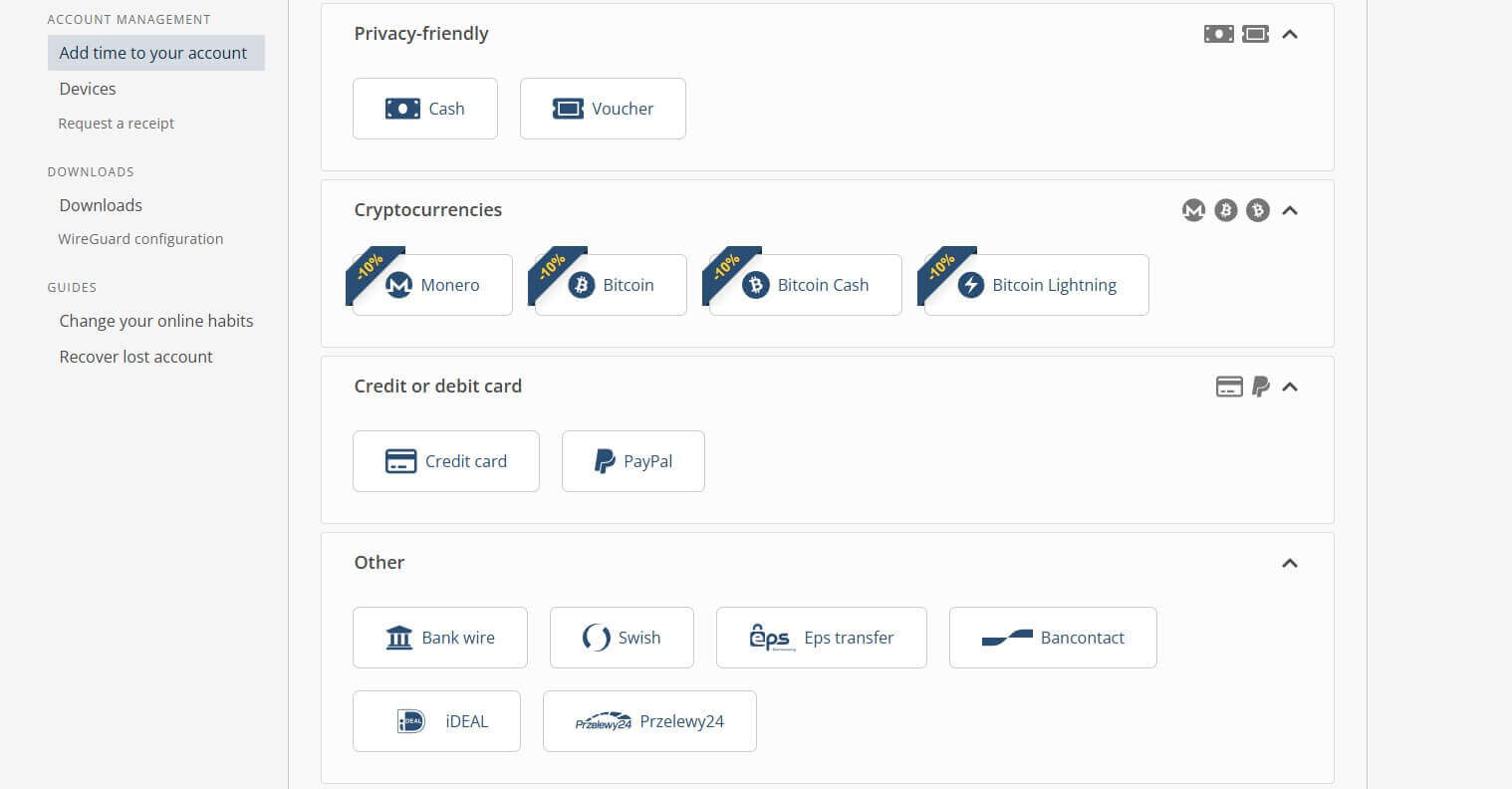
Cash is the most private choice. You mail it to Mullvad’s office in Sweden, and the time is added to your account once the envelope arrives, usually a few days later. Card, PayPal and bank payments go through third parties, though, and Swedish accounting law requires Mullvad to keep those records for seven years.
Mullvad Apps and Device Support
Mullvad’s apps are plain, but they’re clean, functional and identical across platforms. I tested the Windows app the most, and it was responsive, with short connection times.
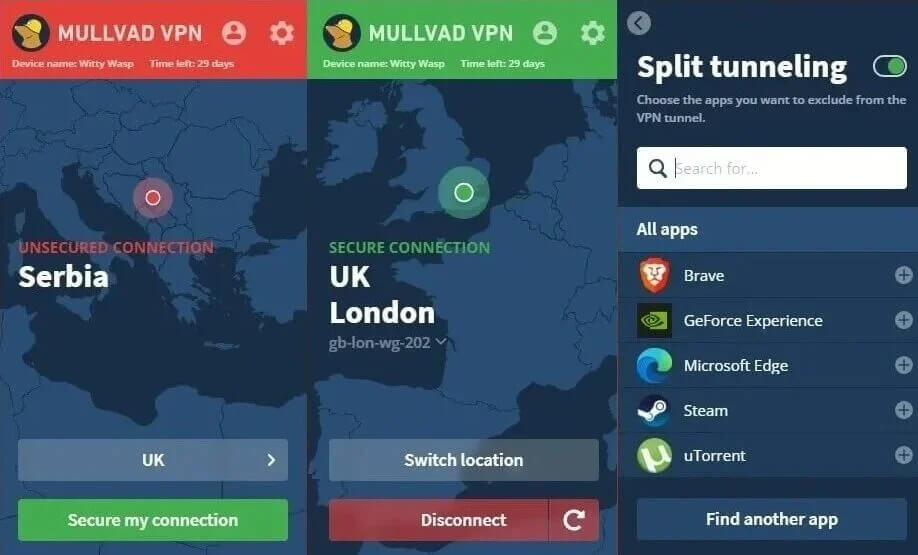
The Android VPN app was just as stable, with consistently good speeds, and the iPhone app felt equally smooth. I always look for mobile apps that match the desktop version, and Mullvad’s do.
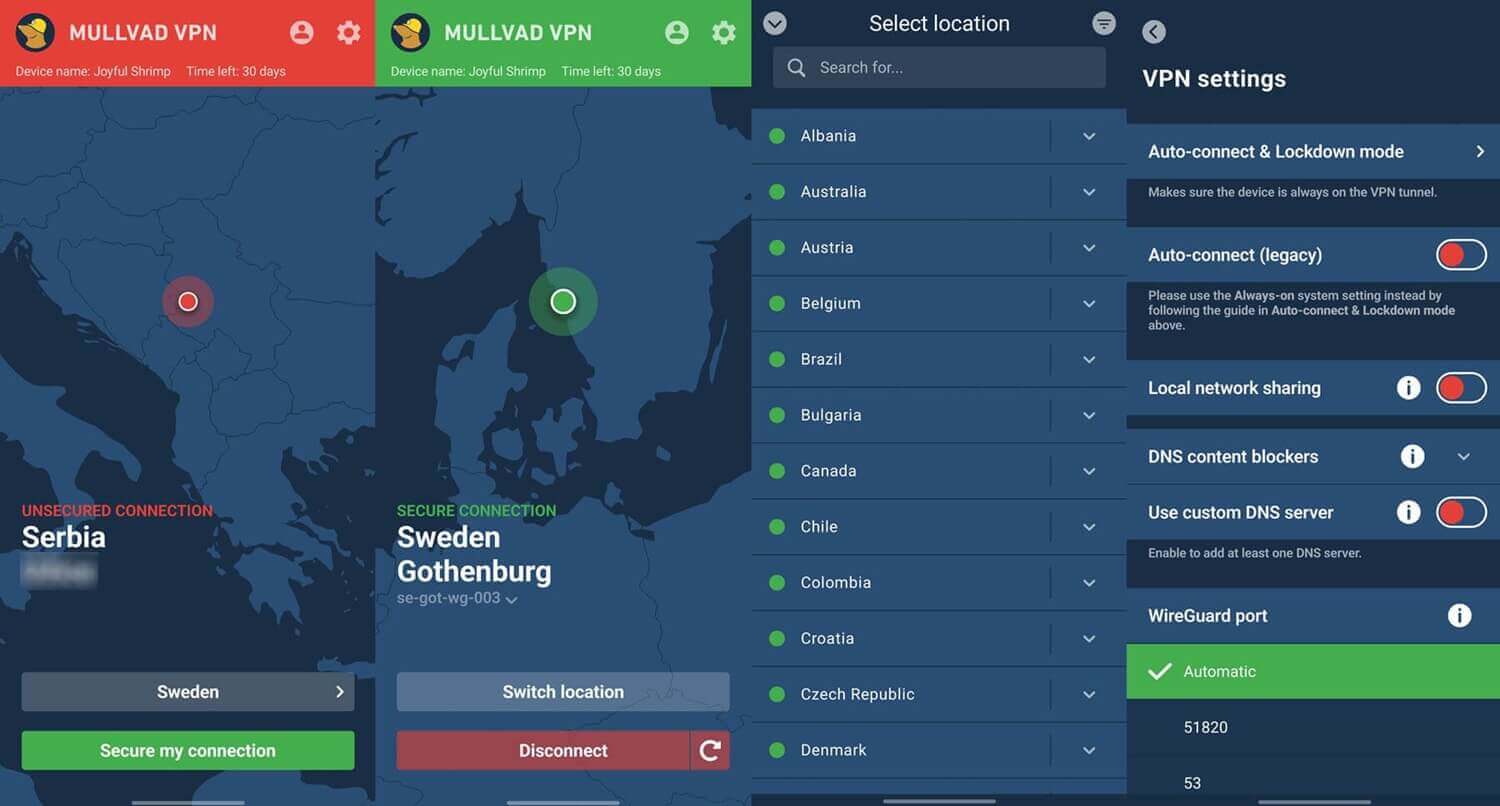
Mullvad supports these platforms:
- Windows 10 and 11, including ARM laptops
- macOS
- Linux, 64-bit
- iPhone and iPad
- Android phones, tablets and Android TV
- Firefox, through a browser extension
Fire TV devices can sideload the Android app, and routers work with Mullvad’s WireGuard configuration files. Beyond that, support is thin, with no apps for other smart TVs or game consoles. On Linux, the official app covers Ubuntu, Debian and Fedora, so users of other distributions may prefer one of the VPNs for Linux with wider support.
The bigger limit is five devices per account, and Mullvad doesn’t sell extra slots. That wasn’t enough for my phones and computers. A second account or a router install solves it. NordVPN and Proton VPN, for comparison, allow ten devices.
Mullvad Security Features
Mullvad is strongest on security, and it keeps adding tools that few VPNs offer.
WireGuard Only, With GotaTun
Mullvad uses WireGuard only. It retired OpenVPN in January 2026, and I think that’s the right call, because Mullvad’s version of WireGuard makes OpenVPN largely unnecessary. The main change is GotaTun, Mullvad’s own WireGuard implementation written in Rust.
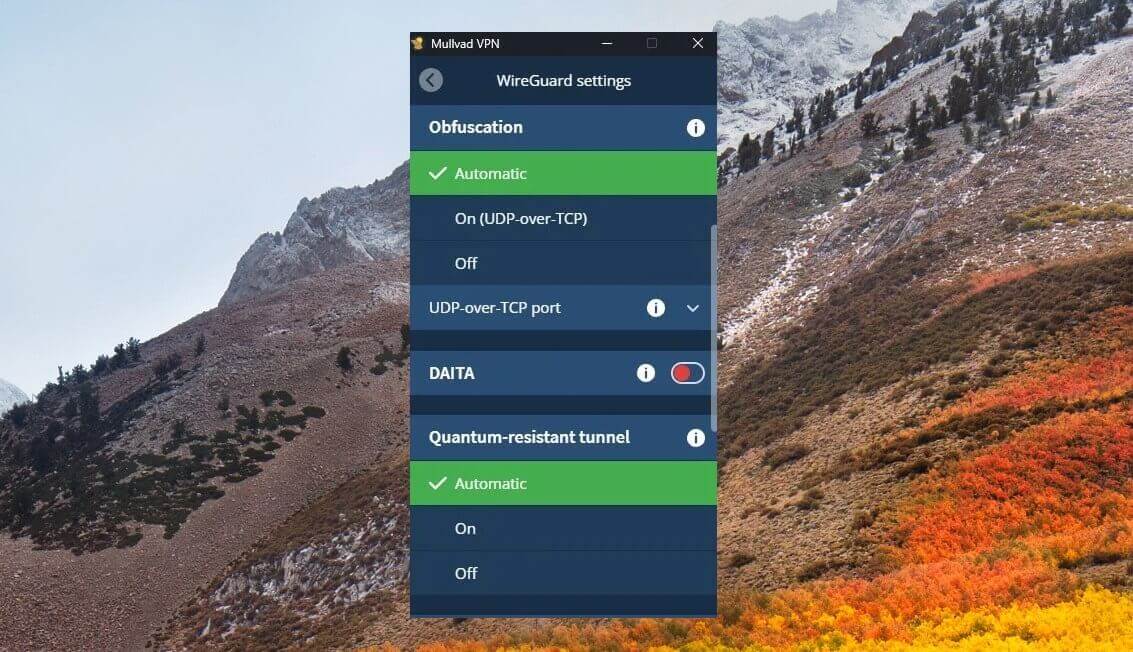
It’s built for stable connections and lower battery use, and after Android moved to it, Mullvad says the app’s crash rate fell from 0.40% to 0.01%. The desktop apps moved to GotaTun in 2026, while the iPhone app hasn’t switched yet. You can also choose which port WireGuard uses, which helps on networks that allow only common ones.
Quantum-Resistant Encryption and DAITA
Every connection now uses quantum-resistant encryption by default, on every platform. It protects today’s traffic against future quantum computers that could crack current encryption. You can disable it, but I see no reason to. DAITA (Defense Against AI-guided Traffic Analysis) is rarer.
Even encrypted traffic has patterns, such as packet sizes and timing, that can reveal which sites you visit. DAITA pads every packet to the same size and mixes in dummy traffic, so those patterns become much harder to read.
It works on every platform, but only on 120+ servers in 22 countries. When you pick another location, the app sends traffic through a DAITA server first.
Multihop and Obfuscation
Multihop sends your traffic through two Mullvad servers in different locations, so the site you visit sees only the second one. I could pick both servers myself, and a standard multihop connection cost surprisingly little speed.
On iPhone and Android, Mullvad now also lets you choose whether multihop is always on, always off, or used only when a feature requires it. For maximum privacy, I enabled Shadowsocks obfuscation on top of multihop, connecting through Sweden to New York.
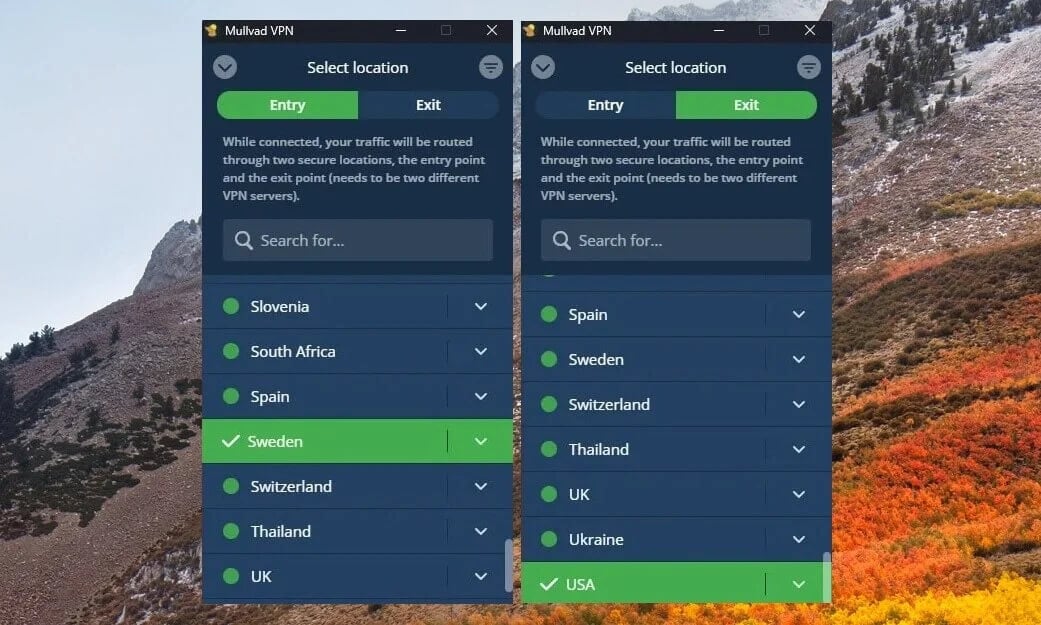
That combination cost me 30% of my speed, which is a lot, but I found the extra privacy absolutely worth it.
Kill Switch, Lockdown Mode and Split Tunneling
Mullvad’s kill switch is always on and can’t be disabled. It blocks internet access if the VPN connection drops, and when I cut the connection on purpose, it stopped traffic right away. Lockdown mode goes further. Even after a manual disconnect, the device stays offline until Mullvad connects and changes your IP address again.
Simply put, no traffic leaves outside the VPN. The iPhone app offers a similar “Force all apps” option. Split tunneling lets you exclude chosen apps from the VPN. It works on Windows, macOS, Linux and Android, but not on iPhone. It’s also app-based only, with no way to exclude specific websites.
Ad Blocking, DNS and Mullvad Browser
Mullvad’s DNS content blockers filter ads, trackers, malware, gambling, adult content and social media for every app on the device. I used the ad, tracker and malware filters the most, and they worked well. You can set a custom DNS server, though I’d stick with Mullvad’s own, which keeps no logs of your requests.
Mullvad also offers the free Mullvad Browser, built with the Tor Project for Windows, macOS and Linux. It works like Tor Browser without the Tor network: it resists fingerprinting, sends no telemetry and comes with a tracker blocker that shows what it stopped on each page.
Is Mullvad VPN Safe? Logs, Audits and Jurisdiction
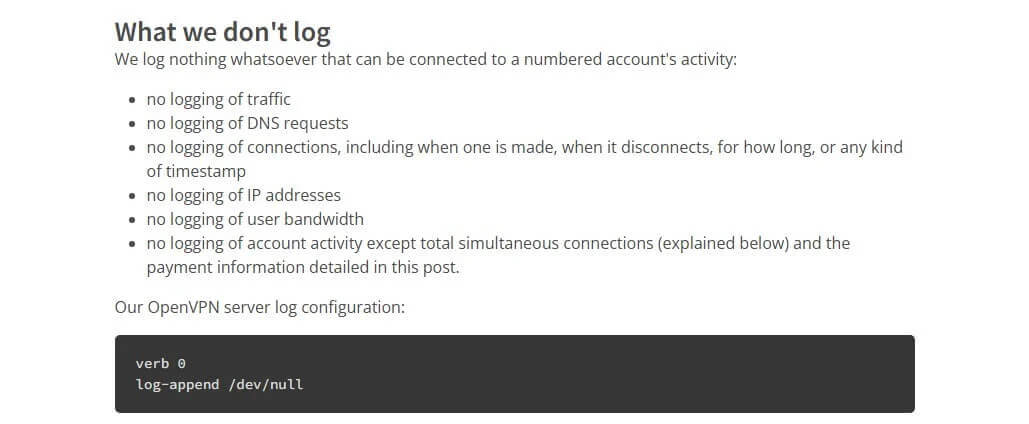
Yes. Mullvad ranks among the most secure VPNs, and its no-log policy has been tested in practice. The policy is short. Mullvad doesn’t log traffic, DNS requests, connection times, IP addresses or bandwidth. It stores only the account number, the paid-until date and the technical details a WireGuard connection requires.
In April 2023, Swedish police arrived at Mullvad’s office with a search warrant for customer data. They left with nothing, because there was nothing to hand over. As for Sweden’s place in the 14 Eyes intelligence-sharing alliance, a VPN that keeps no data has none to share.
Audits and Disclosures
Mullvad has been independently audited regularly since 2018, covering its apps, servers, payment systems and new technology. The most recent rounds:
- 2023: Radically Open Security audited the RAM-only servers and found no logging
- 2024: Cure53 audited the server network, and X41 D-Sec the apps
- 2025: NCC Group assessed the Android app, and Assured the server boot system and website
- 2026: X41 D-Sec checked the account and payment systems, Assured reviewed GotaTun, and Leviathan Security Group tested the latest Android app
Mullvad is also open about its own problems. In May 2026, it disclosed that websites could link two sessions when a user switched servers. A new way of assigning IP addresses is now rolling out to fix it.
IP and DNS Leak Tests
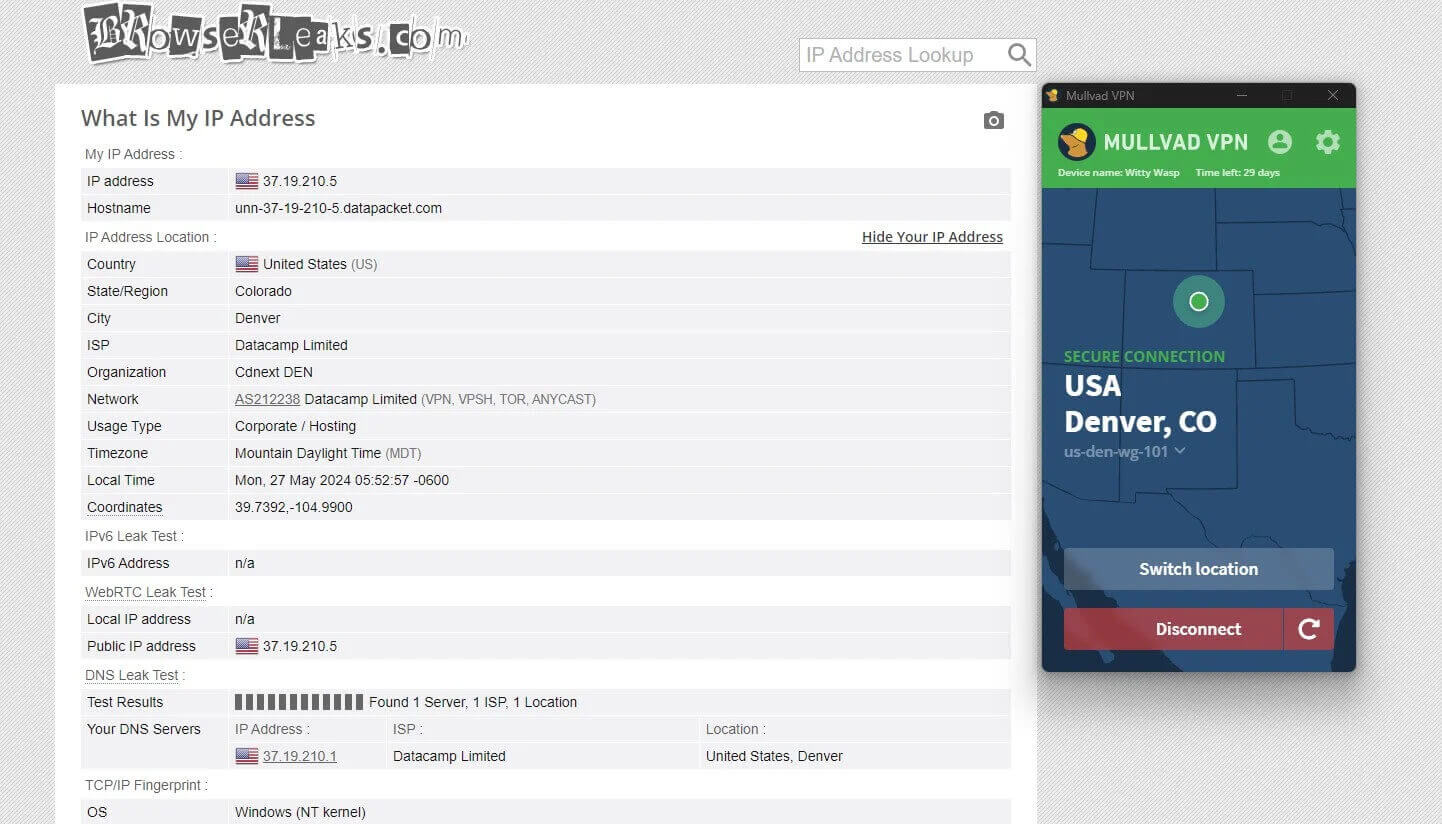
I tested more than 20 Mullvad locations for IP and DNS leaks, and none of them leaked. The screenshots show a US VPN server on ipleak.net, where only the US IP address and DNS servers appeared.
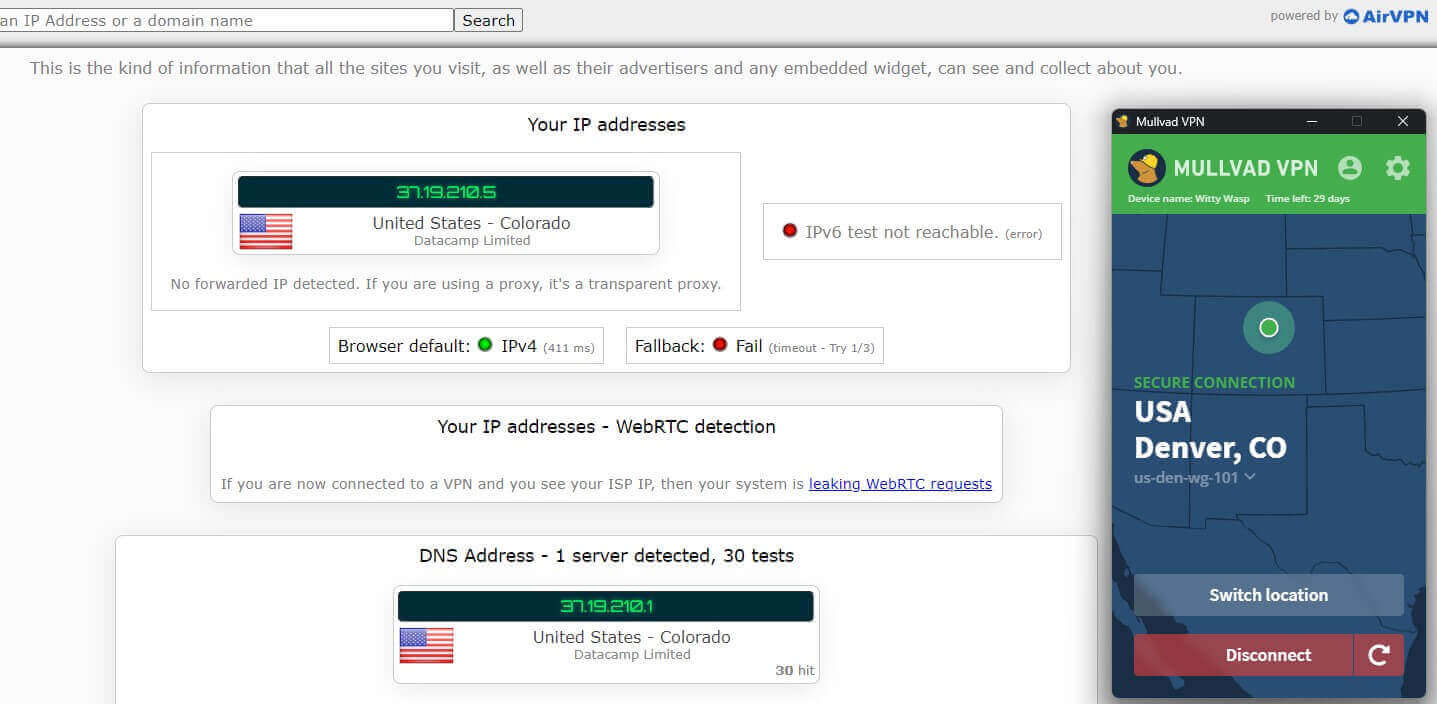
My own IP address from Europe was hidden, on a standard connection with no multihop or other extras. Browserleaks.com showed the same result.
Mullvad Speed Test Results
I tested Mullvad over three days, three times a day, on UK, US and Japanese servers. My connection without the VPN was about 342 Mbps down and 20 Mbps up.
| Download | Upload | Ping | |
| UK server | 322.49 Mbps | 18.69 Mbps | 65 ms |
| US server | 217.16 Mbps | 18.39 Mbps | 151 ms |
| Japan server | 149.22 Mbps | 17.80 Mbps | 292 ms |
The UK server lost just 5.8% of my download speed, which you wouldn’t notice. On the US server, I lost 36.6% of my speed, though 217 Mbps is still far more than 4K streaming requires. The Japanese server was the weak point: it lost 56.4% of my speed, and with a 292 ms ping, I wouldn’t use it for online games.
| UK server | US server | Japan server | |
| Download speed loss | 5.8% | 36.6% | 56.4% |
| Upload speed loss | 4.9% | 6.4% | 9.4% |
My table reflects the period after GotaTun arrived in the desktop app. Compared with my earlier tests, the UK server was 8% faster, the US server didn’t change, and the Japanese server lost another 3% of my speed.
Upload barely changed, and ping dropped by a millisecond or two. Mullvad is quick on nearby servers, then, but it isn’t the fastest VPN over long distances.
Streaming and Torrenting With Mullvad
Mullvad disappointed me most on streaming. It unblocked Netflix US and BBC iPlayer, but it couldn’t unblock Hulu, Prime Video or HBO Max. Some streams also buffered briefly before playing normally a few seconds later.
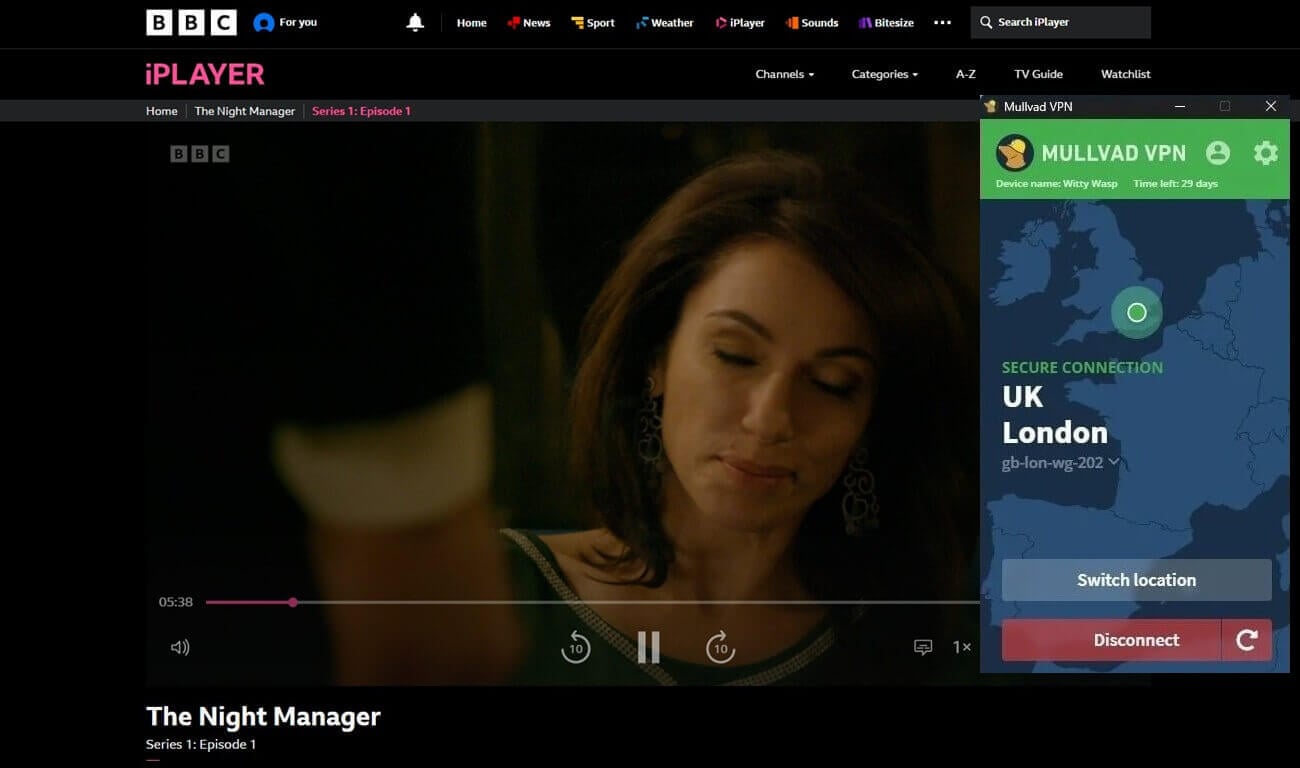
| Netflix US | BBC iPlayer | Hulu | Prime Video US | HBO Max US |
| Unblocked | Unblocked | Blocked | Blocked | Blocked |
Mullvad also unblocked 9Now, which works only with an Australian IP address, on its Australian server. Mullvad doesn’t market itself for streaming, though, and its own help center recommends excluding the browser from the VPN for Netflix, which simply shows your home library.
If streaming is a priority, NordVPN unblocked every service I tried. Torrenting went much better. Mullvad allows P2P on every server, and on a Swedish server, I downloaded a Linux Mint image in minutes with a minimal drop in speed.
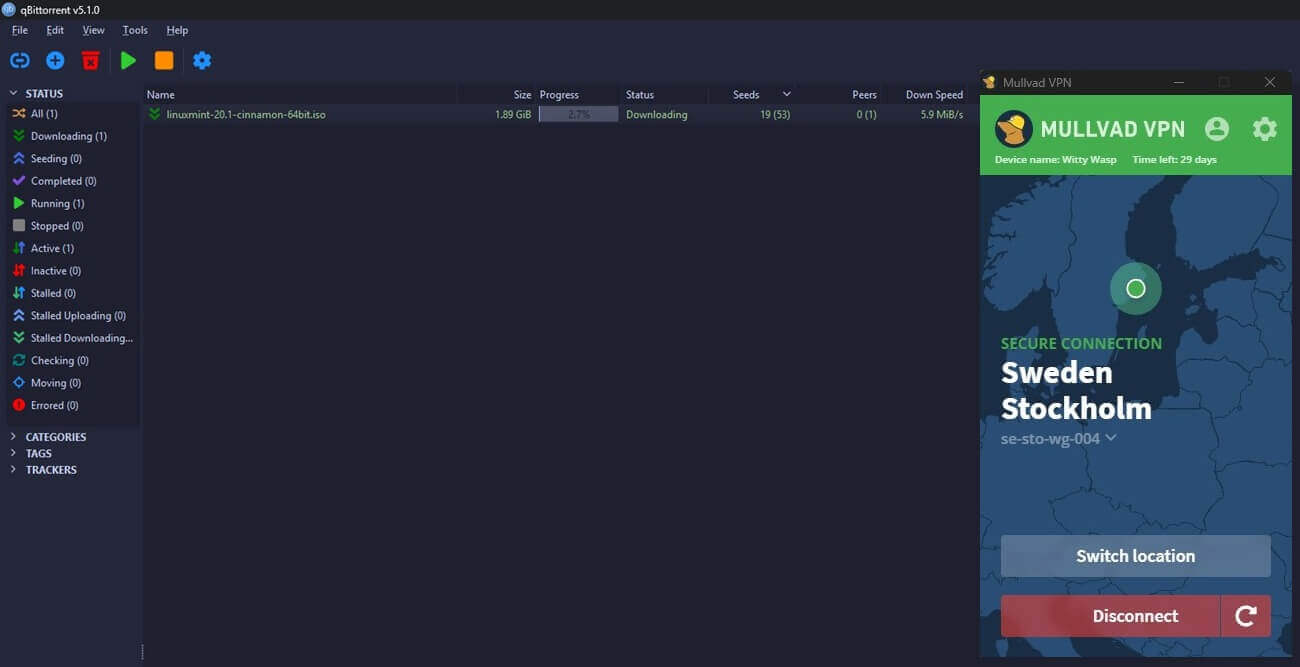
Mullvad removed port forwarding in 2023, though, which makes seeding harder on private trackers. If that’s how you torrent, Proton VPN still offers port forwarding.
Mullvad Server Network
Mullvad has 560+ servers in 50 countries and 91 cities, a small network next to the best VPNs. The US, Australia, Canada and Sweden have the most locations. About 130 of those servers belong to Mullvad itself, mostly in Europe, and the app can filter the list to owned servers. Every server is RAM-only, so a restart erases all data on it.
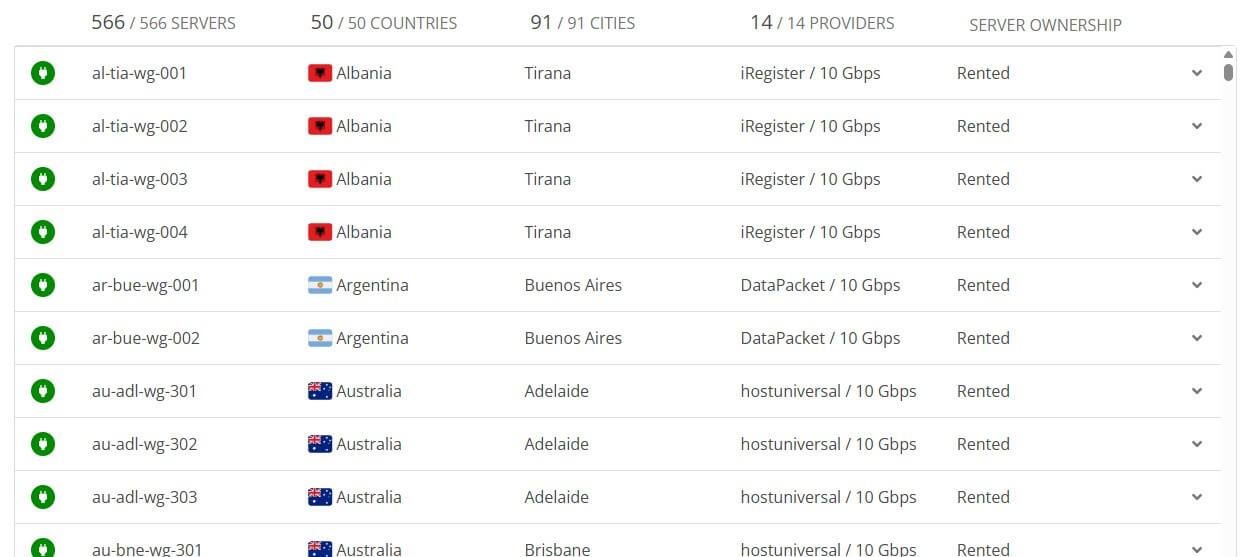
Mullvad’s website lists every server with its status, and in my experience, 10 to 20 of them are offline at any given time. There are no specialty servers for streaming or gaming, and Mullvad doesn’t offer dedicated IP addresses, which it says don’t fit its privacy model.
Using Mullvad on Restricted Networks
Networks that block VPNs, from school and office Wi-Fi to countries with heavy censorship, usually spot them by their traffic patterns. Mullvad offers four obfuscation methods on every platform, including iPhone, and each hides those patterns differently:
- Shadowsocks and QUIC make the connection look like regular web traffic
- UDP-over-TCP helps on networks that block the type of traffic WireGuard normally uses
- LWO hides WireGuard’s signature with little overhead, according to Mullvad
In China and similar countries, blocking methods shift frequently, and what works on one network may fail on another. Install Mullvad and enable obfuscation before you travel. Downloading a VPN after arrival is much harder.
Customer Support
Mullvad offers email support only, with no live chat. The help center makes up for some of that, with clear guides on setup, payments and every feature. Even so, I’d like a live chat option for urgent problems, such as a connection that won’t start while traveling.
Mullvad VPN Review 2026: Verdict
Few VPNs protect your identity like Mullvad does. Anonymous sign-up and payment, an always-on kill switch and a police search that found nothing make a strong case for privacy-first users, and torrenting on European servers works well. As an everyday all-rounder, it’s less convincing.
Mullvad unblocked only Netflix US, BBC iPlayer and 9Now, and its flat rate is higher than other VPNs’ long-term prices. For strong privacy with better streaming, NordVPN and Proton VPN are better value, and my NordVPN review covers why. If anonymous sign-up and payment are the priority, though, Mullvad is an easy recommendation.
Mullvad VPN FAQ
Is Mullvad VPN free?
No. Every Mullvad account is paid, with no free tier and no trial period. Payments by card, PayPal or bank transfer can be refunded within a short window, but cash and cryptocurrency can't.
Where is Mullvad VPN based?
Mullvad is based in Gothenburg, Sweden, which belongs to the 14 Eyes alliance. Its no-log policy leaves little to share, and a police search of its office found no customer data.
Can Mullvad VPN unblock Netflix?
Yes, but mostly the US library. Mullvad doesn't design its servers for streaming, so other Netflix libraries and most major streaming services often block its IP addresses.
Is Mullvad better than Surfshark?
No, not for most people. Surfshark unblocks more streaming services, costs less on long-term plans and allows unlimited devices, while Mullvad collects less personal data and accepts cash.
Does Mullvad VPN still support OpenVPN?
No. Mullvad dropped OpenVPN and supports only WireGuard. Most of its apps use GotaTun, Mullvad's own Rust-based version of WireGuard, with quantum-resistant encryption enabled by default.
Can Mullvad VPN be used anonymously?
Yes. Sign-up involves no personal details, just a random account number, and paying with cash or cryptocurrency leaves no billing record tied to a name.
Does Mullvad VPN work in China?
No, not reliably. China blocks most VPN traffic, and although obfuscation options such as Shadowsocks and QUIC help disguise it, results change often from one network to another.