The NordVPN vs OpenVPN debate comes up without understanding what each is. NordVPN is a complete VPN with its own server fleet, apps, protocols, and support. OpenVPN is a protocol and a free client app: the open-source technology that encrypts and tunnels traffic, but you must bring your server, whether that’s one you rent, a community server, or configuration files from an actual VPN.
NordVPN offers OpenVPN as one of its own connection protocols, which tells you how these two relate: one is a finished product, the other is a building block. OpenVPN’s trump card is that it’s free and customizable, if you can handle the setup. By popular demand, we run the full comparison: 8 head-to-head rounds covering privacy, security, speed, and more. By the end, you’ll know which one fits your needs.
OpenVPN vs NordVPN: Quick Comparison
| OpenVPN | NordVPN | |
| Our Current Ranking 📋 | Unranked, not a VPN service | #1 |
| Prices 🤑 | Free | $3.49/mo for 2 years |
| Money-Back Guarantee 🪙 | N/A | 30 Days |
| Free Trial 🆓 | N/A | 3 Days via Android |
| Logging/Jurisdiction 🕵️ | No/USA | No/Panama |
| Protocols 🌐 | OpenVPN (UDP & TCP) | OpenVPN, NordLynx, IKEv2, NordWhisper |
| Servers 🏠 | None | 9,500+ in 138 countries |
| Specialty Servers ✅ | No | Dedicated IP, Double VPN, Onion Over VPN, Obfuscated |
| RAM-Only Servers 🛡️ | No | Yes |
| Working With Netflix 📺 | Depends on the server used | Yes (20 catalogs) |
| P2P Allowance ↔️ | Depends on the server used | Yes |
| Concurrent Connections 📟 | 2 | 10 |
Applications, Compatibility, and Ease of Use
Whether you choose NordVPN or OpenVPN, the gold-standard five are covered: Windows, Linux, macOS, Android, and iOS all get apps on both sides. Beyond those five, the paths split. Users wanting a VPN on Fire TV or Apple TV will find native NordVPN clients for both, while OpenVPN Connect works on desktop and mobile.
NordVPN also stretches to routers, gaming consoles, and browsers (it’s the best Chrome VPN extension we’ve tested), none of which OpenVPN’s client covers. Add 10 simultaneous connections against OpenVPN’s 2, and the compatibility half of this round is a rout. Ease of use tells a similar story.
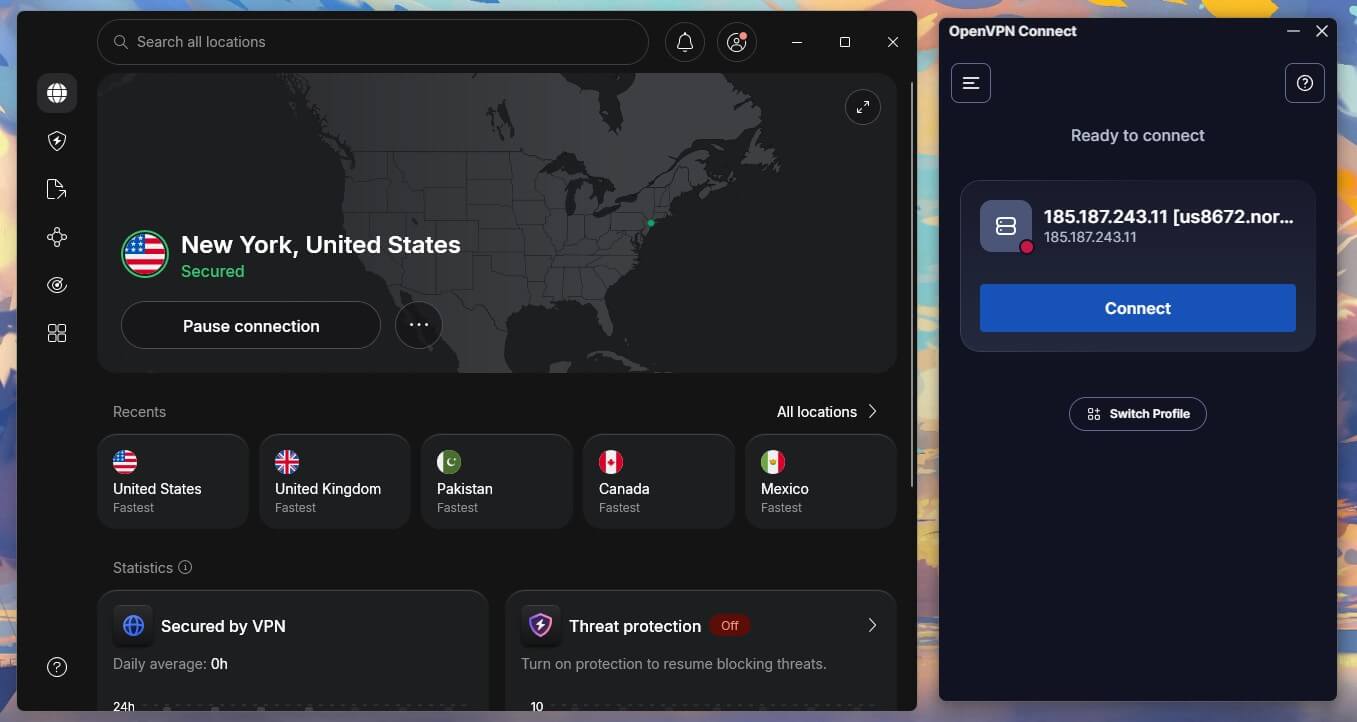
You’ll agree NordVPN looks far better. The sprawling world map doubles as a connection tool, the server fleet is a click away, and features get their own sections for convenience. A pleasure to use. OpenVPN Connect looks dated and leans technical. Before the app is usable, you must import a configuration profile and know where to get one; exactly the hurdle that stops most first-timers.
Once configured, it’s clean and minimal, if severely lacking in sleekness. It looks somewhat tidier on macOS, for what that’s worth, but still not ideal.
🏆 Winner: NordVPN
NordVPN vs OpenVPN Price Comparison
NordVPN and OpenVPN have vastly different pricing structures. OpenVPN is free. It’s an open-source client you can download and use without even signing up, and the free client includes all of its features forever, so this isn’t some VPN free trial arrangement. The catch is that “free” covers only the software. You still need a server to connect to, and servers cost money, at least the good ones.
So the real price of OpenVPN depends on where your server comes from. NordVPN’s pricing structure is familiar. Its 24-month plans usually run 70% or more below monthly rates, hovering around $3 to $3.5 a month for the Basic plan. The pricing is favorable, especially with this NordVPN coupon code, which often adds 3 free months, and 1-year plans get good discounts as well.
We don’t recommend the monthly plans since they’re pricier. NordVPN lacks a free plan, and that’s a minus. But think it through: so does OpenVPN, really, once you price in the server you can’t connect without.
🏆 Winner: NordVPN
Handing a paid product the pricing round against a free one is strange, but the math checks out. A working OpenVPN setup needs a server, and renting even a basic one costs more per month than NordVPN’s entire Basic plan, with none of the extras and no refund if it disappoints. Only users who already own a server, or who tolerate congested community ones, get OpenVPN truly free. Everyone else pays either way, and NordVPN’s $3.49/mo buys far more.
NordVPN is More Secure Than OpenVPN: Here’s Why
In our OpenVPN vs NordVPN comparison, we found that OpenVPN doesn’t have many features we could praise. Since it’s a client rather than a full VPN service, you can forget the fancy stuff like MultiHop, a dark web monitor, or an ad blocker. That’s NordVPN territory. Still, the two share a few essentials:
- Encryption. Both offer 256-bit encryption, but NordVPN runs AES-256-GCM plus the ChaCha20 cipher with SHA-512 hashing, while OpenVPN uses OpenSSL with SHA-256.
- Automatic kill switch. Both shut down your internet if the VPN connection breaks. NordVPN’s is superior, since it can target specific apps and preemptively block internet access until you connect.
- Content filtering. Both block malicious sites and DNS attacks. NordVPN uses Threat Protection Pro, which we’ll discuss shortly, while OpenVPN offers a DNS-based solution called Cyber Shield.
- IP and DNS leak protection. No special explanation needed. Both implementations worked wonderfully in our tests.

Where NordVPN Gains the Upper Hand: Advanced Features
The key difference is that OpenVPN’s list ends there, while NordVPN is just getting started. We won’t go too deep, as our full NordVPN review already covers everything, but the highlights deserve a mention:
- Threat Protection Pro. Available from the Complete plan, it blocks malicious sites, ads, trackers, and malware, turning NordVPN into a two-in-one privacy package.
- NordWhisper and NordLynx protocols. Yes, NordVPN offers OpenVPN too, but these two go further. NordWhisper overcomes network filtering, while NordLynx is WireGuard with a Double NAT system for stronger privacy.
- Double VPN, a.k.a. MultiHop. Encrypts your traffic twice and routes it through two servers, making tracking far harder.
- Meshnet. A free feature for encrypted remote access and control, useful for entertainment, business, or IP routing.
- Dark Web Monitor. Sends email alerts if your private data surfaces on the dark web.
NordVPN also includes split tunneling, plus optional extras: we reviewed NordPass and NordLocker if you’re curious about their quality (they’re great overall), while Coveron (recently rebranded from NordProtect), an ID theft protection service exclusive to the Prime plan, rounds out the bundle.
🏆 Winner: NordVPN
No Logging, But NordVPN Has More Audits
This OpenVPN vs NordVPN assessment answers one important question: do these services store logs? The short answer is no, neither does. Both have no-logs policies, and that’s always cool. NordVPN is based in privacy-friendly Panama, while OpenVPN’s roots are in the USA, squarely inside the 5 Eyes alliance. Jurisdiction matters less when nothing is logged, but it’s a difference worth knowing.
The eye-piercing difference is verification. OpenVPN hasn’t undergone a single third-party audit of its no-logs policy. The policy itself is well-written and clear-cut, but there’s no independent stamp. NordVPN, meanwhile, has worked with Deloitte across six audits, most recently in 2026, each confirming its zero-logs claims. One side asks for your trust, the other shows receipts. NordVPN takes the round.
🏆 Winner: NordVPN
NordVPN is Faster Than OpenVPN
A traditional OpenVPN vs NordVPN speed test comes with an asterisk. NordVPN is a VPN service with its own distributed server fleet. You open the app, connect to a server, and the infrastructure is NordVPN’s responsibility; standard stuff. OpenVPN’s speed depends almost entirely on whichever server you bring to it. A rented server can be quick. A free community server will be slower.
The protocol gap compounds this. OpenVPN Connect runs OpenVPN (UDP or TCP) and nothing else, while NordVPN offers OpenVPN alongside NordLynx and NordWhisper. NordLynx is an improved take on WireGuard, and WireGuard is consistently faster than OpenVPN, often by a wide margin.
So even in OpenVPN’s best-case scenario, a fast paid server, it’s running the slower protocol, while NordVPN pairs faster protocols with uncapped, uncongested servers. The result is the same on every route: NordVPN is faster, and it isn’t close.
🏆 Winner: NordVPN
Streaming and Torrenting: Easy Win for NordVPN
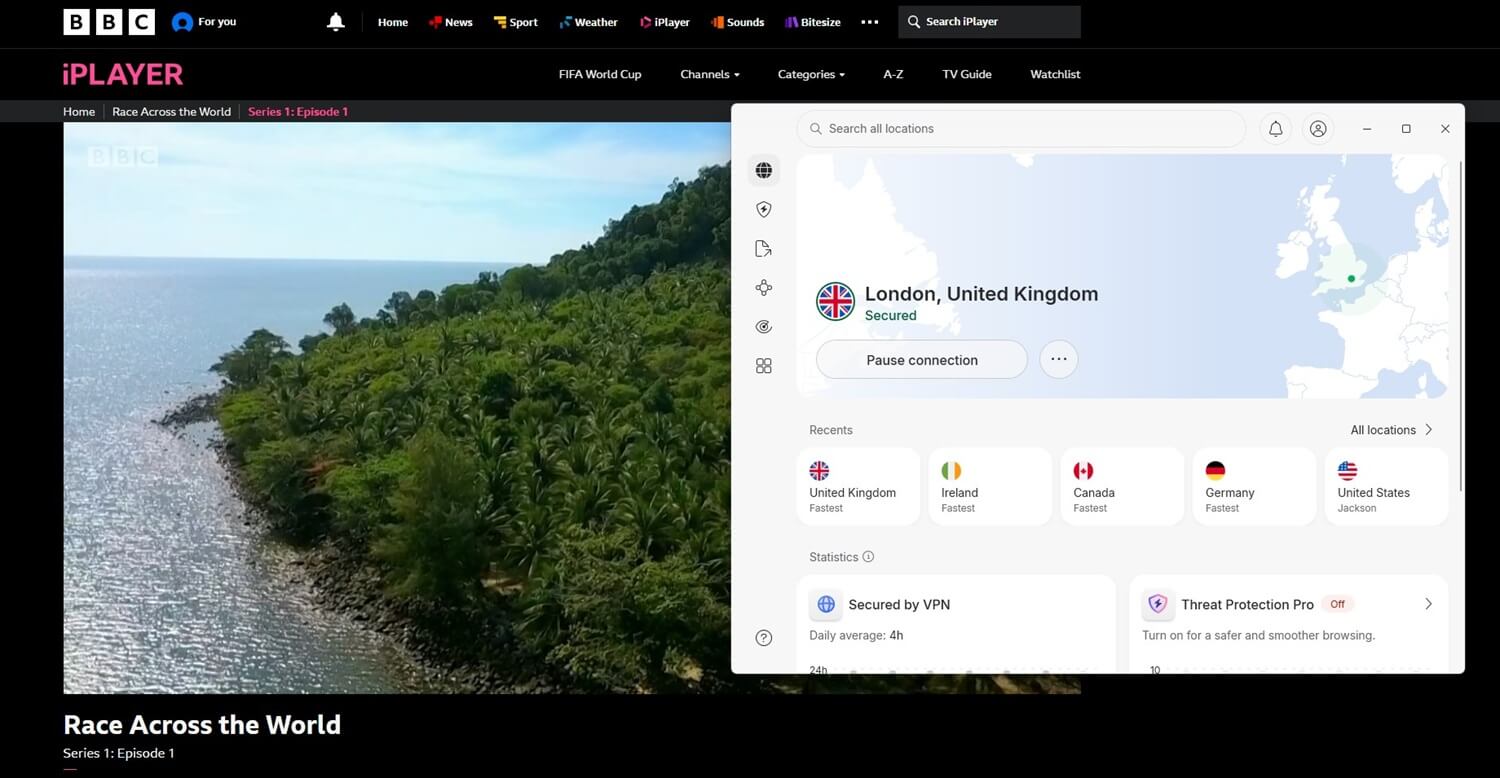
If you value entertainment as much as security, you’ll want to know how these two perform for streaming and torrenting. For OpenVPN, we have to write the annoying but accurate sentence once more: it depends on your server. Use NordVPN’s config file, connect to its server through OpenVPN Connect, and you can watch movies and shows on Pluto TV or unblock your favorite Netflix library.
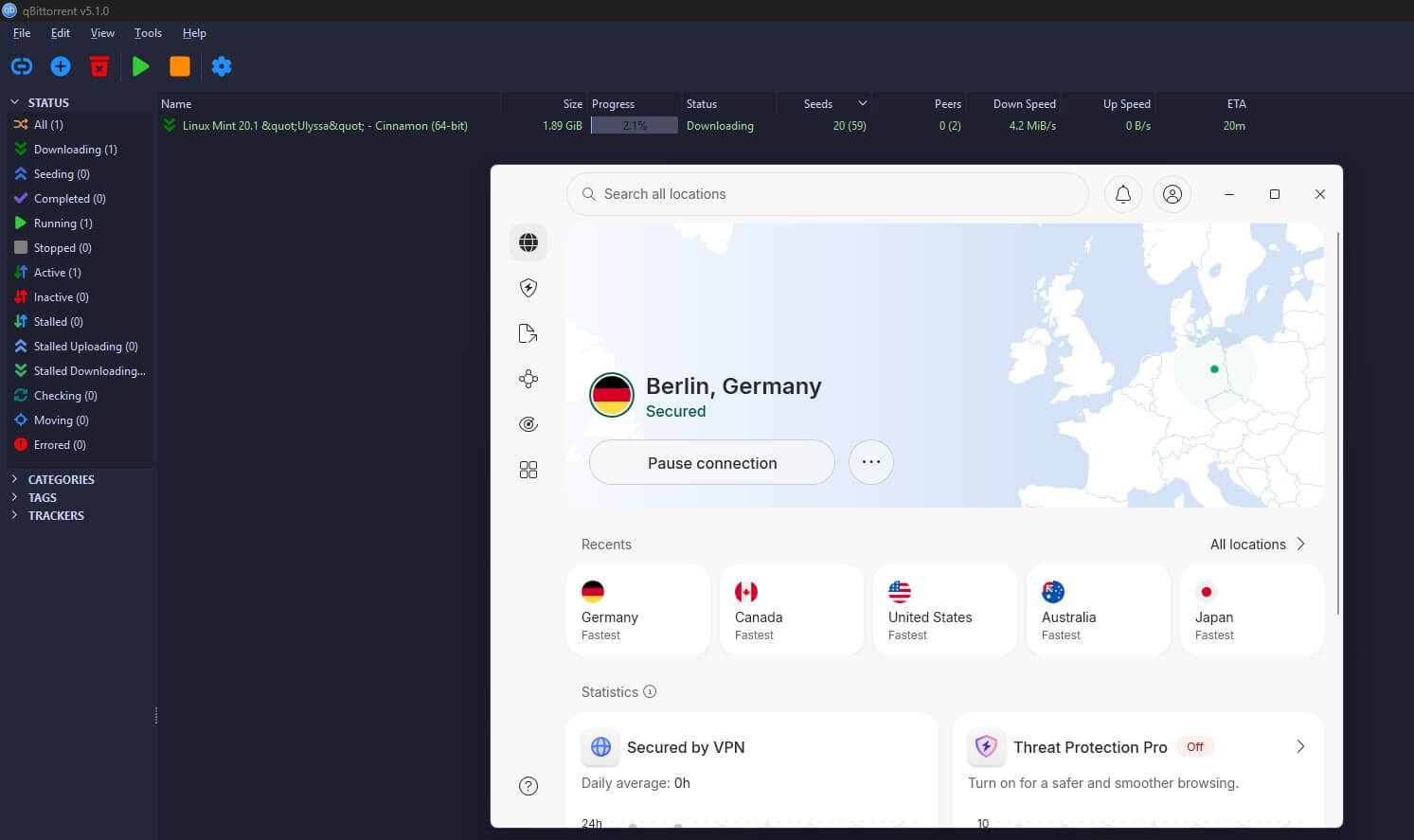
The same goes for torrenting: find a P2P-optimized server’s config file, load it in, and voila. But notice what’s doing the heavy lifting in that scenario. It’s the server, not OpenVPN, and a random community server will deliver none of it. NordVPN skips the labor. Its fleet includes P2P servers for quick, safe torrenting. There are no dedicated streaming servers because every server handles streaming.
Connect to a random Japanese one, and you’ll unblock Japanese Netflix abroad. The browser extension adds location spoofing for even more unblocking, and SmartDNS covers the rest. That DNS-based add-on brings streaming to non-VPN-compatible devices like older smart TVs. OpenVPN has no answer, since it has no servers.
🏆 Winner: NordVPN
Server Locations
As stated multiple times in this NordVPN vs OpenVPN clash, the former has servers and the latter has none, so this round is a formality. Still, NordVPN’s fleet deserves the spotlight. It’s large both on its own and when compared to Surfshark and other popular options, with over 9,500 servers in 138 countries. The fleet mixes physical and virtual servers, covering “non-eligible” locations like India and Turkey.
Those countries have data-retention laws that make physical servers risky, so the virtual approach delivers local IP addresses from hardware in privacy-friendly places. Server variety is another strong suit, with Obfuscated, Double VPN, Onion over VPN, and Dedicated IP locations worldwide.
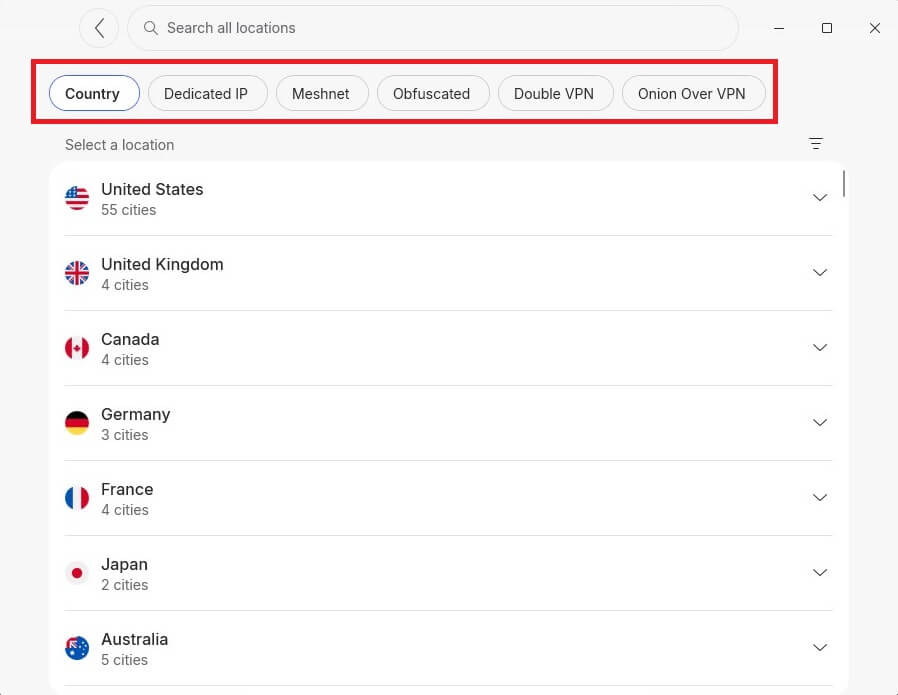
The most interesting are the obfuscated servers, whose traffic masking alleviates censorship in restrictive countries, including China. Onion Over VPN serves Tor users who want to reach the dark web with their privacy intact. OpenVPN brings a config file and a prayer, so really, NordVPN wins with a forfeit.
🏆 Winner: NordVPN
Customer Support
Customer support gets treated as an afterthought, but when things break, who do you contact? Exactly. NordVPN brings 24/7 live chat, plus email if you’re not in a hurry, plus FAQs and helpful guides for the self-service crowd. We opt for the live chat because it’s convenient and the most reliable path to an actual fix. OpenVPN runs on a ticketing system, backed by FAQs, guides, and its community.
That community deserves a mention, since OpenVPN’s forums and documentation are deep in a way only open-source projects manage, but waiting on a ticket or a forum reply can’t compete with a 2 AM chat window when your connection is down.
🏆 Winner: NordVPN
Conclusion to NordVPN vs OpenVPN
After eight rounds, this was a clear-cut win for NordVPN. It took every category: apps, features, privacy, speed, streaming, torrenting, servers, and support. That’s not a knock on OpenVPN so much as a category difference. OpenVPN is a brilliant piece of open-source technology, exactly why NordVPN itself offers it as a protocol.
But as a standalone solution, it hands you a client and wishes you luck finding a server, and everything that matters- speed, streaming, privacy guarantees- depends on that server. If you’re a tinkerer who already runs your own infrastructure, OpenVPN has a place in your toolkit. Everyone else is better served elsewhere.
And “elsewhere” costs less than you’d think. At $3.5/mo, NordVPN delivers the complete package: audited privacy, top speeds, effortless streaming and torrenting, and apps for every device, with a 30-day money-back guarantee.