In a country as digitally advanced as Singapore, it might be surprising to learn that residents face strict online censorship and limited access to various online platforms. Thankfully, there’s a reliable way to bypass these restrictions: using a top-tier VPN for Singapore.
Designed to work like any other app on your phone or computer, a powerful VPN helps you unlock global content and to keep your online activities private. By connecting to a VPN server in another country, you can easily overcome Singapore’s geoblocks. It allows you to enjoy an unrestricted online experience using services like Netflix, BBC iPlayer, Amazon Prime Video, and more.
To help you find the best options, we rigorously tested over 20 VPNs on multiple devices and, after careful evaluation, narrowed down the list to the three standout providers for Singapore. Each of these VPNs is equipped with robust encryption, an extensive network of global servers, and the capability to assign you a Singapore IP address.
Why You Need a VPN in Singapore
While Singapore is renowned for its technological advancements, it also has some of the strictest online regulations, leading to various challenges for internet users. Here are a few compelling reasons why having a top VPN in Singapore is a must:
Bypass Strict Censorship: Singapore has extensive online restrictions, limiting access to social media, news sites, and specific content that goes against its cultural, political, or religious views. A VPN helps bypass these barriers and access content freely.
Unblock Streaming Platforms & Global Content: With a VPN, you can access popular streaming services like Netflix US, BBC iPlayer, Hulu, and more that are otherwise blocked or offer limited libraries in Singapore. You can also count on a VPN to help you access YouTube TV and its content from outside the US.
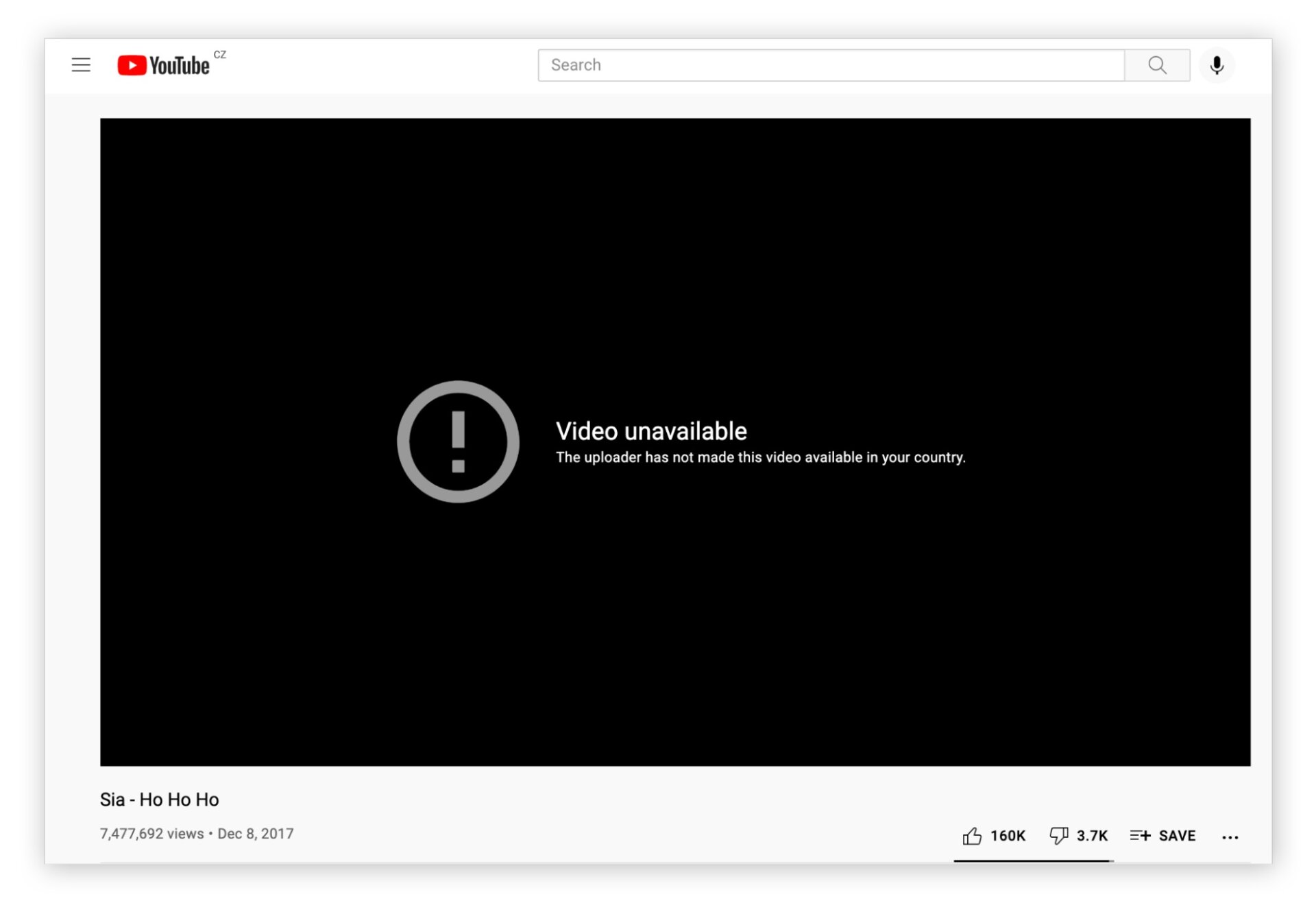
Secure Your Data & Privacy: Public Wi-Fi networks can be vulnerable to hackers and snoops. A VPN encrypts your online activities, ensuring your personal information and browsing data stay private, even on unsecured networks.
Access Local Services While Traveling: For Singaporeans traveling abroad, some local services like banking apps or streaming sites might not be available. A VPN allows you to connect to a Singaporean server and access these platforms as if you were at home.
Enhance Online Security & Anonymity: With features like AES-256 encryption and IP masking, a VPN shields your identity, helping protect you from cyber threats, intrusive trackers, and government surveillance.
A premium VPN in Singapore isn’t just a tool for accessing global content; it’s a comprehensive solution for achieving greater privacy, security, and an unrestricted internet experience.
Best VPNs for Singapore in 2026
If you’re looking for a reliable VPN to navigate Singapore’s online restrictions, you’re in the right place.
Below, we’ve handpicked the top Singapore VPNs that are not only effective in bypassing local censorship but also provide blazing-fast speeds, robust security features, and excellent streaming capabilities.



 9200 servers
 128 covered countries
 30 days money-back guarantee
 10 simultaneous connections
9.4 /10

20396 servers
148 covered countries
30 days money-back guarantee
10 simultaneous connections
9.2 /10

3000 servers
105 covered countries
30 days money-back guarantee
10 simultaneous connections
9.1 /10
1. NordVPN
When it comes to staying secure online and accessing global content from Singapore, NordVPN stands as the best overall VPN.
Whether you’re looking to stream, browse privately, or access sites blocked by the Media Development Authority (MDA), NordVPN provides robust encryption, fast speeds, and an easy-to-use app across all devices.
Unblocking Ability
NordVPN is a top performer when it comes to bypassing geo-blocks. During our tests, it easily unblocked popular websites and streaming platforms within seconds.
When connected to a U.S. server, we could access content that was otherwise restricted in Singapore. More importantly, all traffic was routed through a NordVPN server, keeping our data hidden from our hotel’s ISP, government surveillance, and potential cyber threats.
Speed
While connecting to far-off servers like the U.S. did cause some slowdown (around 70 Mbps), local servers in Singapore, Malaysia, and other nearby regions provided blazing-fast speeds. Our download and upload speeds averaged around 93 Mbps and 87 Mbps, respectively, with only a slight drop from our base 100 Mbps connection—a mere 10% decrease, far better than the industry average.
Server Network
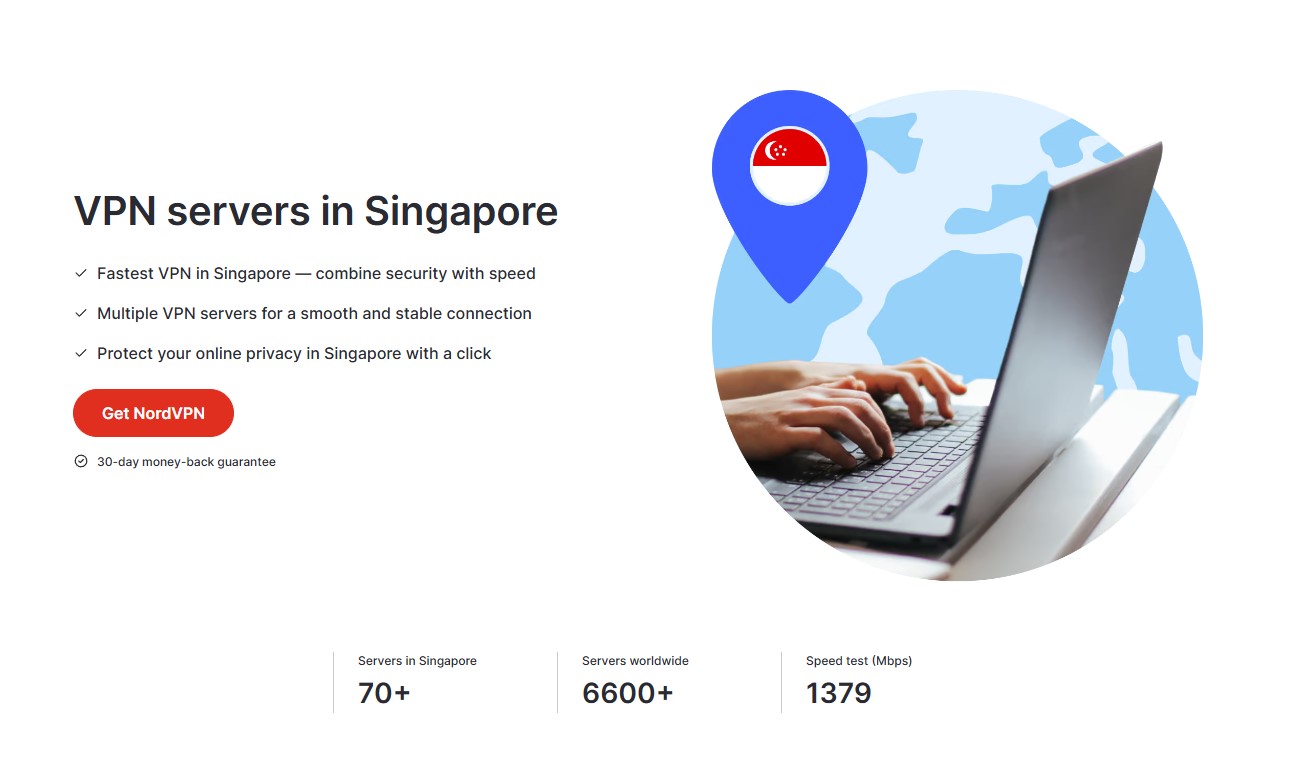
NordVPN has an expansive server network within Singapore and nearby countries, boasting over 70 servers in Singapore alone. Additionally, with a strong presence in neighboring countries like Malaysia, Indonesia, Vietnam, Thailand, and Hong Kong, finding a fast server was never an issue.
Plus, with prices starting at around $3 per month (on a two-year plan) and a 30-day money-back guarantee, it’s an affordable, risk-free option for anyone looking for the best VPN for Singapore.
Pros
- Vast server network for US TV streaming
- Quick Connect for optimized performance
- Supports up to 10 devices at once
- Excellent for unblocking major platforms
- Unlimited bandwidth for 4K streaming
- Multi-platform support, even routers
Cons
- Pricing can be inconsistent across plans
2. ExpressVPN

If you’re looking for a VPN with exceptional performance, blazing-fast speeds, and solid security, ExpressVPN is a fantastic option for use in Singapore and beyond.
Whether you’re streaming Netflix or managing online banking from abroad, ExpressVPN offers unparalleled ease and functionality, making it one of the most trusted VPNs for Singapore in 2026.
Unblocking Ability
ExpressVPN’s extensive server network allows for seamless access to content worldwide. It comes with multiple servers in Singapore (including locations like the Central Business District, Marina Bay, and Jurong).
ExpressVPN easily bypasses geo-blocks and grants you access to services like Channel NewsAsia in HD, with videos loading in less than 10 seconds.
Beyond Singapore, ExpressVPN has 3000+ reliable servers across 105 countries, making it an excellent choice for accessing content from the US, UK, and more.
Speed
In our speed tests, ExpressVPN consistently delivered some of the fastest speeds available. With download speeds remaining above 25 Mbps even with long-distance servers, it was perfect for buffer-free HD streaming and quick torrenting.
The VPN has unlimited bandwidth, so that you can download and seed files at top speeds without worrying about data limits. Moreover, its Lightway protocol optimizes speed and security, providing a faster and more secure browsing experience than many other protocols.
ExpressVPN’s plans start above $4 per month, which may be pricier than some competitors. Plus, the 30-day money-back guarantee lets you try ExpressVPN risk-free and provides a hassle-free refund process for complete satisfaction with the service, or a full refund within days.
Pros
- Ultra-fast speeds with Lightway protocol
- Access to Netflix, Amazon Prime, and more
- Strict no-logs policy and RAM-only servers
- 30-day money-back guarantee
- User-friendly app with 24/7 live chat support
Cons
- Higher price point than some competitors
3. Private Internet Access
PIA VPN is known for its customizable security settings, offering flexibility for users in Singapore who want a balance between privacy and performance. Whether you’re concerned about online security or wish to access geo-restricted content, PIA is a solid choice with advanced features and a massive network of 29,000+ servers.
Unblocking Ability
Private Internet Access is highly effective for bypassing geo-restrictions, allowing access to major streaming platforms and content worldwide.
With multiple servers in Singapore, PIA VPN quickly grants access to local content. In contrast, its extensive network of over 29,000 servers across 91 countries enables smooth access to global sites and services, such as Netflix, Prime Video, and more.
Speed
In our speed tests, PIA delivered consistently reliable connections. While it may not reach the blazing speeds of NordVPN (more details can be found in our PIA VPN vs NordVPN analysis), this solid VPN for Singapore still managed to offer great download speeds, providing buffer-free streaming and fast torrenting. Additionally, its unlimited bandwidth allows you to download and stream without any caps or throttling.
Ease of Use
While PIA offers plenty of customization options, they can be overwhelming for beginners. However, pre-configured profiles make it easier to get started, whether you’re streaming, gaming, or torrenting. The VPN also includes ironclad protocols like OpenVPN and WireGuard, along with built-in ad and malware blocking via its MACE feature.
Pricing
Starting at just $2/month on long-term plans, PIA provides one of the best value-for-money VPNs. Plus, with its 30-day money-back guarantee, you can test PIA risk-free and request a full refund if you’re not satisfied.
Try Private Internet Access Now
Pros
- Vast server network with global coverage
- Customizable encryption settings
- Unlimited simultaneous connections
- Ad and malware blocking with MACE
Cons
- Not as beginner-friendly due to customization options
- Speeds can vary depending on the server location
How to Pick the Best VPN for Singapore
When selecting the best VPN for Singapore, it’s crucial to focus on several key factors to ensure you get a VPN that meets your privacy, security, and access needs. Here’s what to look for:
Strong Security and Privacy Features
Choose a VPN that uses advanced encryption (AES-256) and offers a strict no-logs policy to protect your online activity from prying eyes, including ISPs and government surveillance. Features like a kill switch and DNS/IP leak protection are also essential to maintain your privacy even if the VPN connection drops.
Global Server Network
A vast server network across multiple countries is essential for accessing geo-blocked content both within Singapore and internationally. Look for a VPN with servers in Singapore and neighboring regions, as well as in major countries like the US, UK, and Australia, to unlock the best streaming and browsing experience.
Fast and Reliable Speeds
Speed is vital when streaming, gaming, or downloading large files. Opt for VPNs that have high-speed protocols (like WireGuard or Lightway) and low latency. The best VPNs for Singapore maintain at least 25 Mbps on average, providing seamless HD streaming and fast browsing.
Ability to Bypass Geo-Blocks
Whether you’re in Singapore looking to access international content or traveling abroad and trying to access local services, the VPN you choose should have a proven track record of bypassing geo-blocks. The ability to unblock streaming platforms like Netflix, Disney+, Amazon Prime Video, and local channels is essential.
User-Friendly Apps Across Devices
Ensure the VPN offers easy-to-use apps that work on all your devices—whether it’s Windows, macOS, Android, iOS, or even routers. Having a consistent and intuitive interface across devices makes your VPN experience smooth and stress-free.
To make sure you make the right choice, don’t hesitate to have a look at our comparison of VPNs for Mac, or our listing of the best VPNs for Android.
Simultaneous Device Connections
To maximize value, opt for VPNs that support multiple simultaneous connections so you can protect all your devices at once. While some VPNs offer up to 10 connections, others, like Private Internet Access, allow for unlimited device connections.
Affordable Pricing and Money-Back Guarantee
Lastly, look for a VPN that offers flexible pricing plans and a solid money-back guarantee. A 30-day money-back period is ideal, allowing you to test the VPN risk-free and get a full refund if it doesn’t meet your expectations.
Focusing on these critical factors can help you choose the best VPN for your needs in Singapore, whether your priority is streaming, privacy, or unrestricted browsing.
How to Use a VPN in Singapore: A Step-by-Step Guide
If you’re in Singapore and want to bypass geo-restrictions or browse privately, a VPN is your best bet.
Here’s a simple guide on how to use NordVPN to unblock BBC iPlayer (or any other blocked content) from Singapore.
Step 1: Sign Up for NordVPN
Visit the NordVPN website and select a suitable subscription plan. After signing up, download the NordVPN app that is compatible with your device.
NordVPN is available for Windows, macOS, Android, iOS, and more. Install the app by following the on-screen instructions, which usually takes just a few minutes.
Step 2: Log In to Your NordVPN Account
Open the NordVPN app and log in using the credentials you created during sign-up. The interface is easy to navigate, with options to connect to servers quickly.
Step 3: Choose a Server in the UK
To unblock BBC iPlayer, you’ll need to connect to a UK server. Use the search bar or map on the NordVPN app to find a UK server, then click “Connect.” The app will automatically connect you to the fastest UK server available.
Step 4: Confirm Your Connection
Once connected, the NordVPN app will show your new location as the UK. To verify your VPN connection, you can visit a site like WhatIsMyIP.com to check that your IP address is now UK-based.
Step 6: Access BBC iPlayer
With NordVPN active and connected to a UK server, go to the BBC iPlayer website or open the app on your device. You should now have unrestricted access to all the content available on BBC iPlayer without any geo-blocking restrictions.
Step 7: Enjoy Private, Unrestricted Browsing
You can use these steps to access any geo-blocked content or just to browse privately while in Singapore. NordVPN’s encryption keeps your data secure, no matter what content you’re accessing.
By following these easy steps, you can quickly and securely use NordVPN to unblock sites and content in Singapore so you enjoy seamless access to all your favorite platforms and shows.
Tips for Staying Safe Online in Singapore
To enhance your online safety while using a VPN in Singapore, here are some tips to help you maintain privacy, avoid censorship, and browse securely.
- Always Use a Kill Switch: Make sure your VPN has an active kill switch feature. This will automatically disconnect your internet connection if the VPN connection drops, preventing accidental data exposure.
- Enable Strong Encryption: Choose AES-256 encryption for top-tier security so your internet traffic is unreadable by hackers, ISPs, or government surveillance.
- Choose Secure Protocols: Opt for secure and reliable protocols like OpenVPN, WireGuard, or IKEv2. These protocols offer a balance of speed and security, protecting your data effectively while browsing or streaming.
- Connect to Nearby Servers for Better Speed & Privacy: To maintain good connection speeds without compromising on privacy, connect to VPN servers close to your location. For example, servers in Malaysia or Indonesia should be used when accessing content from Singapore.
- Use Multi-Hop Servers When Possible: If your VPN provider offers multi-hop (Double VPN) servers, enable this feature. It adds a layer of encryption by routing your traffic through two servers, making it even harder for your online activities to be traced. That said, please be aware that for anything related to streaming, it is better not to use this feature. Indeed, it will significantly impact your internet speeds.
- Activate Split Tunneling to Optimize Your Connection: Use split tunneling to route only certain traffic through the VPN, such as streaming or accessing sensitive data, while allowing other apps to use your regular internet connection for better speed. Know that all the best VPNs for Singapore offer this feature.
- Disable Location Tracking and GPS Services on Devices: When using a VPN, turn off location tracking and GPS services on your device to prevent apps and websites from accessing your real location data.
- Regularly Update VPN Software: Keep your VPN app updated to the latest version to benefit from security improvements and bug fixes for a safe and seamless online experience.
- Test for IP and DNS Leaks Periodically: Use online leak test tools like ipleak.net to confirm that your VPN is not leaking your IP address or DNS requests, which could expose your location or browsing activity.
Summary
In recent years, Singapore’s internet landscape has seen increasing restrictions and censorship, much like what we’ve seen across the border in China, where the transformation of Hong Kong into what many see as a surveillance state has led to severe curbs on internet freedom.
Having a VPN is no longer just about bypassing geo-blocks; it’s about reserving your right to privacy and digital freedom. Each of the VPNs for Singapore recommended here has unique strengths. NordVPN is the ultimate choice for privacy seekers who prioritize strong encryption and access to restricted content. Its vast server network enables fast, secure browsing and streaming.
ExpressVPN stands out for its blazing-fast speeds, making it perfect for high-definition streaming and torrenting, as well as for those who want a straightforward and reliable VPN with solid security features. Finally, Private Internet Access (PIA) is ideal if you’re looking for a cost-effective yet secure VPN.
FAQs
Are VPNs Legal in Singapore?
Yes, VPNs are currently legal in Singapore. While using a VPN to guarantee privacy and access to certain content is allowed, using it for illegal activities (like accessing banned or pirated content) is prohibited. Always check local rules to stay compliant.
Should I Use a Free VPN in Singapore?
Free VPNs often come with limited server options, security vulnerabilities, and unreliable speeds. Additionally, some free services may log your data and sell it to third parties. For reliable security and performance, it’s better to use a reputable paid VPN service with a money-back guarantee.
How Does a VPN Help When Streaming or Torrenting in Singapore?
A VPN bypasses geo-restrictions, allowing access to global content on platforms like Netflix and Amazon Prime. For torrenting, a VPN provides secure P2P file-sharing, prevents ISP throttling, and hides your real IP address to maintain privacy.
Will My ISP Know I’m Using a VPN in Singapore?
While your ISP will know you’re connected to a VPN server, they won’t know your browsing activities, specific sites visited, or any content streamed. A VPN keeps your online activities private.
How Do I Get a Singapore IP Address Using a VPN?
To obtain a Singapore IP address, sign up for a VPN with servers in Singapore (like NordVPN). Download the app, log in, and connect to a Singaporean server to start browsing with a local IP address.