Both of these remove the device limit, both sit under $2.50 a month, and both have spent the past year quietly improving. That makes for a tighter comparison than it was. Surfshark wins 5 rounds to 1, with 2 ties. IPVanish takes speed and matches it on apps and privacy. Here’s the whole thing.
Surfshark vs IPVanish Quick Comparison
| Surfshark 🏆 | IPVanish | |
| Our Current Ranking 📋 | #5 | #8 |
| Prices 🤑 | Starts at $2.49 monthly | Starts at $2.19 monthly |
| Money-Back Guarantee 🪙 | 30 days for all plans | 30 days for 1-year and 2-year plans |
| Free Version/Free Trial 🆓 | No/7 days on Android and iOS | No/7 days on Android and iOS |
| Logging/Jurisdiction 🕵️ | No logging/Netherlands | No logging/USA |
| Protocols 🌐 | WireGuard, OpenVPN, IKEv2, Dausos | WireGuard, OpenVPN, IKEv2 |
| Servers 🏠 | 4,500+ in 100 countries | 3,200+ in 113 countries |
| Specialty Servers ✅ | Multi Hop, Dedicated, and Static IP | Double Hop |
| Ad Blocking 🔺 | Yes | Yes |
| RAM-Only Servers 🛡️ | Yes | Yes (not the full network) |
| Working With Netflix 📺 | Yes (25+ catalogs) | Yes (major libraries only) |
| P2P Allowance ↔️ | Yes | Yes |
| Concurrent Connections 📟 | Unlimited | Unlimited |
Compatibility and Ease of Use Compared
Platform support runs level. Both build native clients for Smart TVs, Apple TV, and Fire TV Stick alongside every desktop and mobile system, and both document router setup properly, which covers consoles and anything else that won’t run an app. The headline is shared: neither caps your device count. Set IPVanish against its rivals and almost none match that.
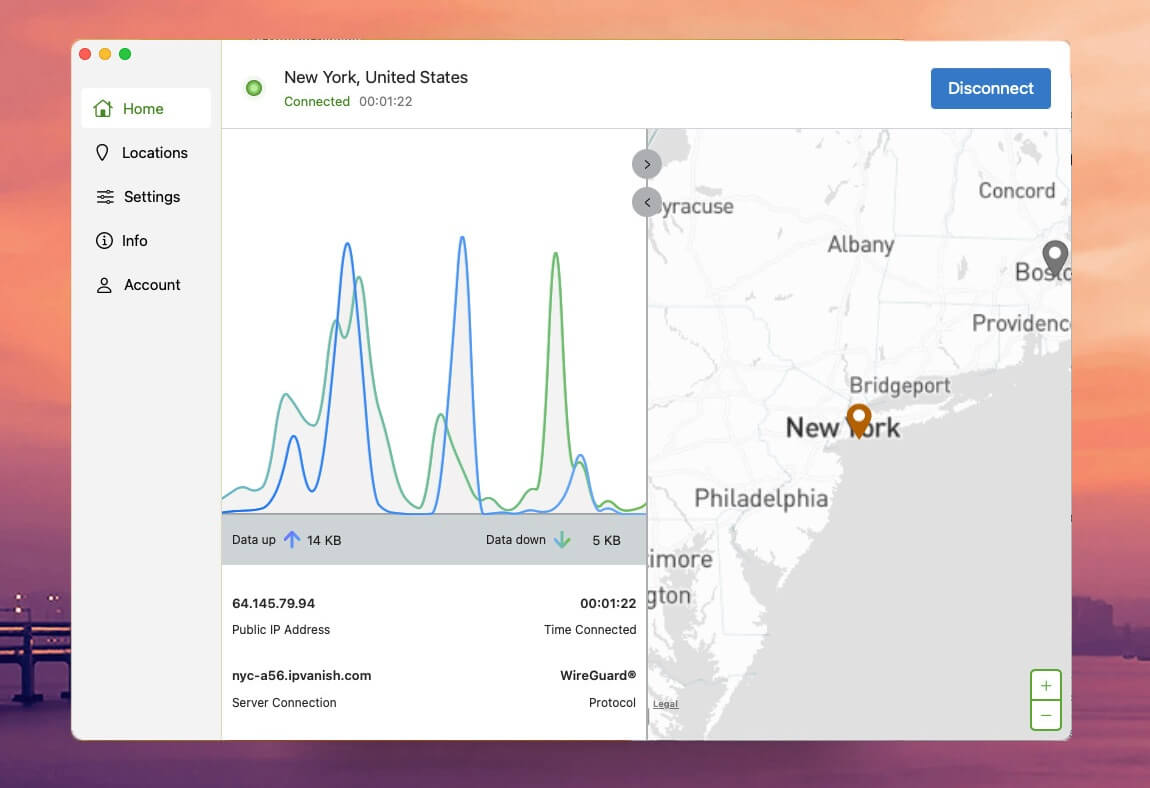
IPVanish leans technical. Live statistics fill the left panel, a world map occupies the right, and settings sit in a vertical bar. It isn’t stylish, and it responds quickly and hasn’t crashed on us. The mobile builds mirror it closely.
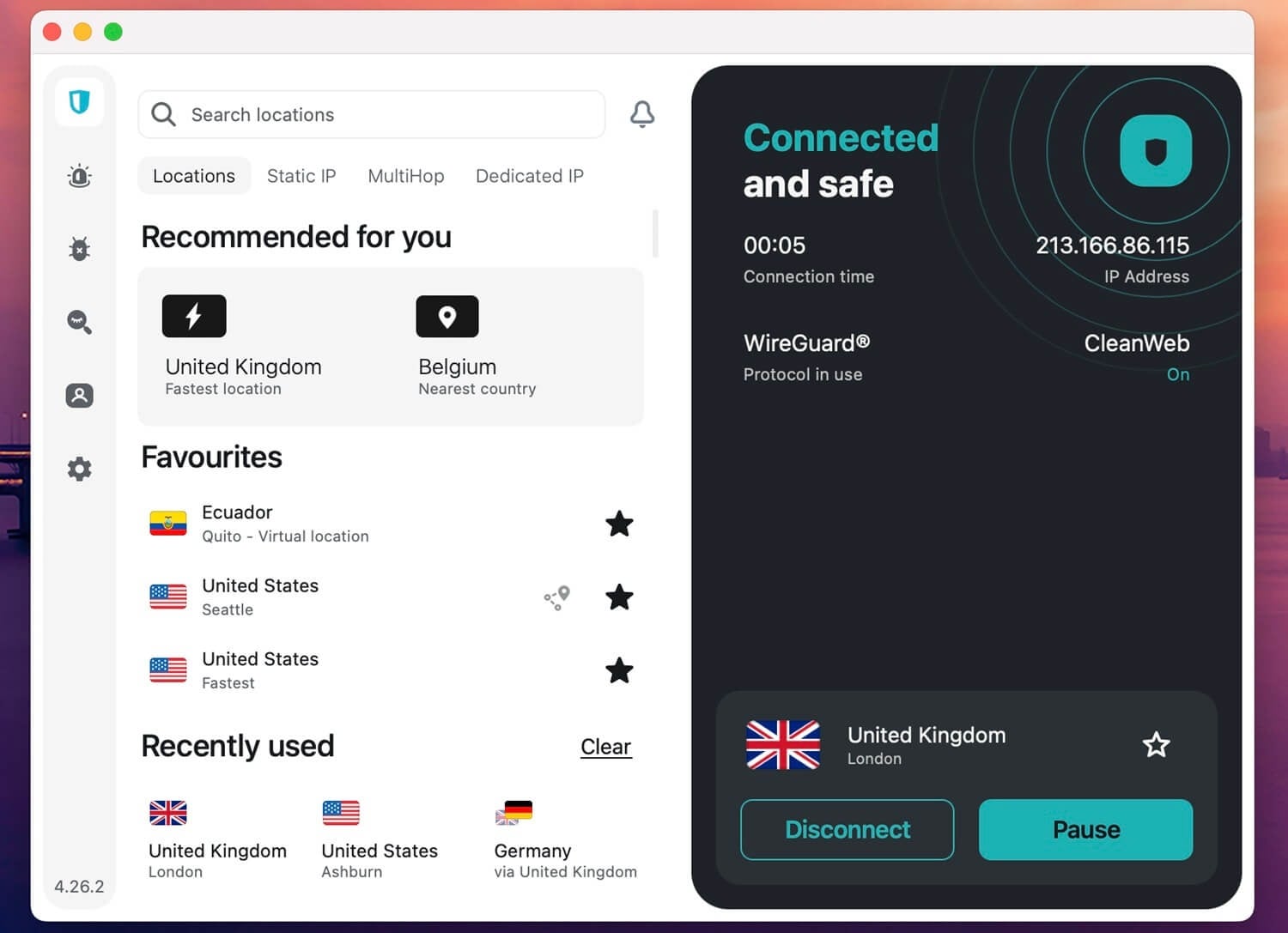
Surfshark is the better-looking one. The server list loads immediately, extras and settings run down the left, connection stats sit on the right, and the mobile app carries the same features rather than a stripped-back subset, which is more than most providers manage. Both now offer a 7-day free trial on Android and iOS, so either can be tested before money moves.
Winner: Tie
Unlimited devices on both sides, mobile trials on both sides, and no bugs worth reporting on either. Surfshark looks better; IPVanish surfaces more information. Neither advantage is worth a round.
Pricing Comparison: Surfshark Renews at Lower Rate
A close one, but here’s why Surfshark takes it.
| 2-Year Price | 1-Year Price | Monthly Price | Renewal Price | |
| IPVanish | $52.56 | $39.99 | $12.99 | $89.99 annually |
| Surfshark | $67.23 | $50.85 | $16.45 | $79 annually |
IPVanish Pricing Plans
Essential on the 2-year term costs $2.19 monthly, billed at $52.56. Advanced adds a hardened browser, a terabyte of cloud backup, and telephone support for $3.29. Annual terms run $3.33 and $4.49, and monthly billing is $12.99 and $14.99 with no discount applied. Two conditions to note.
Essential renews at $89.99 per year once the term ends, and the 30-day guarantee applies only to annual and 2-year plans. Monthly subscriptions are non-refundable. The free trial on Android and iOS is a workaround for that.
Surfshark Pricing Plans
Three tiers across three terms. Starter is $2.49 monthly on the 2-year plan, Surfshark One sits alongside it at $2.79 with antivirus included, and One+ reaches $4.49. Every 2-year plan bundles three extra months.
Annual terms open near $3.39, monthly billing is expensive at $16.45 and up, and the 30-day guarantee applies to everything. There’s a 7-day mobile trial too, covered in our Surfshark free trial guide.
Winner: Surfshark
IPVanish is 30 cents cheaper to start; Surfshark is $11 a year cheaper to keep. Renewals decide it, along with refund terms that cover every plan rather than the long ones. Surfshark One at $2.49 also undercuts IPVanish Advanced at $3.29 while carrying more.
Surfshark is More Secure Than IPVanish
Here’s why Surfshark offers more than IPVanish in terms of security features. Both are safe on the basic level: No data leaks in our tests.
Shared Features
The core job of a VPN is the same either way, so the overlap is wide:
- Automatic kill switch and split tunneling
- Multi-hop, called Double Hop at IPVanish
- WireGuard and OpenVPN
- IPv6 and DNS leak protection
- Ad and tracker blocking
Differences Compared
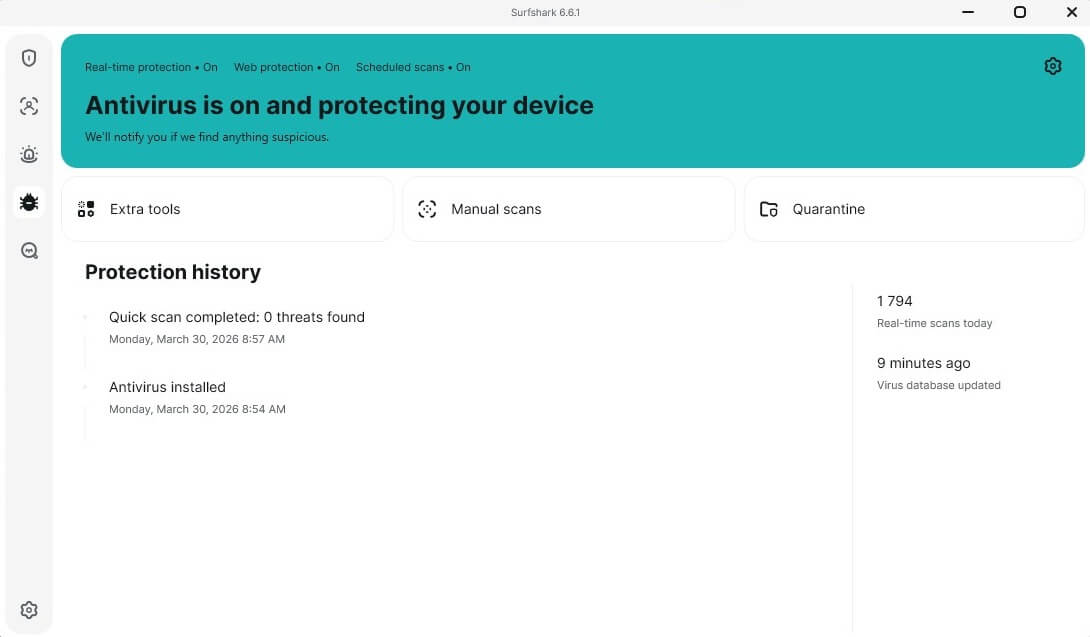
Threat protection. IPVanish stops ads, trackers, and hostile domains, and it did so consistently for us. Surfshark goes further, pairing CleanWeb with a full antivirus that runs on iOS and Android as well as desktop, with scheduled scans, real-time scanning, and folder exclusions.
Our Surfshark review rates it the strongest antivirus bundled with any VPN, and it held up against standalone products from Norton, Avira, and Kaspersky.
Surfshark exclusives:
- Alternative ID, spinning up a usable alias complete with a name, an inbox, and a birth date
- IP Rotator, cycling your address while holding the location
- NoBorders, which detects a restricted network and reorders the server list toward whatever will connect
- Camouflage Mode, the obfuscation layer, masking VPN traffic as ordinary browsing to bypass censorship
- Alert, dark web monitoring with breach notifications
- Search, a browser that keeps no history
- Incogni, optional data removal from broker databases
- Dausos, Surfshark’s in-house, macOS-exclusive protocol built for speed and strong, AEGIS-256X2 encryption, post-quantum-resilient, with an audit from Cure53.
IPVanish exclusives, from our testing:
- SOCKS5 proxy, useful for torrent clients
- 1 TB cloud backup with file syncing and sharing
- Phone support on the Advanced tier, which almost no VPN offers
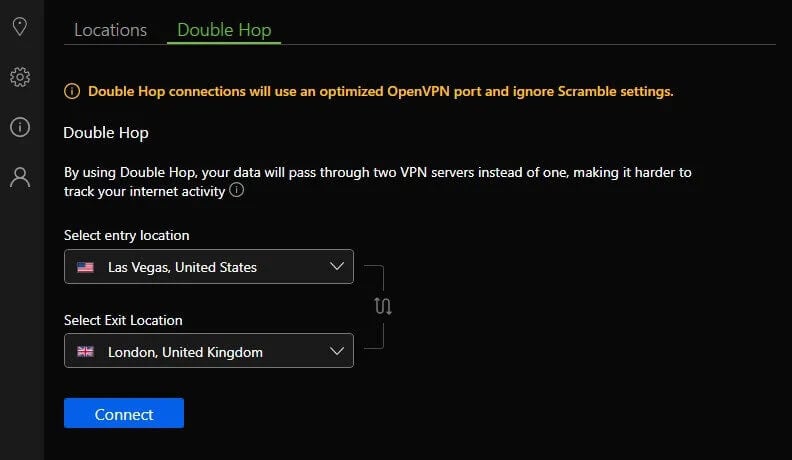
Winner: Surfshark
More security tooling for less money. IPVanish’s cloud backup and phone support are genuinely useful, and they sit beside the VPN rather than inside it.
IPVanish and Surfshark Don’t Keep Any Logs
Neither retains IP, DNS requests, geolocation, connection metadata, browsing history, or download records. Both keep an email address and payment details for billing, which is unavoidable. IPVanish carries the older stain. In 2016, under previous owner Highwinds Network Group, it supplied US investigators with connection records while marketing as a no-log VPN.
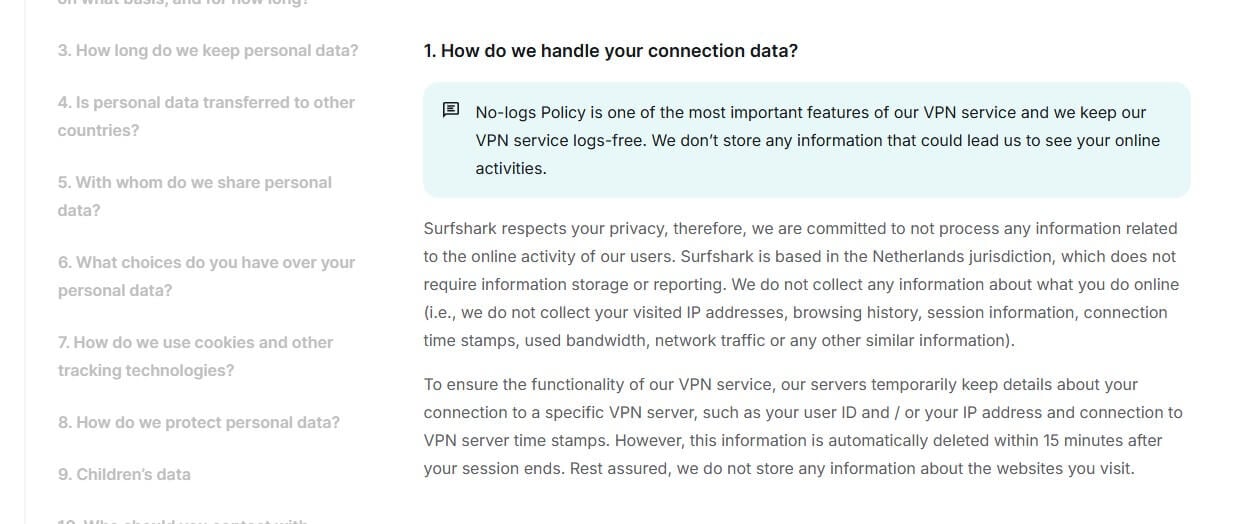
The response since has been substantial: an audit by Leviathan Security Group in 2022, a second from Schellman Compliance three years later, and quarterly transparency reports. Its base is Orlando, Florida, inside Five Eyes. Surfshark has no comparable incident, and its no-logs policy is verified by Deloitte, with Cure53 examining its infrastructure and its Dausos protocol.
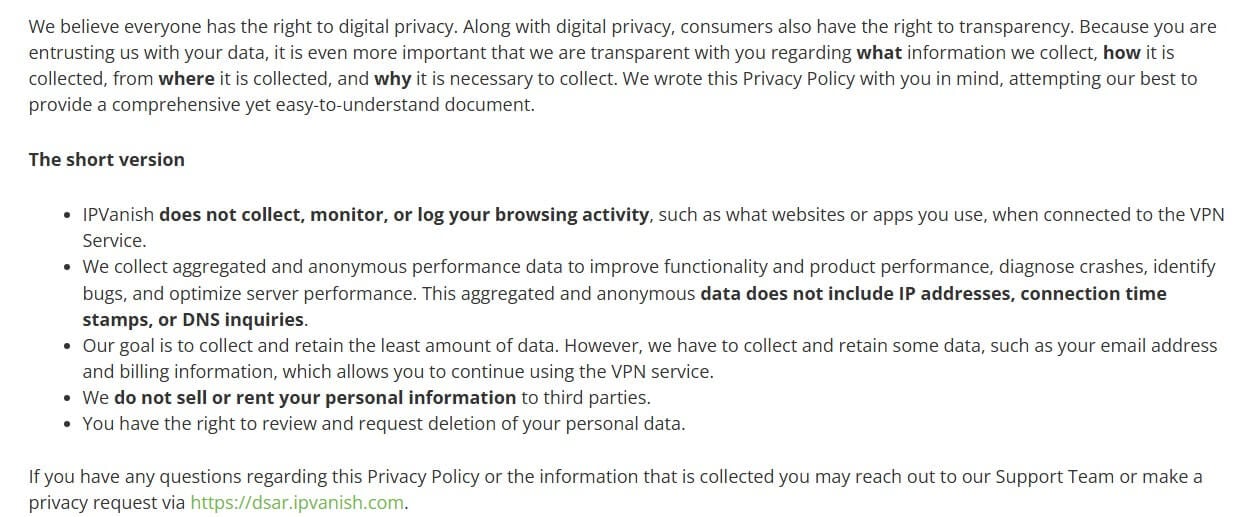
Its legal home is the Netherlands, a 9 Eyes member. The infrastructure differs. Surfshark’s fleet is entirely RAM-only. IPVanish is partway through that transition, with an in-app filter showing which cities have been upgraded and full coverage targeted for 2027. Its remaining disk-based servers use full-disk encryption.
Winner: Tie
A cleaner record against a stronger current audit posture. Neither jurisdiction is ideal, and both belong among the trustworthy providers as things stand.
IPVanish is Faster Than Surfshark: Speed Test Results
Testing ran 3 days consecutively, 3 times daily, from Southeastern Europe on a Windows 11 machine with a 50/10 Mbps line, using UK, US, and Japanese servers. Both apps were set to WireGuard rather than OpenVPN.
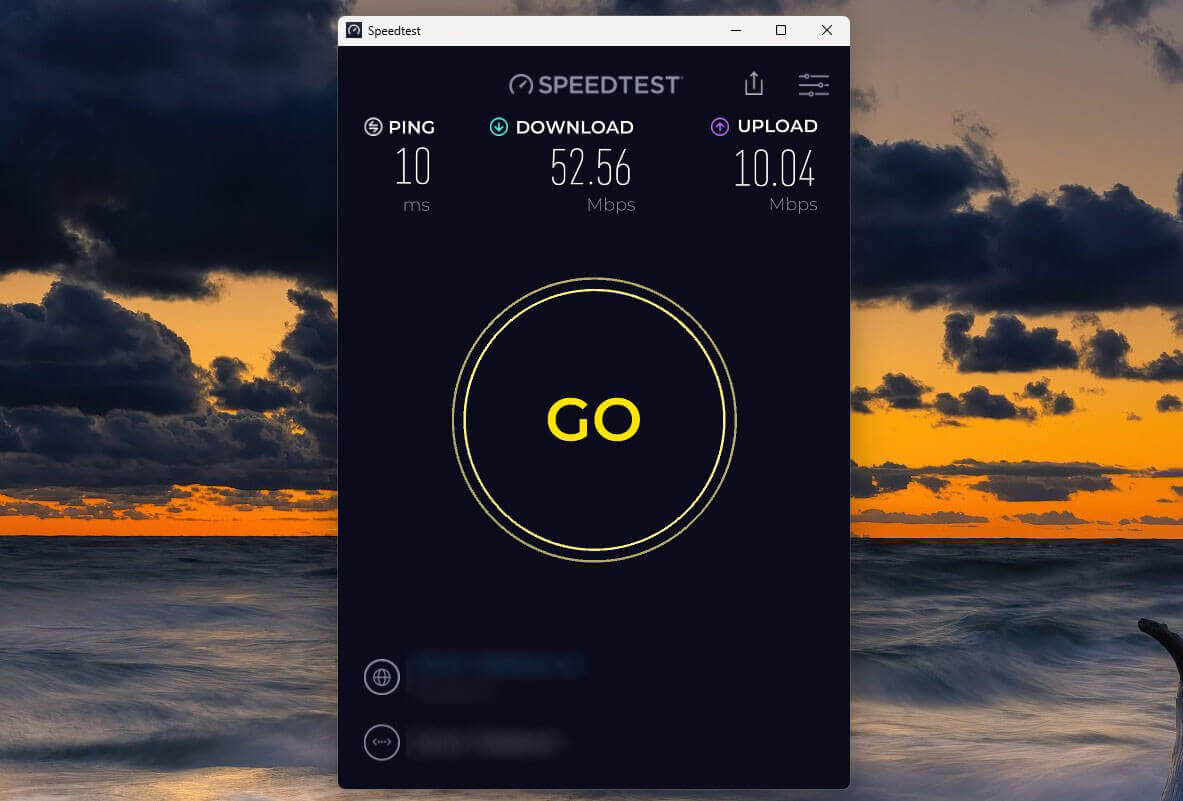
Surfshark edged the UK download and the US upload. Averaged across all 9 runs, IPVanish held more of the line, and the upload gap of 14 percentage points is the one you’d feel. One caveat on those numbers.
| IPVanish | Surfshark | |
| Download Speed Retention | 72% | 67% |
| Upload Speed Retention | 90% | 76% |
Testing ran on Windows 11, so Surfshark’s Dausos protocol wasn’t available for it. Surfshark is in the process of launching Dausos on all other platforms, and when this happens, we’ll re-test it with that protocol.
| UK (Download/Upload) | US (Download/Upload) | Japan (Download/Upload) | |
| IPVanish | 39.42/9.84 Mbps | 38.89/8.25 Mbps | 28.01/6.12 Mbps |
| Surfshark | 40.99/8.33 Mbps | 35.74/9.53 Mbps | 27.85/4.82 Mbps |
Winner: IPVanish
Better retention on both counts. Speed has never been Surfshark’s strength on WireGuard, and this is IPVanish’s clearest win.
Streaming and Torrenting: Which VPN Actually Wins?
Surfshark for streaming, IPVanish for torrenting. Here’s more detail.
Streaming: Surfshark is Way Better
Surfshark opened 25+ Netflix libraries, and its browser extension spoofs location separately for services that check twice. Nothing we pointed it at held out, which is why it ranks among the better Netflix VPNs.
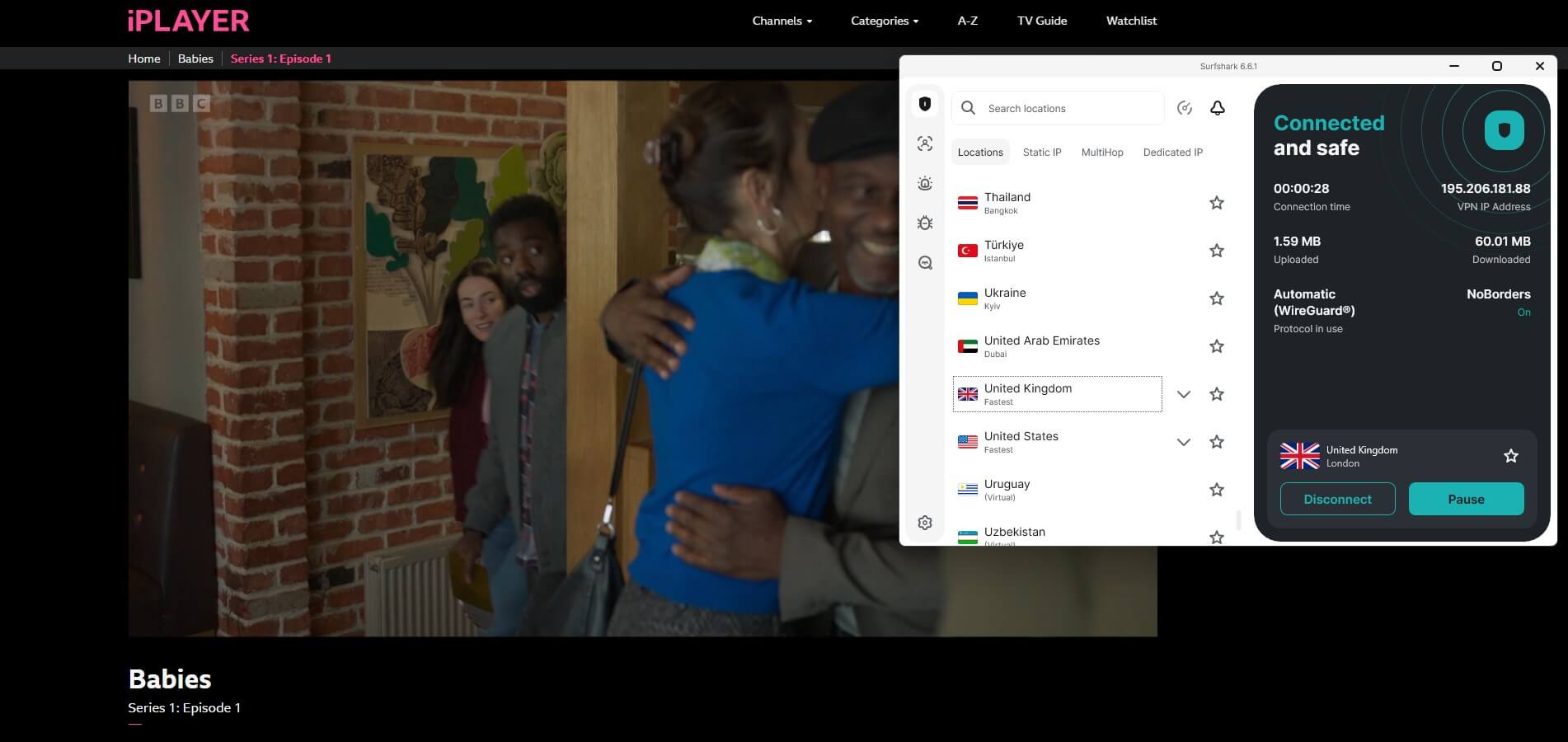
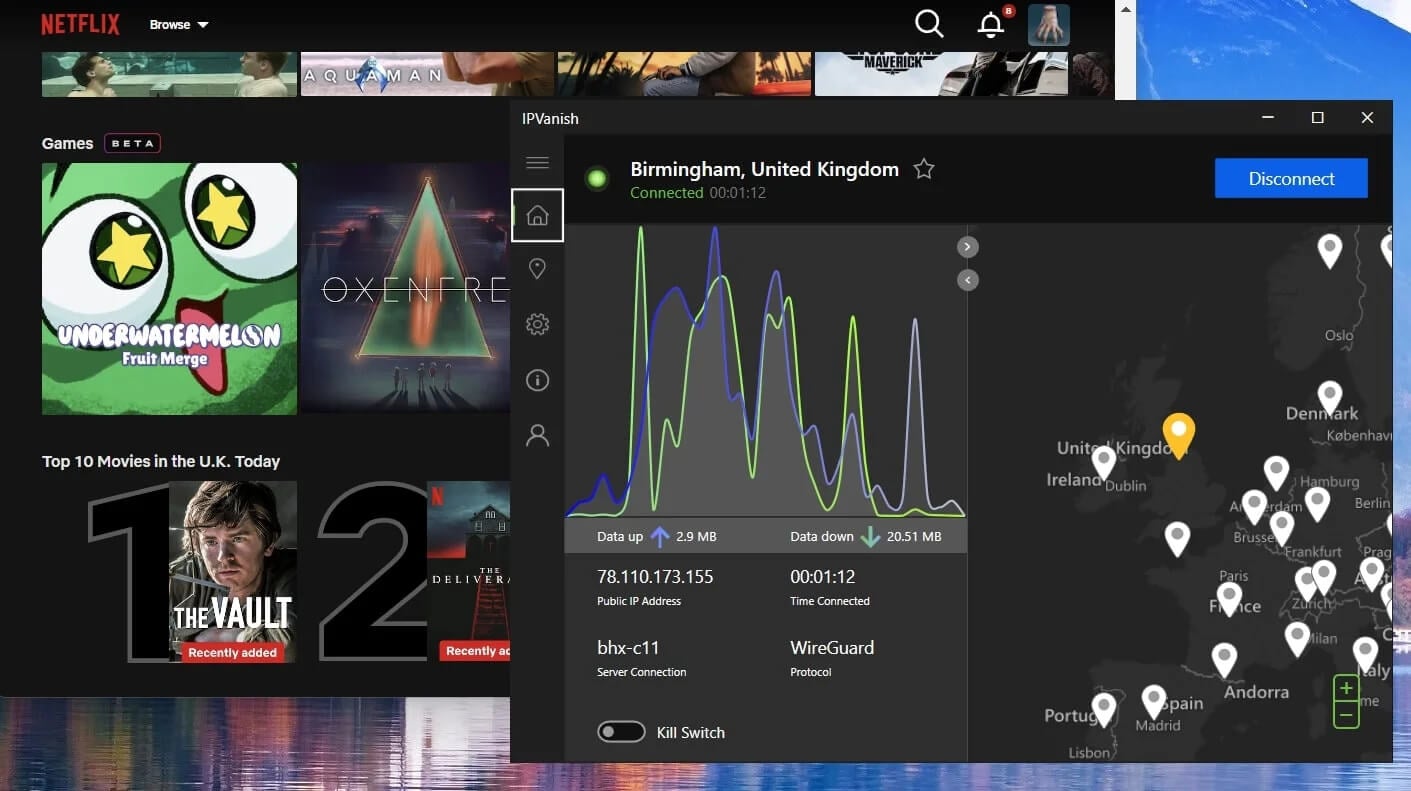
IPVanish has improved sharply here. Sky Go, ITVX, iPlayer, Disney+, Hulu, and Netflix in both the US and UK opened without argument in our 2026 runs, where several had refused a year earlier. Smaller regional libraries remain hit and miss, and there are no dedicated streaming servers, so expect the occasional server swap.
Torrenting: Pretty Much a Tie
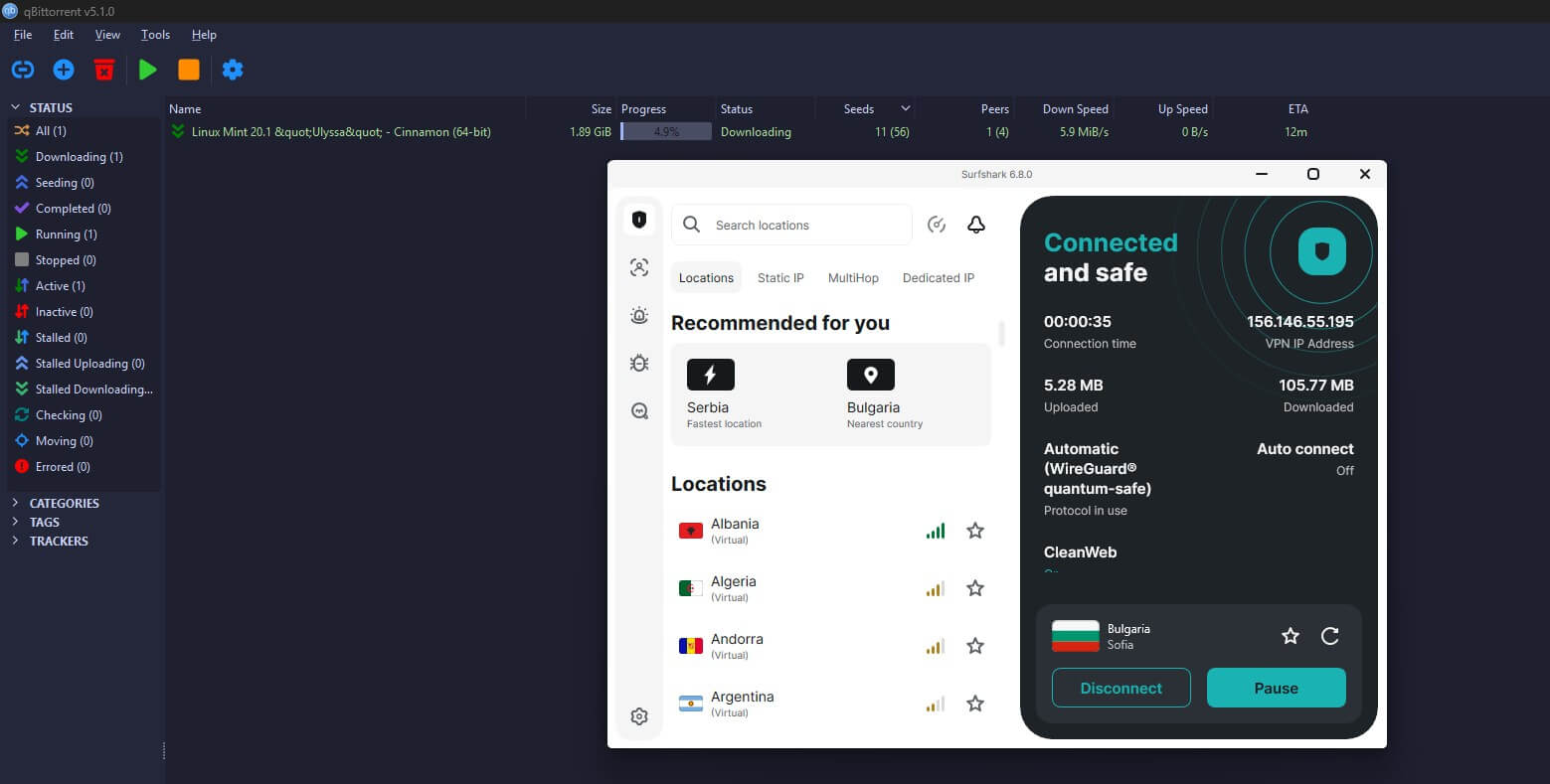
Effectively level. P2P runs across both networks with no designated servers required, and tested locations cost neither VPN measurable throughput.
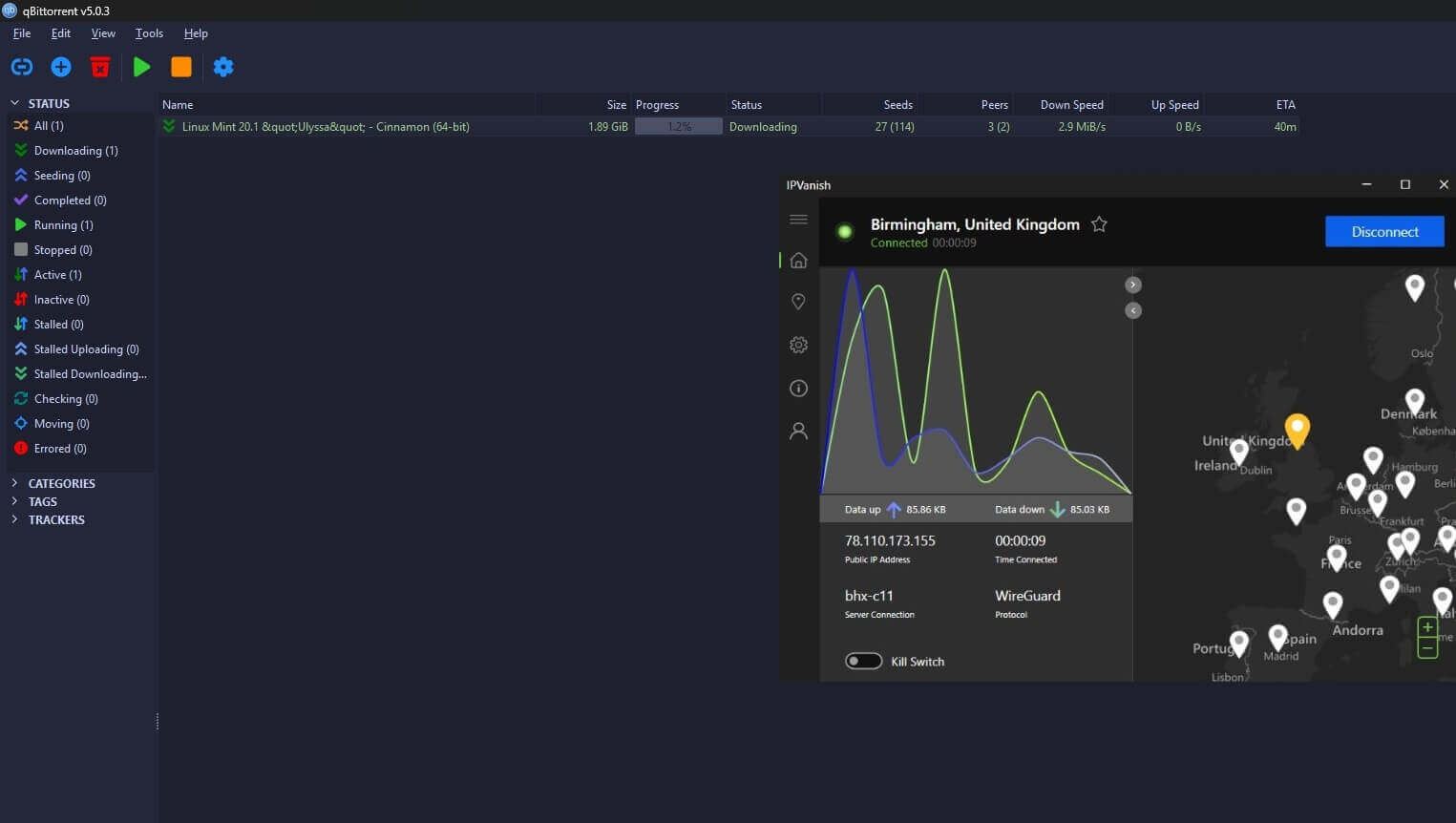
IPVanish adds SOCKS5, which pairs neatly with most clients. Surfshark has no equivalent and matched it on download speed anyway. Both handled large files cleanly on Mac and Android, and neither leaked during testing.
Winner: Surfshark
Torrenting is a draw, so the streaming margin carries it. IPVanish is no longer the weaker option here, just the narrower one.
Server Locations Comparison: I Prefer Surfshark
- Surfshark: 4,500 servers in 100 countries
- IPVanish: 3,200+ servers in 113 countries
The shape has changed since our last comparison. IPVanish expanded hard through 2024 and 2025 and now reaches 13 more countries than Surfshark, a good reversal. Surfshark counters with roughly 1,300 more servers and greater variety, including dedicated and static IP addresses alongside MultiHop.
Surfshark mixes physical and virtual servers, letting it issue IPs from countries where hosting hardware isn’t practical. IPVanish runs physical servers only, cleaner in principle and narrows where it can offer addresses. Infrastructure splits them too: Surfshark’s network is RAM-only, IPVanish’s is partway through that upgrade.
Winner: Surfshark
Narrowly, on server count, specialty types, and complete RAM-only network. IPVanish’s country lead is real, and no round here is tighter.
Surfshark is Better at Bypassing Censorship
Both carry obfuscation, and Surfshark divides the work between two features that often get confused. Camouflage Mode does the disguising. It wraps VPN traffic so a network sees ordinary HTTPS rather than a tunnel, and it runs on the OpenVPN protocol, so switching away from WireGuard to use it.
NoBorders is the detection layer alongside it: when it spots a restricted connection, it reorders the server list toward the locations most likely to work. Neither replaces the other, and on a censored network you want both switched on. IPVanish covers the same ground with Scramble, a single obfuscation setting. Outside China they behave very similarly in our tests.
Both are dependable choices in the UAE, and both connected from Qatar, Turkey, and Iran in our checks. China separates them, and neither impresses. Surfshark connected occasionally with speed drops and dropouts. IPVanish doesn’t work reliably there, and the VPN says as much itself.
Winner: Surfshark
Intermittent beats not at all. If China is your reason for subscribing, neither of these is the answer, though Surfshark is still a tad more capable.
Conclusion: Surfshark Beats IPVanish
Surfshark wins 5 rounds to 1, with 2 ties. It takes the price on renewals and refund terms, features on antivirus and its wider privacy toolkit, streaming on catalog breadth, servers narrowly, and censorship by a margin neither should be proud of.
IPVanish is the faster VPN, reaches 13 more countries, offers SOCKS5, 1 TB of cloud backup, and phone support, and has put several years into repairing its privacy standing through two audits and quarterly reporting. At $2.19, it’s 30 cents cheaper at the very start. We put Surfshark against NordVPN, and it held its own there too, which says something at this price.
If speed is what you’re after, take IPVanish. For everything else, Surfshark is better, and it costs considerably less than Astrill and the premium tier.