
Want to stream Cuéntame cómo pasó, catch up on the latest 24-hour news, or binge documentaries on La 2 from outside Spain? Too bad. RTVE’s platforms are geo-blocked the moment you leave Spanish borders. And they don’t mess around. Global streaming platforms now enforce region locks, and RTVE is right up there with the strictest. That means no live streams, no telenovelas, no late-night talk shows unless your device thinks it’s chilling somewhere in Madrid.
But there’s a fix. A reliable VPN can give you a Spanish IP address in seconds, letting you bypass those digital walls like they were never there. It’s safe, and legal in most countries, and it unlocks RTVE’s full lineup without making you jump through hoops.
Why RTVE Is Not Accessible Outside of Spain
If you’ve ever tried to stream La 1 or catch up on Spanish news while traveling, you’ve probably run into the same message: “Este contenido no está disponible en su zona geográfica.” Translation? RTVE’s not letting you in.
That’s because RTVE, like most national broadcasters, is tied to content licensing laws. The shows, sports, and documentaries it airs are often only licensed for Spanish audiences. So when you try to stream from outside Spain, RTVE checks your IP address, a dead giveaway of your actual location, and blocks the feed.
This geo-lock affects:
- RTVE Play (both live and on-demand content)
- La 1, La 2, Canal 24h, Teledeporte, Clan
- Digital-first content from Playz
- Even radio streams and RTVE’s own mobile apps
In other words, unless your device is sitting in Spain or pretending to be, you’re not getting in.
And this isn’t just a browser thing, it applies across devices. Whether you’re watching on a phone, laptop, smart TV, or game console, RTVE can detect your region and shut down the stream.
That’s why so many expats, travelers, and Spanish-language learners turn to VPNs. A good VPN can change your virtual location, giving you a Spanish IP address and fooling RTVE into thinking you’re tuning in from Madrid, even if you’re really on a beach in Bali or stuck at a desk in Chicago. Geo-blocking might be annoying, but it’s not unbeatable. You just need the right workaround.
How to Watch RTVE Outside Spain – Step-by-Step Tutorial
Ready to stream La Hora de La 1, Informe Semanal, or Operación Triunfo from anywhere in the world? Here’s exactly how to unlock RTVE’s full lineup in minutes, no matter where you are.
We’ll walk through the process using NordVPN, our top choice for consistent, high-speed access to Spanish content.
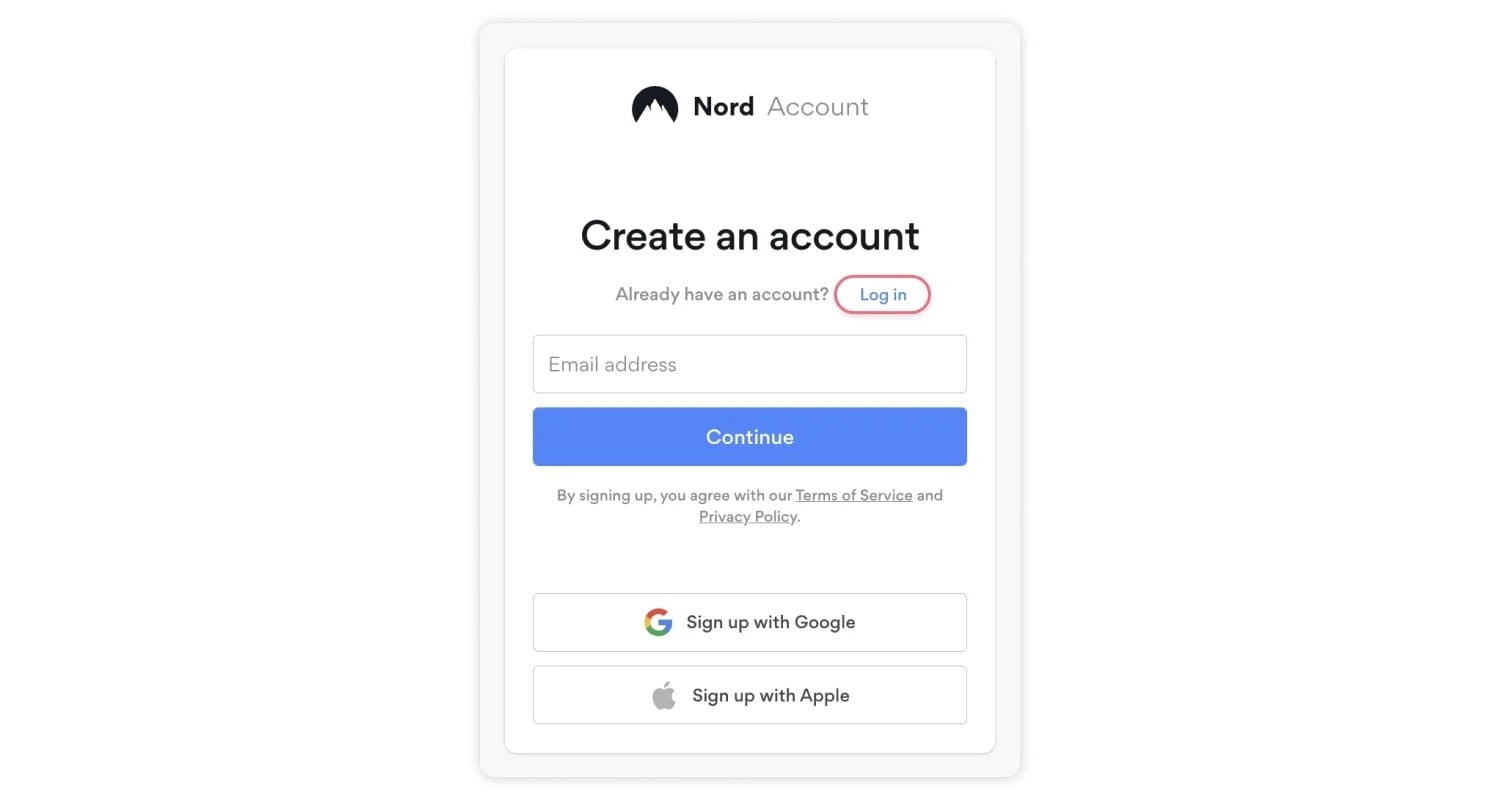
Step 1: Sign Up for NordVPN
Head over to nordvpn.com and choose a plan. We recommend the long-term option for the best monthly rate. NordVPN includes a 30-day money-back guarantee, so you can test it risk-free.
You don’t need to choose a special plan or region. Every account includes full access to Spanish servers.
Step 2: Download the App on Your Device
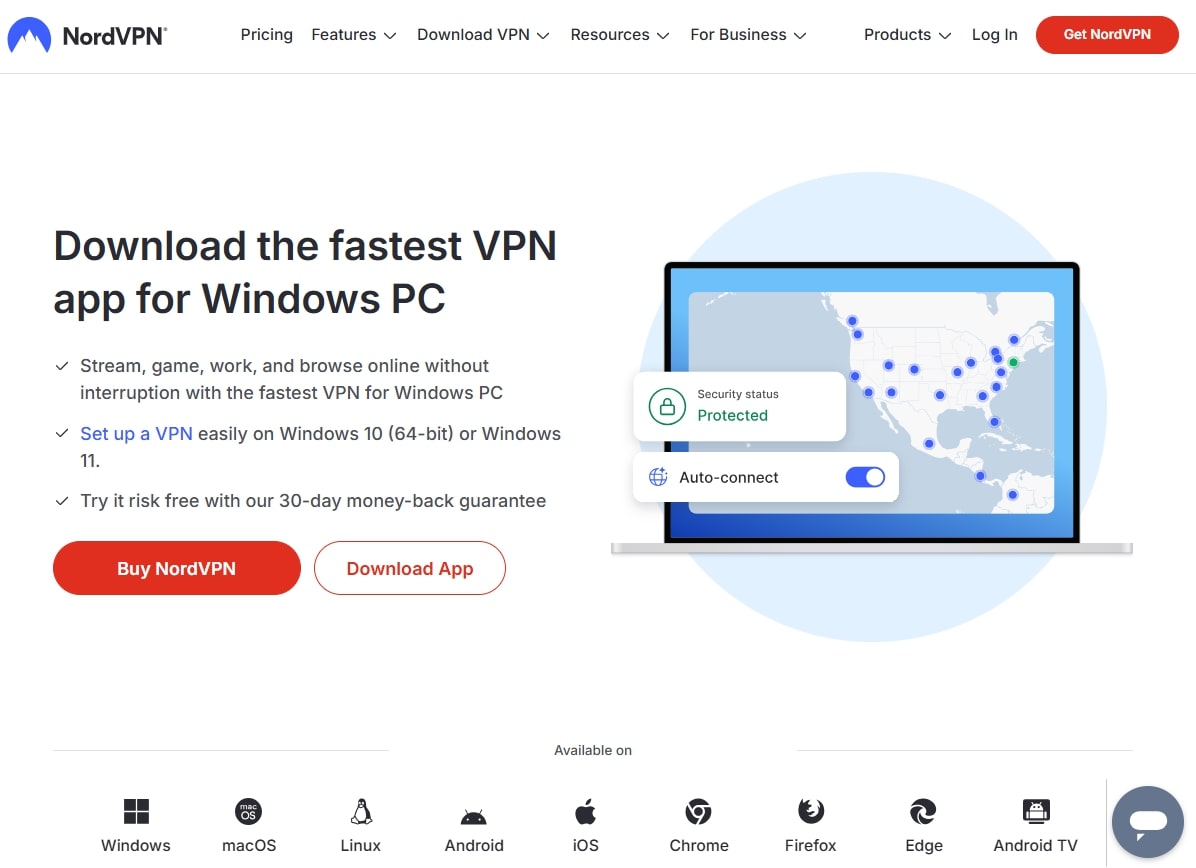
NordVPN supports just about everything: Windows, macOS, iOS, Android, smart TVs, and even Apple TV. Just grab the app from your device’s app store or the NordVPN website.
We installed it on a MacBook, iPhone, and Fire Stick, and it all took under 5 minutes to set up.
Step 3: Connect to a Server in Spain
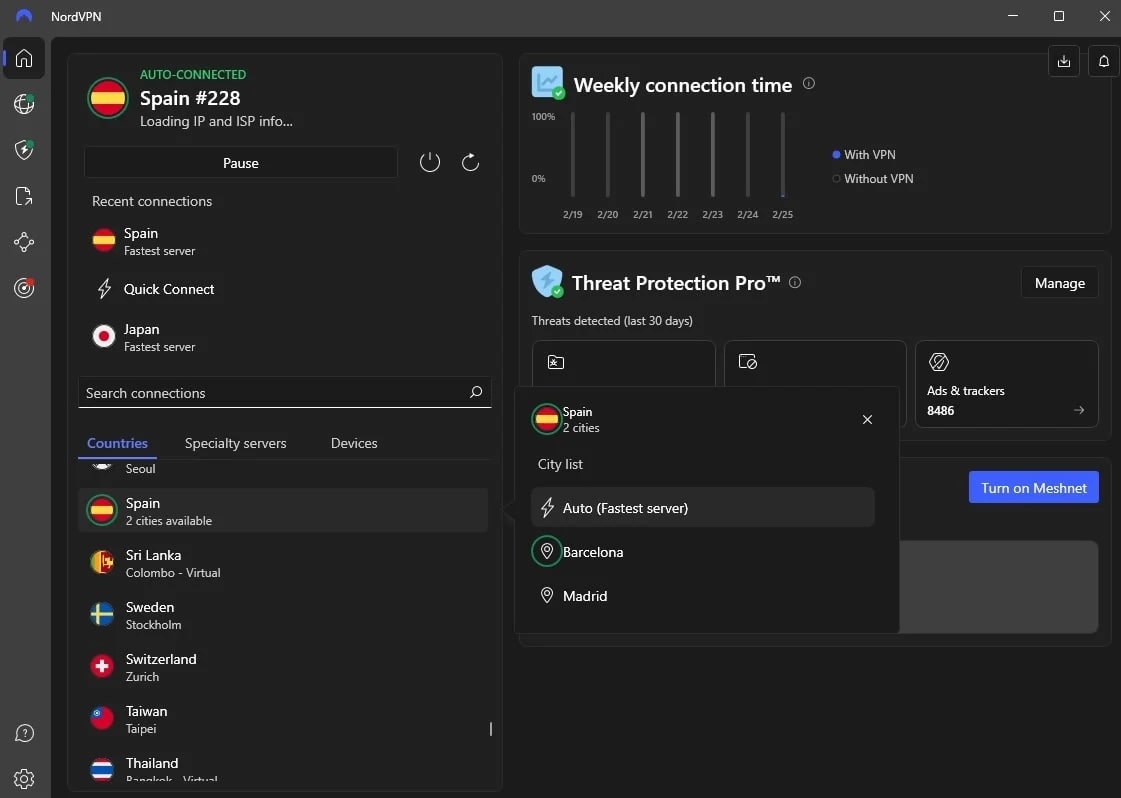
Launch the app and search for Spain in the server list. Tap or click to connect, and within seconds, your IP address will switch to a location inside Spain.
RTVE now thinks you’re streaming from Madrid, even if you’re kicking back in Miami or Melbourne.
Step 4: Go to RTVE.es or RTVE Play
Open your browser and head to rtve.es or play.rtve.es. You’ll be able to stream live channels like La 1, La 2, Canal 24h, and access on-demand series and documentaries without hitting a geo-block.
We tested this setup on multiple devices and streamed shows in full HD, with no buffering or “not available in your region” errors.
Step 5: Start Watching Spanish TV From Anywhere
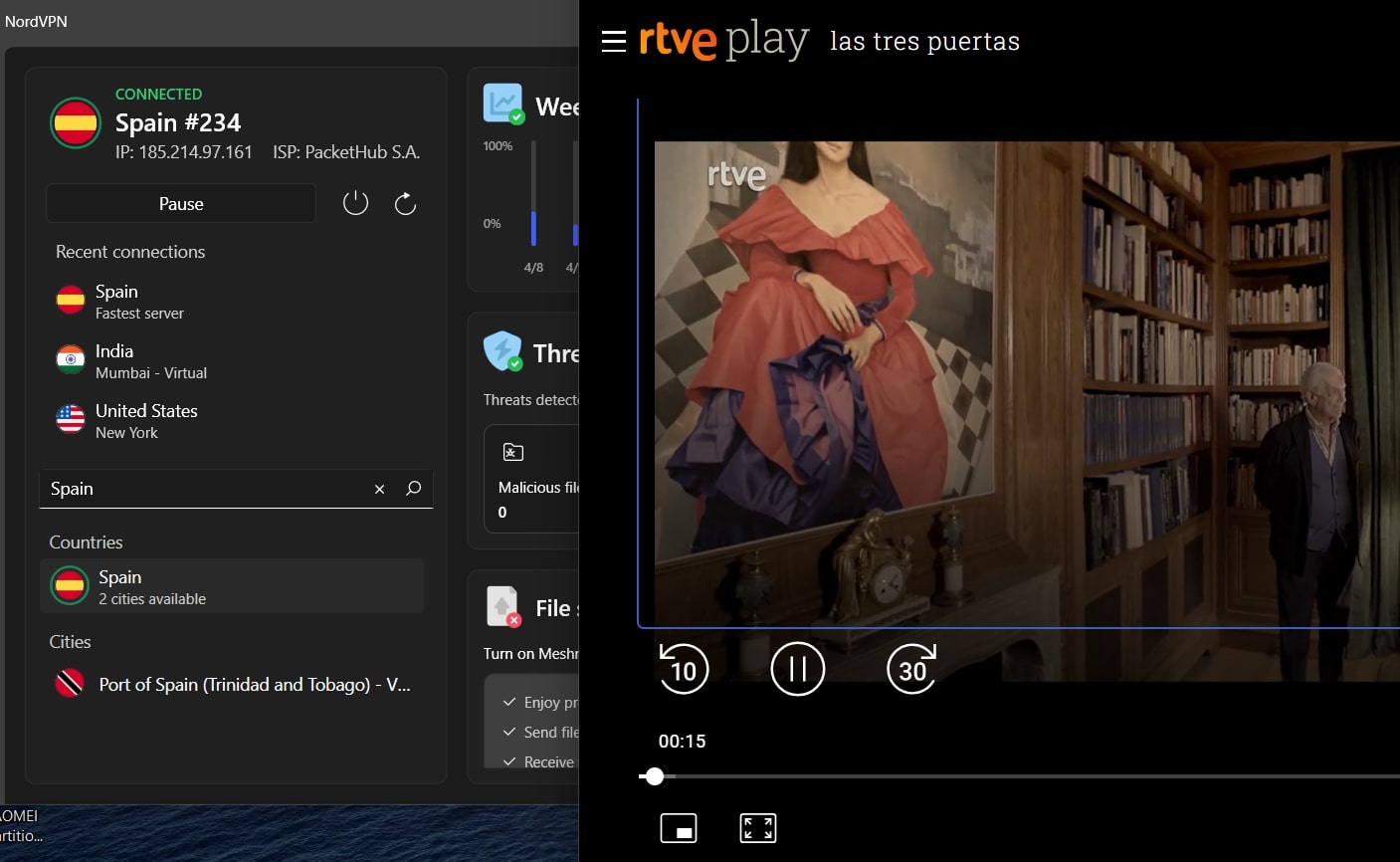
That’s it. Once connected, you can enjoy RTVE’s full catalog just like a viewer in Spain. Switch off the VPN when you’re done, or leave it running to keep your connection encrypted and private.
We recommend NordVPN because it consistently deliver, even during peak hours. It’s packed with privacy-first features, works on every major platform, and comes with a built-in SmartPlay feature to handle even the trickiest geo-blocks, all without slowing you down.
Of course, you’ll be able to use this trick to access any Spanish TV channel from abroad.
Best VPNs to Watch RTVE Abroad in 2026
Not all VPNs can get past RTVE’s geo-blocks. In fact, most can’t. Between IP filtering, regional licensing, and aggressive anti-proxy systems, many services just freeze up the second you hit La 1’s live stream.
We tested the top contenders to see which VPNs actually deliver smooth, HD streaming on RTVE Play, without proxy errors or having to play server roulette. These are the ones that worked.
1. NordVPN
If you’re serious about streaming RTVE from outside Spain, NordVPN is the most consistent and high-performing option we’ve tested. From live news on La 1 to on-demand documentaries on RTVE Play, it handled everything smoothly — even during peak viewing hours. It’s no surprise that many consider it the best VPN with servers in Spain.
We connected across the 60+ Spanish servers across Madrid and Barcelona and were able to stream directly from RTVE’s website and app in full HD without any geo-restriction errors. The servers stayed stable throughout longer sessions, even when switching devices mid-stream. Whether on mobile, desktop, or smart TV, performance didn’t dip once.
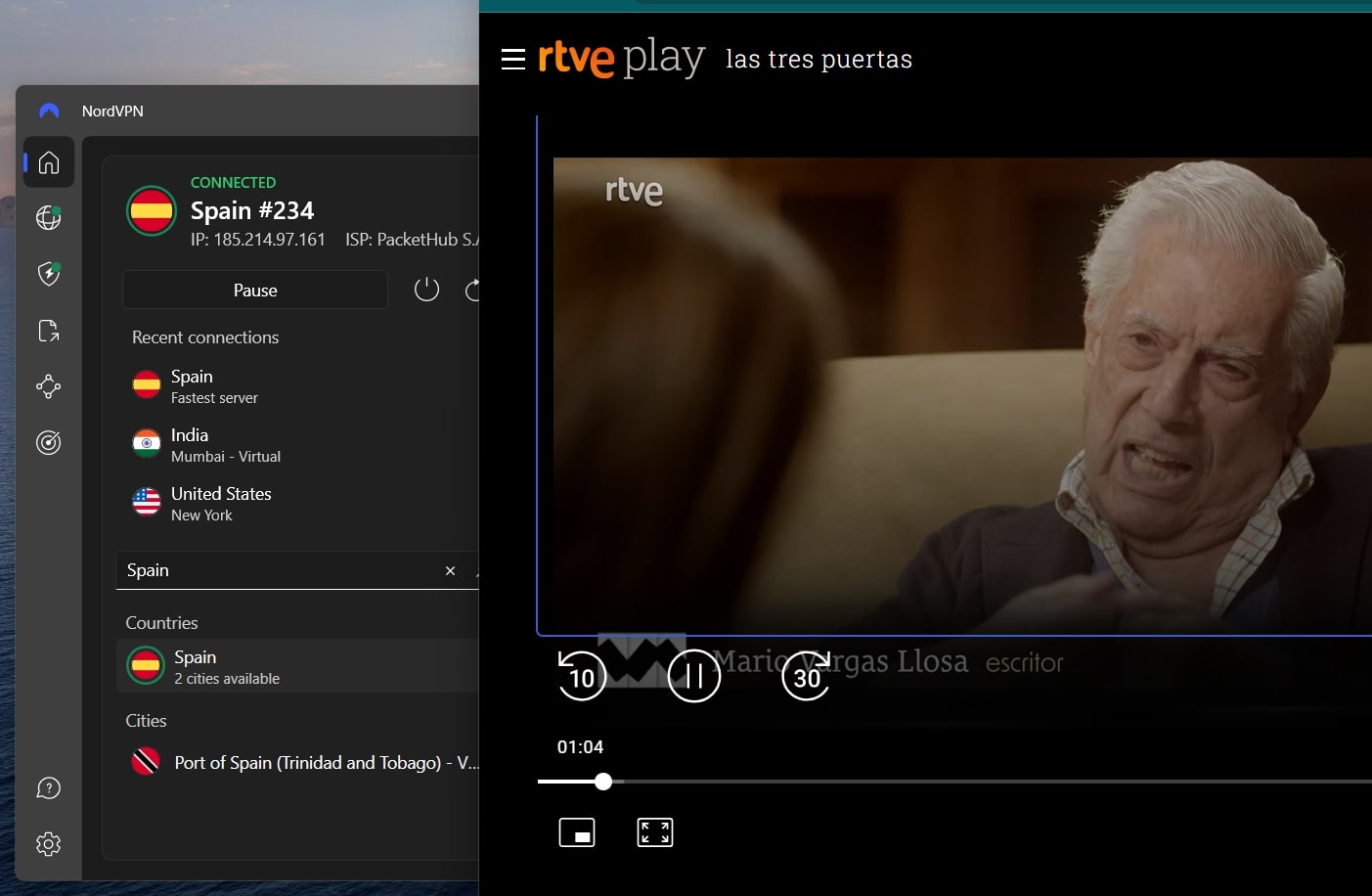
NordVPN’s real edge is in its infrastructure. Its NordLynx protocol (a custom implementation of WireGuard) delivers some of the fastest speeds of any VPN we’ve tested. That’s key when you’re streaming live content or skipping through long episodes of Cuéntame cómo pasó. There’s also SmartPlay, which quietly works in the background to bypass streaming blocks, so no manual DNS changes or extra setup.
The app lineup is also impressive. NordVPN works across Windows, macOS, Android, Apple TV, iOS, and Fire Stick. You get 10 simultaneous connections per account, and there’s always the option to set up NordVPN on router to let everyone in the house watch RTVE from abroad.
Plans start at just over $3/month if you go for a long-term subscription, and there’s a 30-day money-back guarantee, giving you plenty of time to test it with RTVE and more.
Ensure you’re getting the best price by visiting our article listing all current NordVPN promotions and valid discount codes.
Pros
- Fast Spanish servers for streaming
- Works across all major streaming platforms
- Excellent security features
- Affordable long-term plans
- Many advanced features
- 30-day money-back guarantee
Cons
- Price fluctuations
2. ExpressVPN
ExpressVPN is all about speed and simplicity. If you want something that just works out of the box with no tweaking or troubleshooting. It’s especially great if you’re new to VPNs or using shared devices across multiple platforms.
During testing, we connected to several Spanish servers and were able to stream La 1 and RTVE Play shows in HD without buffering or geo-block errors. Even when switching between the laptop and Fire Stick, the connection held steady and reconnected almost instantly after idle periods.
Watching Spanish TV from the USA, Australia, or Germany will be a breeze with ExpressVPN.
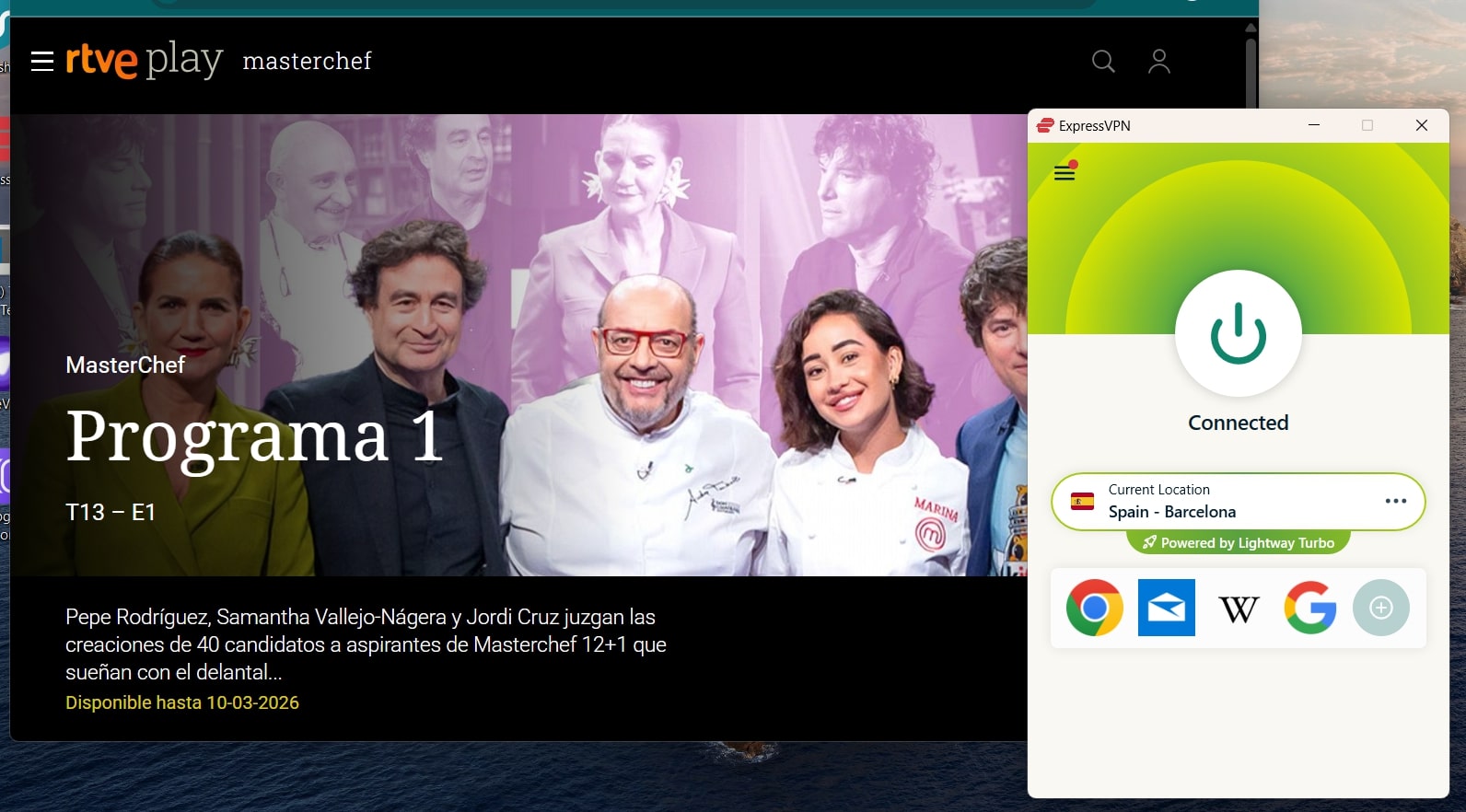
ExpressVPN runs on its in-house Lightway protocol, which is optimized for both speed and stability. It’s noticeably fast when starting streams and skipping around within episodes. While ExpressVPN doesn’t combine Smart DNS and VPN like NordVPN’s SmartPlay, it does include MediaStreamer, which is great for unblocking content on devices that don’t support VPN apps.
App-wise, ExpressVPN is incredibly polished. It works seamlessly across Windows, macOS, iOS, Android, Apple TV, Fire TV, and more. Navigation is dead simple, and the one-click connect feature is ideal for casual users. You get 8 simultaneous connections, and setup takes less than two minutes on most devices.
The only real downside? Pricing. Plans start at around $5/month for a long-term subscription, which is higher than most. That said, you’re paying for premium ease-of-use and consistently high streaming quality.
Pros
- Excellent speeds
- User-friendly apps across all major platforms
- Strong privacy and RAM-only servers
- Works well even on slower connections
- Servers in all major countries
Cons
- More expensive than other top-tier VPNs
- Lacks advanced customization options
3. Private Internet Access – Best Budget VPN for RTVE Access
Private Internet Access is a solid choice if you’re looking to stream RTVE on a budget without sacrificing too much in performance. It’s not as flashy or beginner-focused as NordVPN or ExpressVPN, but it delivers where it counts: reliable Spanish servers, strong security, and serious value for money.
During our tests, we connected to PIA’s Madrid server and streamed RTVE Play content without running into region blocks or performance dips. While loading times were slightly slower than with NordVPN, the stream stabilized quickly and remained steady throughout full episodes.
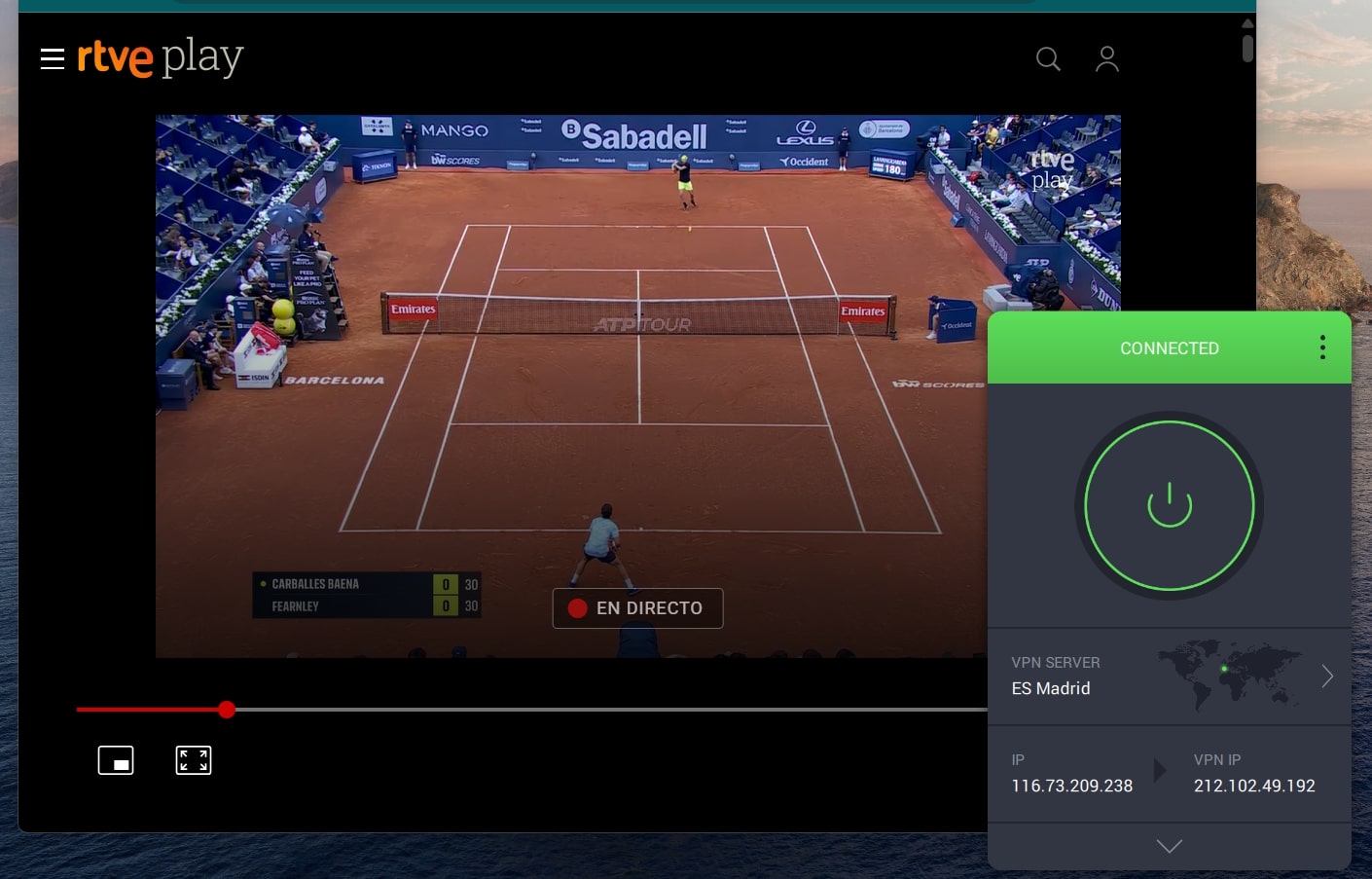
PIA supports the WireGuard protocol for faster, more efficient connections, and gives you full control over how it’s configured. That’s ideal if you like to tweak encryption settings, change ports, or fine-tune performance based on your setup. If you’re the kind of user who prefers a bit more transparency and customization, PIA delivers.
It also supports a huge number of platforms: Windows, macOS, Linux, iOS, Android, Apple TV, routers, and browser extensions. The apps aren’t quite as sleek as ExpressVPN’s, but they’re functional and stable, and that’s what matters when you’re streaming.
Long-term plans start at just over $2/month, and each subscription includes unlimited device connections, which is a standout if you’re covering multiple devices or a household full of RTVE fans.
If you’re struggling to make a decision, reading the Private Internet Access vs ExpressVPN comparison may be helpful.
Pros
- One of the most affordable VPNs
- Stable servers for RTVE access
- Highly customizable settings and protocols
- Unlimited device connections
Cons
- Interface feels dated compared to competitors
- Slower to connect compared to top-tier picks
Is It Possible to Watch RTVE Outside Spain with a Free VPN?
You could try, but you’re going to hit a wall fast. Watching RTVE from abroad takes more than just a Spanish IP address. Even the better-known free options, like Proton VPN, don’t offer servers in Spain on their free tier. So while you might get strong privacy and unlimited data, you won’t be able to fool RTVE into thinking you’re in the right country, because, technically, you’re not.
Others, like Windscribe or TunnelBear, may occasionally list Spain as a server option, but you’ll quickly run into data caps, congested servers, or outright streaming blocks. Most free VPNs also lack Smart DNS or obfuscation features, which makes it easy for platforms like RTVE to detect and shut down.
In short: a Spanish IP alone isn’t enough. You need a VPN that:
- Actually has stable, working servers in Spain
- Can bypass RTVE’s geo-restrictions without throwing errors
- Delivers consistent HD-ready speeds for smooth playback
- Doesn’t cap your data halfway through a news segment
Free VPNs just don’t check enough of those boxes. If watching RTVE is your goal, a premium provider like NordVPN is the only realistic way to do it properly, especially if you want more than a pixelated loading spinner.
The Bottom Line
RTVE offers some of the best Spanish-language content online. But if you’re outside Spain, you won’t get far without the right VPN. Free options won’t cut it, and not every paid service has the network or reliability to unblock RTVE consistently.
After testing, NordVPN stands out as the best VPN for watching RTVE from abroad, thanks to its fast Spanish servers and support across all major devices. If you want to stream from anywhere without running into region blocks or sacrificing quality, it’s the VPN to beat.
Set it up once, connect to a Spanish server, and you’re in with no fuss and frustration.