A VPN suitable for Denmark goes a long way in ensuring your online privacy. Danish ISPs are prone to surveillance, which consequently ruins your privacy and makes you an easy target. The best VPN for Denmark will hide your whereabouts, letting you browse in privacy.
Many Danes look for a VPN to get a Danish IP abroad. This is to access local TV channels or use online banking anywhere. A key perk of this service is also streaming, which allows you to enjoy different Netflix libraries or watch different sports with a VPN more easily.
The top Danish VPN allows for location spoofing, safe torrenting, money-saving regarding flight tickets, and much more. No wonder you want one. Well, today, you’re getting not one, not two, but FIVE excellent VPNs to use in Denmark or abroad; quite a list we have here. If we remain in a good mood—and we believe we will—we’ll also discuss a few interesting free choices. Stick around for more valuable information.
The Top 5 VPNs for Denmark At a Glance
- NordVPN – the best Denmark VPN overall
- ExpressVPN – our favorite choice for speed and ease of use
- Private Internet Access – cheapest VPN for Denmark in 2026
- Proton VPN – innovative security features on all devices
- Surfshark – budget-friendly Danish VPN for superb streaming
Best VPNs for Denmark Analyzed
Our list is above in case you’ve missed it. However, we know you need more information before you decide on the best Denmark VPN for you. Worry not; we explain why these 5 providers made it to our list. Scroll down a millimeter and you’ll see.
1. NordVPN
Pros
- 10 Gbps servers in Copenhagen (70+)
- Threat Protection Pro
- Works with Netflix
- Audited no-logging policy
- Double VPN servers
- NordLynx (WireGuard-based protocol)
Cons
- Slightly confusing desktop clients
- Its Basic plan lacks malware protection
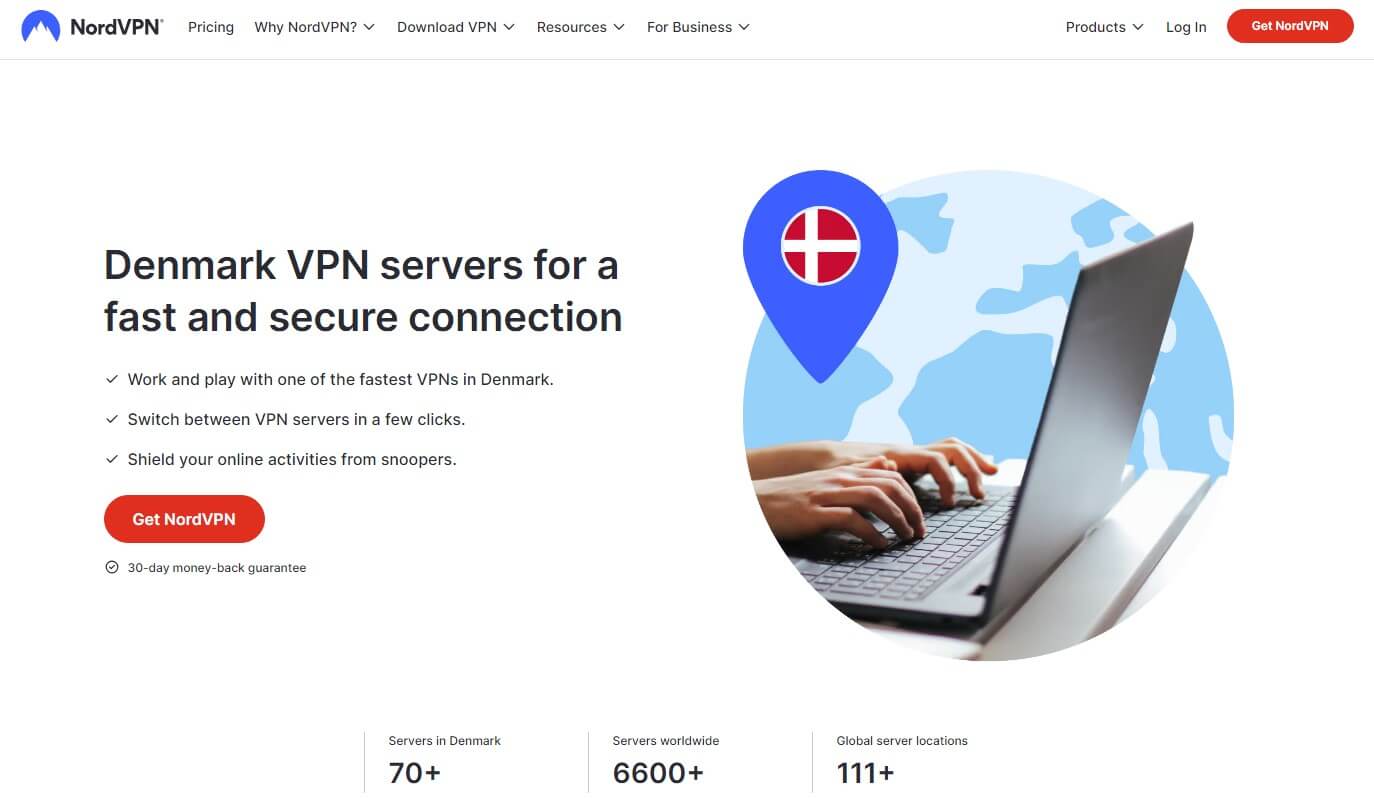
NordVPN bears the crown of the most reliable VPN in Denmark and abroad. Its server fleet spans over 111 countries and counts 6,500+ servers. You’ll find 70+ servers in Copenhagen, all offering 10 Gbps ports. This is crucial to achieve excellent speeds and stability.
Adding to that is NordLynx, an in-house protocol from NordVPN built for both performance and security. Danes will enjoy NordVPN’s all-aroundness. It’s great for streaming and watching Danish TV abroad. Conversely, it also works with 20+ Netflix libraries.
All of its apps contain P2P servers, mostly used for anonymous torrenting and P2P file sharing. If you’re seeking something on the dark web, perhaps its Onion Over VPN servers will suffice. NordVPN includes obfuscated servers to combat censorship; even in China!
NordVPN’s Double VPN servers are our favorite feature. They double your encryption by routing your traffic through two servers. As the best VPN for Denmark, the VPN includes Threat Protection Pro, helping you get rid of trackers, ads, malware, and viruses.
And if you need more privacy while using the VPN in Denmark, just glance at its no-logging policy. Audited by PwC and Deloitte, this no-log policy is a staple of NordVPN’s greatness. Rest assured, the VPN works on all systems, including Windows, macOS, Android, and iOS.
10 simultaneous connections are in all plans, so expect 360-degree protection for all devices. You’ll need the Plus plan to get all the cutting-edge features. However, even the Basic plan will make NordVPN the #1 VPN for Denmark. See its prices below and pick one now.
2. ExpressVPN
Pros
- Blazing-fast speeds in Denmark
- Ad-blocking with Advanced Protection
- SmartDNS aids streaming abilities
- Very easy to use on all devices
- RAM-based servers for great privacy
Cons
- Not the cheapest Danish VPN
- 8 simultaneous connections
ExpressVPN’s best features are speed and simplicity. Its apps are SO simple to use, you’ll find them a bit underwhelming at first. While some features are lacking – most notably Multi-hop – ExpressVPN is blazing-fast. Besides, it uses the proprietary Lightway protocol.
This VPN’s apps are available on all devices too but they’re much simpler to use. People often install this VPN on Smart TVs to enjoy streaming and access to more content. Our #2 favorite VPN for Denmark also has servers in this country and 104 more for good measure.
Security-wise, you can expect ExpressVPN to shine. Its RAM-only servers and Private DNS give way to a no-log policy audited dozens of times. ExpressVPN’s trademark is the Network Lock kill switch, providing the much-needed data leak protection for each connection.
We appreciate ExpressVPN’s Advanced Protection with ad-blocking abilities and full-on tracker protection. Adding to its variety, we have Parental Control which blocks porn sites; although you can also unblock them and fight porn bans using this VPN as well.
ExpressVPN is the best VPN for Denmark for its overall reliability and accessibility. Its 8 simultaneous connections are unimpressive compared to the rest but router support is there to fix that. Also, the VPN comes with SmartDNS, which is handy for streaming on all devices.
This provider offers 24/7 live chat support available even while you’re sleeping. Just be cautious of its slightly pricier nature, as it’s the least affordable pick on the list. But hey; we’re full of surprises, so why not click the button below and see the discount you can get?
3. Private Internet Access
Pros
- 256-bit AES encryption
- Unlimited simultaneous connections
- 30,000+ servers globally
- It can unblock Danish TV abroad
- Very affordable 2-year plan
Cons
- No Firestick support
- Sluggish Windows app
Private Internet Access is beloved for its VERY affordable prices and excellent privacy. Danish VPN users prefer it for its no-log policy which has been proven in court and audited by Deloitte. While PIA has its roots in the USA, we can assure you it’s pretty secure.
After all, PIA is a sister company of ExpressVPN, sharing some of its features with it. Yet, it surpasses its more expensive “friend” by offering over 30,000 servers in 91+ countries, including 10 Gbps VPN servers in Denmark. Speed-wise, it’s phenomenal as well!
WireGuard powers up all the connections, with things like 256-bit encryption, a kill switch, and IPv6 leak prevention. Private Internet Access also uses Multi-hop you can customize and select entry and exit servers for the maximum level of control and overall privacy.
We like its Port Forwarding addition, which can speed up torrenting and make it a tad smoother. Some locations are deemed “Streaming”, which means you can use them to access streaming services. Most notably, PIA is a great VPN for BBC iPlayer and Netflix.
While using PIA, you’ll find its apps pretty packed, even on iOS and Android. We dislike its lack of a Firestick VPN client but you can still install it by sideloading it. On the brighter side, Private Internet Access puts no cap on simultaneous connections; you get unlimited.
This is even worthier considering its meager price which never goes above $2.2 a month. We’re talking about its 2-year plan with 2 to 4 free months that exceeds our expectations each time we use it. Try this amazing VPN for Denmark and see why it’s so impressive.
See Price At Private Internet Access
4. Proton VPN
Pros
- Nearly 100 servers in Copenhagen
- Secure Core (Multi-hop)
- It includes a free plan
- VPN Accelerator
Cons
- Not the fastest provider
- No virus protection
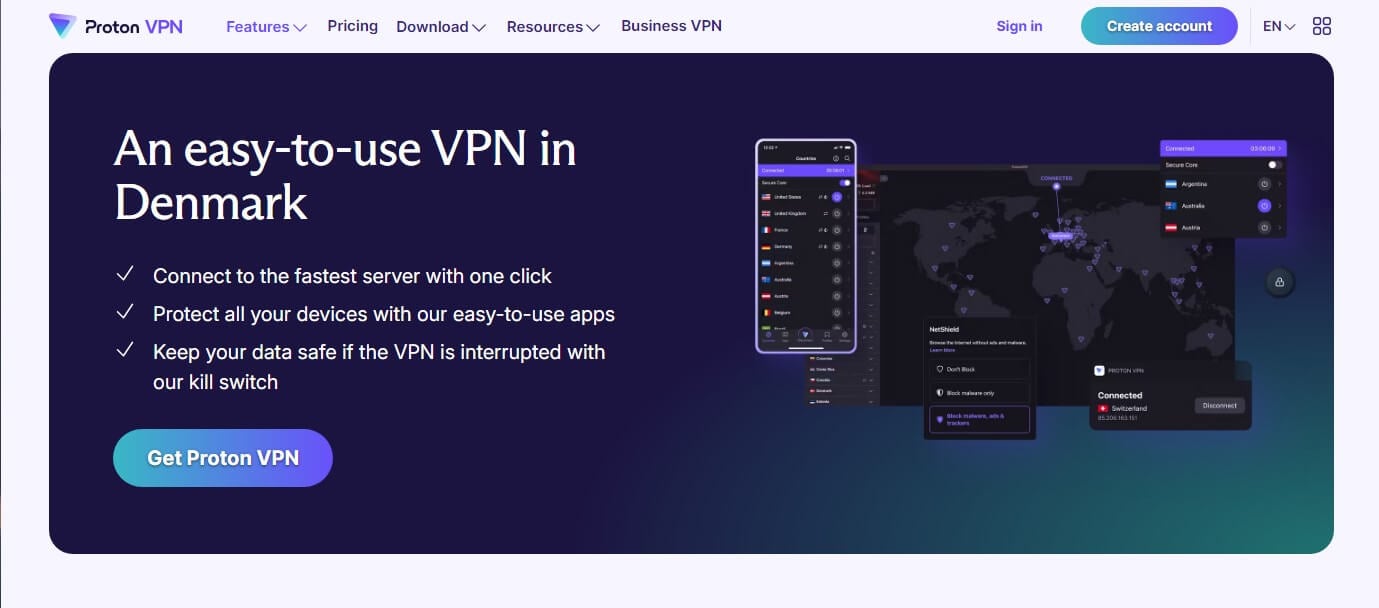
Proton VPN chimes in at number four on our ranking of the best Denmark VPNs in 2026. No doubt, an impressive pick, with a whopping 8,600+ servers in 112 countries. It offers even more Danish VPN servers than NordVPN; 94+ of them in Copenhagen.
Ultimately, Proton VPN is a tad slower than NordVPN and ExpressVPN but fires in other directions. Such directions are privacy, thanks to a clean zero-log policy and advanced, proprietary Secure Core servers used for Multi-hop connections for advanced security.
Proton VPN’s innovations don’t stop there, as the VPN uses bare-metal servers with excellent physical protection against hazards. Proton is known for its NetShield ad blocker, as well as the VPN Accelerator to provide a firm speed boost. The VPN’s server variety is impressive.
For example, Denmark VPN server locations support P2P, streaming, and even Tor Over VPN connections. You’ll find such commodities on other servers too, so Proton VPN can be used for Netflix, Hulu, MAX, and other platforms comfortably. Did you know that this VPN is free?
Well, at least it can be. The provider has a nifty little free plan that you can use forever without bandwidth caps. With no servers in Denmark, it’s great only if you’re in this country. Nevertheless, Proton VPN will work on all devices, with some of the best-looking apps.
The 10 simultaneous connections are impressive, more so than ExpressVPN’s 8. Being expensive isn’t Proton’s game anymore. Nowadays, you can enjoy Proton VPN for a pocket change in its 2-year plan. We tested Proton VPN for you and can confirm it’s terrific.
5. Surfshark
Pros
- NoBorders for bypassing censorship
- Periodical IP rotation for added privacy
- Antivirus on all devices
- Ideal for unblocking Netflix in Denmark
Cons
- Occasional connection slowdowns
- The Starter plan lacks some security features
Closing off the list of the best-rated VPNs for Denmark, we have Surfshark. It’s affordable, fast, and ready to tackle all your needs. While all our favorite VPNs to use in Denmark are pocket-friendly, Surfshark lowers the bar further, costing a speck under $2/mo.
This price buys you this highly secure VPN that uses bank-grade encryption, offers Multi-hop servers, and includes CleanWeb for ad-blocking. Surfshark is full of advanced features, ranging from an IP Rotator and WireGuard to NoBorders and antivirus in high-tier plans.
The provider is one of our preferred VPNs for Denmark for its streaming abilities. It works phenomenally with Netflix while also supporting Smart TVs, Firestick, and tvOS to transfer the experience to the big screen. Surfshark also offers unlimited concurrent connections.
However, if you care more about privacy, you can rest easy knowing about its zero-log policy. Its Dutch jurisdiction within the 9 Eyes isn’t the best but at least, Surfshark has been audited multiple times, making it extremely trustworthy. There’s more about this VPN.
For one, you can get its Surfshark One plan that still costs under $2.5/mo. This one will include an antivirus that works on all devices. The plan also includes real-time email breach alerts and webcam protection if you’re using the VPN on your Mac or Windows laptop.
Surfshark is undoubtedly the value king, with many other features we haven’t mentioned. We’ll list them quickly; SmartDNS, 24/7 support, split tunneling, dedicated IP addresses, and many more waiting for you at ~$2 a month. Give them a go risk-free for 30 days.
Why Use a VPN in Denmark?
Denmark is a country with varying degrees of internet freedom. The Freedom House report gave it a score of 97/100, indicating high levels of democracy and freedom of speech. However, we’re talking about a European country, so there are some quirks.
The Danish authorities were notorious for their past attempts to “clench” the internet space in the country. Online surveillance was active from 2014 to 2016 when ISPs in the country used session logging to track their users. Such activities were allegedly seized afterward.
Still, ISPs in this country can see your online activities, which isn’t privacy-friendly and is best remedied with a VPN. It’ll encrypt your connection and make it untraceable to any form of snoopers, including your Internet Provider. One thing to mention is torrenting; a grey area.
Downloading copyrighted files can be problematic, plus, torrent sites will log your data and download history. Using a VPN in Denmark will anonymize these activities and make you a ghost. People use a VPN in Denmark for streaming, especially because of geo-blocks.
This service spoofs your location, making you appear elsewhere. This unblocks streaming services like Netflix US, Pluto TV, and Danish TV channels abroad. Other reasons for using a Danish VPN include saving money on flight tickets, gaming, and public WiFi protection.
We’re not saying our recommended picks are mandatory. But we can agree they’ll be handy for improving your internet experience and ensuring your anonymity and privacy.
How to Use a VPN for Denmark
Using a VPN in this, or any other country, works pretty much the same. This isn’t a censored region, so you don’t need advanced obfuscation and other tweaks. Instead, the point is to set up the provider of your choice, connect to a server, and use the internet.
The same goes for a Danish IP address, which you can obtain with all 5 providers above. The principle is the same for all and revolves around these simple steps:
- Subscribe to our recommended VPNs for Denmark. You don’t need all 5. NordVPN will do the job with 70+ Copenhagen servers and affordable prices.
- Set up the VPN on your device. You can go for multiple devices if you want.
- Open the VPN app and sign in with your email and password.
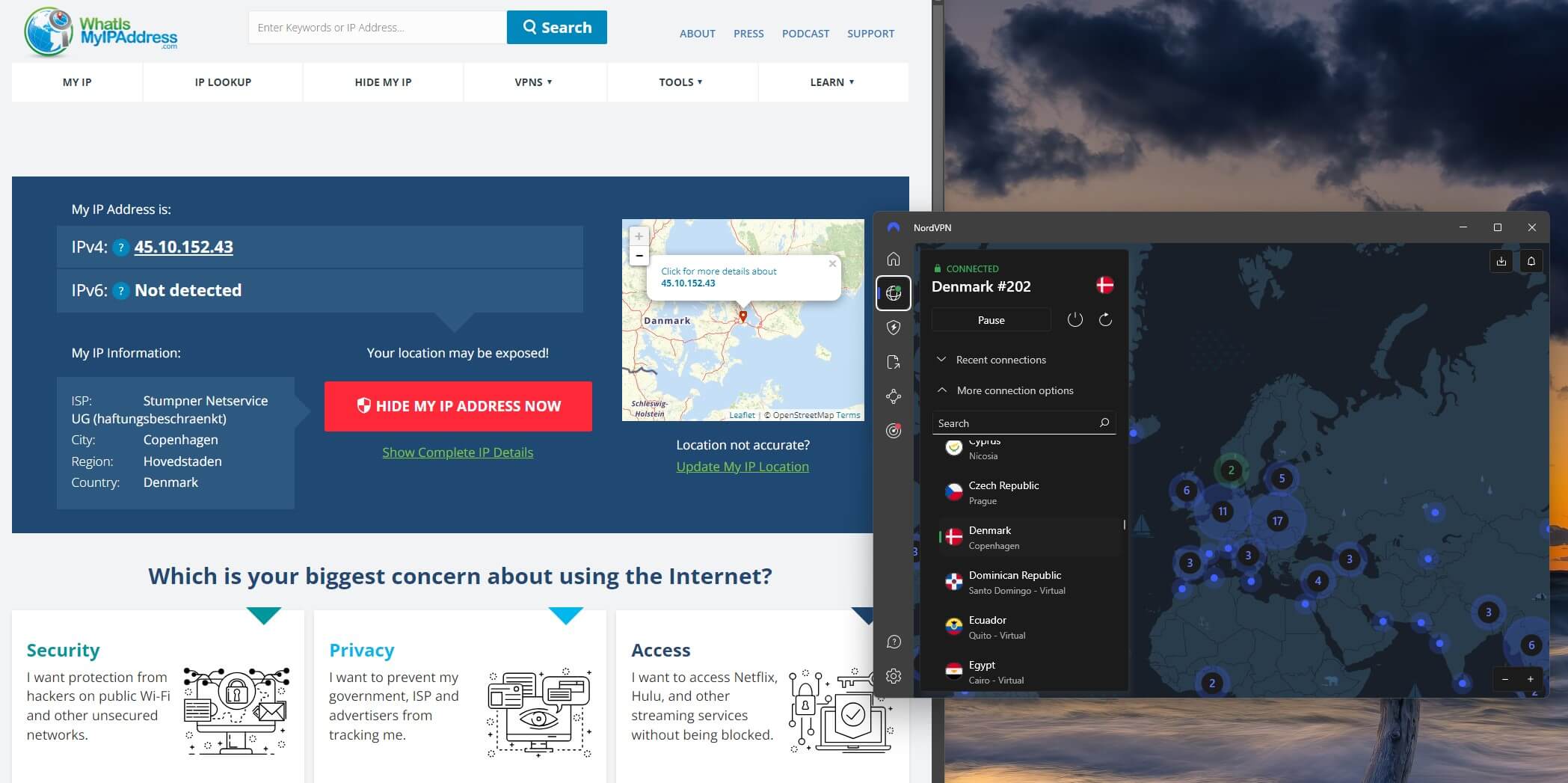
- Navigate to the server list and locate Denmark. In NordVPN, you’ll click on More Connection Options, for example, or use the search bar to type in the country’s name.
- Click on this country to connect. If you’re on an iOS or Android device, allow the VPN connection when prompted.
- Optionally, you can go to an IP-checking website to make sure everything works. As you see below, NordVPN works perfectly for changing our location to this country.
Will Free VPNs Work in Denmark?
Undoubtedly. You can use any provider you like here but not each will show the same level of quality. Our 5 favorite VPNs for Denmark have been tested by our team. We also tested many free options, such as Proton VPN, Hide.me, Windscribe, and TunnelBear.
The latter two fell off right away because of their 10 GB and 2 GB monthly bandwidth caps. Proton VPN and Hide.me emerged on top with their unlimited bandwidth, somewhat decent performance, and above-average security and privacy for free VPN services.
Our ranking of the top free VPNs in 2026 actually has these two at the very top! They’re ideal for Danes wanting more privacy and security if they don’t mind certain compromises. Both providers lack streaming and torrenting support, which many fail to accept.
Also, you’ll see they don’t support simultaneous connections, so only one device at a time can be protected. These free providers exclude their advanced security features from the free plan, so you’re getting only basic stuff. Hide.me offers only OpenVPN; not WireGuard.
The takeaway is that free VPNs WILL work in Denmark and you can use any. Even the worst picks like Hola VPN and Betternet are viable if you don’t care about their logging and collecting every scrap of your data. All of them will be a far cry from our top 5 picks.
Can I Use a VPN in Denmark Legally?
Yes, you can always use a VPN legally in most countries. By most, we think about pretty much all countries, except for a selected few miles away from this one. Danish laws don’t have any clause that bans or restricts the use of VPNs, which is great news for many.
European countries, in general, are known to have favorable laws regarding VPN usage. This allows you to use them for streaming, hiding your IP address, gaming, and whatnot. Of course, they shouldn’t be a mask for your illicit online activities because of their nature.
The most reliable Danish VPNs like ours will protect you at all times, and for better or worse, conceal even these activities. However, it’s up to you to use them sensibly and not fall into the trap of being invincible online. That said, don’t download copyrighted torrents.
That’s against Danish laws. Don’t also distribute copyrighted stuff, sell/buy drugs, and engage in illegal activities on the dark web. Use VPNs sensibly and enjoy your online privacy. No one will bat an eye for that.
Summary
We hope this list has been of great help to you. We could’ve presented many more VPNs but really, our goal was to filter out the creme de la creme VPNs for Denmark in 2026. They’re safe, secure, and widely accessible on all devices to aid your day-to-day online activities.
Perhaps their best “feature” is being risk-free.
All 5 have a 30-day money-back guarantee, which allows you to test each individually without actually losing money. Once you find the right pick, stick with it, and revel in all the benefits you’ll get. There’s plenty to be excited about.