
Steam Deck blends gaming and streaming capabilities with portability, which makes it ideal if you’re often on the go. A Steam Deck VPN doesn’t sound all that urgent when you have all this, but geo-blocks on Netflix or in-game content, high latency, and DDoS attacks are real issues gamers and people like you and I face. The best VPN for Steam Decks solves all with a simple connection to a server. It changes your IP and encrypts your connection, perfect for safe gaming and bypassing content blocks.
Best Steam Deck VPN: Top 3 Options Ranked in October 2026



 9200 servers
 128 covered countries
 30 days money-back guarantee
 10 simultaneous connections
9.4 /10

20396 servers
148 covered countries
30 days money-back guarantee
10 simultaneous connections
9.2 /10

3000 servers
105 covered countries
30 days money-back guarantee
10 simultaneous connections
9.1 /10
VPN for Steam Deck Comparison and Reviews
A VPN for your Steam Deck can be an absolute game-changer. From unlocking early-release titles, protecting your traffic on sketchy hotel Wi-Fi, or squeezing into region-specific lobbies, the right VPN for Steam Deck makes your handheld gaming rig feel more powerful. We tested the most popular VPNs across different regions, setups, and SteamOS configurations. And at the top choice? The one that made installing, switching servers, and actually gaming feel like second nature: NordVPN.
| NordVPN | Proton VPN | ExpressVPN | |
| Ease of Setup | Intermediate | Easy | Very easy |
| Linux GUI | Yes ✅ | Yes ✅ | No, CLI-based ❌ |
| Servers | 9,400+ servers, 137 countries | 20,000+ servers, 148 countries | 3,000+ servers, 105 countries |
| Speeds | Fastest | Very fast | Fast |
| Obfuscation | Obfuscated servers | Stealth protocol | Automatic stealth on all servers |
| DDoS Protection | Yes ✅ | Yes ✅ | Yes ✅ |
| Approx Start Price | $3.50/mo | $3/mo | $2.50/mo |
| Free Trial | 3 days | No | 3 days |
| Refunds | 30 days | 30 days | 30 days |
| Free Steam Deck VPN Option | No ❌ | Yes ✅ | No ❌ |
1. NordVPN: Best Steam Deck VPN 2026 for Gamers and Streamers
Pros
- User-friendly Steam Deck app
- Fast connection speeds
- DDoS protection
- Very low latency
- Split tunneling is included
- Blocks online tracking
Cons
- Higher prices overall
- Takes longer to connect
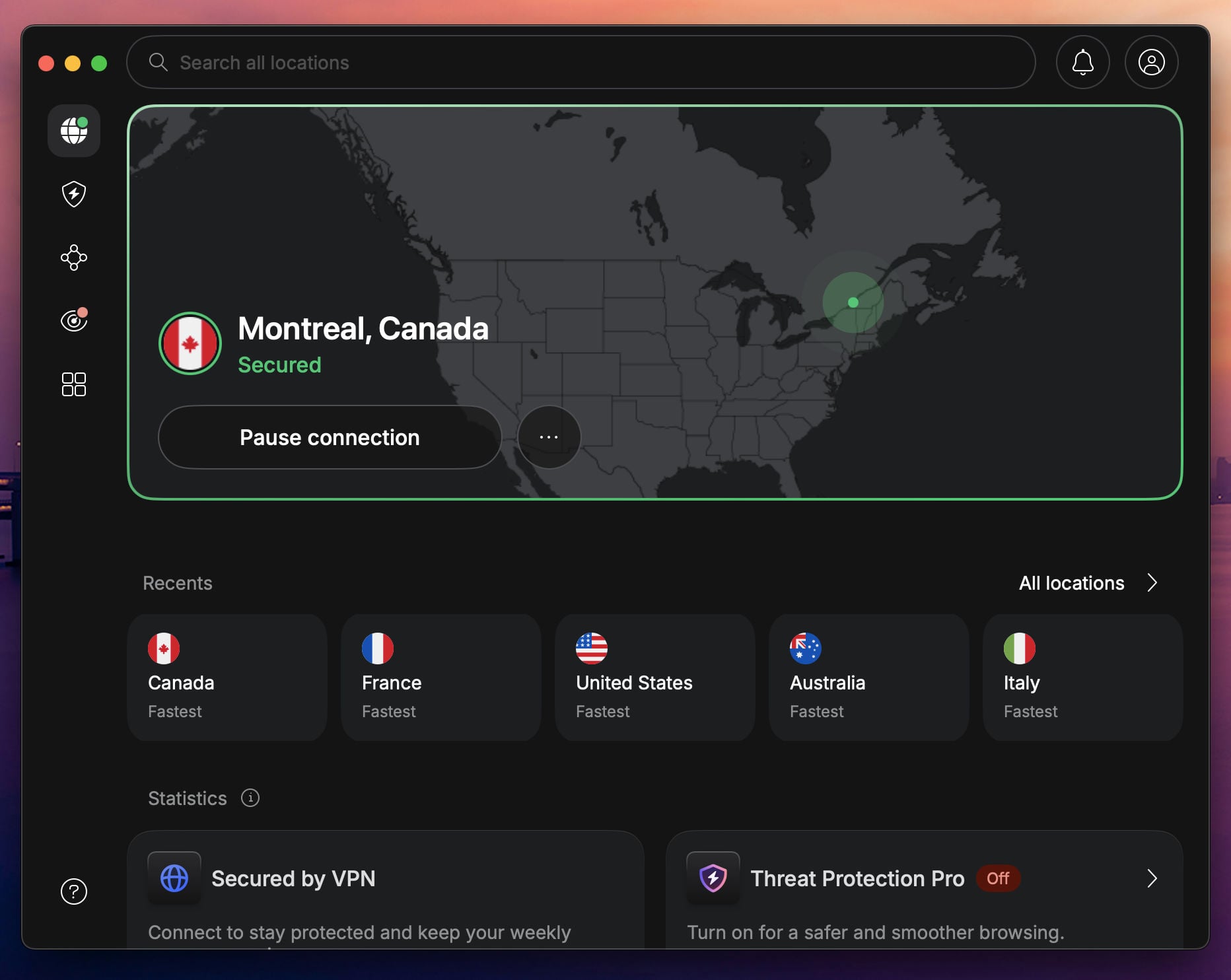
If you’re after a VPN that blends speed, Linux compatibility, and ironclad security, NordVPN is our #1 pick, and the best gaming VPN, generally speaking. It’s the ultimate Steam Deck VPN we found ourselves returning to. With NordLynx, its custom WireGuard-based protocol, we saw download speeds within 10–15% of our base connection, even while tunneling through servers in the US, UK, and Japan.
NordVPN offers a full Linux VPN app that works flawlessly on Steam Deck’s desktop mode. We installed it via the terminal, connected within seconds, and it stayed rock-solid during gameplay and background downloads. There are no kernel hacks or shady scripts, just clean VPN performance that integrates like a native tool. NordVPN has servers in over 210 locations for skipping geo-blocks easily.
NordVPN is ideal for switching regions on the Steam store or accessing content early. We used it to unlock a Japan-exclusive title and got it running without Steam even blinking. NordVPN also brings the extras: split tunneling to tunnel only specific apps, a kill switch that prevents data leaks, and Threat Protection, which shields you from viruses, malware, trackers, and ads across all devices.
If you’re serious about gaming on the go and want a VPN that doesn’t fight Steam Deck’s unique setup, NordVPN is as reliable as they come, and at just $3.49/month on long-term plans, it’s a no-brainer investment for gamers. Find out more in our article on NordVPN’s subscription plans and pricing.
2. Proton VPN: Secure and Lag-Free VPN for Steam Deck
Pros
- Gaming-optimized VPN
- No lag in our tests
- Steam Deck VPN GUI
- Stealth obfuscation
- VPN Accelerator
Cons
- No SmartDNS tool
- Slower customer support
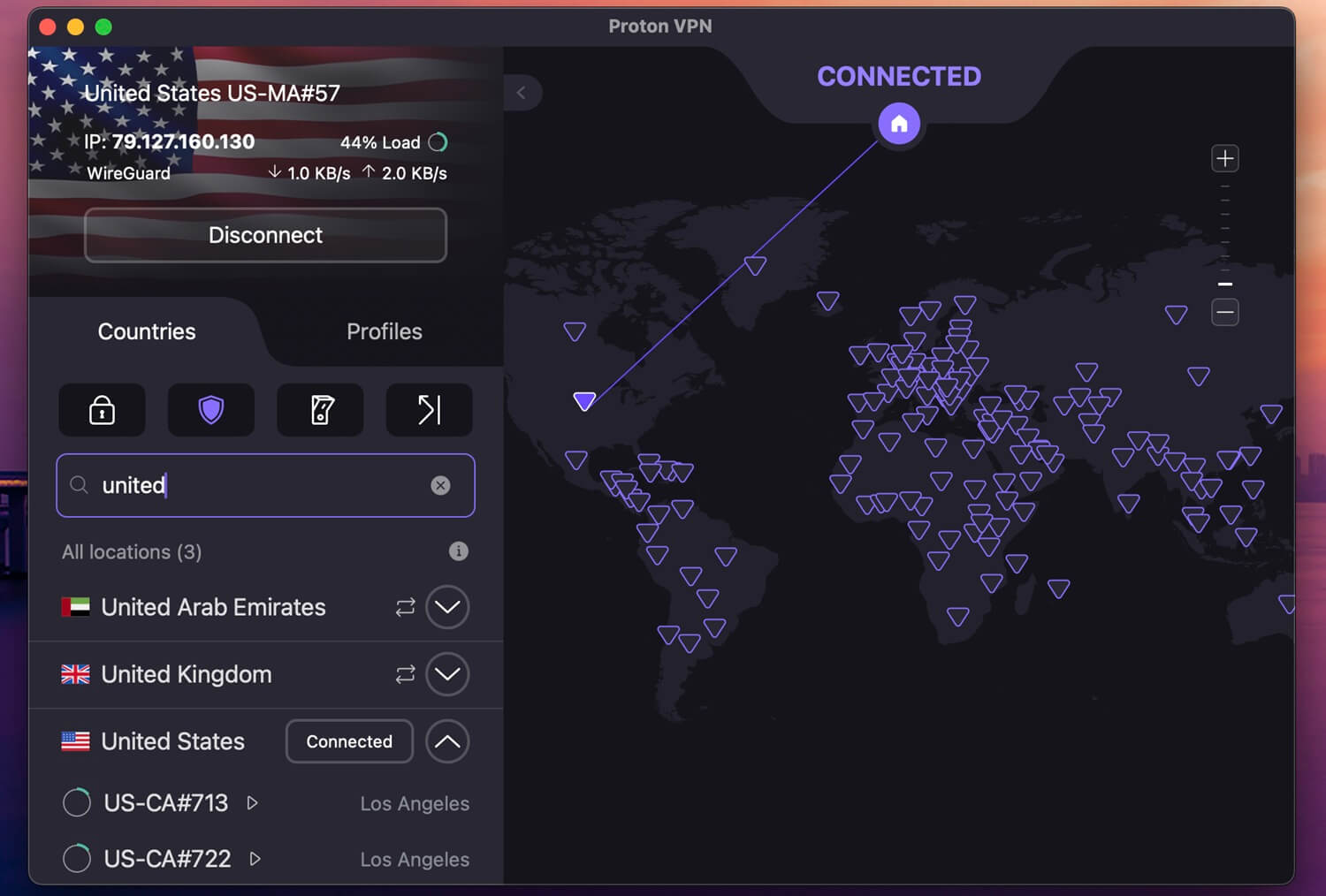
Proton VPN is a gamer’s dream for several reasons. First, it’s optimized for speed, offering VPN Profiles where you can tweak the VPN to be faster, with lower latency, and to use specific nearby servers. As one of the top Steam Deck VPN options, Proton VPN is very fast, and I tested it with WireGuard with its VPN Accelerator to play Black Ops 7. I noticed no lag increase, and the gameplay was smooth.
Proton VPN’s Linux support is excellent and vital in a Steam Deck VPN. It offers a GUI, so it’s very easy to use. I installed it on my Steam Deck and connected to a server with a press of a button. Proton VPN supports all major devices, but you’re locked to 10 protected devices at a time, which should be enough. One downside: Proton VPN lacks Smart DNS, which could be useful on non-VPN-compatible systems.
During my Steam Deck VPN comparison and testing, I honestly never used it. The VPN is reliable as it is, with Stealth for obfuscation, NetShield for blocking tracking, and 256-bit AES encryption to protect you from DDoS attacks. Proton VPN doesn’t cost much, and the 2-year plan at $2.99/mo is good for money-savers. If you’re a tech-savvy gamer who wants both speed and privacy, you’re in luck.
3. ExpressVPN: Best for Low Latency During Gaming

Pros
- Easy to set up
- Impressive speeds
- Wide server network
- Good for privacy
Cons
- Lacks customization
- No advanced features
ExpressVPN is the slick, minimalist Steam Deck VPN built for gamers who want zero fuss and all performance. We recommend it if you value simplicity, reliability, and seamless server switching without diving into config files. We tested ExpressVPN across multiple Steam Deck setups and were impressed by its smoothness. It doesn’t have a Linux GUI client, but its polished CLI tool made setup simple.
The commands are intuitive, and its online guides walk you through SteamOS setup step by step. Where ExpressVPN really shines is its Lightway Turbo protocol for stable, encrypted connections with low latency. That translated to excellent in-game performance: low ping on CS2 and Dota 2, and fast speeds while downloading and updating game files in the background, with the Steam client open.
It’s also the best for region-switching on the fly. We used ExpressVPN to flip between US, EU, and Asia servers while browsing the Steam store and managed to access geo-locked titles and pricing differences in seconds. Security-wise, ExpressVPN packs a punch with RAM-only servers, a no-logs policy audited by KPMG, and DNS leak protection. I must say it doesn’t have the most advanced features.
But you don’t actually need them in a VPN for Steam Deck. If you want fast connections, stable streams, and a VPN that’s always a step ahead of the network you’re on, ExpressVPN is the slickest Steam Deck VPN at $2.49 a month. You can even try it out for 30 days free with a money-back guarantee.
Best Steam Deck VPN: Selection Methodology
Not every VPN plays nice with the Steam Deck, and we’re not just talking compatibility. We looked at what actually matters when you’re gaming on the go: latency, setup simplicity, server access, security, and Steam-specific perks. Here’s how we narrowed it down in 2026.
✅ Performance That Keeps Up With Real-Time Gaming
There’s no point in running a VPN if it tanks your ping or throttles your download mid-match. We stress-tested each VPN while downloading game files, updating Steam libraries, and hopping into real-time multiplayer sessions like Apex Legends and CS2. NordVPN gave us low ping and near-baseline speeds thanks to NordLynx, well-optimized for SteamOS. It handled both downloads and online play without causing rubber-banding or lag spikes, even when connected to overseas servers.
✅ Ease of Setup on SteamOS & Desktop Mode
Setting up a VPN on Steam Deck isn’t plug-and-play. You’re working with Linux under the hood, which means the VPN needs to have Linux GUI clients or offer command-line compatibility that doesn’t feel like learning Bash on the fly. Proton VPN earned a spot here by offering one of the most Linux-friendly apps. It supports both CLI and GUI installs and is compatible with Arch-based distros, exactly what SteamOS runs on. We had it installed and configured in under 10 minutes.
✅ Global Server Access for Region Unlocking
From Steam store pricing differences to geo-blocked game launches and local-only multiplayer servers, a VPN with a broad, reliable server network opens up your library in ways that go far beyond just privacy. NordVPN got top marks here for its global reach and speed balance. With servers in 137 countries and a super clean UI, it was the easiest way to swap regions and grab early-access games. Plus, it played nicely with Proton GE and Lutris when tested in Desktop Mode.
✅ Security That Doesn’t Get in the Way
Gaming or not, a VPN still needs to protect you. That means DNS leak protection, kill switches, and encrypted tunneling that doesn’t disrupt traffic. We tested each VPN with Wireshark and DNS leak tools while running game sessions, ensuring nothing slipped through the cracks.
How to Use VPN on Steam Deck: Tutorial
- Subscribe to a VPN for Steam Deck. Choose NordVPN, Proton VPN, or ExpressVPN. I recommend NordVPN at 75% off, with 3 free months.
- Download and install the latest version of Decky Loader on Steam Deck.
- Launch the Plugin Loader and access the Plugin Store.
- Find TunnelDeck and install it on your Steam Deck.
- Open TunnelDeck and install OpenVPN if you wish to use this protocol. For WireGuard, this step is completely optional.
- Switch your Steam Deck to Desktop Mode.
- Download the VPN’s configuration file from its website.
- Go to System Settings, navigate to Network, and select Connections. Tap + to add a VPN connection and select WireGuard or OpenVPN.
- Navigate to the downloaded configuration file, select it, and provide your Username and Password obtained from the VPN.
- Go back to Gaming Mode on your Steam Deck.
- Open TunnelDeck, find your added VPN configuration, and toggle it ON. Now, your VPN Steam Deck setup is complete, and the VPN works.
Why You Need a Steam Deck VPN
Your Steam Deck might look like a console, but it runs a full PC under the hood, and that opens up way more than just your game library. Pair it with the right VPN, and you’re unlocking more than content. You’re unlocking price cuts, exclusive releases, region-locked titles, and even a safer way to game online. Here’s why a VPN isn’t just a bonus, it’s a power-up.
Steam Store Prices Vary by Region
One of the lesser-known quirks of Steam is that game pricing is regional. That same title might cost $60 in the US, but only $30 in India or Kazakhstan. A VPN lets you view and purchase games from different regional stores by changing your IP to a different country. Learn how to change your Steam region in this guide. Valve’s terms prohibit frequent region switching without a local payment method, so while VPNs help access pricing info, don’t abuse it. For travel or long-term relocation, a VPN ensures your pricing matches where you are (or where you want to be).
Unlock Region-Exclusive Games and DLC
Some games aren’t available everywhere. Due to licensing restrictions, publishing deals, or political reasons, titles can be blocked in certain countries. That also applies to DLC and in-game content in free-to-play or MMO titles with different regional publishers. A VPN routes your traffic through the UK, Japan, or the U.S. and allows you to access the full catalog Steam offers there. During our testing, we used NordVPN to grab a Japan-only release and launch it from a Steam Deck VPN set up in Europe.
Get Early Access to Global Game Launches
Game launch windows vary by time zone. Some publishers roll out games regionally, meaning Australia or New Zealand players might get access hours before the US or EU. By connecting to a VPN server in one of those early-launch regions, you can play the minute it drops, instead of waiting while spoilers flood the internet.
Secure Your Connection on the Go
The Steam Deck’s mobility is one of its biggest strengths, but public Wi-Fi is also one of its biggest risks. Whether you’re downloading patches in a coffee shop or connecting to a hotel network, VPN encryption keeps your traffic private and protected from snoopers or packet sniffers. This is especially important when logging into services like Steam or Battle.net on public networks, where unsecured connections could expose your credentials.
Bypass Network Blocks and ISP Throttling
In some schools, offices, or countries, Steam is outright blocked. A VPN helps bypass restrictive firewalls and throttle-happy ISPs, so that your updates, cloud saves, and game library stay accessible, no matter where you’re playing from. Long story short: If you’re using the Steam Deck to its fullest potential (traveling, streaming, downloading, or unlocking new content), a VPN completes your setup.
Conclusion: What is the Best VPN for Steam Deck?
The Steam Deck is already a beast of a handheld, but without a VPN, you’re only getting part of the experience. From snagging cheaper game prices to accessing region-exclusive titles and staying secure on public Wi-Fi, a VPN turns your portable gaming rig into a global powerhouse. But not all VPNs are built for gamers, and after testing 15 popular providers, I landed on NordVPN.
It stood out for its fast speed, native Linux support, and dead-simple setup on the Steam Deck. Whether you’re in desktop mode or on the move, it delivers consistent performance and unlocks the features that matter most to real players. So if you’re ready to level up your Steam Deck experience NordVPN is the one VPN we’d trust to game with, anywhere in the world.
Frequently Asked Questions
🎮 Can I use a VPN in Gaming Mode or only in Desktop Mode?
Technically, VPN clients only run in Desktop Mode, because that’s where you can install apps and access Linux utilities. But once you connect your VPN there, the secure tunnel stays active even after switching back to Gaming Mode. So yes, your VPN still works while gaming. For smoother integration, set up a system-wide VPN via router or use NordVPN’s command-line tools with persistent connection scripts.
📵 Can I use a VPN to appear offline on Steam?
No, a VPN doesn’t change your Steam online status. That’s managed inside your Steam profile settings. However, a VPN can make your IP address less traceable if you’re trying to play anonymously, especially in P2P games where your IP might otherwise be exposed to other players.
🔴 Will Steam ban me for using a VPN?
Not for general use. Steam doesn’t ban accounts for using a VPN. But it does have rules against abusing regional pricing or attempting to bypass content restrictions. If you use a VPN to switch store regions too frequently without a matching local payment method, you could be flagged for region fraud. Use a VPN responsibly for security, content access, or traveling, and don't game the system.
🆓 Will a free VPN for Steam Deck work?
No, it won't. A free VPN is incompatible with Steam Deck, plus, most free VPNs restrict your data, speed, and server selection. Even if you manage to set it up, the connection would be slow, unreliable, and with high latency, which isn't optimal for gaming. NordVPN works well on Steam Deck, and it has a 30-day money-back guarantee, so you essentially get to use it for free if you get a refund.