Does Surfshark work with Netflix? After I tested it in October this year on 20 popular Netflix catalogs, I can confirm it works. Surfshark VPN is one of the best VPNs for Netflix I tested, offering both unblocking capabilities and fast speeds across all platforms for streaming in 4K and Full HD. This Surfshark Netflix 2026 guide explains how to use it on Netflix and what to do if your VPN suddenly stops working.
Surfshark Netflix Summary: How to Watch Netflix With Surfshark in 2026
- Subscribe to Surfshark VPN. Use this link to save 85% on 2-year plans and get 3 free months. All plans are refundable for 30 days.
- Install Surfshark on your device.
- Open the app and log in with your credentials.
- Enable NoBorders for a more reliable connection and connect to a VPN location of the Netflix catalog you want.
- Visit Netflix, sign in, and watch it. Surfshark should now unblock all the previously unavailable movies and series.
Does Surfshark Work With Netflix in 2026?
Yes, Surfshark still works with Netflix, and in more countries than most VPNs can manage. As said, I tested 20 Netflix catalogs with Surfshark from my apartment in New York on a 300 Mbps network. Speeds were solid and consistent, and I managed to stream both Full HD and 4K smoothly on most catalogs, on all devices I had: a Windows 11 PC, an Android phone (Galaxy S26 Ultra), and an iPhone 17 Pro.
| Netflix Library Unblocked? | Protocol Used | Max Streaming Quality Without Buffering | Best Server to Use | |
| USA | Yes ✅ | WireGuard | Ultra HD | Any US server |
| UK | Yes ✅ | WireGuard | Ultra HD | London |
| Japan | Yes ✅ | WireGuard | Full HD | Tokyo |
| Canada | Yes ✅ | WireGuard | Ultra HD | Toronto |
| Australia | Yes ✅ | WireGuard and OpenVPN TCP | Full HD | Melbourne or Sydney |
| France | Yes ✅ | WireGuard | Ultra HD | Paris |
| Germany | Yes ✅ | WireGuard | Ultra HD | Berlin or Frankfurt |
| Italy | Yes ✅ | WireGuard | Ultra HD | Milan |
| Netherlands | Yes ✅ | WireGuard | Ultra HD | Amsterdam |
| South Korea | Yes ✅ | OpenVPN TCP | Full HD | Seoul |
| Singapore | Yes ✅ | OpenVPN TCP | Full HD | Singapore |
| Turkey | Yes ✅ | OpenVPN TCP | Full HD | Istanbul |
| Brazil | Yes ✅ | WireGuard | Full HD | Sao Paulo |
| India | Yes ✅ | OpenVPN TCP | Full HD | Mumbai |
| Mexico | Yes ✅ | WireGuard | Ultra HD | Mexico City |
| Poland | Yes ✅ | WireGuard | Full HD | Warsaw |
| Israel | Yes ✅ | WireGuard | Full HD | Tel Aviv |
| Greece | Yes ✅ | WireGuard | Ultra HD | Athens |
| Colombia | Yes ✅ | WireGuard | Ultra HD | Bogota |
| Chile | Yes ✅ | OpenVPN TCP | Full HD | Santiago |
Actually, we recently reviewed Surfshark and discussed its features and functionalities in detail. We described that some of its servers may be blocked by Netflix occasionally, but that’s easy to fix by clearing your browser data, switching servers, or using NoBorders. We have that covered in this Surfshark Netflix guide, in the troubleshooting part. Now, let’s see how to use Surfshark on Netflix.
How to Use Surfshark With Netflix
Getting Surfshark to work with Netflix doesn’t require a PhD in computer science, but there are a few smart moves to make everything run smoothly. Whether you’re aiming for the US catalog from Paris or unblocking your home country’s library while traveling, this is how to set it up properly:
1. Get a Surfshark Subscription
Start by signing up for Surfshark through its official website. The VPN offers a 30-day money-back guarantee, so you can test it risk-free. It’s also one of the few VPNs that lets you connect an unlimited number of devices at a time. To get the best prices, check out the current deals and promo codes available for Surfshark.
2. Download Surfshark and Connect to a Server
Head to the download section on Surfshark’s website or grab it directly from the App Store, Google Play, or Amazon for Fire devices. Whether you’re using a MacBook, Android phone, smart TV, or gaming console, there’s a native app or manual setup guide to get you started in minutes.
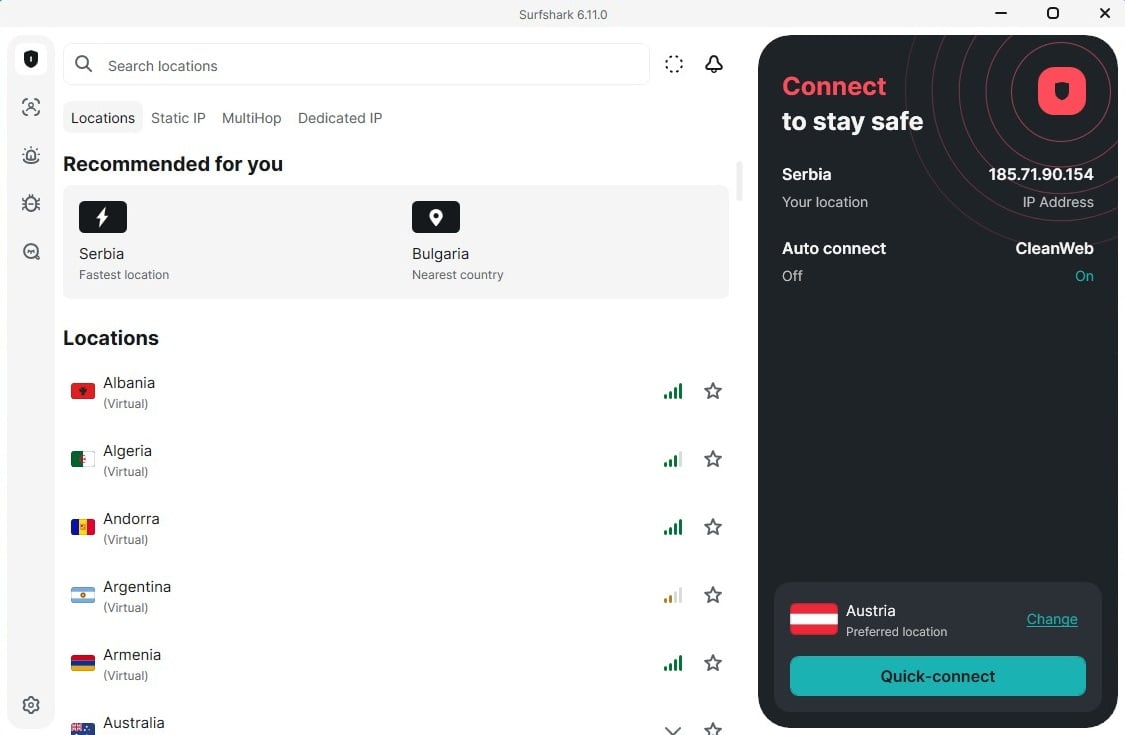
Launch the app and sign in. Then, connect to a server in the region whose Netflix catalog you want to access. For this Surfshark Netflix guide, I picked a random US server in New York, but I tested other US servers, specifically Detroit, Boston, Ashburn, Miami, and Denver, and they all worked with Netflix US.
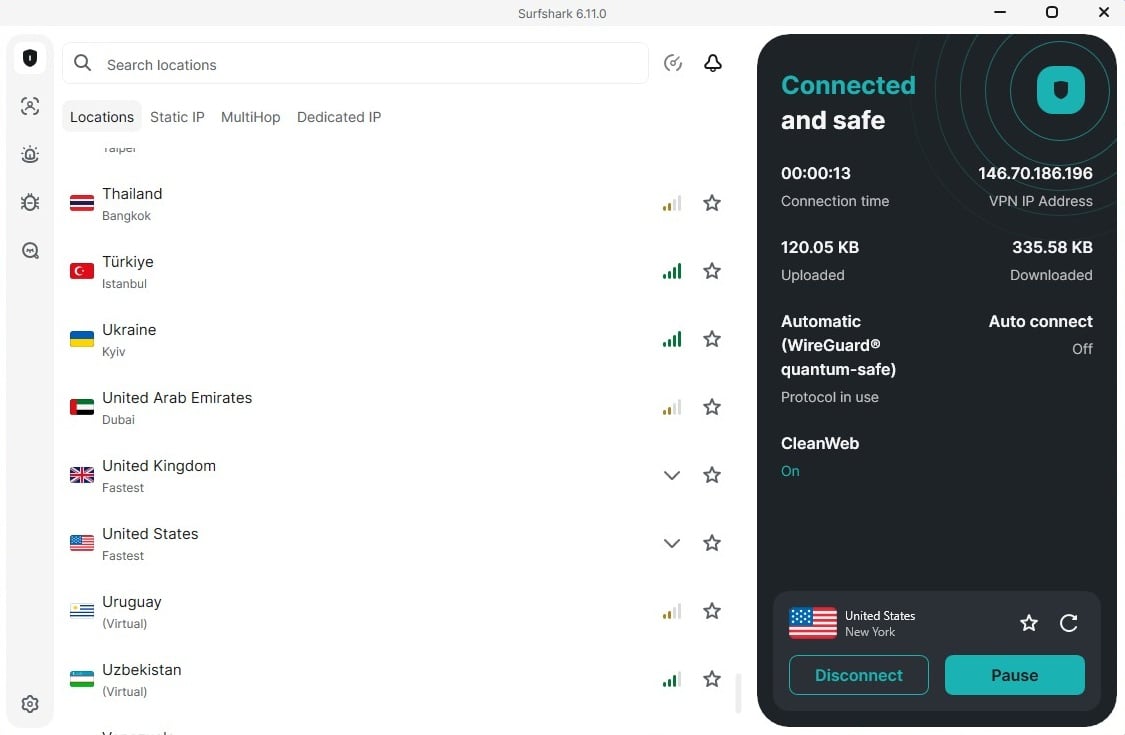
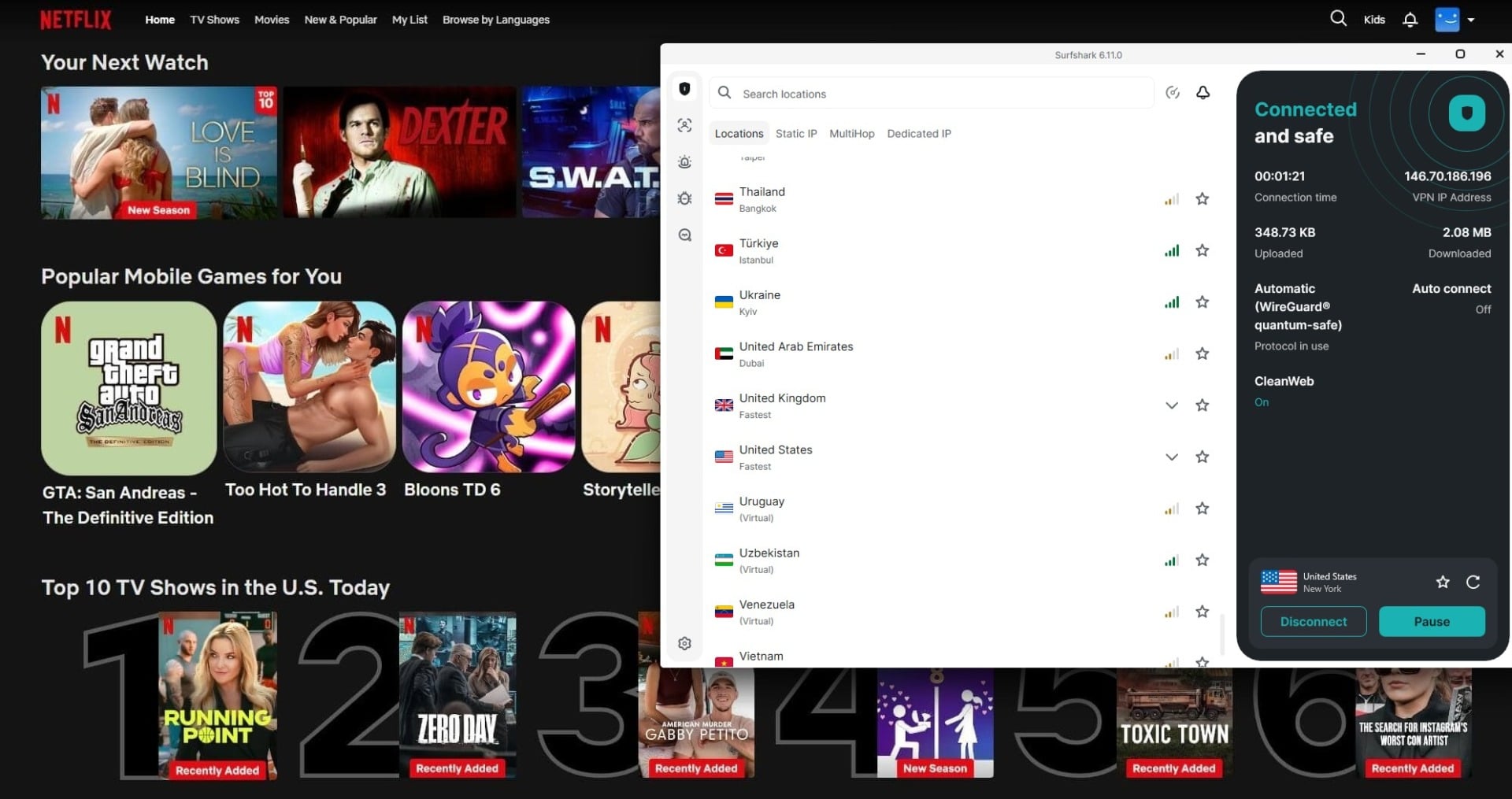
3. Watch Netflix With Surfshark (Access Blocked Content)
With the VPN running, fire up Netflix in your browser or app. You should see the content library for the region you selected. Still seeing your local catalog? Try clearing your browser cookies or switching servers, and Surfshark’s customer support is also available 24/7 if you get stuck.
Key Surfshark Features for Netflix Streaming
It’s one thing for a VPN to unblock Netflix, but it’s another to do it well across multiple devices without slowing your connection or triggering Netflix’s proxy alarms. It doesn’t just scrape by, but it’s optimized for this thing.
WireGuard and Dausos Protocols: Speed for Streaming
Netflix in 4K isn’t worth it if your VPN turns every scene into a buffering wheel. Surfshark runs on the WireGuard protocol on Windows and Dausos on macOS, both known for speed and efficiency. WireGuard is a more popular option with a lean codebase and stable speeds even on busier networks. It combines performance and security, using quantum-resistant encryption impervious to all cyber-attacks.
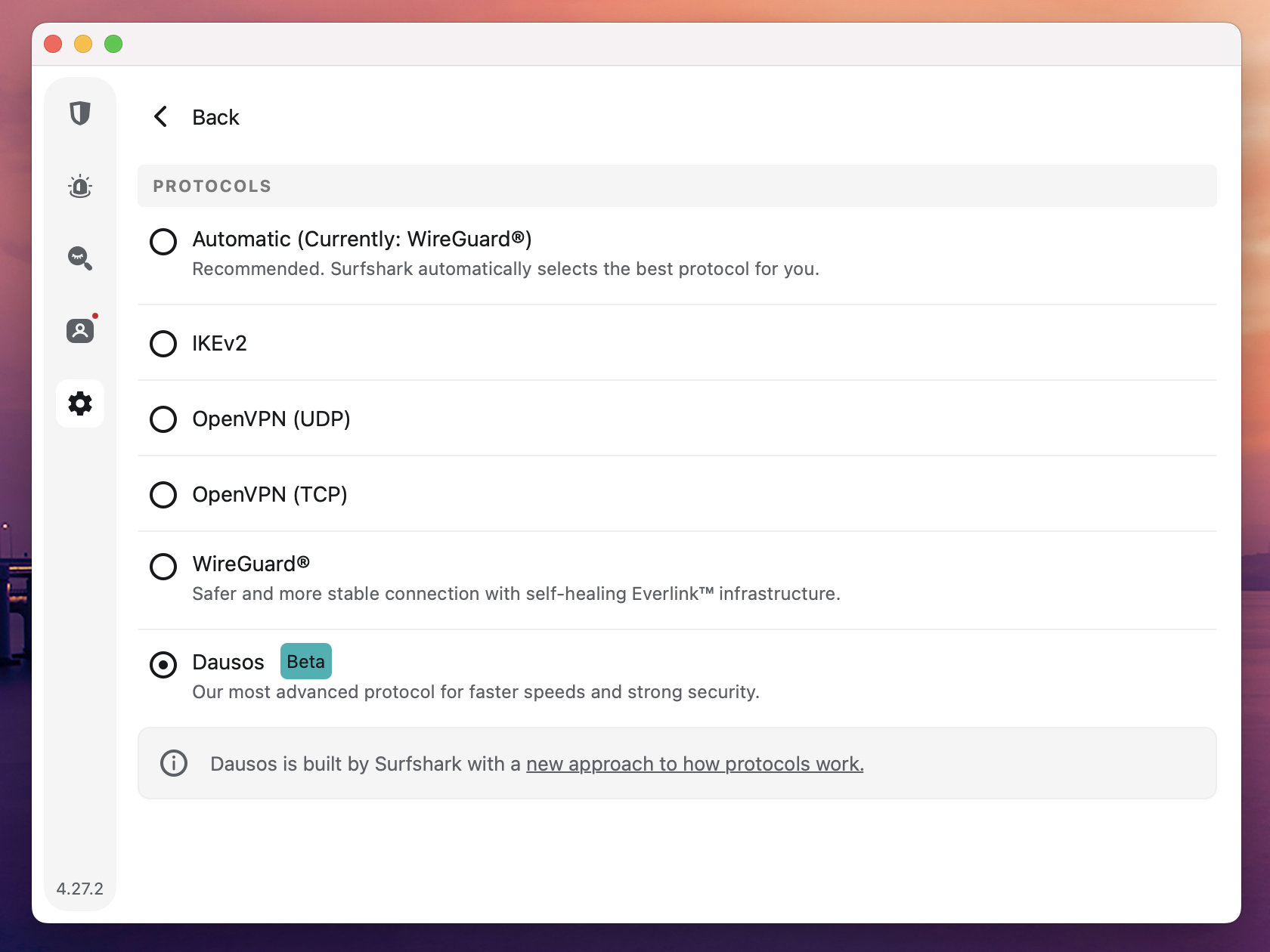
While I haven’t personally tested Surfshark’s Dausos protocol, my friend who uses a Mac did, and recorded results very similar to WireGuard in terms of speed and streaming resolution on Netflix; both streamed in 4K.
Unlimited Device Connections: One Subscription, All the Screens
Most VPNs put a cap on how many devices you can use at once, but Surfshark doesn’t play that game. With unlimited simultaneous connections, you can stream on every device you own (and a few your friends forgot at your place). It’s ideal for families, digital nomads, or anyone juggling phones, tablets, laptops, and Smart TVs.
Global Server Network: Switch Regions in a Tap
Netflix is quick to blacklist IPs tied to VPNs, especially shared ones. That’s why Surfshark’s 4,200+ servers in over 100 countries are crucial. When one server gets flagged, you’ve got dozens more to swap into (often in the same region) without missing a beat. The server-switching process is instant, and some regions offer multiple city-level options for better precision.
NoBorders and Camouflage Mode: Stream Netflix in Censored Regions
Surfshark advertises the two features as ideal solutions to bypass firewalls and connect even in the most censored countries. Camouflage Mode automatically activates when you use the OpenVPN protocol (I tested it with TCP). It’s essentially obfuscation, which hides your VPN use and lets you sidestep censorship. Personally, I tested Surfshark in China this month on a trip to Shanghai, and I couldn’t use it without obfuscation, so I can confirm it works.
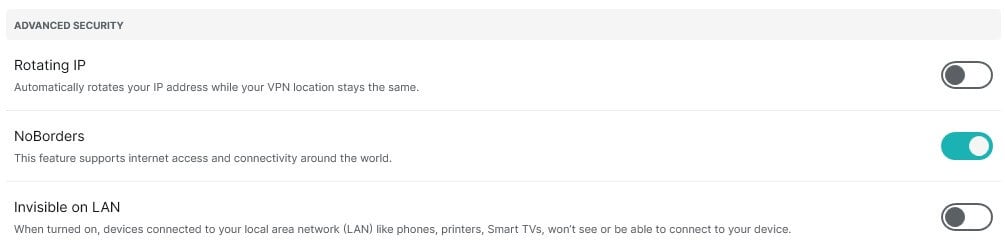
NoBorders is enabled by default, and I recommend keeping it that way in a Surfshark Netflix setup. It basically lets you connect in restricted regions and institutions when your ISP or the school blocks VPN connections. It curates a server list available for you to bypass the specific restrictions.
Surfshark Not Working With Netflix: Troubleshooting
Even solid VPNs like Surfshark can hit the occasional wall. Netflix is constantly evolving its VPN detection tactics, and sometimes you’ll run into the dreaded proxy error or find yourself staring at the wrong content library. Don’t hit the panic button yet, because most issues can be fixed in a few steps.
Switch to a Different Server in the Same Region
Netflix often blacklists specific IP addresses, especially if they’re tied to high VPN usage. If you’re connected to a US server and can’t access US Netflix, disconnect and try another one in the same region. Surfshark offers multiple servers per country, and one of them usually slips through.
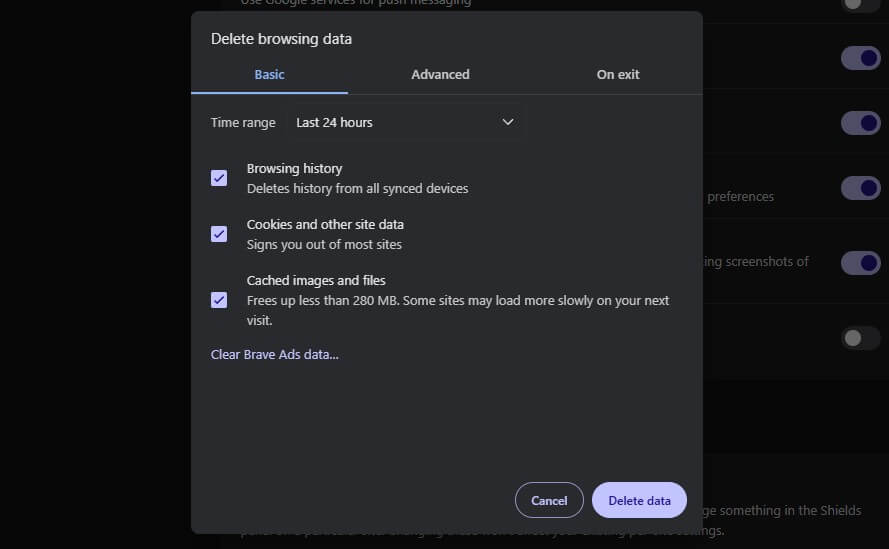
Clear Your Browser Data
Your browser remembers where you’ve been. Cached location data and cookies can mess with Netflix’s location detection even after you’ve connected to Surfshark. Clear them out, restart your browser, and try again. This step alone fixes more issues than most people expect.
Use NoBorders or Camouflage Mode
As I previously explained, they’re sometimes essential in a Surfshark Netflix setup. If you’re in China, Iran, Russia, Turkey, Hong Kong, the UAE, Saudi Arabia, or any other censored country, here’s how to enable these tools:
- To use NoBorders, navigate to Settings, then select VPN Settings, and toggle ON NoBorders. However, it should be ON by default.
- To use Camouflage Mode, go to Settings, select VPN Settings, and change the protocol from Automatic to OpenVPN TCP.
Disable IPv6 on Your Device
IPv6 leaks can expose your real location, especially on systems where it’s enabled by default. Head into your device’s network settings and turn off IPv6. Surfshark already handles IPv4 traffic by default, and this fix often resolves geolocation mismatches on Netflix. One thing I used to recommend is using SmartDNS (it worked for unblocking Netflix USA), but in February 2026, Surfshark discontinued it.
Reach Out to Live Chat Support
Still stuck? Surfshark’s 24/7 support team is fast and helpful. They can guide you to the most reliable servers for Netflix, walk you through advanced fixes, or flag region-specific issues that might not be mentioned on the site. When all else fails, this is your go-to move. If you continue to experience issues, check out our troubleshooting guide on VPNs and Netflix.
Conclusion: Does Surfshark Work With Netflix?
Yes, Surfshark works with Netflix and unblocks 20 libraries reliably, including the USA, the UK, Canada, Japan, Australia, and many European ones. It’s the combo of fast speeds, unlimited devices, and extras like unlimited devices and Camouflage Mode, making it stand out from the crowd. If you’re looking for a VPN that works with Netflix across multiple countries, Surfshark is easily among the most budget-friendly and capable VPNs in October 2026.
Trying Surfshark with Netflix doesn’t have to be a leap of faith. If you sign up on Android or iOS, you get a 7-day free trial, which consequently lets you test it on all devices without an upfront payment. And if you change your mind down the line, there’s a 30-day money-back guarantee.
Watch Netflix Freely With Surfshark
Frequently Asked Questions
🗽 Is Surfshark good for Netflix US streaming?
Yes, it's one of the best VPNs for accessing Netflix US on pretty much any US server you'll find in the app. Simply connect to a server, clear your browser data if needed, and unblock all the movies and series in this library.
⛔ Is Surfshark blocked by Netflix?
No, it's not. The VPN works with Netflix and unblocks popular catalogs. If you have issues, switch to another server or use NoBorders or Camouflage Mode.
▶️ Does Surfshark offer SmartDNS for Netflix?
No, it doesn't. Surfshark officially ditched SmartDNS in February 2026. To use Surfshark on Netflix, you now have to exclusively rely on its VPN servers. However, that also means you can't set it up on non-VPN-compatible devices like an LG Smart TV (WebOS) or even on a Samsung Smart TV (Tizen OS).