
If you’ve tried to watch Channel 4 in Australia, you know it doesn’t work. Channel 4 is a British TV channel, and it broadcasts in the UK, with Ireland the exception. In Australia, the US, and the other 190+ countries, the site stays locked. The fix is simple: We’ll show you how to access Channel 4 in Australia with a VPN and how an IP change opens the platform up. We’ll also cover the best VPNs for the job, what’s worth watching on Channel 4, and a few common questions.
Channel 4 Australia: How to Unblock and Watch It in October 2026
- Get a VPN that works with Channel 4. I recommend NordVPN at 75% off with 3 free months and a 30-day money-back guarantee.
- Set up the VPN on your device.
- Open the VPN and log in.
- Connect to a server in the UK.
- Go to Channel 4, log in, and watch anything you like. This Channel 4 Australia fix actually works in any other country, as well.
Channel 4 Australia Unblocking: Detailed Tutorial
Channel 4 works only in the United Kingdom, so while you can register from abroad, the moment you press play, this appears:
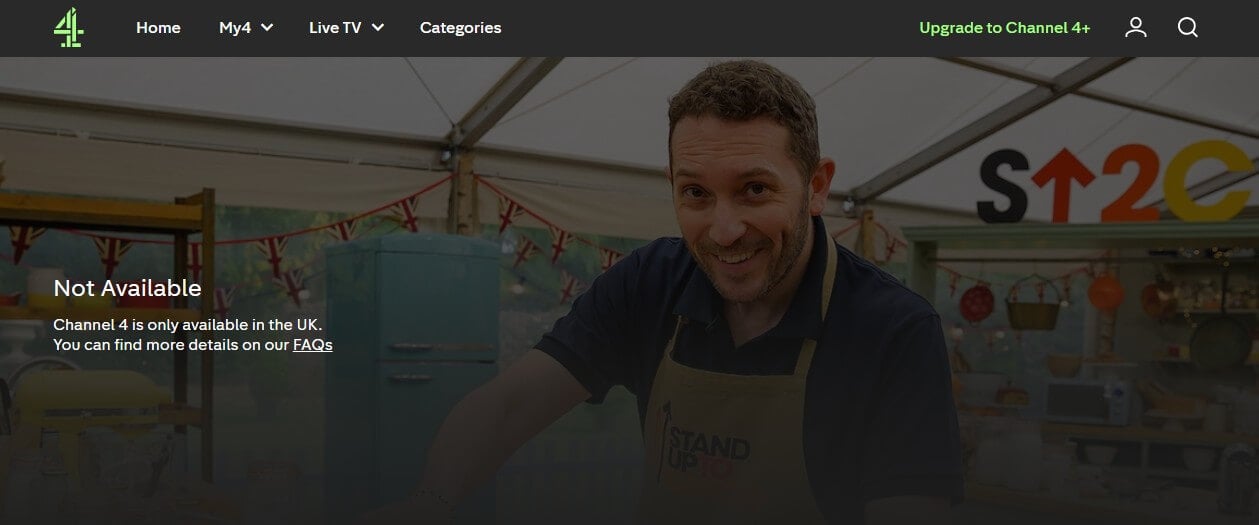
The message says it all: no UK, no stream. Licensing agreements and copyright deals force Channel 4 to check where you’re watching from, and that check comes down to your IP address. You can’t watch Channel 4 in Australia because the site demands an IP address from the UK. To get one, you need a VPN with British servers, and NordVPN is our recommended pick in 2026.
NordVPN offers over 440 servers in the UK, strong performance, and no data caps, so you can stream endlessly. A 30-day money-back guarantee makes it risk-free too. The process takes minutes. Start by signing up for NordVPN, ideally through its 2-year plans to save 75%, though a monthly plan works if you’re in Australia temporarily.
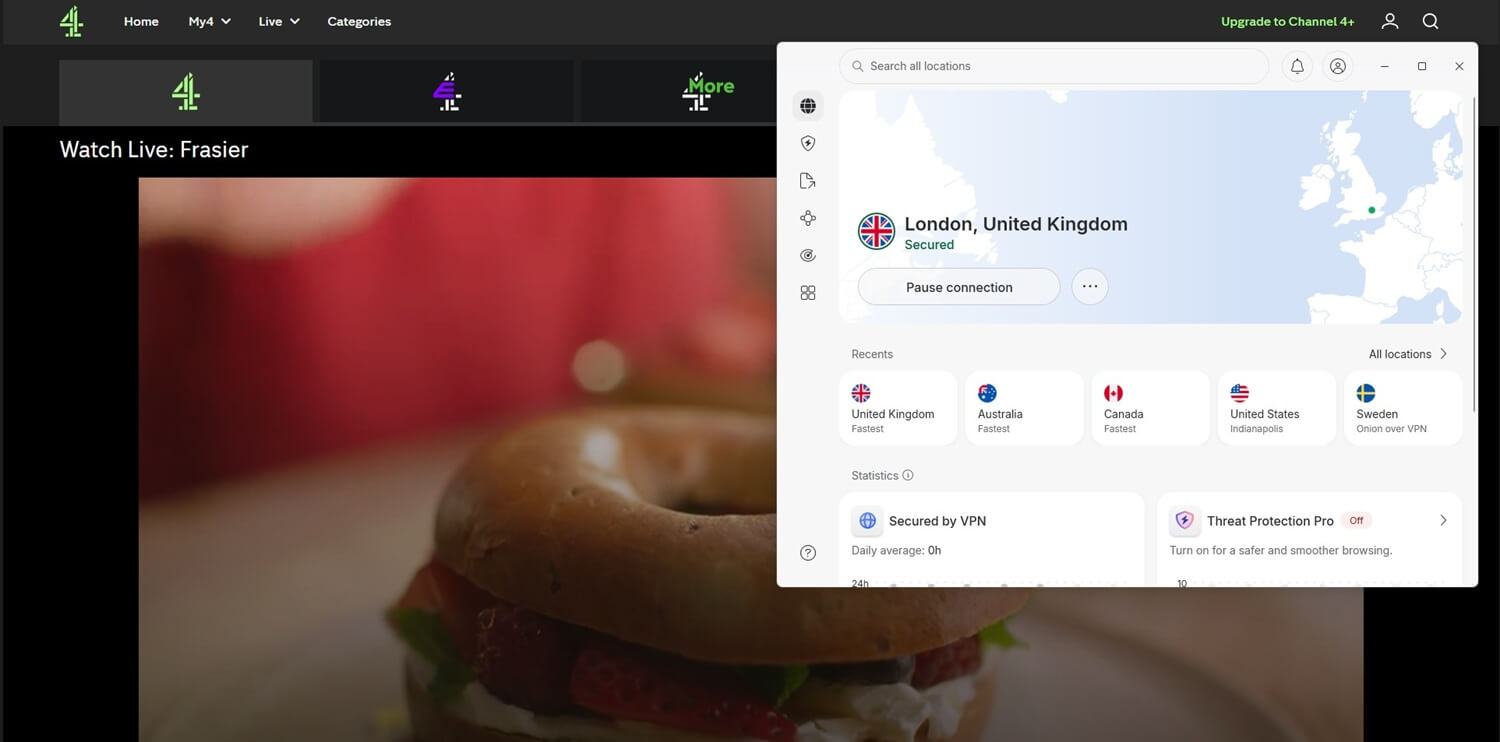
Then install the app on your device of choice, mobile included, and connect to any UK server from the list. With your British IP active, head to Channel 4, sign in, and watch anything from live TV to on-demand content.
Access Channel 4 in Australia With NordVPN
How to Sign Up for Channel 4 in Australia?
You’ll need an account to watch anything, and Channel 4 lets you register from any country. The service is free to watch, too, though it runs on ads. Removing them requires Channel 4+, priced at £3.99 a month or £39.99 a year. Here’s how to sign up for Channel 4 in Australia or anywhere else:
- Go to the channel’s website and click Sign in to My4.
- Select Register in green.
- Enter your email, confirm it, set a password, and press Next.
- Type in your birth date (you must be 16+) and select your gender.
- Provide an address. Any valid UK address will do if you’re not there.
- Verify your account through your email, and you’re set.
- Back on the home screen, start watching.
If you go for the ad-free Channel 4+ upgrade, you’ll need a UK credit card.
Best VPNs to Unblock Channel 4 in Australia
Heading abroad doesn’t have to mean leaving Channel 4’s library behind. With the right VPN, you can reclaim access to all of it, whether you’re in Australia or anywhere else on the map. After extensive testing, our experts singled out three providers that work exceptionally well:
1. NordVPN: Unblock Channel 4 in Australia Reliably
Pros
- 440+ fast servers in UK
- 4K streaming with NordLynx
- Blocks malware and ads
- Strong privacy stack
- Affordable 2-year plans
Cons
- Higher renewal price
- No free version
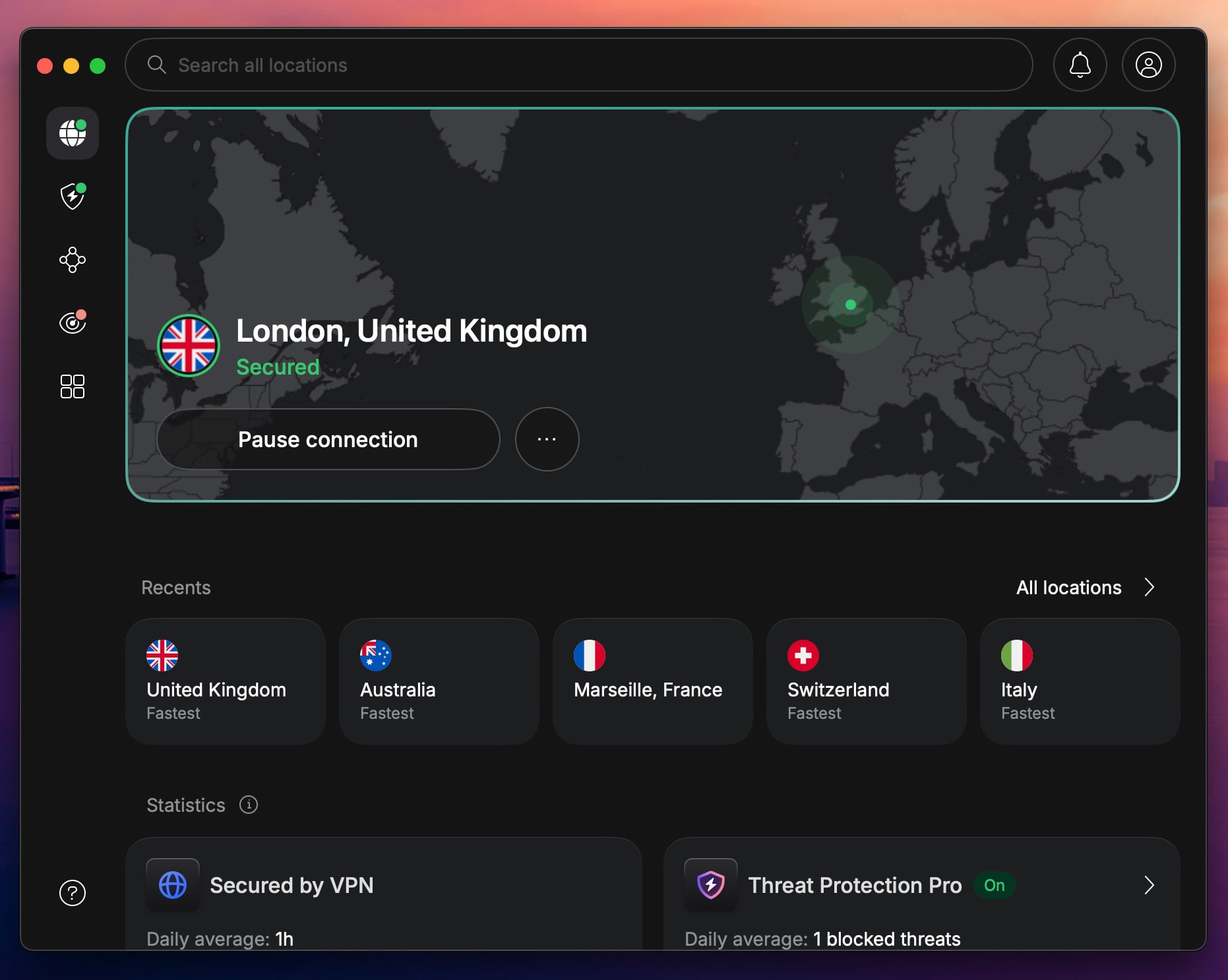
When it comes to streaming region-locked content, NordVPN wears the crown. Its network spans over 9,500 servers across 149 countries, with hundreds of those sitting in the UK, exactly what you need for watching Channel 4 in Australia. Speed is the other half of the story. The NordLynx protocol, built on WireGuard, delivers performance that handles 4K streaming without a hitch.
And uncapped data means nothing cuts your session short. Device support is broad, with apps for Windows, macOS, Android, iOS, and Linux. Beyond streaming, Threat Protection blocks ads and pop-ups, while Double VPN adds a second encryption layer for the privacy-conscious. Pair that with a no-logs policy and RAM servers, and you get a VPN built around privacy as much as streaming.
Pricing seals the deal. With 2-year deals with 3 free months starting at around $3.49 per month, NordVPN stays the best option to stream Channel 4 in Australia, and a worthwhile investment long after your trip ends.
2. Proton VPN: Watch Channel 4 in Australia Securely
Pros
- Large network in the UK
- VPN Accelerator technology
- Stealth obfuscation
- Open-source apps
- 10 simultaneous devices
Cons
- No streaming in free plan
- Complex app UI
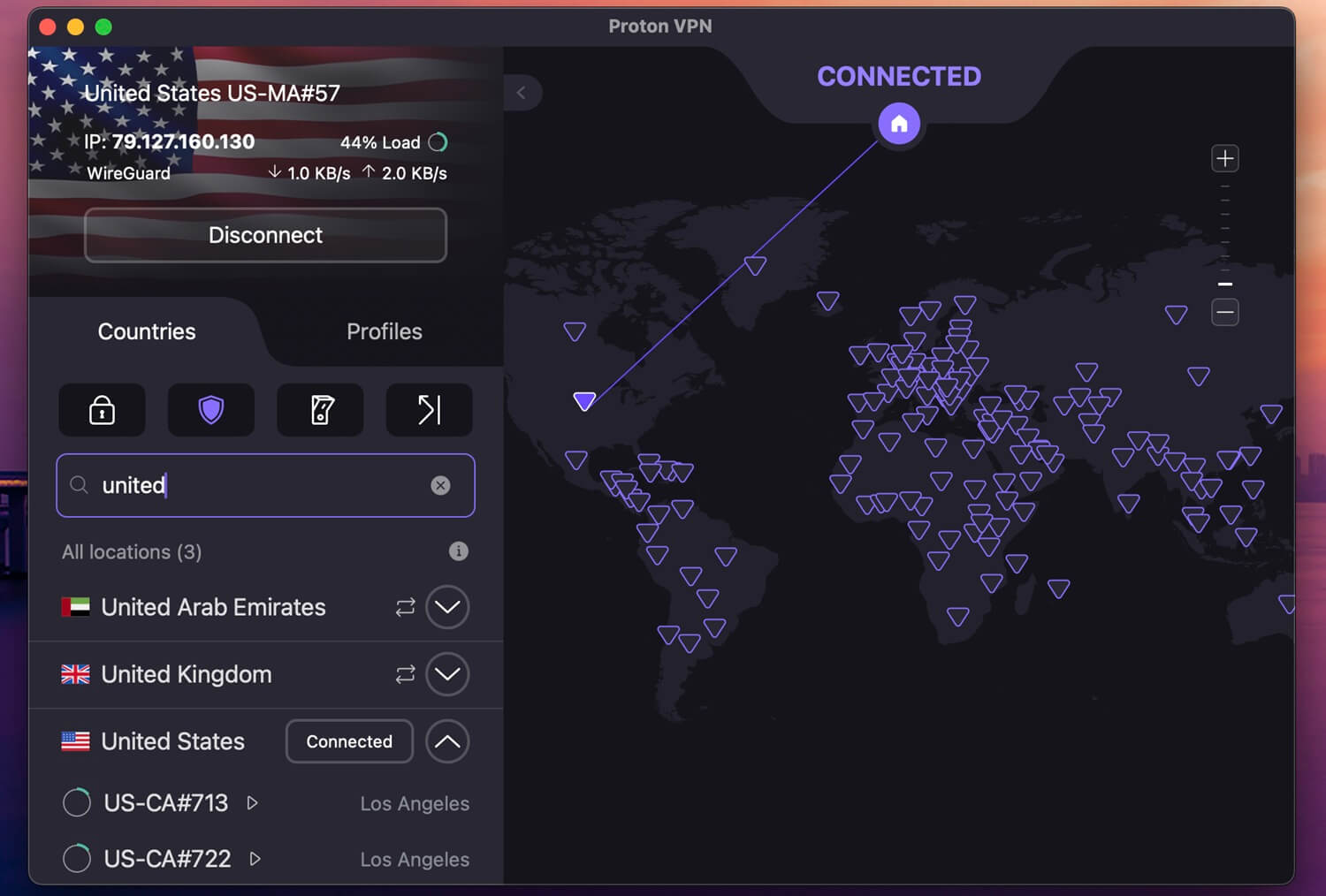
Proton VPN isn’t the first name in streaming conversations, but its performance with Channel 4 in Australia is great. With UK servers among thousands in 148 countries, unblocking the site takes seconds. Performance holds up. Its WireGuard support, boosted by the in-house VPN Accelerator technology, keeps connections stable to stream in 4K or play games with the VPN without high latency.
Proton VPN’s apps cover all major platforms, and we’re partial to its mobile apps for their clean design. A single subscription protects up to 10 devices at once. At its core, this is a privacy-first VPN, and it shows: the provider is based in Switzerland, runs on open-source apps, and backs its no-logs policy with independent audits. Proton VPN also supports P2P and Tor over VPN connections.
Meanwhile, Stealth handles obfuscation, and unlike ExpressVPN, Proton offers multi-hop through its Secure Core servers, routing traffic via privacy-friendly countries first. The price is fair as well. Proton VPN’s 2-year plan is $3 monthly, undercutting most premium rivals while giving away very little. Since free VPNs won’t unblock Channel 4, this is about as affordable as a working solution gets.
3. ExpressVPN: Use Channel 4 App in Australia Unrestricted

Pros
- Polished, one-click apps
- Fast Lightway protocol
- SmartDNS feature
- Audited for privacy
Cons
- No Double VPN
- Pricier renewals
ExpressVPN takes privacy and security seriously, but don’t overlook its streaming chops. The Lightway protocol and 10 Gbps server ports push performance to the maximum across a network of 3,000+ servers. Among those, ExpressVPN maintains a handful of British VPN locations, all perfectly capable of unblocking Channel 4 in Australia. The same servers handle BBC iPlayer, ITVX, and other UK channels.
The apps are a highlight: identical across platforms, cleanly designed, and built around one-click connections. Once your UK IP is active, AES-256 encryption keeps traffic unreadable, and built-in ad-blocking sweetens the package. Add RAM-only servers, Private DNS, a kill switch, and split tunneling, and the fundamentals are covered. That includes a no-log policy audited by KPMG several times.
Price is one of the lowest in the industry so far, with the 2-year Basic plan starting at $2.49 monthly with 4 free months. Annual plans are on the pricier side, but all ultimately have a 30-day money-back guarantee, so testing is risk-free.
Channel 4 Australia VPN Not Working? Try These Fixes
NordVPN unblocks Channel 4 reliably, but on rare occasions, the stream won’t load. When that happens, the VPN itself is usually not the culprit. The main offender is browser data. Leftover cookies and cache can reveal your true location, and if Channel 4 detects you’re in Australia, it’s game over. Clear your browser data, restart the browser, reconnect to a UK server, and try again.
We’d also recommend a quality VPN extension for Chrome, Firefox, or whichever browser you use. NordVPN’s extension comes with location spoofing and WebRTC leak protection, and with both enabled, your real location stays hidden. If the problem persists, work through these simple fixes:
- Connect to another UK server
- Switch protocols (OpenVPN TCP is a good fallback)
- Check for IP leaks
- Try a different browser (Edge works well for us)
- Update the VPN client
- Contact customer support
In our experience, watching Channel 4 in the USA or Australia is simple with NordVPN. Channel 4 isn’t as aggressive toward VPNs as Netflix or Max, so detection is rare, and these fixes exist mostly for the odd exception.
What to Watch on Channel 4?
Channel 4’s library mixes live TV with a deep on-demand catalog. The live side covers its sub-channels, including 4News, 4Music, More4, Film4, Walter Presents, and 4Seven, all watchable with a UK IP address. The on-demand side is where 2026 has been exceptional. According to Channel 4’s own figures, drama viewing is up 43% compared to the same period in 2025, making this its strongest slate in years.
Some of the platform’s biggest current draws include:
- A Woman of Substance: the Barbara Taylor Bradford adaptation starring Brenda Blethyn, which Channel 4 reports as its most-watched streaming drama in five years, already renewed for a second series
- Patience: the channel’s biggest drama franchise, with series two drawing 3.9 million viewers per Channel 4’s numbers and series three already filmed
- Falling: Jack Thorne’s six-part romance starring Keeley Hawes as a nun and Paapa Essiedu as a Catholic priest
- Tip Toe: Russell T Davies’ five-part thriller with Alan Cumming and David Morrissey, his first Channel 4 drama since It’s a Sin
- Celebrity Gogglebox: a six-part series of famous faces reviewing the week’s TV
- Reality staples like Married at First Sight UK, Celebs Go Dating, and First Dates
- Comedy classics on demand, including Derry Girls, Peep Show, The Inbetweeners, and Friday Night Dinner
- Hollyoaks, the long-running soap, and many more
Everything above streams for free, which goes a long way toward explaining the channel’s popularity in the UK, and seemingly Australia.
Conclusion
Australians and Brits down under can now watch Channel 4 live and on-demand with a VPN’s help. Connect to a UK server, sign in or register, and the whole library opens up. With NordVPN, Proton VPN, or ExpressVPN, beating geo-blocks like this one takes minutes. Best of all, the trick works on virtually any streaming service. We recently showed you how to access Pluto TV anywhere using the same method.
Go ahead and enjoy Channel 4 in Australia. With a 30-day money-back guarantee behind each pick, it’s risk-free and really works.
Frequently Asked Questions
📲 Can I access the Channel 4 app in Australia?
No, you can't. To access the Channel 4 app in Australia, you must get a VPN. Only then will it appear on your app store, available for download and use.
▶️ Can you watch Channel 4 in Australia?
No, you can't, unless you use a VPN and get a UK IP address. Channel 4 is exclusive to the UK and only works there. With NordVPN, you can get a UK IP and unblock the channel easily without being detected.
🎁 Is Channel 4 free in Australia?
Yes, it's free in Australia, though Channel 4 is free in general. However, it won't work in Australia without a VPN, which you must pay for. Free VPNs won't work with Channel 4 and they typically don't offer any UK servers, either way. Luckily, a Channel 4 VPN typically costs only around $3 per month.