You rarely have to get YouTube unblocked since it doesn’t heavily rely on geo-restrictions like Netflix or Disney+. But in some cases, you may want to unblock YouTube videos that the publisher hasn’t made available in your country. In any case, the most effective way to get YouTube unblocked with ease is to use a VPN. It encrypts traffic and changes your IP address, allowing swift access to blocked content. Here’s how to do it and which VPN to use.
How to Get YouTube Unblocked With VPN: Safest and Most Effective Fix
- Subscribe to a VPN. I recommend NordVPN at 75% off with unlimited data for streaming, consistent speeds, and apps for all devices.
- Install the VPN on your device.
- Run the VPN and log in with your credentials.
- Connect to a server outside of your country. Choose a VPN location where the blocked YouTube video is available.
- Refresh YouTube, and you should see it unblocked.
Other methods to unblock YouTube videos include proxies, browser extensions, Smart DNS services, and mobile hotspots (explained below).
Why Are YouTube Videos Blocked?
YouTube is a massive platform where millions find entertainment, information, and a way to connect. Blocking it doesn’t just affect viewers; it impacts creators and businesses. Whether you’ve suddenly lost access or never had it to begin with, being cut off from such a major resource is frustrating. Here are the main reasons why YouTube gets blocked in 2026:
- Government Censorship: Some countries block YouTube to control information or prevent content they consider offensive, often during political tension.
- Geo-Restrictions: Certain videos are limited to specific regions due to licensing agreements or copyright laws, leaving viewers in other locations locked out.
- Network-Level Restrictions: Schools, workplaces, and public networks may block YouTube to prevent distractions or manage bandwidth usage.
- Content Restrictions by Creators: Some creators limit their videos to certain countries or age groups, making content inaccessible to others.
- Poor Ad Blockers or Extensions: Faulty ad blockers or browser extensions can conflict with YouTube’s player, causing videos not to load or appear blocked.
- Outdated Browsers or Apps: Using older versions of browsers or the YouTube app can prevent videos from playing properly.
- Technical or Policy Issues: Videos may be removed or restricted due to copyright claims, community guideline violations, or platform glitches.
- National Security Concerns: In certain situations, governments may block access to curb the spread of information during emergencies.
Why VPN Gets YouTube Unblocked Most Effectively
While all the methods mentioned below can help you unblock YouTube, a VPN provides the most consistent and comprehensive solution. It’s also the best solution if you’re looking to change your location on YouTube TV. Proxies and browser extensions can work for accessing YouTube, but they typically only reroute traffic from your browser. Other apps or services remain blocked. They also often lack privacy and security.
Using a mobile hotspot is helpful when dealing with local network restrictions, like those in schools or workplaces. However, it depends on your mobile data plan and may not work at all times. Smart DNS services can bypass regional restrictions, but don’t encrypt your data or protect your privacy. A VPN solves both problems at once: It changes your IP address to bypass geo-blocks and network restrictions while encrypting your traffic for more privacy.
How to Get YouTube Unblocked With VPN: Tutorial
Using a VPN to unblock YouTube is straightforward. If you’re dealing with geo-restrictions, school or workplace blocks, or ISP throttling, these steps will get you back to watching your favorite content in no time.
Set Up the VPN
You want a safe and fast VPN that unblocks YouTube anywhere. My personal favorite VPN is NordVPN because it also offers obfuscated servers that work in censored countries. In other words, if I wanted, I could also unblock YouTube videos in China. Plus, NordVPN is the best VPN for school for unblocking sites and enjoying fast connection speeds.
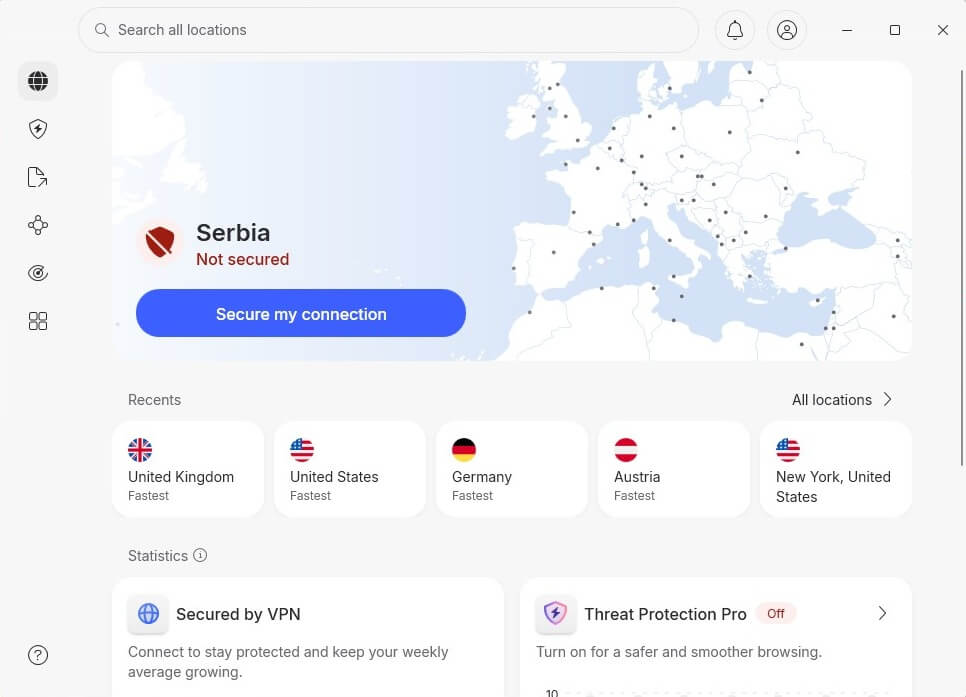
Once you subscribe, download and install NordVPN on your device. Finally, open the app and log in with your credentials (email and password). The trick works the same, no matter the device. While I used my Windows PC here, you can get YouTube unblocked with ease on your smartphone or tablet.
Access YouTube Without Restrictions
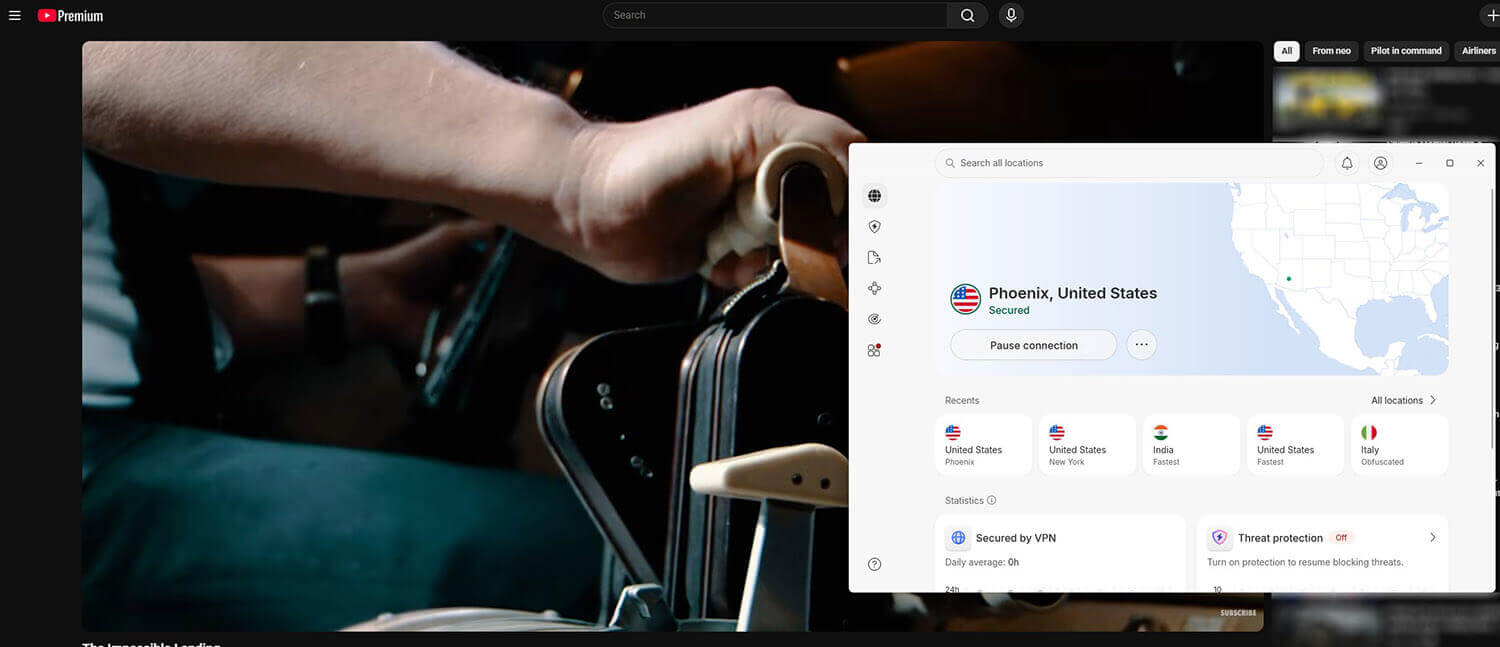
Now, for the simplest step. Click the server location you want and enjoy unblocked YouTube videos anywhere. The server location you’ll choose depends on the video you want to watch and its accessibility. Say it’s available in the USA. Choose that country in the VPN and refresh YouTube. If you’re in China, use an obfuscated server abroad to unblock everything.
Other Ways to Unblock YouTube Videos
The restrictions on YouTube can be just as strict as those on other streaming platforms. Understanding the available solutions can help you choose the right approach and proceed with unblocking content easily.
Use a Proxy Server
A proxy server acts as an intermediary between you and YouTube. By connecting through a proxy, you mask your location to access blocked videos or bypass network restrictions. Unlike a VPN, a proxy only reroutes specific website traffic, making it a quick and lightweight solution.
Try Browser Extensions
Certain browser extensions are designed to unblock YouTube videos. They reroute browser traffic through different locations, allowing you to access restricted content directly from your web browser. Many extensions are easy to install and don’t require extra configuration, making them convenient.
Use Smart DNS Services
Smart DNS services reroute your DNS requests through servers in allowed regions. This tricks YouTube into thinking you’re elsewhere, granting access to region-locked videos without changing your IP. Since it doesn’t affect the entire internet traffic, Smart DNS is a faster way to bypass regional restrictions.
Use a Mobile Hotspot
Connecting through a mobile hotspot lets you bypass restrictions set by Wi-Fi networks at schools, workplaces, or public places. By using your mobile data, you can access YouTube without network-imposed blocks. This is useful when public or shared networks have firewalls that prevent streaming.
Best VPN for YouTube Unblocking
Let’s make it clear: You need a fast VPN for smooth streaming in all resolutions, the ability to work in censored countries, and compatibility with all devices. I tested 15 VPNs on YouTube, but these 3 stood out in 2026:
1. NordVPN: Best VPN to Unblock YouTube Overall
Pros
- Obfuscated servers
- Fast for 4K streaming
- Unlimited data
- NordWhisper protocol dodges network filtering
- Compatible with all devices
- No-logging policy
Cons
- Not beginner-friendly
- Higher prices
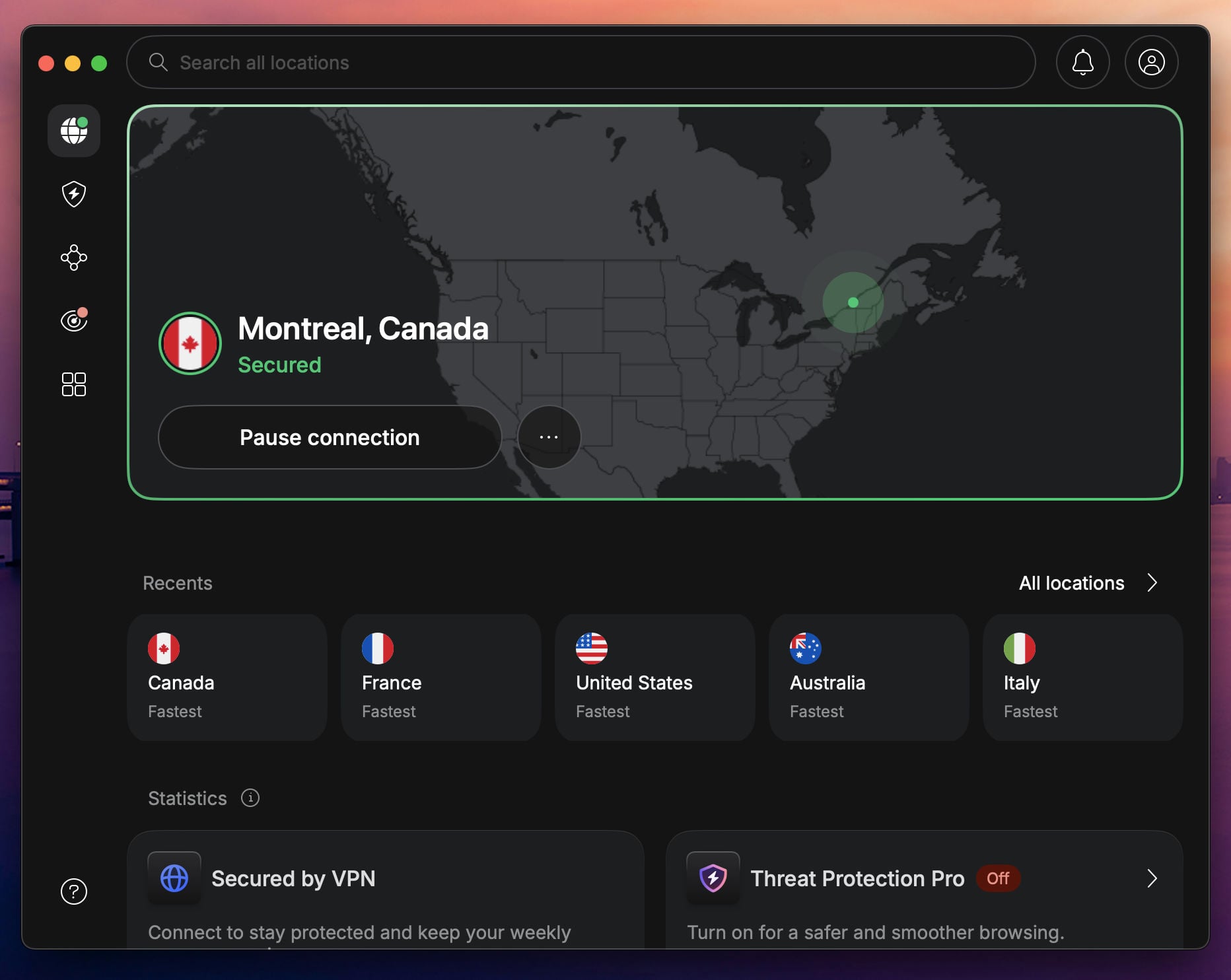
NordVPN is a top choice for unblocking YouTube videos, offering speed, reliability, and features that directly address restrictions. We also consider it the best VPN for YouTube TV. With a global network of 9,400+ servers in 137 countries, it gives you plenty of options to bypass geo-restrictions and network blocks, whether you’re dealing with country-level censorship or local restrictions at school or work.
For smooth YouTube streaming, NordVPN uses NordLynx, based on WireGuard. It provides fast connections that let you watch videos in the highest resolution without buffering. If your ISP is throttling speeds or blocking access, connecting to NordVPN’s obfuscated servers helps reduce detection and maintain uninterrupted access. The NordWhisper protocol adds to this by mimicking regular web traffic, making it difficult for network filters to detect VPNs.
All NordVPN servers are streaming-optimized and come with built-in SmartPlay. Unlike other VPNs, this SmartDNS-based feature is paired with VPN encryption, offering instant and secure streaming. NordVPN supports up to 10 devices simultaneously, allowing you to unblock YouTube on your platform. If your device doesn’t support VPN apps, you can connect through a router to cover all devices.
With long-term plans starting at $3.49 per month and backed by a 30-day money-back guarantee, NordVPN offers excellent value. Mobile users can enjoy a 3-day free trial, making it easy to test it and watch YouTube without restrictions.
2. ExpressVPN: Fast VPN for YouTube Streaming

Pros
- One-click, simple apps
- Large server network
- Lightway protocol is fast
- SmartDNS service
- Supports even routers
Cons
- Light on features
- Higher price on renewal
ExpressVPN stands out as the easiest VPN to use for those who want to quickly get YouTube unblocked without dealing with complicated settings. Its intuitive UI and preconfigured apps let you bypass YouTube blocks with a few clicks. ExpressVPN’s Lightway protocol provides secure and stable connections, so you can stream YouTube in HD without buffering. ExpressVPN has 3,000+ servers in 105 countries.
It gives you plenty of options to change your location, helping you bypass local restrictions and country-level censorship. Plus, all servers are streaming-optimized, offering smooth YouTube playback regardless of where you’re connecting from. For devices that don’t support VPN apps, ExpressVPN offers MediaStreamer, a SmartDNS feature that lets you access YouTube without a full VPN connection.
It’s perfect for smart TVs, gaming consoles, and other streaming devices. ExpressVPN also offers one of the best VPN apps for Android, Windows, and Linux devices. With support for up to 14 devices simultaneously, you can watch YouTube on various devices, including those that don’t support VPN through the router support. ExpressVPN remains on the cheaper side, with $2.49 per month.
It’s backed by a 30-day money-back guarantee and a 3-day free trial for iOS and Android, making it a risk-free way to unblock YouTube easily and reliably.
3. Private Internet Access: Cheapest VPN for YouTube Access
Pros
- Unlimited devices
- Very customizable
- Privacy-friendly VPN
- Shadowsocks obfuscation
Cons
- Inconsistent speeds
- Confusing UI
Private Internet Access is a solid choice to get YouTube unblocked, especially for users with multiple devices. With unlimited device connections and router support, you can stream YouTube on any platform, even the ones that don’t support VPN. PIA operates a network of servers in 91 countries, plenty bypass YouTube restrictions during regional content blocks or school and workplace/firewall restrictions.
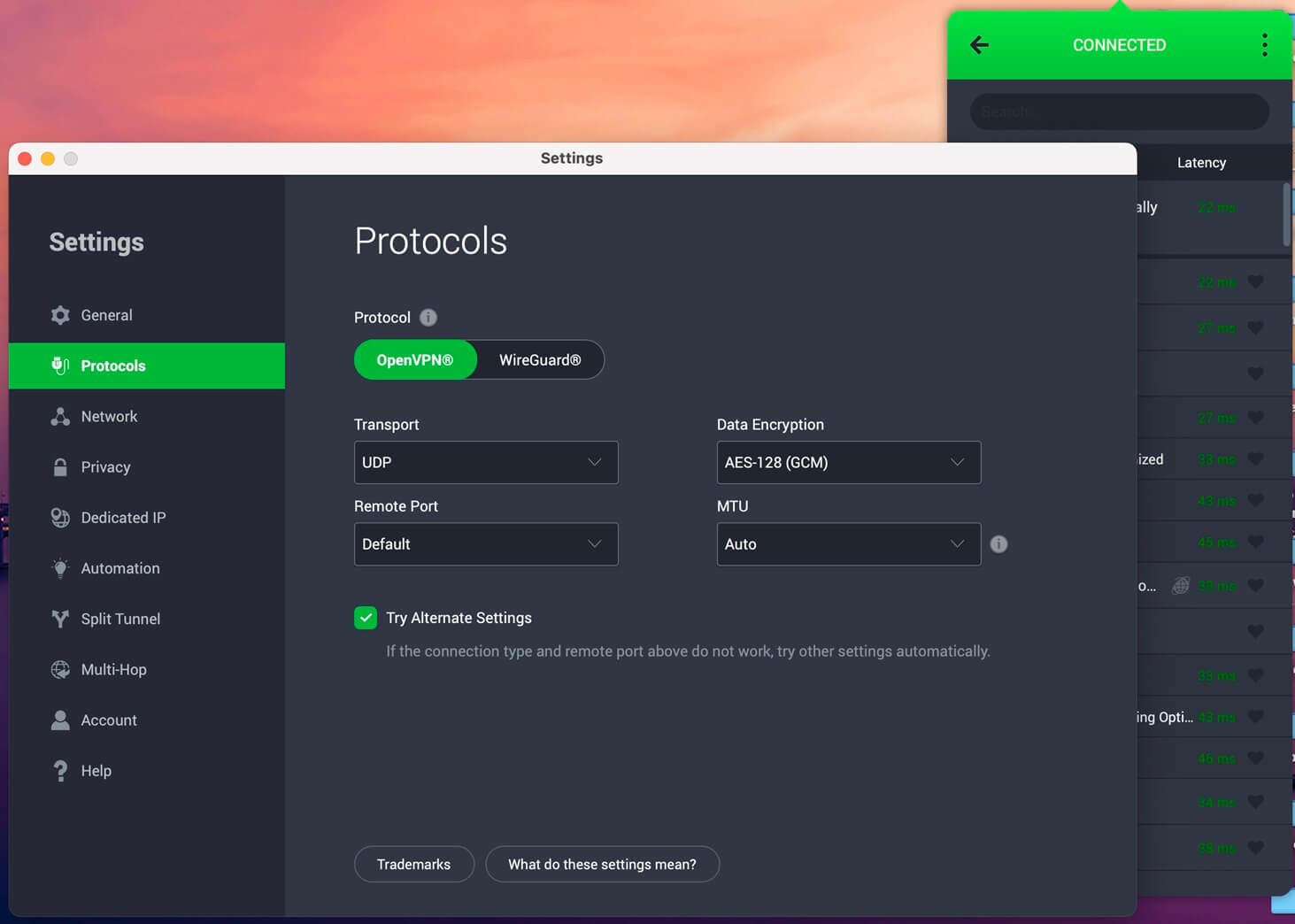
While only a few countries have dedicated streaming servers, they offer the streaming experience in Full HD without buffering or slowdowns. The best part about PIA is the customizable encryption. You can choose between AES-128 and AES-256 for speed and security. Beyond PIA’s strict no-logs policy (audited by Deloitte in 2025), it also has open-source apps for transparency and peace of mind, especially for privacy-focused users.
To tackle ISP throttling and detection, PIA offers Shadowsocks obfuscation that help make VPN usage invisible. PIA supports all major operating systems, and for devices that don’t work with VPN apps or don’t have a VPN-supported router, it provides SmartDNS support for easy streaming access. With long-term plans starting at $2 per month and a 30-day money-back guarantee, PIA gets YouTube unblocked without a fuss or spending a fortune.
Try Private Internet Access Now
Is Unblocking YouTube Safe and Legal?
Unblocking YouTube is generally safe when using reputable methods like a VPN, proxy, or SmartDNS. VPNs offer added security by encrypting your data, making it difficult for anyone to monitor your online activity. Legality depends on your location. In most countries, using a VPN to access blocked content is legal.
However, in regions with strict internet regulations, such as China, North Korea, or Iran, bypassing censorship can violate local laws. Additionally, while it’s not illegal to bypass a network firewall set up by your school or workplace, you could face disciplinary action for doing so. It’s always wise to understand the rules in your area before proceeding.
Conclusion: How to Unblock YouTube Videos
Running into YouTube blocks can be frustrating. Fortunately, tools like VPNs, proxies, and SmartDNS services can help you regain access. Choose a solution that best fits your needs. Quick fixes may work occasionally, but often fail when you need them the most. If you need a dependable long-term fix, NordVPN stands out. It offers a vast network of servers, including dedicated obfuscated servers to bypass strict network blocks and ISP throttling.
Unblock YouTube Videos with NordVPN
Frequently Asked Questions
🎁 Can a free VPN get YouTube unblocked?
Yes, it can, but generally, free VPNs lack the speed and unlimited data/bandwidth of paid VPNs, so they're not recommended. If you need a free VPN for YouTube, use Proton VPN or Hide.me, both with unlimited data. Avoid TunnelBear due to its strict 2 GB/mo data cap.
🌐 Should I use a proxy to unblock YouTube?
Yes, but only as a means to an end. Some proxies can't get YouTube unblocked at all. Others may work, but not be fast and secure, especially compared to VPNs. Paid proxies work better, but they're expensive.
🔴 Does a VPN impact streaming quality on YouTube?
Yes, it does, and a slow VPN can definitely reduce the quality. Use a fast and reliable VPN like NordVPN or ExpressVPN, and you'll have no issues. You may also bypass ISP throttling and increase video quality without excessive buffering.