Two relaxed matches, then a lobby where every opponent runs the same loadout, nobody misses, and you can’t hold a streak to save your life. That loop is why Call of Duty players go looking for a VPN every year, and Modern Warfare 4 won’t be any different when it launches on Friday, October 23, on PC, PS5, Xbox Series X|S, and Nintendo Switch 2.
Activision still hasn’t said which matchmaking MW4 will use on day one, either. The beta ran Infinity Ward’s new classic system, modeled on Black Ops and Black Ops 2, right next to Open Matchmaking playlists where skill barely counts, so the launch setup is still anyone’s guess.
For MW4 players, a VPN does two useful things. The first is moving you into another region’s player pool, which is how players try to get around SBMM, as long as the server is physically in that region; the second is hiding your IP address from other players and from your internet provider, which blocks DDoS attacks on your home connection and stops gaming traffic from being throttled. The price is ping, and in my gaming VPN tests it came to 15 to 25 ms on a nearby server.
So which is the best VPN for MW4, and which ones can actually change a lobby? NordVPN, Proton VPN, ExpressVPN, Surfshark, and Private Internet Access all list the usual bot lobby countries, but when I tested Call of Duty lobby countries, only their Nigeria and South Africa servers were physically there, and NordVPN and Surfshark are the only two with both.
Top Modern Warfare 4 VPNs for 2026
- NordVPN: Best Overall MW4 VPN. Physical servers in Lagos and Johannesburg, and the lowest ping I measured to distant game servers.
- Proton VPN: Best for Honest Location Labels. Its Smart routing badge marked every virtual location correctly.
- ExpressVPN: Best for Low In-Game Ping. It recorded 57 ms on my London CS2 server, the lowest of the field.
- Surfshark: Best for Several Consoles. No device limit, with servers in Nigeria and South Africa.
- Private Internet Access: Best for Port Forwarding. Available on its Canadian and European servers.
Does a VPN Help With SBMM in Modern Warfare 4?
Sometimes, and less than most players hope. Activision’s matchmaking paper for Call of Duty multiplayer names connection quality as the most heavily weighted factor, measured as ping to each data center, and MW4’s classic system reportedly builds lobbies from skill, ping, region, party size, time of day, and playlist population. There’s no setting in MW4 to turn any of that off.
The move most bot lobby guides recommend is to open the VPN app, tap Egypt or Kenya, and queue, so I did exactly that on all five VPNs. The apps said Egypt, while Cloudflare’s trace page said Marseille, Bucharest, or Frankfurt. A VPN sends game traffic through its own server, which means MW4 measures your ping from that server’s city: a virtual Egypt location on a Marseille server makes you a player in Marseille, whatever flag the app shows.
The other theory is timing. Join a region during its off-peak hours, early in the morning or late at night there, and the matchmaker has fewer players to work with, so it has to accept a wider spread of skill. Nobody has proved that works in MW4 yet, though, and Infinity Ward can change its matchmaking at any point after launch.
Open playlists change the picture too, because skill is already a minor factor there and a VPN mostly adds ping. Infinity Ward has said MW4’s matchmaking won’t go back to what it was before Black Ops 7, which suggests those playlists will stick around in some form, so if they’re in the MW4 menu at launch, queue them before you pay for anything.
Modern Warfare 4 VPNs Compared
MW4 isn’t out until Friday, so I couldn’t ping its servers yet, and picking the best VPN for MW4 comes down to my Call of Duty lobby tests and my CS2 ping tests, all run from the same Windows 11 PC in Europe over Ethernet, which read 42 ms on the London CS2 server with no VPN.
| VPN | Physical servers in lobby countries | Johannesburg ping | CS2 ping (London) | Device limit |
|---|---|---|---|---|
| NordVPN | Nigeria, South Africa | 210 ms | 58 ms | 10 |
| Proton VPN | Nigeria | No local server | 62 ms | 10 |
| ExpressVPN | South Africa | 221 ms | 57 ms | 10 (Basic plan) |
| Surfshark | Nigeria, South Africa | 222 ms | 67 ms | Unlimited |
| Private Internet Access | South Africa | 223 ms | 66 ms | Unlimited |
Ping on a quiet connection is only half the story. As soon as someone at home starts streaming or a game patch kicks in, every VPN I tested roughly doubled its ping, which is worth keeping in mind on MW4’s launch weekend, when the day-one patch lands on every console in the house.
Best VPNs for Call of Duty: Modern Warfare 4
1. NordVPN: Best Overall for MW4
Pros
- Lagos and Johannesburg servers
- Lowest ping to distant servers
- Meshnet for LAN play
- Router support for consoles
- Dedicated IP option
Cons
- No virtual labels in the app
- High renewal price
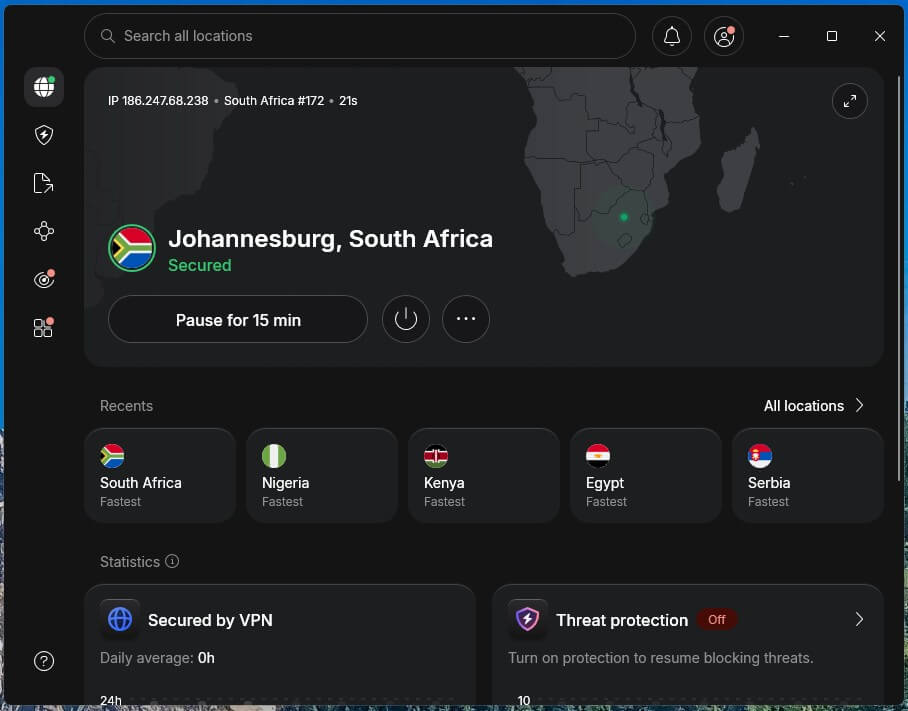
NordVPN is the best VPN for MW4 lobby hopping, and the one I’d install: it has physical servers in both Lagos and Johannesburg, which Cloudflare’s trace page and my ping checks confirmed, and the best ping of the two VPNs that do. Johannesburg measured 210 ms, the lowest I recorded there, while Lagos came in at 146 ms with a 173.07 Mbps download. NordVPN also took the American CS2 server at 262 ms and Japan at 215 ms, the best of the field, so it holds up when your MW4 lobby is a long way off.
It isn’t perfect, though. The Kenya location turned out to be a Frankfurt server, and nothing in the app tells you so. On my Windows PC, NordVPN also sometimes refused to connect while another VPN was installed (uninstall any old free trial first), and restarting the app signed me out, which is the last thing you want while your party waits in the MW4 lobby. On the speed side, West Coast Labs’ October 2025 test had NordVPN averaging 817 Mbps, the fastest of five providers. The Basic plan costs $3.49 a month with a 30-day refund before it renews at $139.08 a year, and our NordVPN review covers the rest.
2. Proton VPN: Best for Clearly Marked Locations
Pros
- Smart routing badge on virtual locations
- Physical Lagos server
- No captcha at Battle.net sign-in
- Port forwarding on P2P servers
Cons
- Virtual Johannesburg location
- No Smart DNS for consoles
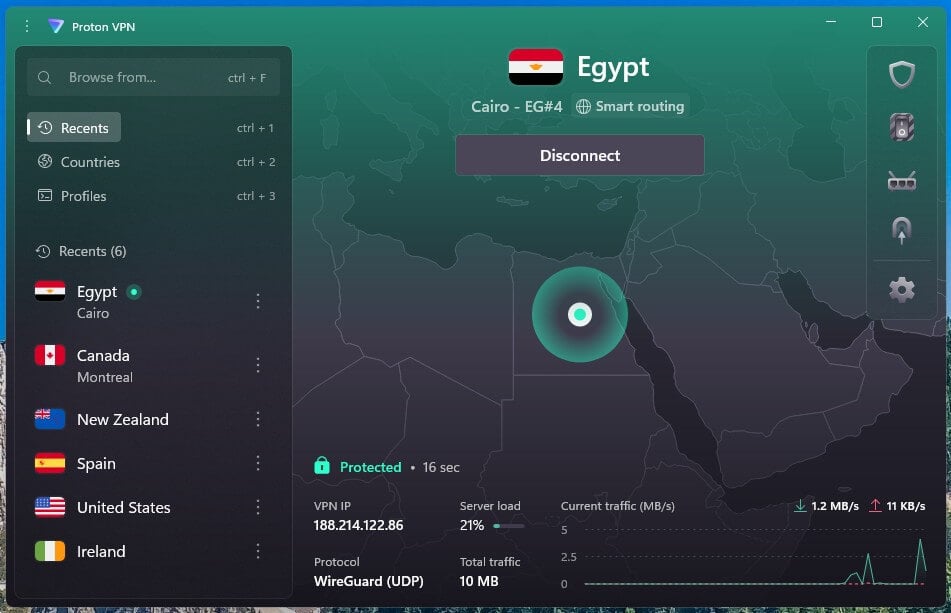
Proton VPN labels its virtual locations right in the app, and the labels held up: every Smart routing badge matched a server outside the country, with Cairo in Bucharest, Nairobi in London, Johannesburg in Marseille, and Phnom Penh in Singapore. If you don’t want to run Cloudflare checks before every MW4 session, that badge does the job for you. Lagos carries no badge, and it’s physically in Nigeria, at 147 ms and 142.62 Mbps.
Battle.net never asked me for a captcha on Proton, which I can’t say for every VPN here. South African lobbies are out of reach, though, so MW4 players aiming there should look at NordVPN, ExpressVPN, Surfshark, or PIA instead. In CS2, Proton came fourth at 62 ms on the London server and second to Japan at 218 ms, and two years of VPN Plus average under $3 a month. Our review covers Proton VPN’s audits and Secure Core.
3. ExpressVPN: Best for Low In-Game Ping
Pros
- Lowest CS2 ping measured
- Best ping under load
- Physical Johannesburg server
- Connects in one to two seconds
Cons
- Virtual Nigeria location
- No port forwarding
ExpressVPN is the pick if you mostly play on MW4’s nearby servers and hate losing milliseconds. It recorded 57 ms on the London CS2 server, 15 ms over my unprotected baseline and the lowest of the six I tested, and with the connection saturated it held 69 ms down and 75 ms up, also the best figures. It connected in one to two seconds with the protocol on Automatic, which is quick enough to switch servers between MW4 matches without your party noticing.
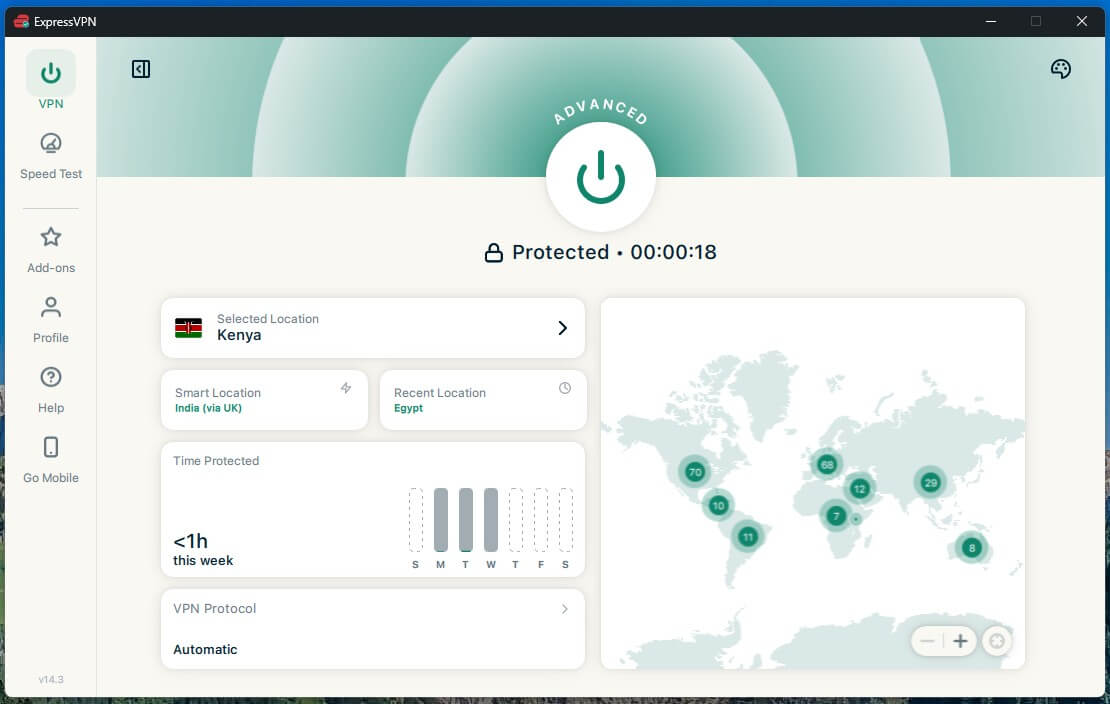
Its South Africa location is a real Johannesburg server, at 221 ms and 126.21 Mbps. Nigeria is another story: it used a server outside the country with a Spanish IP address, and ExpressVPN’s website marks it with the globe icon it uses for virtual locations. The first 28 months of the Basic plan cost about $84, current ExpressVPN discounts can lower that, and our ExpressVPN review goes into Lightway.
4. Surfshark: Best for Homes With Several Consoles
Pros
- Servers in Nigeria and South Africa
- No device limit
- Accurate “(Virtual)” tags
- Low starting price
Cons
- Highest CS2 ping measured
- Slow to connect
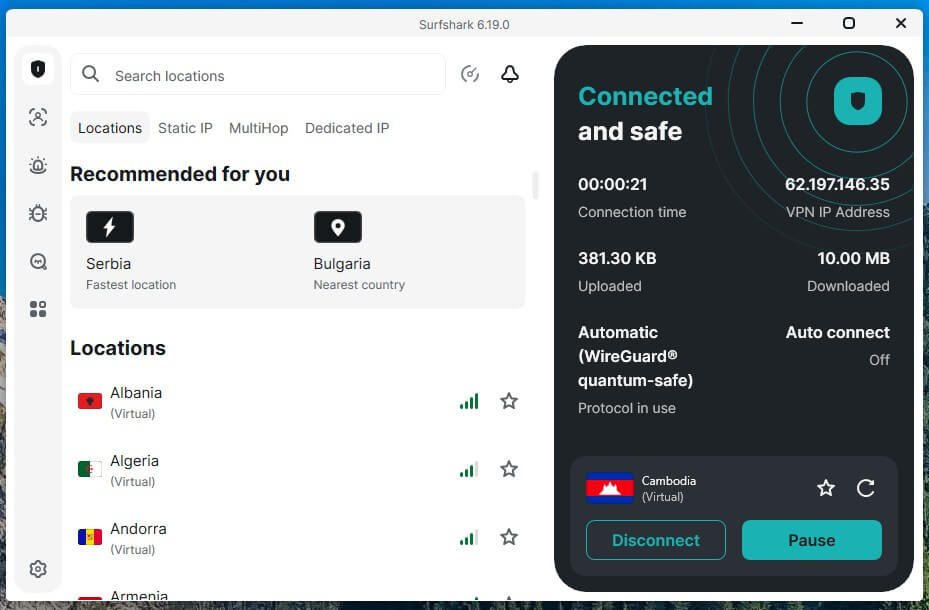
MW4 runs on four platforms, and plenty of homes will have it on more than one. Surfshark puts no cap on devices, so a gaming PC, a VPN router for the PS5 or Switch 2, and a phone all fit on one subscription. Its tags matched my checks, too: Egypt and Cambodia show “(Virtual)”, while Nigeria and South Africa show a city, with Lagos at 147 ms and Johannesburg at 222 ms.
Ping is the trade-off. Surfshark posted the highest CS2 figures I saw, 67 ms in London and 285 ms on the American server, and connections took 4 to 5 seconds (10 through MultiHop), long enough to notice when you’re hopping regions between MW4 matches. The Starter plan is about $2.50 a month over 27 months, and Surfshark’s full review covers the One bundles.
5. Private Internet Access: Best for Port Forwarding on PC
Pros
- Port forwarding on European servers
- Physical Johannesburg server
- Icon marks locations based abroad
- Lowest price here
Cons
- Weak on distant servers
- Delay before WireGuard traffic flows
PC players stuck on a Moderate or Strict NAT type in MW4 should look here. PIA includes port forwarding, which can move Call of Duty’s NAT type toward Open, but only on its Canadian and European servers, since US servers don’t support it. In South Africa, PIA uses a physical Johannesburg server, which measured 223 ms.
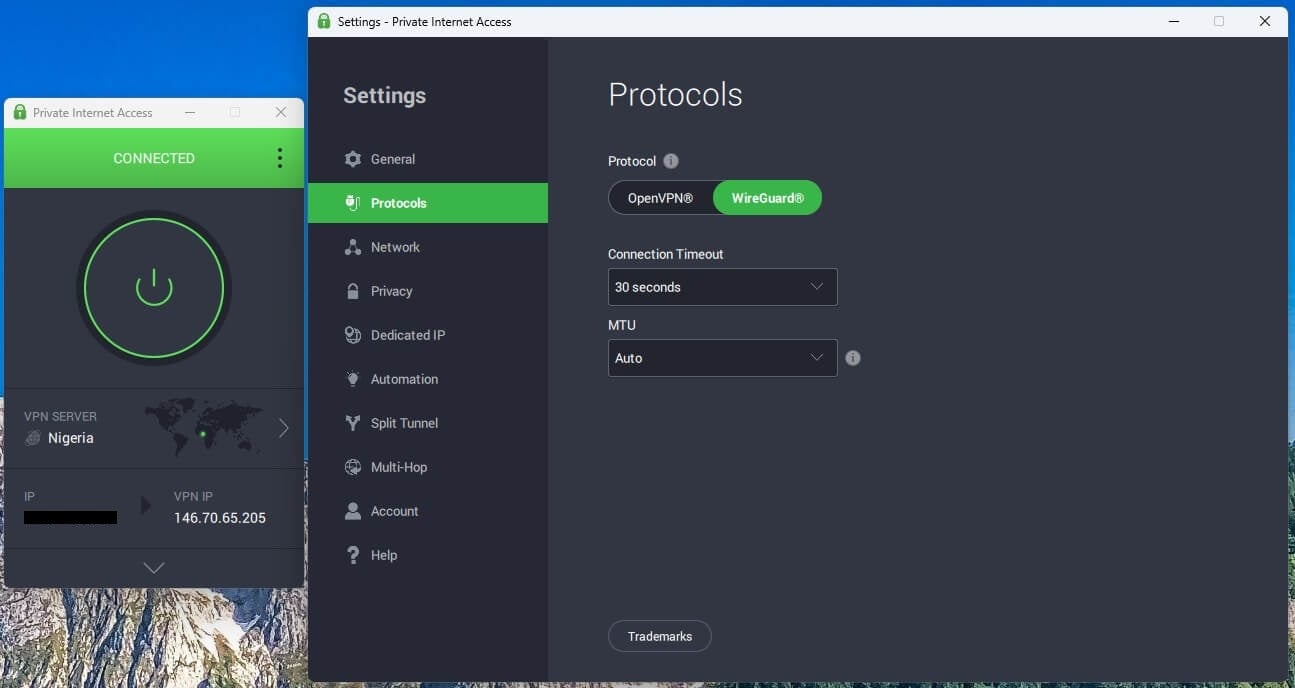
One thing surprised me: on WireGuard, the app showed connected, then traffic took about 2.3 seconds longer to start moving, which is odd for a protocol built for speed. There’s no Automatic protocol setting either, and distance hurt PIA in CS2, with 284 ms on the American server, the worst result I logged. PIA costs under $2 a month on its two-year plan, and the rest of my PIA testing covers its kill switch.
Best VPN Locations for Modern Warfare 4
Picking the best VPN for MW4 is only half the job, because the server you connect to matters just as much. Nigeria and South Africa are the only lobby countries where I found physical servers. Egypt, Kenya, and Cambodia locations put you in European or Asian MW4 lobbies instead, so they won’t change who you play against.
Be honest with yourself about ping, though. From Europe, Johannesburg costs over 200 ms, and in a shooter that means dying behind walls and losing trades you thought you’d won, while Lagos, at 146-147 ms, is more playable. To check a server, connect and open cloudflare.com/cdn-cgi/trace: the loc line should read NG or ZA, and a colo line reading JNB means Johannesburg. Our guides to South African servers and Nigerian servers go into more depth.
How to Use a VPN for Modern Warfare 4 on PC
Install the VPN, connect to a physical Lagos or Johannesburg server, and check the Cloudflare trace page. Then add Battle.net or Steam, plus the Call of Duty game file, to the VPN’s split tunneling list so Discord, your browser, and everything else keep your normal connection; that split worked on every VPN I tried. In MW4, turn on the ping readout in the telemetry settings and play a few matches before you judge a region, because one lobby tells you nothing.
PS5, Xbox Series X|S, and Switch 2 Setup
None of the three consoles runs VPN apps, so the VPN has to go on a VPN router, which covers every device at home, or on a Windows PC that shares its connection over Ethernet or its mobile hotspot. Smart DNS won’t change your MW4 lobby, since it only changes DNS lookups and game traffic stays on your normal connection. I haven’t tested Call of Duty on a console myself, but our PlayStation VPN setup and Xbox rankings have the console steps.
Free VPNs for Modern Warfare 4
Proton VPN’s free plan picks one of ten countries for you, and none of them is in Africa, so it can’t target an MW4 lobby. Windscribe and PrivadoVPN let free users choose from short lists, but data is capped at 10 GB a month or less, and MW4’s launch patches alone can eat into that. Our free gaming VPN guide compares the plans.
Can You Get Banned for Using a VPN in Modern Warfare 4?
Activision’s Security and Enforcement Policy doesn’t mention VPNs, but it does ban spoofing, described as hiding or disguising a player’s identity or their device’s identity. One listed penalty is limited matchmaking, which pairs a restricted account only with other restricted accounts. Obfuscated servers don’t get around that: they hide VPN traffic from your local network, but Activision still sees an IP address from a data center.
No server blocked my Battle.net sign-in, though three made me solve a captcha first: NordVPN’s Kenya server and the Cambodia servers of ExpressVPN and PIA. Activision hasn’t published how it treats VPN connections, so a working sign-in tells you nothing about how your MW4 account will be treated later.
Verdict
NordVPN is the best VPN for Modern Warfare 4: it has physical servers in both Lagos and Johannesburg, and it kept the lowest ping on distant game servers. ExpressVPN is better if you mostly play on nearby servers and want the smallest ping cost, while Surfshark suits homes with MW4 on several consoles. And if Open playlists are in the MW4 menu at launch, try those before paying 200 ms to play in Johannesburg.
Try NordVPN Risk-Free for 30 Days
Frequently Asked Questions
What is the best VPN for Modern Warfare 4?
NordVPN, with physical servers in Lagos and Johannesburg and the lowest ping I measured to distant game servers, while ExpressVPN had the lowest ping on nearby servers.
Does Modern Warfare 4 have SBMM?
Yes, in some form: the beta tested a classic system based on Black Ops and Black Ops 2 alongside Open Matchmaking playlists with minimal skill weighting, and Activision hasn’t confirmed the launch setup yet.
Can a VPN get you easier lobbies in MW4?
Only through a server physically in another region, since matchmaking weighs ping heavily. Virtual locations connect from a server somewhere else, so the game treats you as a player in that city.
How do you get bot lobbies in MW4?
No VPN location reliably gives bot lobbies, since Egypt, Kenya, and Cambodia locations ran from servers in Europe or Asia on every VPN I tested. Open playlists are the closest thing to easier matchmaking.
Can you use a VPN for MW4 on PS5, Xbox, or Switch 2?
Yes, through a VPN router or a Windows PC sharing its connection, since none of those consoles supports VPN apps. Smart DNS won’t help, because it doesn’t change matchmaking.