Egypt, Kenya, and Cambodia are popular Warzone bot lobby countries. None of them had a physical server on NordVPN, Proton VPN, ExpressVPN, Surfshark, or Private Internet Access in our October tests. Their locations used servers in Marseille, Bucharest, Frankfurt, London, Singapore, and Hong Kong. Call of Duty’s matchmaking puts the most weight on ping.
So, a Kenyan IP address on a Frankfurt server still connects to the game from Frankfurt. Physical servers appeared only in Nigeria and South Africa, measuring 146-147 ms in Lagos and 210-223 ms in Johannesburg from our Windows 11 test PC in Europe. Battle.net sign-in worked on every server, though three required a captcha.
Top Warzone VPNs for 2026
- NordVPN: Best Overall Warzone VPN. Nigeria and South Africa can change your lobby on NordVPN, and Johannesburg measured 210 ms from our test PC.
- Proton VPN: Best for Clear Location Labels. The app marks every location that can’t change your lobby, and its Nigeria location can.
- ExpressVPN: Best for Quick Setup. It chooses the protocol for you, and its South Africa server is in Johannesburg.
- Surfshark: Best for Multi-Device Setups. No device limit, and it matches NordVPN with Nigeria and South Africa.
- Private Internet Access: Best for Port Forwarding. Supported on its Canadian and European servers.
Does a VPN Still Lead to Easier Warzone Lobbies?
Only through a server that’s physically in the country. Activision’s matchmaking paper for Call of Duty multiplayer names connection quality as the most heavily weighted factor, measured as ping to each data center. Activision hasn’t said whether Warzone uses the same weighting. A VPN sends game traffic through its own server, so a virtual Egypt location on a Marseille server looks like a player in Marseille.
Spoofing your location works on streaming services, which check the country of the IP address. Warzone’s matchmaking checks ping, which follows the VPN server’s physical location. Skill plays a smaller part than it used to. Raven Software moved unranked Warzone to open matchmaking when Black Ops 7 Season 1 began in December 2025, while Ranked Play still matches players by Skill Rating. For AI bots, Warzone has its playlists.
Battle Royale Casual and Resurgence Casual mix human players with bots and require no VPN. Activision rotates them in and out of the playlist, so check the menu before queuing. Black Ops 7 multiplayer has a separate bot lobby VPN guide.
Warzone VPNs Compared
Ping figures come from our test PC, which measured 10 ms with no VPN. Our gaming VPN rankings add UK, US, and Japanese ping.
| VPN | Countries that can change your lobby | Johannesburg ping | Port forwarding | Device limit |
|---|---|---|---|---|
| NordVPN | Nigeria, South Africa | 210 ms | No | 10 |
| Proton VPN | Nigeria | No local server | Yes (P2P servers) | 10 |
| ExpressVPN | South Africa | 221 ms | No | 10 (Basic plan) |
| Surfshark | Nigeria, South Africa | 222 ms | No | Unlimited |
| Private Internet Access | South Africa | 223 ms | Yes (not on US servers) | Unlimited |
Best VPNs for Call of Duty: Warzone
1. NordVPN: Best Overall for Warzone Lobbies
Pros
- Lagos and Johannesburg servers
- Low Johannesburg ping
- Split tunneling by app
- Router support for consoles
- Dedicated IP option
Cons
- No virtual labels in the app
- No port forwarding
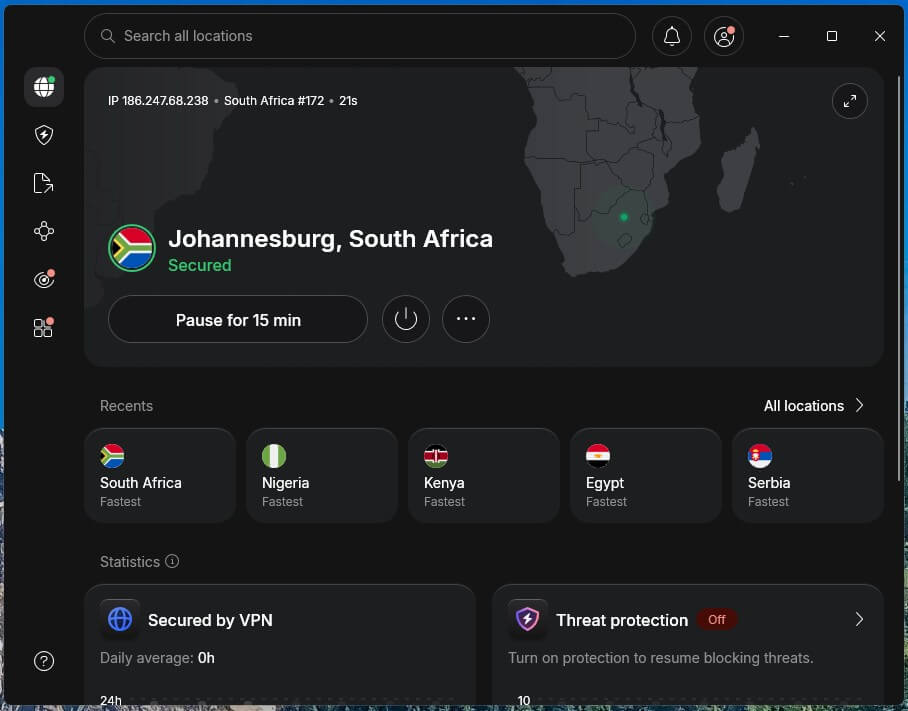
Cloudflare’s trace page and our ping checks put NordVPN’s Nigeria and South Africa servers in Lagos and Johannesburg. Johannesburg measured 210 ms from our test PC, the lowest Johannesburg ping we recorded, with a 150.56 Mbps download. Lagos came in at 146 ms and 173.07 Mbps. The Kenya location turned out to be a Frankfurt server.
On our Windows 11 PC, NordVPN sometimes wouldn’t connect while another VPN was installed, and restarting the app signed us out. The Basic plan is under $3.50 a month when paid for 27 months up front. Its speeds in other countries are in our fastest VPN rankings, and everything else NordVPN offers is in our review.
2. Proton VPN: Best for Clearly Marked Locations
Pros
- Smart routing badge on virtual locations
- Physical Lagos server
- No captcha at Battle.net sign-in
- NetShield ad and malware blocker
- Port forwarding on P2P servers
Cons
- Virtual Johannesburg location
- No Smart DNS for consoles
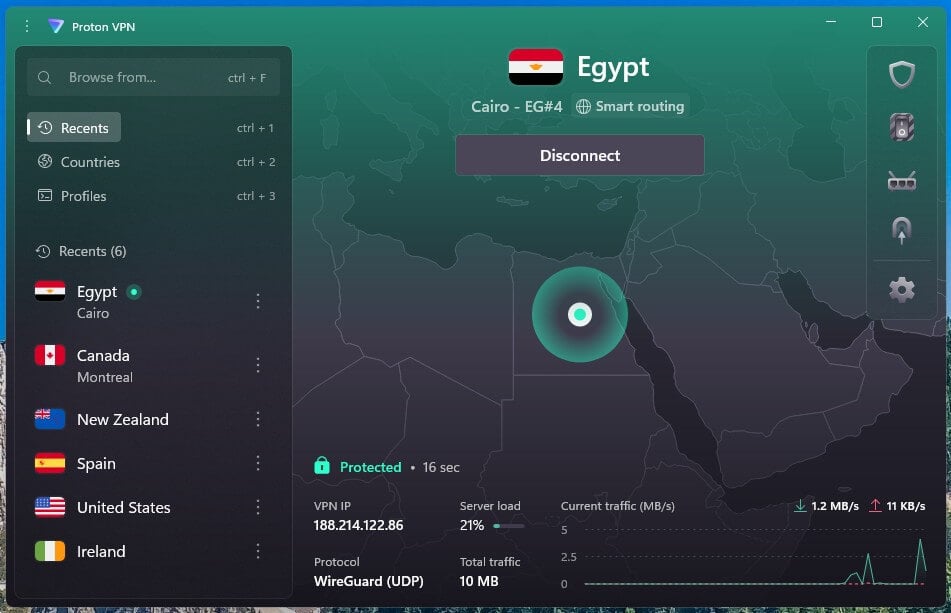
Proton VPN’s labels were accurate: every Smart routing badge matched a server outside the country. Cairo was in Bucharest, Nairobi in London, Johannesburg in Marseille, and Phnom Penh in Singapore. Lagos has no badge and is physically in Nigeria, at 147 ms and 142.62 Mbps.
Players aiming for South African lobbies should look at NordVPN, ExpressVPN, Surfshark, or PIA instead. Two years of the VPN Plus plan average under $3 a month. Our review covers Proton VPN’s audits and Secure Core.
3. ExpressVPN: Best for Plug-and-Play Gaming
Pros
- Physical Johannesburg server
- Automatic protocol selection
- Quick connections on Windows
- Aircove router with the VPN built in
- Virtual locations marked on its website
Cons
- Virtual Nigeria location
- Few advanced settings
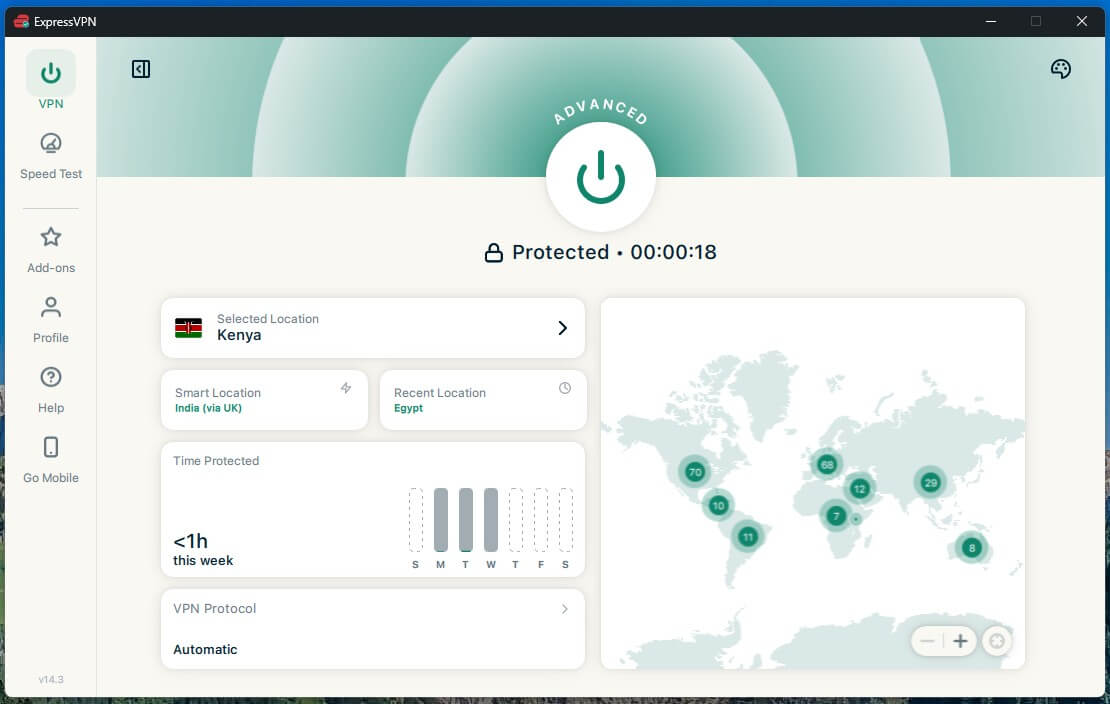
ExpressVPN connected in one to two seconds on our Windows PC, with the protocol left on Automatic. Its South Africa location is a Johannesburg server, and it recorded 221 ms and 126.21 Mbps. Nigeria was different: that location used a server outside Nigeria with a Spanish IP address. ExpressVPN’s website server list marks it with the globe icon it uses for virtual locations.
Players who set ports and protocols by hand will find little to adjust. ExpressVPN charges about $84 for the first 28 months of its Basic plan, and current ExpressVPN discounts can lower that. Our ExpressVPN review covers Lightway in more detail.
4. Surfshark: Best for Homes With Several Gamers
Pros
- Servers in Nigeria and South Africa
- No device limit
- Dedicated IP option in Johannesburg
- Bypasser split tunneling
Cons
- Cambodia server in Hong Kong
- No Kenya location
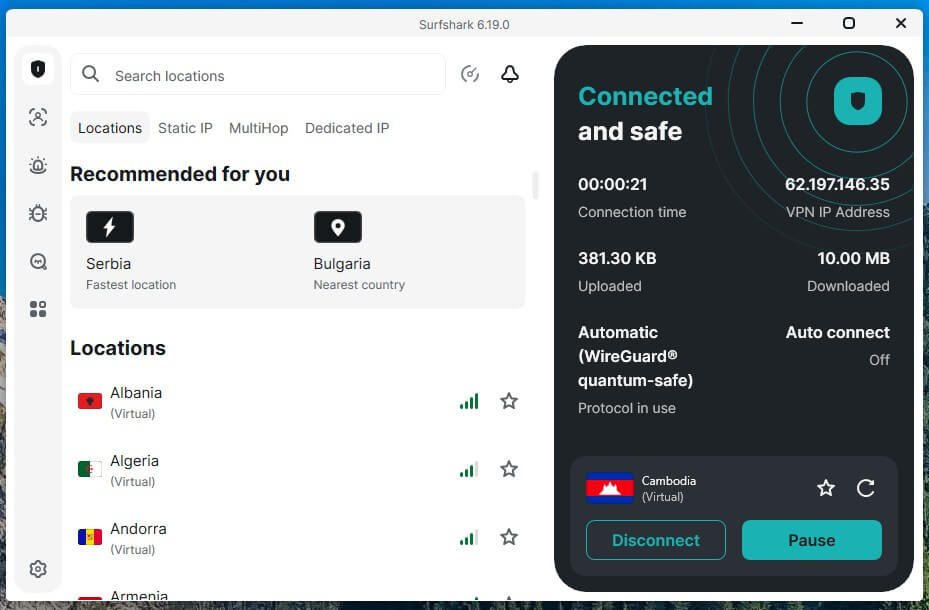
Surfshark’s tags matched our checks. Egypt and Cambodia show “(Virtual)” in the app, while Nigeria and South Africa show a city. Lagos measured 147 ms and Johannesburg 222 ms, with downloads of 149.17 and 122.43 Mbps. Cambodia measured 262 ms, the highest Cambodia ping we recorded, from a server Cloudflare placed in Hong Kong.
That makes Surfshark a poor fit for Southeast Asian lobbies. With no device limit, a gaming PC, a VPN router for the console, and a phone can share one subscription. Surfshark’s Starter plan is about $2.50 a month, paid as one 27-month term, and Surfshark’s full review covers the One bundles.
5. Private Internet Access: Best for Port Forwarding on PC
Pros
- Port forwarding on European servers
- Physical Johannesburg server
- Icon marks locations based abroad
- MACE ad and tracker blocker
- Low long-term price
Cons
- No Kenya location
- Delay before WireGuard traffic flows
- No Automatic protocol setting
Private Internet Access includes port forwarding, which can move Warzone’s NAT type toward Open on a PC. It works on PIA’s Canadian and European servers, and US servers don’t support it. In South Africa, PIA uses a physical Johannesburg server, which measured 223 ms and 125.20 Mbps. The globe icon marked Egypt, Nigeria, and Cambodia correctly as virtual.
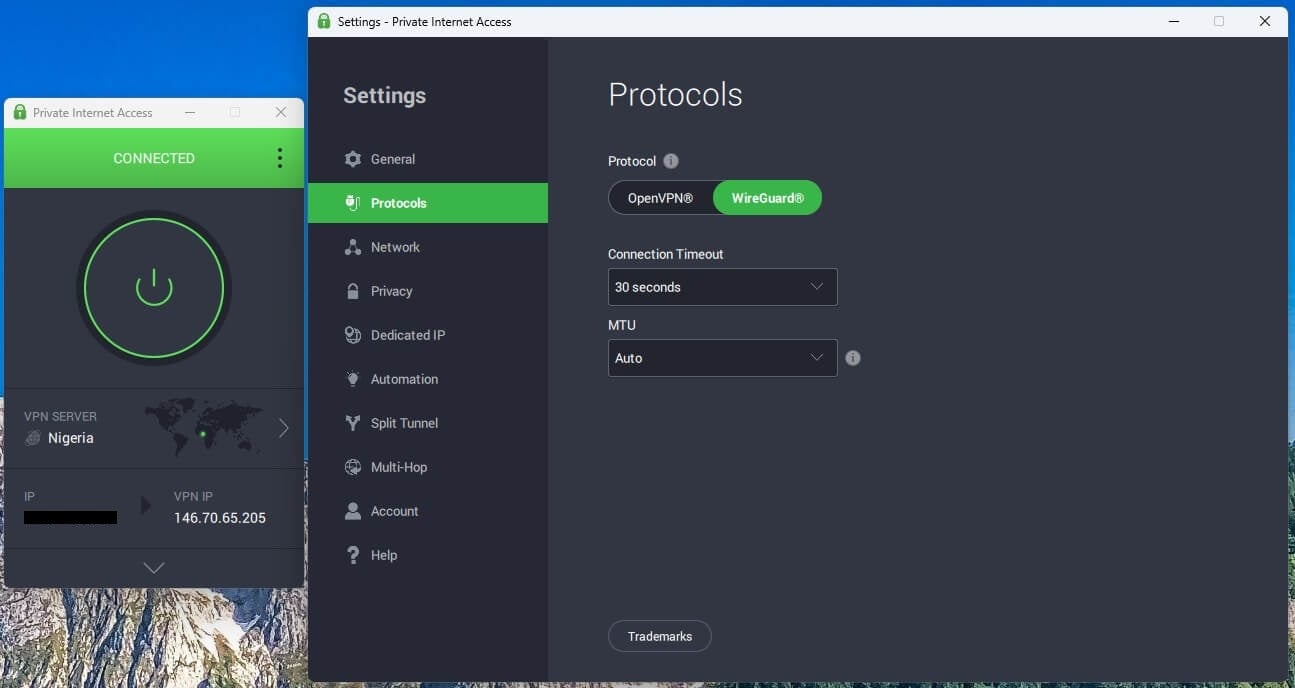
On WireGuard, PIA connected quickly, but traffic took about 2.3 seconds longer to start moving, which surprised us for a protocol built for speed. OpenVPN, the Windows app’s default, connected faster, and there’s no Automatic setting. PIA isn’t for players who want the best protocol picked automatically. PIA costs under $2 a month on its two-year plan, and the rest of our PIA testing covers its kill switch.
Best VPN Locations for Warzone
Pick Nigeria or South Africa, and check that your VPN’s server there is physical. We connected to each location and measured ping with Speedtest against a test server in the named city. Cloudflare’s trace page then listed the IP address’s country and the Cloudflare data center serving the connection. Where those disagreed, a ping to 1.1.1.1 showed whether the server was local.
| Country | Physical server on | Other VPNs use servers in | Ping to a test server there |
|---|---|---|---|
| Nigeria | NordVPN, Proton VPN, Surfshark (Lagos) | ExpressVPN, PIA: outside Nigeria, Spanish IP address | 146-147 ms |
| South Africa | NordVPN, ExpressVPN, Surfshark, PIA (Johannesburg) | Proton VPN: Marseille | 210-223 ms |
| Egypt | None | Marseille (NordVPN, Surfshark), Bucharest (Proton VPN), Frankfurt (ExpressVPN, PIA) | 82-122 ms |
| Kenya | None | Frankfurt (NordVPN, ExpressVPN), London (Proton VPN); no location on Surfshark or PIA | 163-180 ms |
| Cambodia | None | Singapore (NordVPN, Proton VPN, ExpressVPN, PIA), Hong Kong (Surfshark) | 197-262 ms |
Ping depends on the distance between the player and the server city, so these figures apply to our test PC in Europe. For a quick check on a South African server, connect and open cloudflare.com/cdn-cgi/trace: a colo line reading JNB means Johannesburg. We cover South African servers in more depth separately, along with our Nigeria rankings.
How to Use a VPN for Warzone on PC
Install the VPN and connect to a physical Lagos or Johannesburg server. Visit the Cloudflare trace page and confirm the loc line reads NG or ZA. Add Battle.net or Steam, plus the Call of Duty game file, to the VPN’s split tunneling list so the rest of the PC keeps its normal connection.
We sent Battle.net through the VPN and kept the browser outside it, and the split worked on every VPN we checked. Then launch Warzone and enable the ping readout in its telemetry settings to see each match’s ping.
PS5, Xbox, and PS4 Setup
PS5 and Xbox Series X|S don’t support VPN apps. The VPN has to be set up on a VPN router or on a Windows PC that shares its connection over Ethernet or its mobile hotspot. A router covers every device on the home network. We didn’t test Warzone on a console. Smart DNS doesn’t change a Warzone lobby.
It only changes DNS lookups, and game traffic stays on the normal connection. Console-specific steps are in our PlayStation VPN setup and Xbox rankings. Warzone left the PS4 and Xbox One stores on June 4, 2026, and existing installs stop working when Modern Warfare 4 Season 1 begins.
Free VPNs for Warzone
Proton VPN’s free plan can’t target a lobby country. It assigns one of ten countries automatically, and none of them is in Africa. Windscribe and PrivadoVPN let free users choose a location, but from short lists and with data capped at 10 GB a month or less. Our free gaming VPN guide compares those plans in more detail.
Can Activision Ban You for Using a VPN?
Activision’s Security and Enforcement Policy doesn’t name VPNs. It does list spoofing, described as hiding or disguising a player’s identity or their device’s identity. Its penalties include limited matchmaking, which pairs a restricted account with other restricted accounts. Obfuscated servers don’t change that. They hide VPN traffic from the local network, and Activision still sees an IP address belonging to a data center.
No server we tried blocked a Battle.net sign-in on NordVPN, Proton VPN, ExpressVPN, Surfshark, or PIA. Three showed a captcha first: NordVPN’s Kenya server and the Cambodia servers of ExpressVPN and PIA. Activision hasn’t published how it treats VPN connections, so a working sign-in doesn’t guarantee an account stays in good standing.
Verdict
A VPN server has to be in the country to change a Warzone lobby. NordVPN had two that were, in Lagos and Johannesburg, and no VPN beat its 210 ms ping to Johannesburg. Proton VPN had a physical server in Lagos and flagged its four virtual locations accurately. ExpressVPN, Surfshark, and PIA also had physical Johannesburg servers.
On every VPN we checked, Egypt, Kenya, and Cambodia connected from servers in Europe or Asia, and matchmaking sees ping from those cities. Players who want AI bots can queue Warzone’s Casual playlists with no VPN.
Frequently Asked Questions
What is the best VPN for Warzone?
NordVPN is the best VPN for Warzone, with Nigerian and South African servers physically in Lagos and Johannesburg. Proton VPN comes second for accurate Smart routing badges and a Lagos server in Nigeria.
What is the best VPN location for Warzone bot lobbies?
Nigeria and South Africa are the best Warzone locations, provided the VPN server is physically there. NordVPN offers both, and Proton VPN offers Lagos. Egypt, Kenya, and Cambodia locations are typically virtual.
Can you get banned for using a VPN on Warzone?
Yes, it's possible. Activision's enforcement policy bans spoofing a player's identity, though it never mentions VPNs. A VPN connection still shows Activision a data-center IP address, even with obfuscation enabled.
Does a VPN reduce lag in Warzone?
No. Game traffic passes through the VPN server first, which usually increases ping. A VPN helps only when an internet provider throttles or slows gaming traffic on its own network.
Does a VPN work for Warzone on PS4?
Yes, through a VPN-equipped router or a Windows PC acting as a hotspot. The PS4 doesn't support VPN apps. Warzone on PS4 ends once Modern Warfare 4 Season 1 starts.
Is there a free VPN for Warzone?
Yes, with limits. Proton VPN Free chooses the country automatically from a short list with no African servers. Windscribe and PrivadoVPN allow a manual location choice but limit data to 10 GB monthly.