ExpressVPN is one of the best-known VPNs, and it has long been one of the pricier ones. Its promise is simple: install it, press one button, and stop thinking about it. That’s appealing if you just want your shows to play abroad and your connection to stay private on hotel Wi-Fi, but what does the extra money actually buy?
Most of what I found matched the reputation, and one result stood out on servers far from home. A newer feature disappointed me, though. Keep reading for my full ExpressVPN review, starting with the quick verdict for those in a hurry.
ExpressVPN
ExpressVPN is the VPN I’d pick for someone who wants everything to work without touching a setting. It stays fast even on distant servers and unblocked every streaming service I tried. Power users will miss multi-hop and port forwarding, though, and the renewal price is much higher than the first term.
Pros
- Fast on distant servers
- Obfuscation by default
- Post-quantum encryption
- Simplest apps around
- Netflix and iPlayer unblocked
- Apple TV and Fire TV apps
- Long public audit history
Cons
- No multi-hop
- No port forwarding
- Weak ad blocking
ExpressVPN Review: Quick Look
| Starting price | $2.99 per month, $83.72 for 28 months (Basic) |
| Renewal | $99.95 a year on Basic, so $8.33 per month |
| Money-back guarantee | 30 days, new subscribers only |
| Protocols | Lightway UDP and TCP, Lightway Turbo, WireGuard, OpenVPN |
| No-log policy | Yes, KPMG-audited as of 28 February 2025 |
| Countries | 113, counted in the app |
| Download speed loss | 7.8% averaged across my three server locations |
| Upload speed loss | 8.9% averaged |
| Streaming | All 14 streaming services I tested |
| Multi-hop | No |
| Port forwarding | No |
| Ad and tracker blocking | Advanced Protection, 71% on d3ward’s test |
| Simultaneous connections | 10 on Basic, 12 on Advanced, 14 on Pro |
| Supported platforms | Windows, macOS, Linux, iOS, Android, Fire TV, Apple TV, routers, browsers |
| Customer support | 24/7 live chat, email, help center |
ExpressVPN Speed Test Results
My October speed tests followed my usual routine on a wired Windows 11 PC in Europe, with Speedtest checks on each server location at three times of day for three days. ExpressVPN was set to Lightway, the protocol it developed itself and the one the app selects on Automatic. The protocol decides how the encrypted connection is built, which affects speed.
| Server | Download | Upload | Ping | Download loss |
| No VPN | 190.36 Mbps | 19.37 Mbps | 10 ms | n/a |
| UK | 185.74 Mbps | 18.02 Mbps | 44 ms | 2.4% |
| US | 177.03 Mbps | 17.74 Mbps | 125 ms | 7.0% |
| Japan | 163.94 Mbps | 17.15 Mbps | 266 ms | 13.9% |
| Average | 175.57 Mbps | 17.64 Mbps | n/a | 7.8% |
The result that impressed me most came from Japan, the farthest location from my test PC. ExpressVPN lost only 13.9% of its speed there, and no VPN I’ve tested has been faster on a Japanese server. That’s enough for 4K on several screens at once. Closer to home, the UK server’s 44 ms ping, the delay before a server responds, is low enough for online gaming on European servers.
Lightway, Lightway Turbo, and WireGuard Compared
Turbo creates several Lightway tunnels at once and spreads your traffic across them, so speed can increase on very fast connections. I tested it in dual-tunnel mode next to plain Lightway and WireGuard on the same UK server.
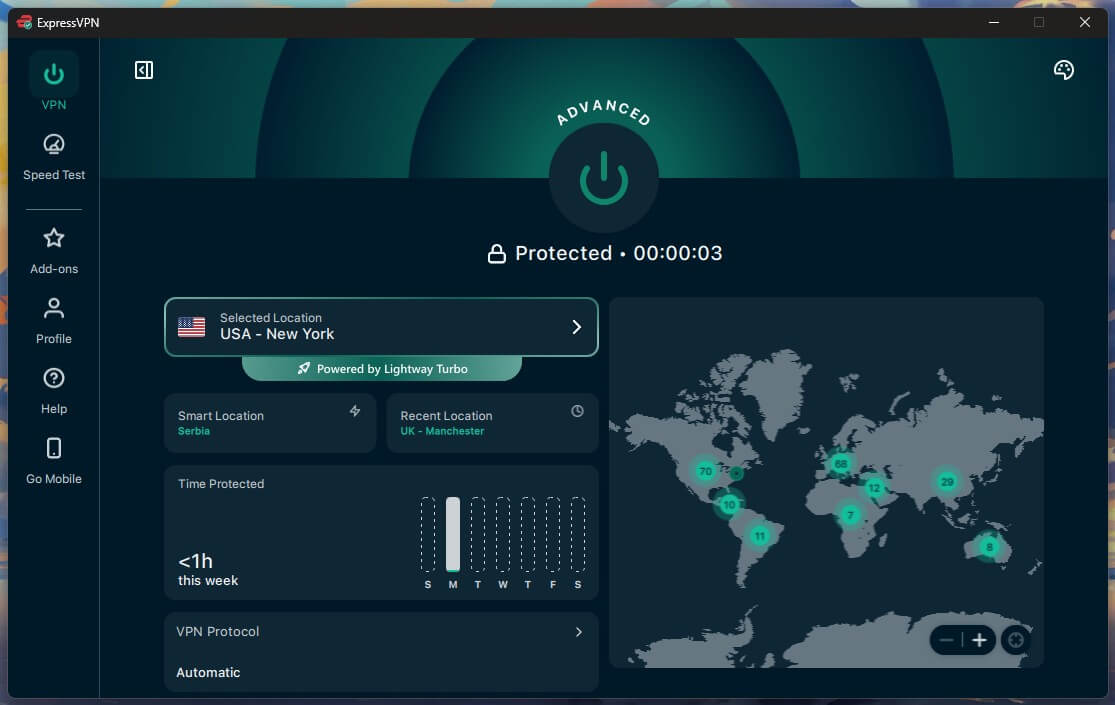
Turbo finished just 0.45 Mbps ahead of plain Lightway, a difference smaller than the variation between two back-to-back tests on the same server. It also added 9 ms of ping. Turbo is built for connections so fast that a single tunnel becomes the limit, and at 190 Mbps, that limit is nowhere near.
| Protocol | Download | Upload | Ping |
| Lightway Turbo | 186.19 Mbps | 18.16 Mbps | 53 ms |
| Lightway | 185.74 Mbps | 18.02 Mbps | 44 ms |
| WireGuard | 184.44 Mbps | 18.70 Mbps | 53 ms |
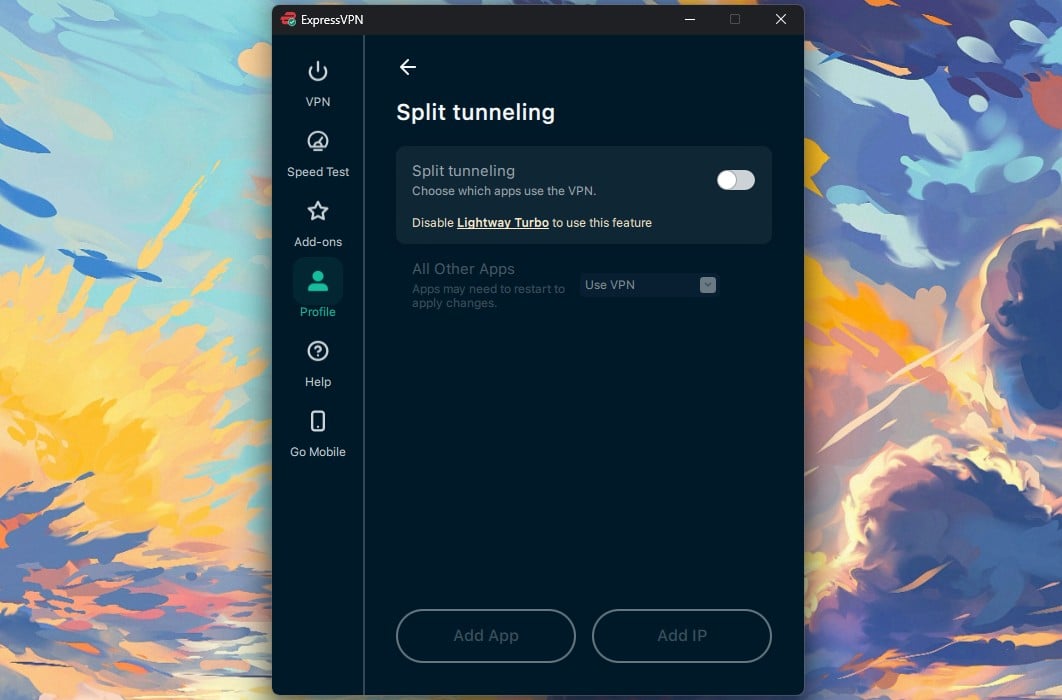
On my connection, it added nothing, and it disables split tunneling while it’s active. Split tunneling lets chosen apps skip the VPN, for example a banking app that blocks VPN IP addresses. For a headline feature, that was disappointing. Turbo may help on a gigabit connection, but on a normal home connection, leave it disabled.
ExpressVPN Price and Plans
ExpressVPN sells three plans, and they share the same VPN. Paying more adds devices and extra tools, while the speed and servers stay identical.
- The Basic plan: $2.99 a month on the 28-month term, $83.72 for the term, then $99.95 a year. Covers 10 devices and includes Lite Protection, which blocks ads, malicious sites, and adult sites but leaves trackers alone.
- The Advanced plan: $4.49 a month, $125.72 for the term, then $119.95 a year. Covers 12 devices and adds tracker blocking, the ExpressKeys password manager, ExpressMailGuard email aliases, and part of Identity Defender.
- The Express Pro plan: $7.49 a month, $209.72 for the term, then $199.95 a year. Covers 14 devices and includes a dedicated IP address instead of selling it as an add-on. It’s also the only plan with ExpressAI.
The one-year plans come with three extra months at about $5 to $9 a month, depending on the plan, and the monthly plans cost about $15 to $23, poor value next to the longer terms. The ExpressVPN pricing breakdown covers what each plan includes, and current discount codes change often enough to check before paying.
For most people, the Basic plan is enough. ExpressVPN pushes the Advanced plan, but in my testing, the password manager was the only extra that justified the higher price.
Refunds and the Free Trial
The 30-day money-back guarantee applies to new subscribers, and there’s no free tier. The ExpressVPN free trial on iOS and Android lasts three days, which I confirmed in the Play Store. The trial includes every feature, but it requires a credit card, as NordVPN’s does, so cancel before it ends if you don’t want to be charged. The wider VPN free trial guide has the alternatives. Payment methods are card, PayPal, and Google Pay.
Security Features and What They Cost You
ExpressVPN offers fewer security tools than NordVPN or Surfshark, but the ones it has work well. Its ad blocker and some protocols can’t be used together, though.
Encryption, Kill Switch, and Post-Quantum
Lightway encrypts your traffic with AES-256-GCM or ChaCha20 and adds ML-KEM post-quantum protection by default, which is designed to stay secure even against future quantum computers. OpenVPN uses AES-256-GCM. Every session also relies on forward secrecy, so each connection has its own key that’s discarded when you disconnect. Network Lock is ExpressVPN’s kill switch, which keeps your traffic off the internet until the VPN reconnects.
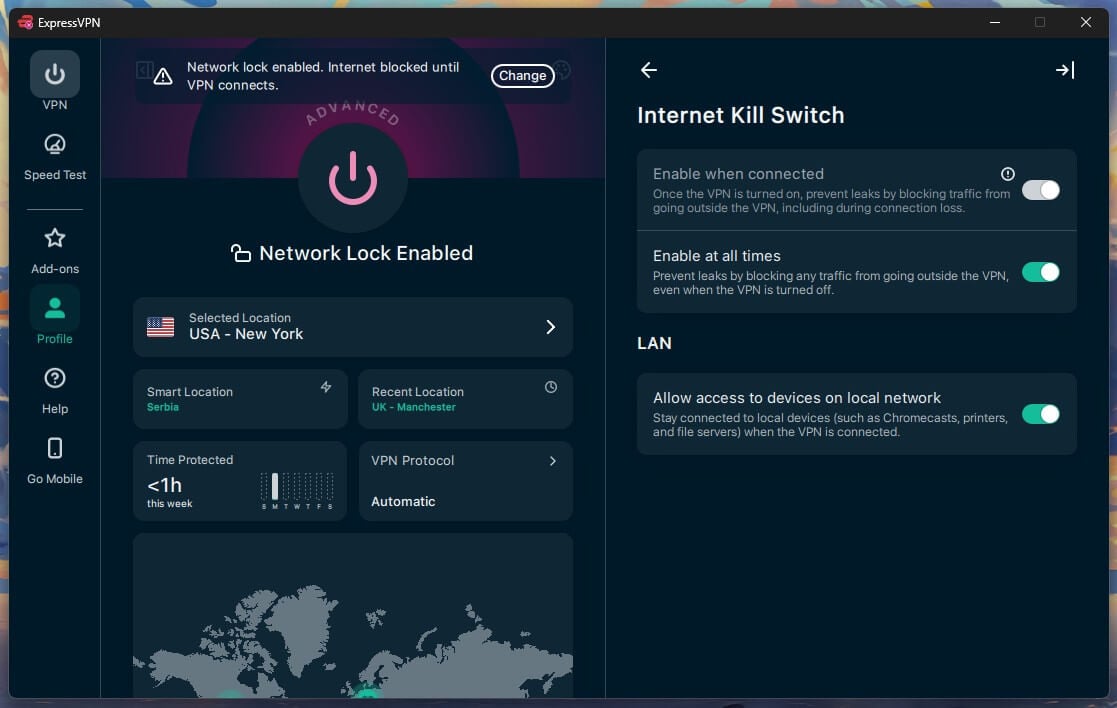
My kill switch test has three parts on Windows 11: pulling the Ethernet cable mid-session, killing the app process in Task Manager, and restarting the PC, with a continuous ping open throughout. Network Lock blocked all traffic in the first two. After a restart, though, the default setting let traffic out before the app reconnected, while its strictest setting kept everything blocked.
Most default kill switches I’ve tested leaked the same way on a restart, so enable the strictest setting on a laptop that joins public networks.
Advanced Protection Scored 71% in My Test
Advanced Protection filters ads, trackers, malware domains, and adult content by checking the domain lookups your device makes. With all four toggles enabled on a British server, it stopped 96 of 135 domains on d3ward’s blocklist test. That’s 71%, a modest score for a paid feature: PIA’s MACE stopped 96% on the same list. With 39 domains getting through, you’ll still see some ads on busy news sites.
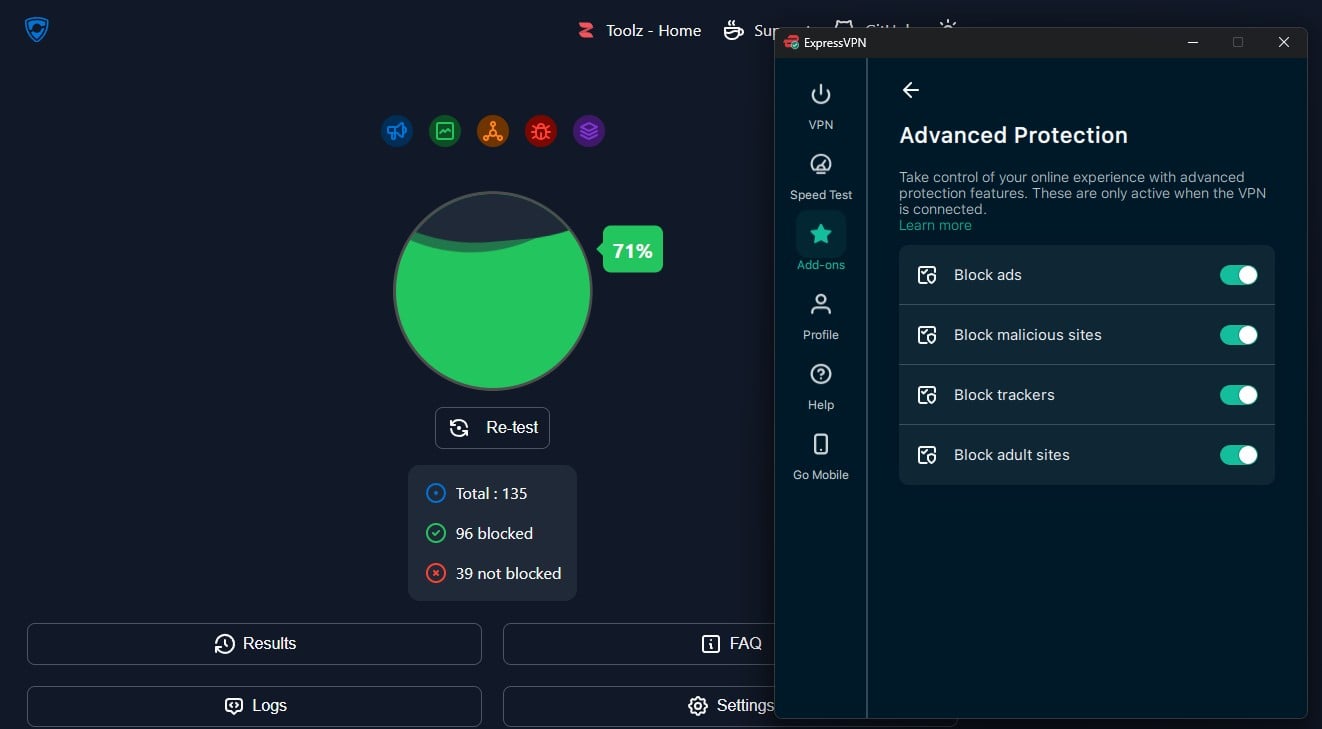
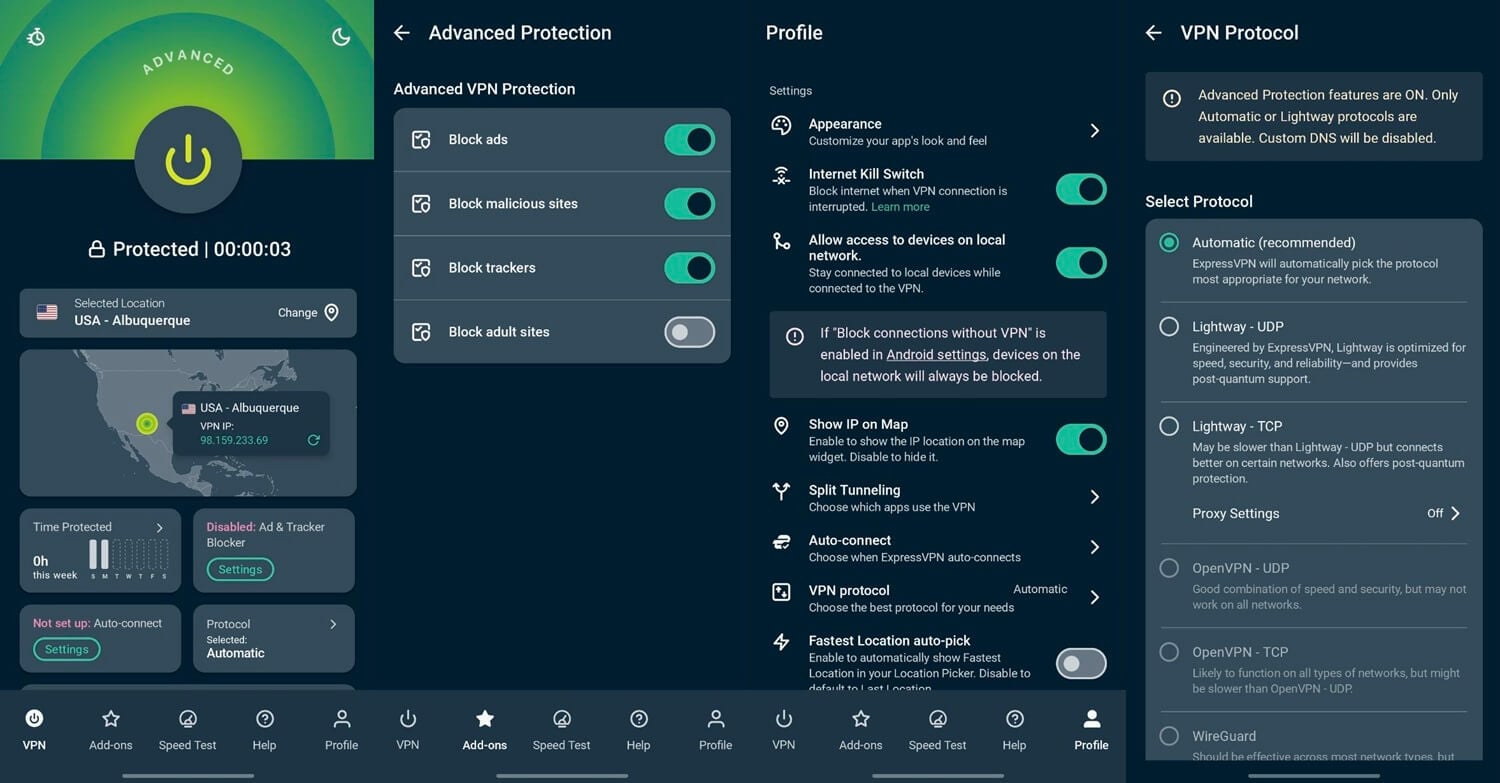
The 71% figure applies to the Advanced and Express Pro plans only. Enabling Advanced Protection also grays out WireGuard and OpenVPN, because it works only on Automatic or Lightway. To use WireGuard or OpenVPN, disable Advanced Protection first. The adult site toggle doubles as parental control. It blocks Pornhub, RedTube, and similar sites across every device on the account.
Split Tunneling, MCP, and the Missing Features
Split tunneling works at the app level on Windows. An MCP server, a connector that lets AI assistants control other software, appeared in the Add-ons panel in August 2026, and no other VPN offers one. When enabled, it creates a local link with an access token for an AI client to connect to.
Through it, an AI client can read the connection state, change server location, and switch protocol from ordinary instructions. For example, you could ask an AI assistant to connect you to a US server without opening ExpressVPN. It works on the one-year and 28-month plans, including Basic.
Three features are still missing after years of requests: multi-hop, which sends traffic through two servers, port forwarding, which helps torrent uploads, and Tor support. I’d most like to see multi-hop added. PIA and NordVPN offer a version of it. ExpressVPN’s position is that TrustedServer, its RAM-only server setup, and ShuffleIP, which changes your IP address between sites, make a second server unnecessary.
Leak Test Results and the 2024 DNS Incident
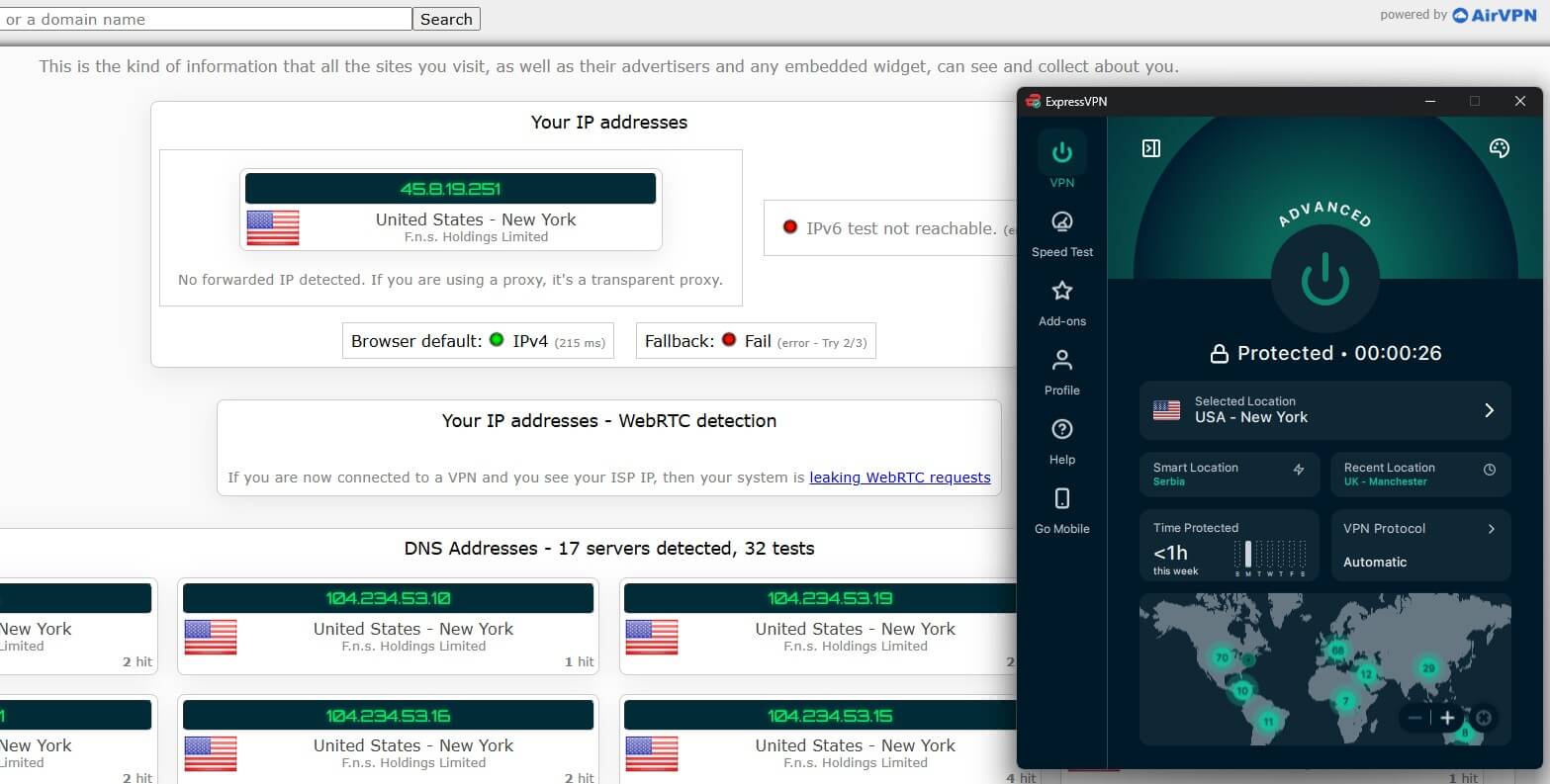
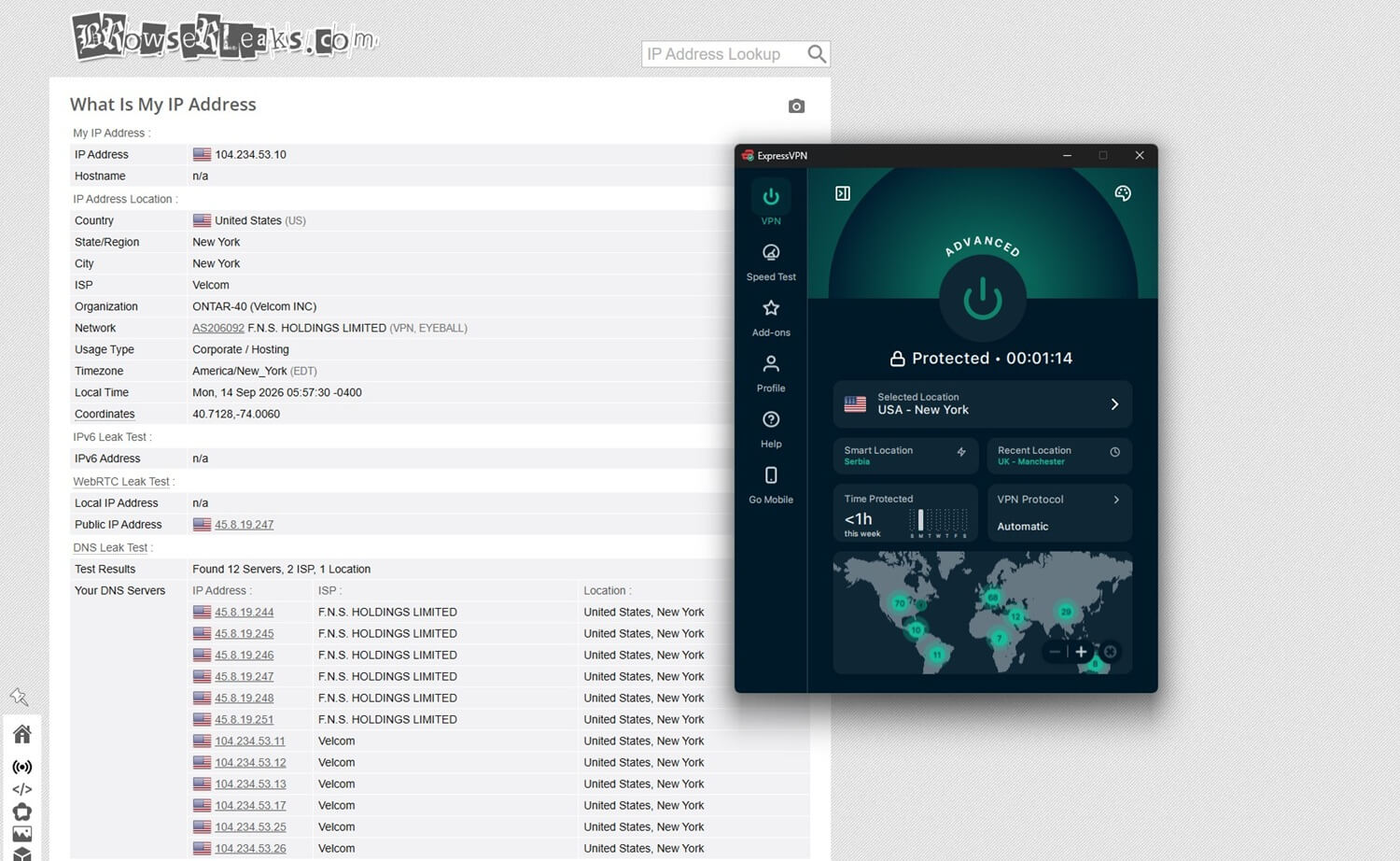
A leak would expose your own IP address, or the sites you look up, outside the VPN’s protection. I checked all three test servers on two leak-testing sites, ipleak.net and browserleaks.com, with a fresh browser cache each time, and ExpressVPN passed every check: no IP address or DNS leaks, no WebRTC exposure, and a clean IPv6 test.
ExpressVPN’s record isn’t spotless, though. Between May 2022 and February 2024, its Windows app leaked DNS requests, the lookups that reveal which sites you visit, to the user’s ISP. The fault appeared in one split tunneling mode, “Only allow selected apps to use the VPN.” It went unnoticed for 21 months and through several audits, and an outside reviewer found it before ExpressVPN did. The company then pulled split tunneling from the Windows app within days and released a fixed version.
It restored the feature in April 2024 and paid Nettitude to verify the repair. A second cause also came to light: other VPN apps on the same computer could interfere with its filtering rules, even when idle. A 21-month leak is a serious miss, though the quick, independently verified fix is reassuring.
Is ExpressVPN Safe? Jurisdiction, Logs, and Audits
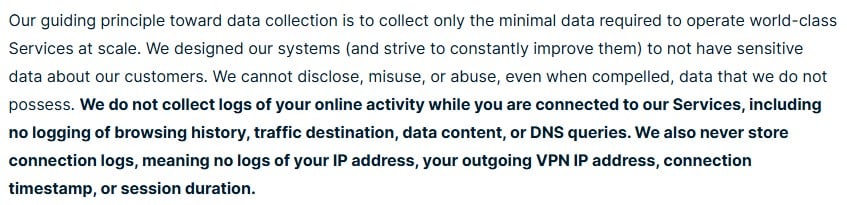
ExpressVPN operates from the British Virgin Islands, which has no data retention requirement and no intelligence-sharing arrangement. According to its privacy policy, ExpressVPN keeps no record of IP addresses, DNS queries, browsing history, traffic destination or content, connection logs, or timestamps. It does keep an email address for billing, aggregate diagnostics, and the country of connection, with no timestamp.
In practice, nothing it keeps ties your online activity back to you. It also counts connected devices to enforce each plan’s limit. Because TrustedServer operates from RAM, a reboot wipes everything. KPMG audited TrustedServer and the privacy policy as of February 28, 2025, and found reasonable assurance that no activity or connection logs are collected. Look at the audit type, though. This one, an ISAE 3000 Type I, checks the controls on a single date, while a Type II would check that they worked over months.
Few VPN audits are Type II, so this is normal, but it’s still a snapshot. The stronger evidence is older. In 2017, Turkish authorities seized an ExpressVPN server during an investigation and found no logs or connection records on it, a test no audit can reproduce. ExpressVPN is owned by Kape Technologies, the company behind CyberGhost and PIA, and it has kept commissioning outside audits under that ownership.
Streaming and Torrenting
There are no specialized servers. Every server allows streaming and P2P, the file-sharing traffic torrents use, so there’s no separate list to search through. ExpressVPN unblocked all 14 streaming services I tested, one through its browser extension, without switching servers on most of them. It unblocked the US, Canadian, and Japanese Netflix libraries, BBC iPlayer and Channel 4 on British servers, and JioHotstar on an Indian server.
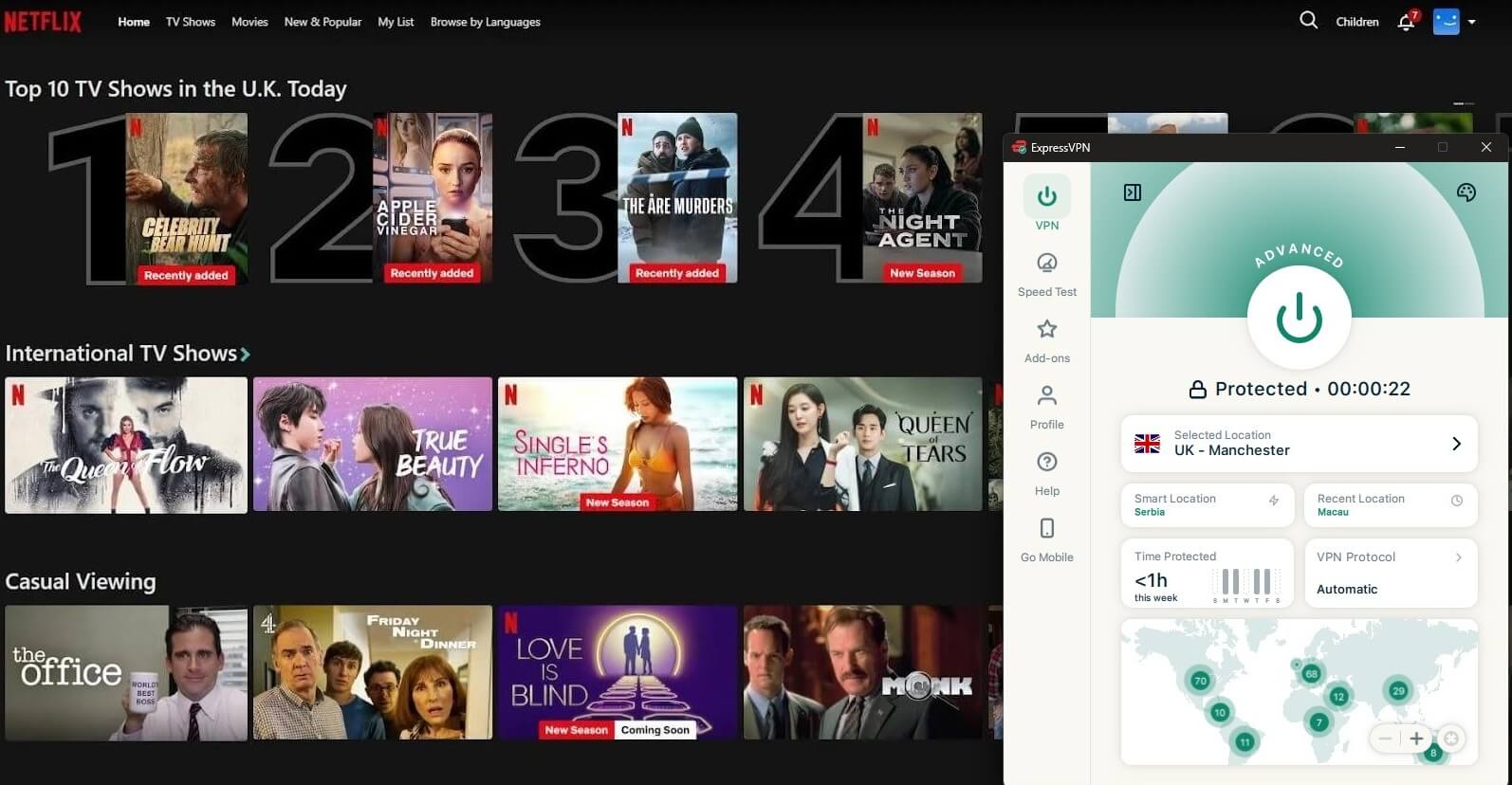
It wasn’t flawless. ITVX and Prime Video detected the connection on several attempts, so I had to switch to another server in the same country. The desktop app also couldn’t unblock one service, and only the browser extension’s location spoofing unblocked it. If a service blocks you, switch servers within that country first, then try the extension.
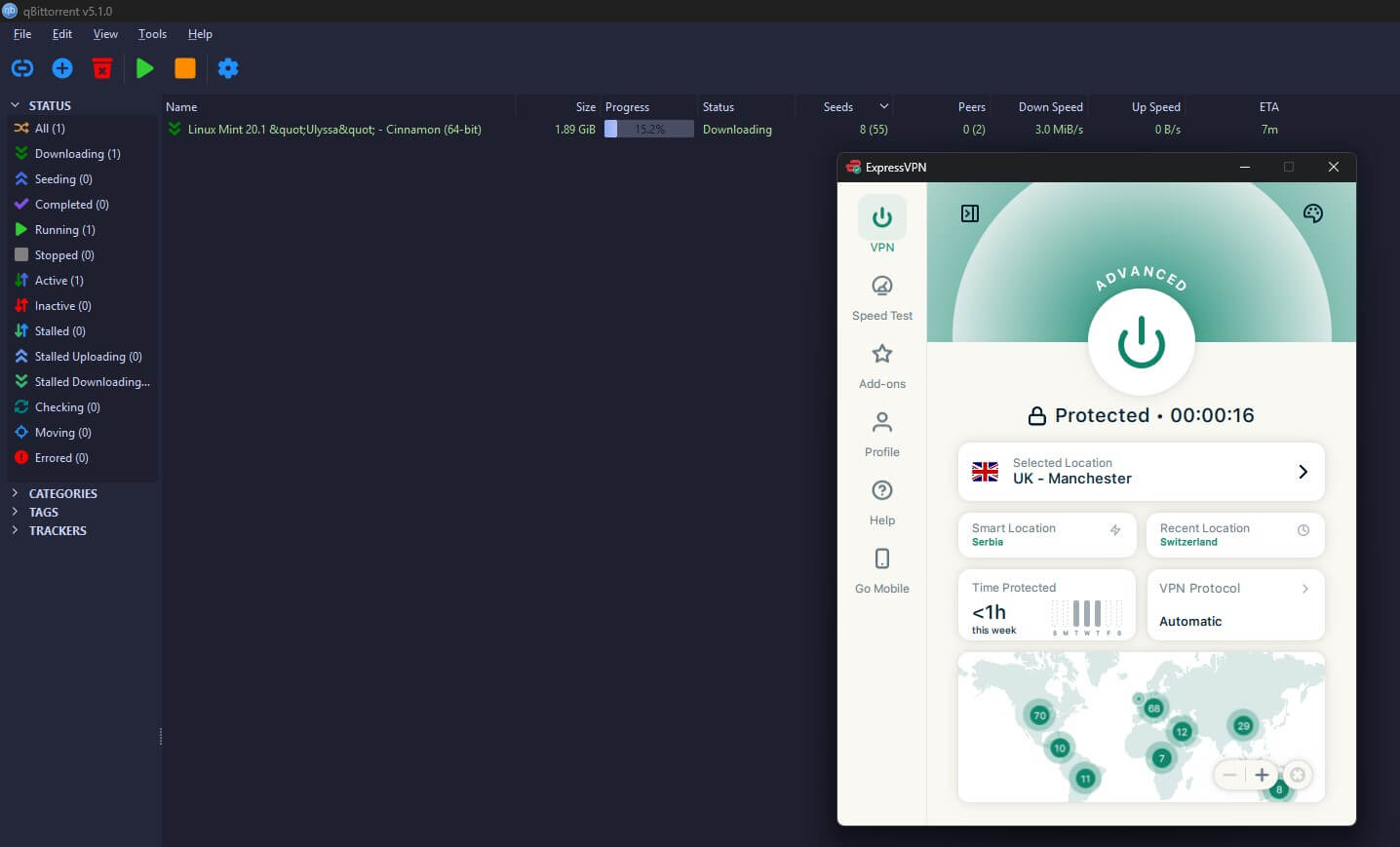
Torrent downloads were quick. Port forwarding is missing, though. It lets other torrent users connect to you directly, which private trackers reward with a better upload ratio, but ExpressVPN argues that port forwarding adds too much exposure. For private trackers, choose a VPN that offers it, such as PIA or Proton VPN.
Server Network and Coverage
The app lists 113 countries. ExpressVPN doesn’t publish a total server count, and in practice, you choose a country first, with a choice of cities mostly in the larger countries. Its US servers cover more than 20 cities, and its servers in Canada are in Toronto, Montreal, and Vancouver.
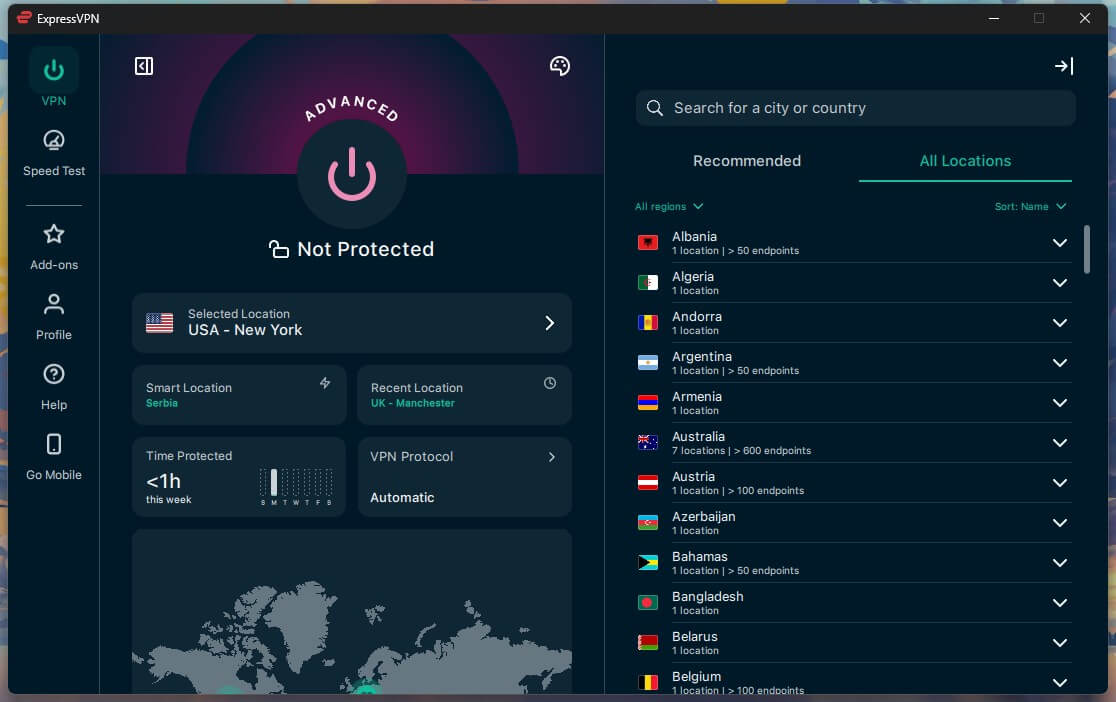
Some locations are virtual. In a virtual location, you receive an IP address from the advertised country, but the server is hosted in another country, and ExpressVPN labels these in the app. India is the main example: its data retention law makes hosting servers there impractical.
For routers, ExpressVPN now pushes Aircove, its own Wi-Fi router with the VPN built in, and is winding down support for other routers. Dedicated IP addresses are an add-on on the Basic and Advanced plans and included on the Express Pro plan.
Does ExpressVPN Work in Censored Countries?
Every Lightway connection is obfuscated automatically, meaning ExpressVPN disguises VPN traffic as ordinary web traffic, which makes it harder for strict networks to detect. I haven’t tested it in China yet, but ExpressVPN advises installing the app before you travel, because China blocks its website.
The ExpressVPN in China guide covers which servers keep working. For milder cases, like a work network or hotel Wi-Fi that blocks VPN traffic, the automatic obfuscation unblocked every site I tried without a setting change.
Apps and Ease of Use
ExpressVPN redesigned the Windows app in early 2026, and it’s still the simplest VPN app I’ve used: one connect button, recent locations underneath, and the full list a click away. The mobile apps look almost the same, so switching between them takes no relearning. The redesign also moved things around, though, and there’s no Settings menu.
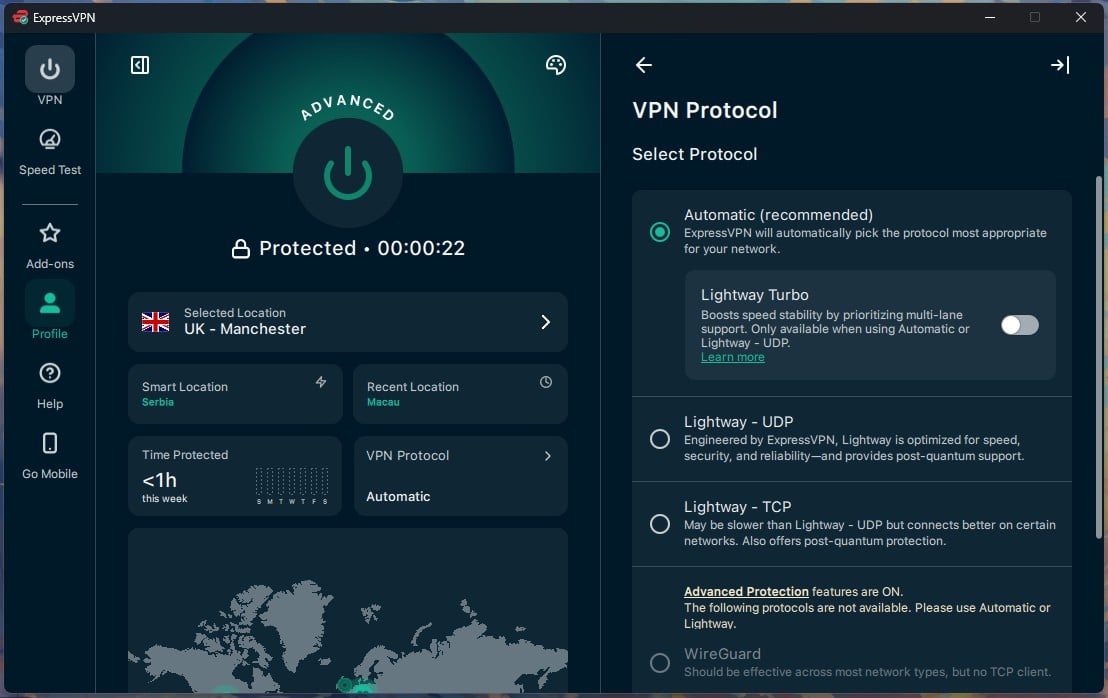
The protocol picker, kill switch, split tunneling, and auto-connect rules are under Profile, and Advanced Protection is under Add-ons beside the dedicated IP and the MCP server, which is an odd place for an ad blocker. Everything is there, but it took me about a week to find my way around. Connections took 1 to 2 seconds, so connecting and disconnecting is quick.
ExpressKeys, the bundled password manager, generates and autofills passwords, but it lacks family sharing and a proper account recovery process, so dedicated password managers remain a better buy if you share passwords with family. One fault came up twice: the Windows app wouldn’t connect randomly.
A PC restart fixed it, and stopping other VPN apps from launching at startup kept it from coming back. ExpressVPN documented the same conflict during its 2024 split tunneling repair.
Customer Support
Live chat starts with a bot, then passes you to a person. Agents answered product questions without deflecting, including the awkward one about Turbo disabling split tunneling, which the agent acknowledged plainly. The setup guides are thorough enough that I point people to them. Still, the help center barely covers torrenting, so for torrent client setup, you’re mostly on your own.
Verdict
The extra money mostly buys simplicity and speed at a distance. ExpressVPN is the easiest VPN I’ve tested to install and forget, it kept my connection fast even on Japanese servers, and it unblocked every streaming service I tried, one through its browser extension. The seized server in Turkey also backs its no-log policy in a way few VPNs can show.
It’s less convincing for power users. There’s no multi-hop or port forwarding, the ad blocker lets a noticeable share of ads through, and Lightway Turbo added nothing on my connection. If you value simplicity and want streaming to work on every trip, I’d still recommend it.
- Get ExpressVPN if you often connect from hotel or office Wi-Fi that blocks VPNs, or you’d like apps for Apple TV, Fire TV, and Linux.
- Skip ExpressVPN if you like to fine-tune settings (NordVPN and Proton VPN offer more), you seed on private trackers (PIA has port forwarding), or the renewal price is the deciding factor.
The ExpressVPN vs NordVPN comparison sets the two side by side, these alternatives cover other situations, and the low-cost ranking lists cheaper VPNs.
Frequently Asked Questions
Is ExpressVPN worth it?
Yes, for speed and simplicity. ExpressVPN loses little speed on distant servers and unblocks every major streaming service. It lacks multi-hop, port forwarding, and Tor support.
How much does ExpressVPN cost?
ExpressVPN’s Basic plan costs the least per month (under $4) on its longest term, while the Advanced and Express Pro plans add devices and tools for more. Every plan renews at a higher price.
Is Lightway Turbo faster than Lightway?
No, only barely. Turbo creates several tunnels at once, which helps only on very fast connections, and it disables split tunneling while it’s enabled.
Does ExpressVPN work with Netflix?
Yes. ExpressVPN unblocks Netflix libraries in the US, Canada, Japan, and the UK, along with BBC iPlayer and Channel 4 on its British servers.
Does ExpressVPN keep logs?
No. ExpressVPN's servers operate from RAM and retain no browsing history, DNS queries, or connection logs. A server seized in Turkey contained no records.
Does ExpressVPN work in China?
Yes, usually. Obfuscation applies to every Lightway connection automatically, with no separate server list to select. The app has to be installed before arrival, because China blocks the website.
Does ExpressVPN have a free trial?
Yes, on mobile. The iOS and Android apps include a short free trial with every feature, but it requires a credit card and renews into a paid plan unless canceled.
Is ExpressVPN good for torrenting?
Yes, for most users. ExpressVPN permits P2P traffic on its whole network with fast downloads, but it has no port forwarding, which seeders on private trackers often rely on.