
Put CyberGhost’s checkout page next to NordVPN’s, and CyberGhost looks like the easy choice. It costs less each month, renews for less, and allows more time to request a refund. On paper, the two also cover the same basics: apps for every common device, no-logs policies, and servers that unblock the big streaming services.
So what does the higher price buy you with NordVPN? I put both through the same speed, streaming, leak, and kill switch tests on one PC. The differences showed up in a few specific places.
Which Is Better, CyberGhost or NordVPN?
I recommend NordVPN. It kept more of my download speed on every server location, unblocked more Netflix libraries, and disguises VPN traffic on networks that block VPNs, which CyberGhost can’t do.
- Choose NordVPN if you watch Netflix from many countries, travel to places that filter the internet, or want extras such as Double VPN and Meshnet.
- Choose CyberGhost if you want the lowest price on a long plan, mainly stream US and European services, and like servers sorted by what you want to do.
CyberGhost vs NordVPN: Quick Overview
| NordVPN | CyberGhost VPN | |
| Our Current Ranking | #1 | #6 |
| Starting Prices | About $3.50 a month | About $2 a month |
| Money-Back Guarantee | 30 days for all plans | 45 days for long-term plans, 14 days for the monthly plan |
| Free Version/Free Trial | No/3 days on Android | No/1 day on Windows and macOS, 3 days on Android, 7 days on iOS |
| Logging/Jurisdiction | No logging/Panama | No logging/Romania |
| Protocols | NordLynx, NordWhisper, IKEv2, OpenVPN | WireGuard, IKEv2, OpenVPN |
| Servers | 7,000+ in 152 countries | 9,600+ in 100 countries |
| Specialty Servers | Dedicated IP, Onion Over VPN, Obfuscated, Double VPN | Streaming, Torrenting, Gaming, NoSpy, Dedicated IP |
| Ad Blocking | Yes | Yes |
| RAM-Only Servers | Yes | Yes |
| Working With Netflix | Yes (21 libraries unblocked) | Yes (12 libraries unblocked) |
| P2P Allowance | Yes, on every server | Yes, on torrenting servers |
| Concurrent Connections | 10 | 7 |
Speed Test: NordVPN Is Faster on Distant Servers
Speed is where the extra cost shows first. I tested both VPNs on a Windows 11 PC with a wired connection of about 190 Mbps in Europe. Each connected to UK, US, and Japanese servers three times a day for three days. Here’s the connection without a VPN:
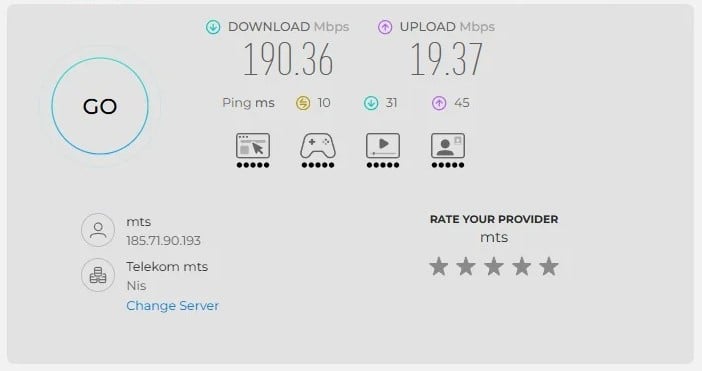
Averaged across the three locations, the results were:
| Download Speed Loss | Average Ping | |
| CyberGhost | 13.3% | 139 ms |
| NordVPN | 7.8% | 130 ms |
On a nearby server, you won’t feel much difference. Both kept enough speed for 4K streaming and large downloads in the UK, and CyberGhost’s ping there was slightly lower, so casual gamers on nearby servers lose nothing with CyberGhost.
Distance is a different story. CyberGhost’s losses grew faster the farther I connected, and on the Japanese server it lost about a fifth of my download speed, while NordVPN remained noticeably quicker. NordVPN also had the lower ping in Japan.
So if you often connect across oceans, for Asian streaming libraries or US servers from Europe, NordVPN is the safer choice. Location by location:
| UK (Speed Loss/Ping) | US (Speed Loss/Ping) | Japan (Speed Loss/Ping) | |
| CyberGhost | 6.0%/39 ms | 12.7%/121 ms | 21.3%/256 ms |
| NordVPN | 3.0%/41 ms | 4.7%/134 ms | 15.7%/215 ms |
Winner: NordVPN
Faster downloads on all three server locations, with the widest lead on the farthest one. CyberGhost’s lower ping on UK and US servers keeps it close for gaming nearby, but NordLynx, NordVPN’s own protocol, kept more of the connection everywhere else.
Streaming and Torrenting: NordVPN Unblocks More
With speed covered, I moved on to streaming, where most people notice a VPN first.
Streaming Comparison
Netflix shows the clearest difference. NordVPN unblocked 21 Netflix libraries in my tests, including Brazil and South Korea. CyberGhost unblocked 12, but it couldn’t unblock Netflix Brazil, South Korea, or Italy.
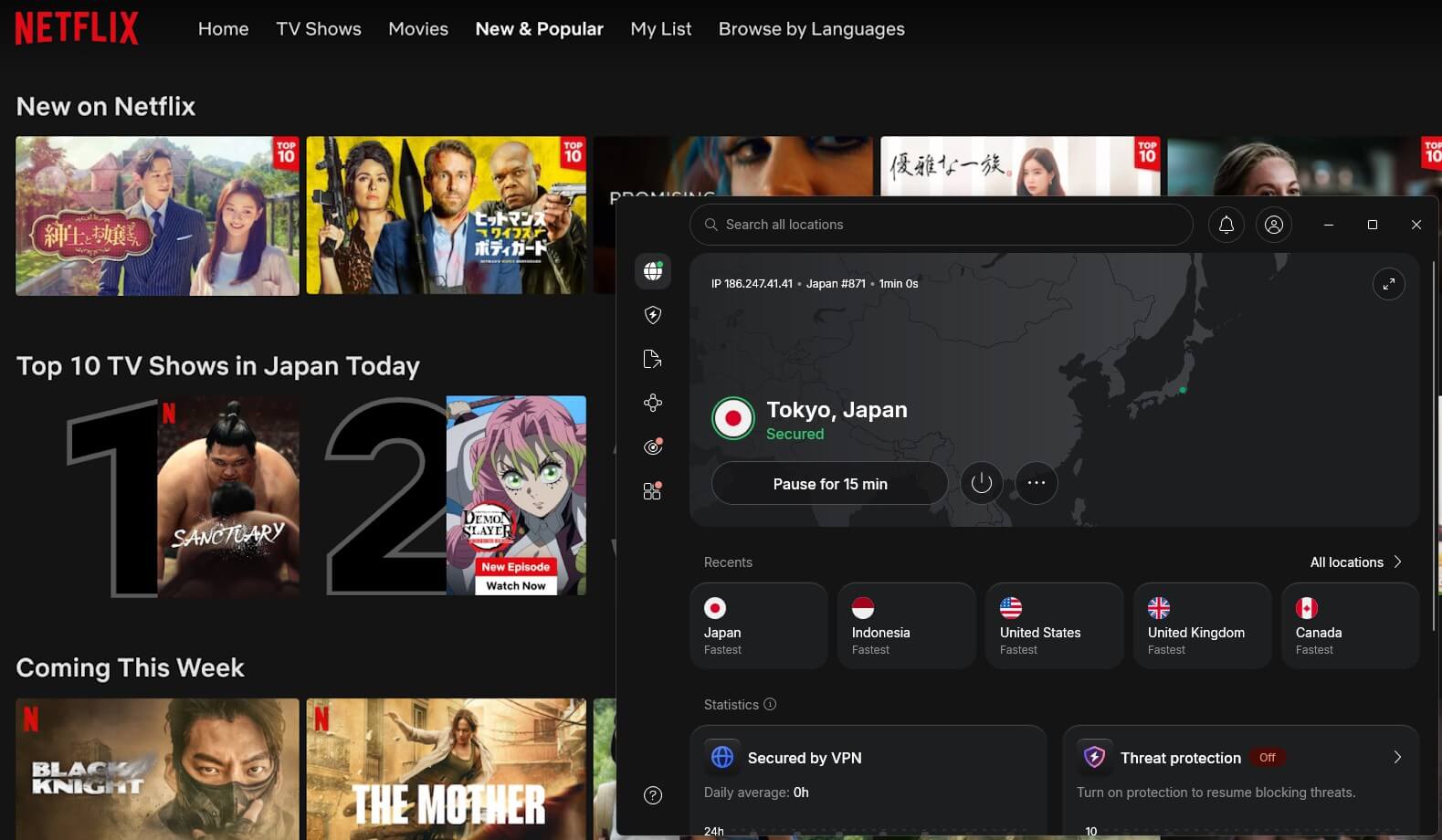
It also unblocked Netflix Japan only through its dedicated Netflix server, and only after I switched to OpenVPN, which is more setup than most people expect.
Outside Netflix, the results were much closer. Both VPNs unblocked BBC iPlayer, Channel 4, ITVX, Prime Video, HBO Max, Hulu, and Peacock, and both let me access Pluto TV abroad. CyberGhost failed only on JioHotstar. NordVPN unblocked every service I tested, with occasional detections on Pluto TV and Prime Video.
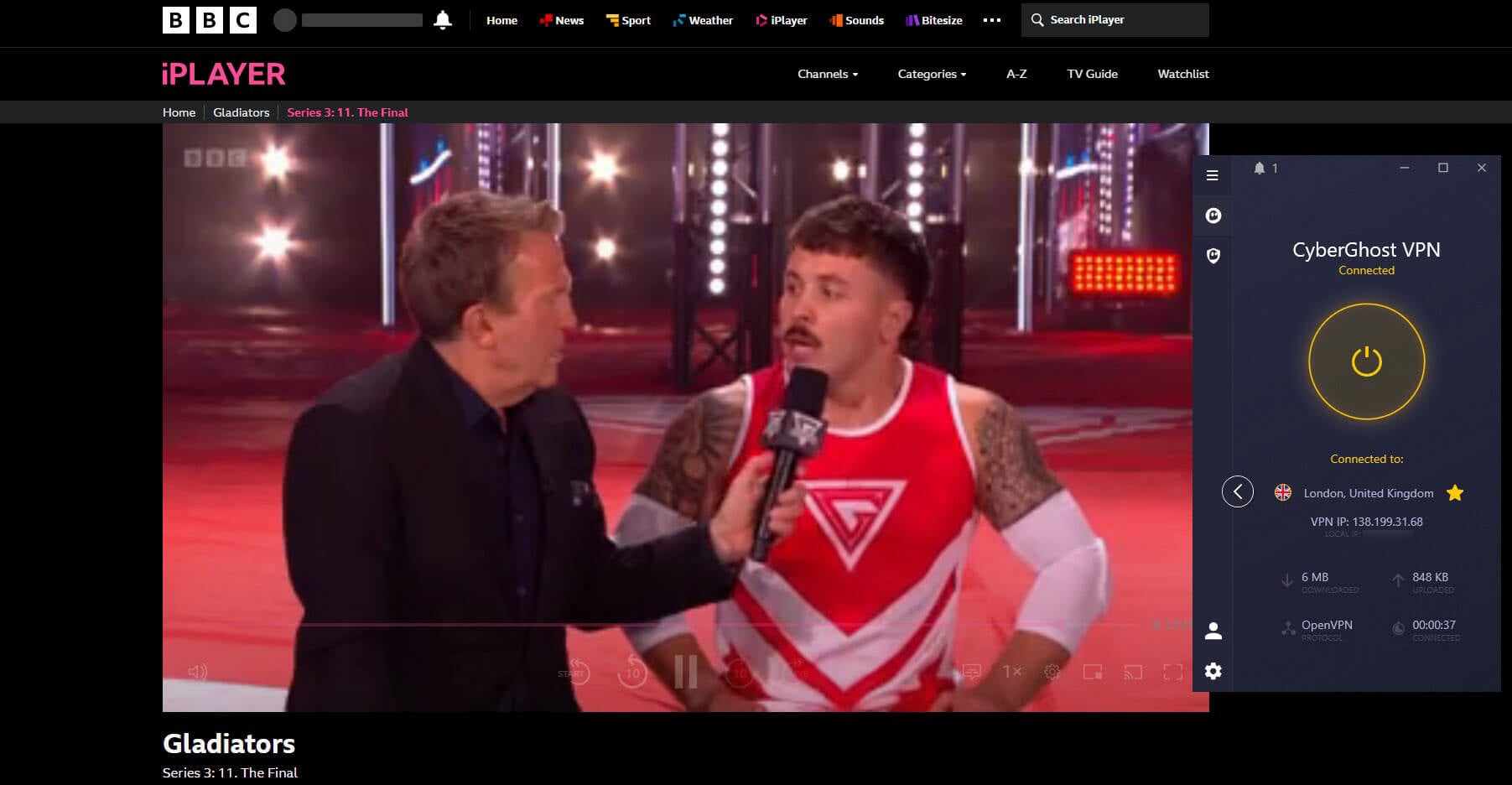
The two also handle streaming differently. NordVPN has no streaming servers, because its regular ones unblocked everything. CyberGhost labels a server for each service, which helps beginners: for ITVX, you choose the server marked for it instead of guessing.
Its Smart DNS also covers the US, UK, Germany, Japan, and the Netherlands. NordVPN’s Smart DNS offers US locations only, so CyberGhost is better on a smart TV if you want to watch foreign TV channels from Europe.
Here are the results for every service I tested:
| Tested Services | NordVPN | CyberGhost |
| Netflix | Unblocked 21 libraries, including the US, UK, Canada, Japan, Brazil, South Korea, Germany, Mexico, and Australia | Unblocked 12 libraries, including the US, UK, Canada, Australia, Germany, France, and Mexico; couldn’t unblock Brazil, Italy, or South Korea |
| BBC iPlayer | Unblocked | Unblocked |
| ITVX | Unblocked | Unblocked |
| Prime Video US | Unblocked, occasionally detected | Unblocked |
| HBO Max | Unblocked | Unblocked |
| Pluto TV | Unblocked, occasionally detected | Unblocked |
| Hulu | Unblocked | Unblocked |
| JioHotstar | Unblocked | Couldn’t unblock |
| Peacock | Unblocked | Unblocked |
| Now TV | Unblocked | Unblocked |
Torrenting Comparison
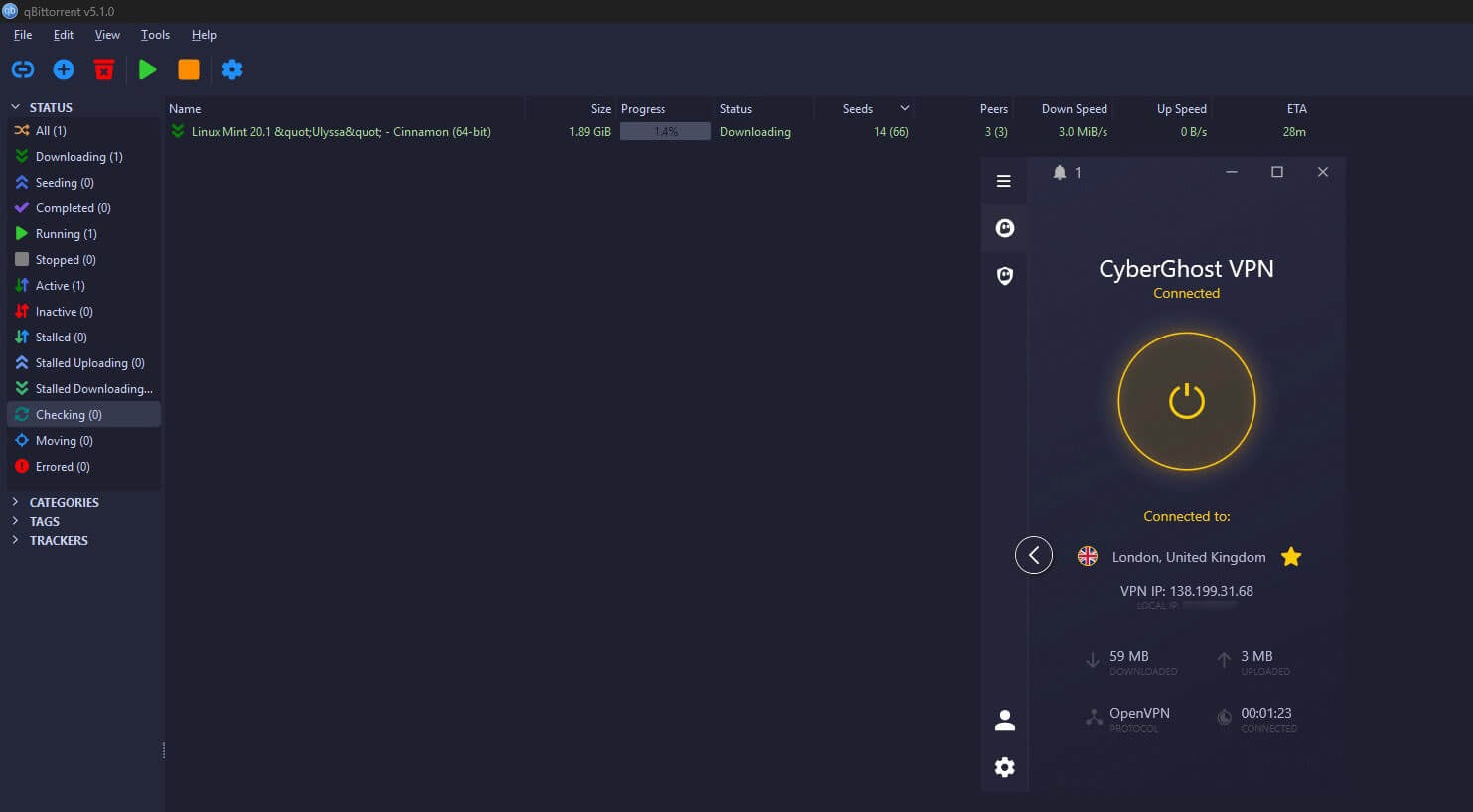
For torrenting, NordVPN allows P2P traffic on every server, so you connect to the nearest location and start downloading. It also offers a SOCKS5 proxy, a lighter connection you set up in the torrent client. CyberGhost uses the opposite approach and allows P2P on servers marked for torrenting, which the app groups in its own list.
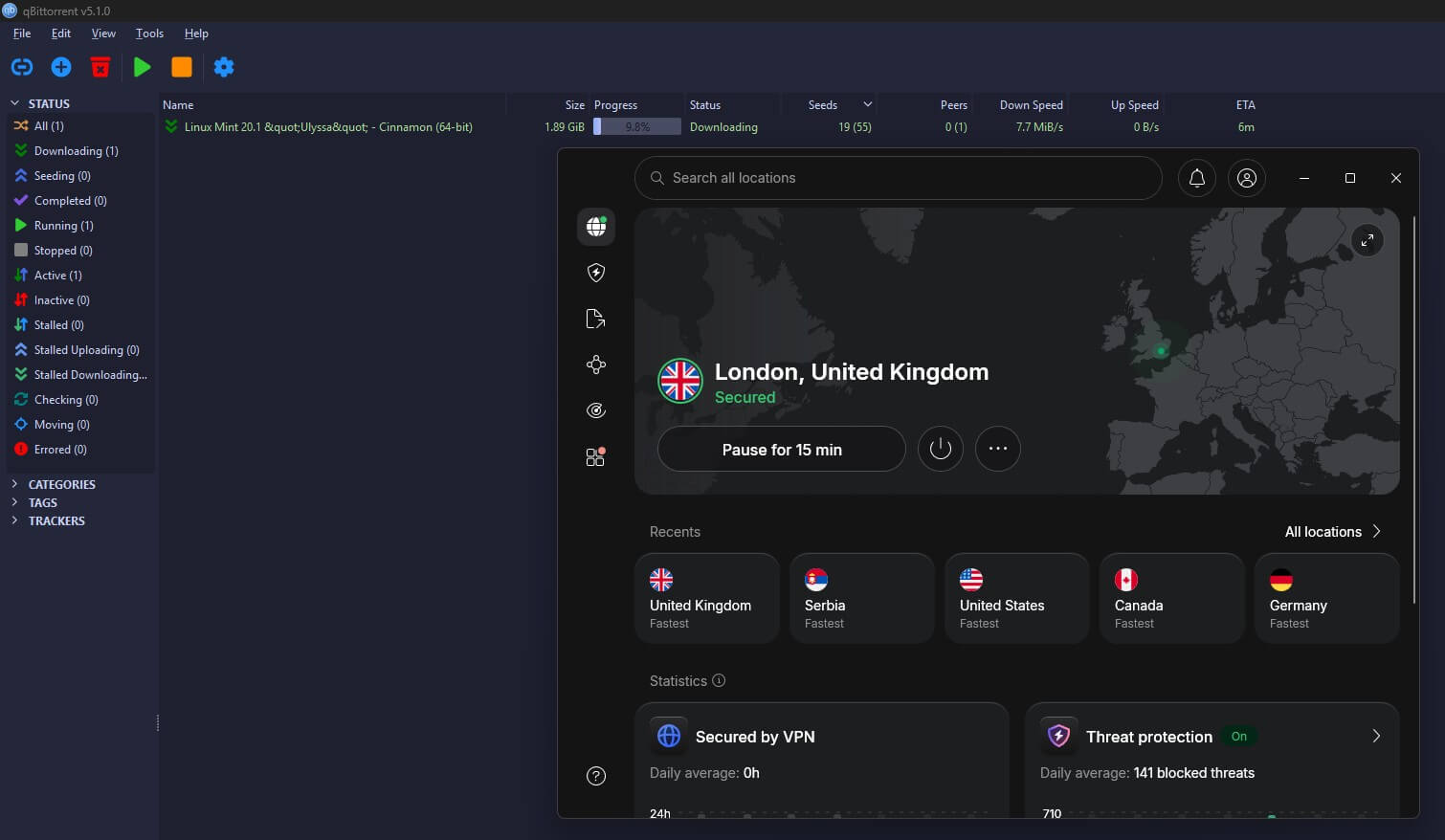
Both approaches work, and neither VPN offers port forwarding. However, two things favor NordVPN for regular downloading. Its kill switch can close the torrent client the moment the VPN drops, and its smaller speed loss on distant servers shortens large downloads.
Winner: NordVPN
More Netflix libraries, one more service unblocked, and P2P on every server. CyberGhost’s wider Smart DNS coverage is its best point in this round.
Price: CyberGhost Is Much Cheaper
That’s what NordVPN does better, so what does CyberGhost do better? Price, mainly. Both belong on any list of inexpensive VPNs, and both offer promotions through the year, but CyberGhost costs less on every plan.
CyberGhost Prices
CyberGhost keeps its plans simple. The two-year plan costs about $2 a month and includes two extra months, and its renewal costs less than half of NordVPN’s. Seasonal deals can lower it further, and the latest CyberGhost coupon shows what’s live now.
Its add-ons are cheap as well: the Security Suite for Windows costs about $1 a month, and a dedicated IP address is about $2.50. The refund window is the other draw. Long-term plans come with a 45-day money-back guarantee, two weeks more than most VPNs offer.
That leaves time to test it on every device you own. The monthly plan has only 14 days, however. CyberGhost accepts cards, PayPal, and crypto.
Get the Best Deal on CyberGhost
NordVPN Prices
NordVPN has more plans, and they cost more. The Basic plan is about $3.50 a month on the two-year term, with three extra months. On top of that, the Complete plan adds next-gen antivirus, the NordPass password manager, and NordLocker cloud storage, and the Prime plan also includes Coveron, one of the stronger ID theft protection tools we’ve covered.
Every NordVPN plan, including the monthly one, comes with a 30-day money-back guarantee. A dedicated IP address costs about $4 a month, so CyberGhost is cheaper there too. A current NordVPN coupon can bring the first term down further.
Winner: CyberGhost
Cheaper on the first term, cheaper at renewal, cheaper add-ons, and 15 more days to change your mind on a long plan. It’s CyberGhost’s only round win, and a clear one.
NordVPN vs CyberGhost: Security and Leak Tests
On security, the result is clear. Neither VPN leaked my IP address, DNS requests, or WebRTC data, so both did their main job. NordVPN simply has more tools around that job, and it handled one kill switch test that CyberGhost failed.
What Both VPNs Offer
Both build on the same foundation, the one every VPN uses to hide your traffic:
- 256-bit encryption. A hacker on public Wi-Fi sees only unreadable data.
- Kill switch. Both cut your internet if the VPN drops. NordVPN’s kill switch can also close chosen apps, such as a browser. CyberGhost’s passed my cable-pull and crash tests, but it let traffic out when I restarted my PC, and it has no stricter mode to fix that. NordVPN’s blocking mode passed the same restart test.
- RAM-only servers. Nothing is written to a hard drive, and everything is wiped when a server restarts.
- Split tunneling, which lets some traffic skip the VPN. NordVPN splits by app. CyberGhost splits by website on Windows, and by app on Android, so you can’t exclude a game or banking app on a computer.
- WireGuard. NordVPN’s version, NordLynx, adds post-quantum encryption, built to resist future quantum computers. CyberGhost doesn’t offer it. Our NordVPN review explains how NordLynx works.
CyberGhost’s Extras
CyberGhost has a few tools NordVPN lacks. NoSpy servers are servers CyberGhost owns and operates itself in Bucharest, so no outside data center staff handle them. Since they’re all in Romania, they offer a Romanian IP address and local TV access. They won’t help you unblock services abroad.
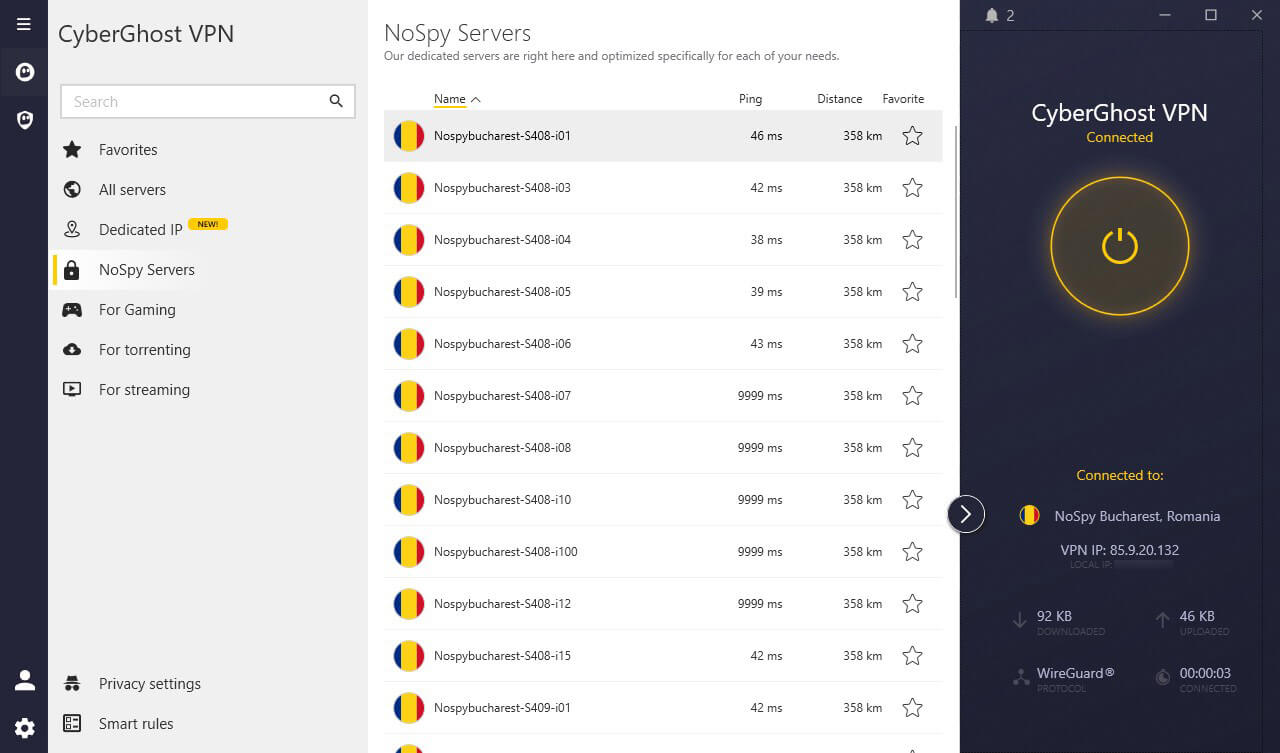
The Security Suite for Windows is a paid add-on with three parts. The antivirus, built with Intego, scans your PC for malware in real time. Security Updater lists outdated apps, which are a common way in for malware.
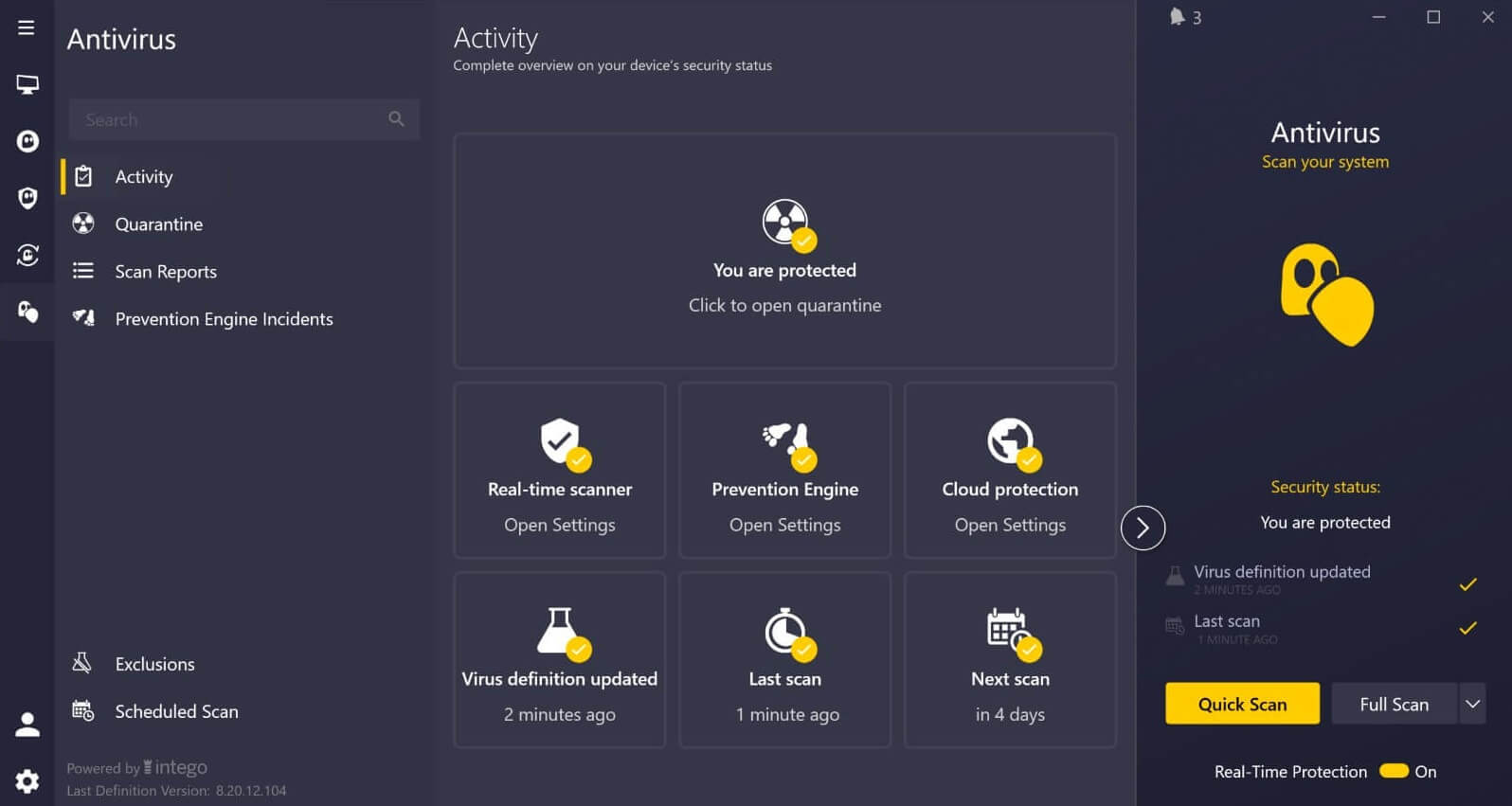
Privacy Guard, the third part, limits the data Windows sends to Microsoft. It has three presets for most people and a custom mode for choosing each setting. Note that the whole suite works on Windows only.

NordVPN’s Extras
NordVPN’s tools reach further. Next-gen antivirus, on the Complete plan and up, scans files as you download them, blocks dangerous sites, and removes ads and trackers. Unlike CyberGhost’s suite, it isn’t limited to Windows.
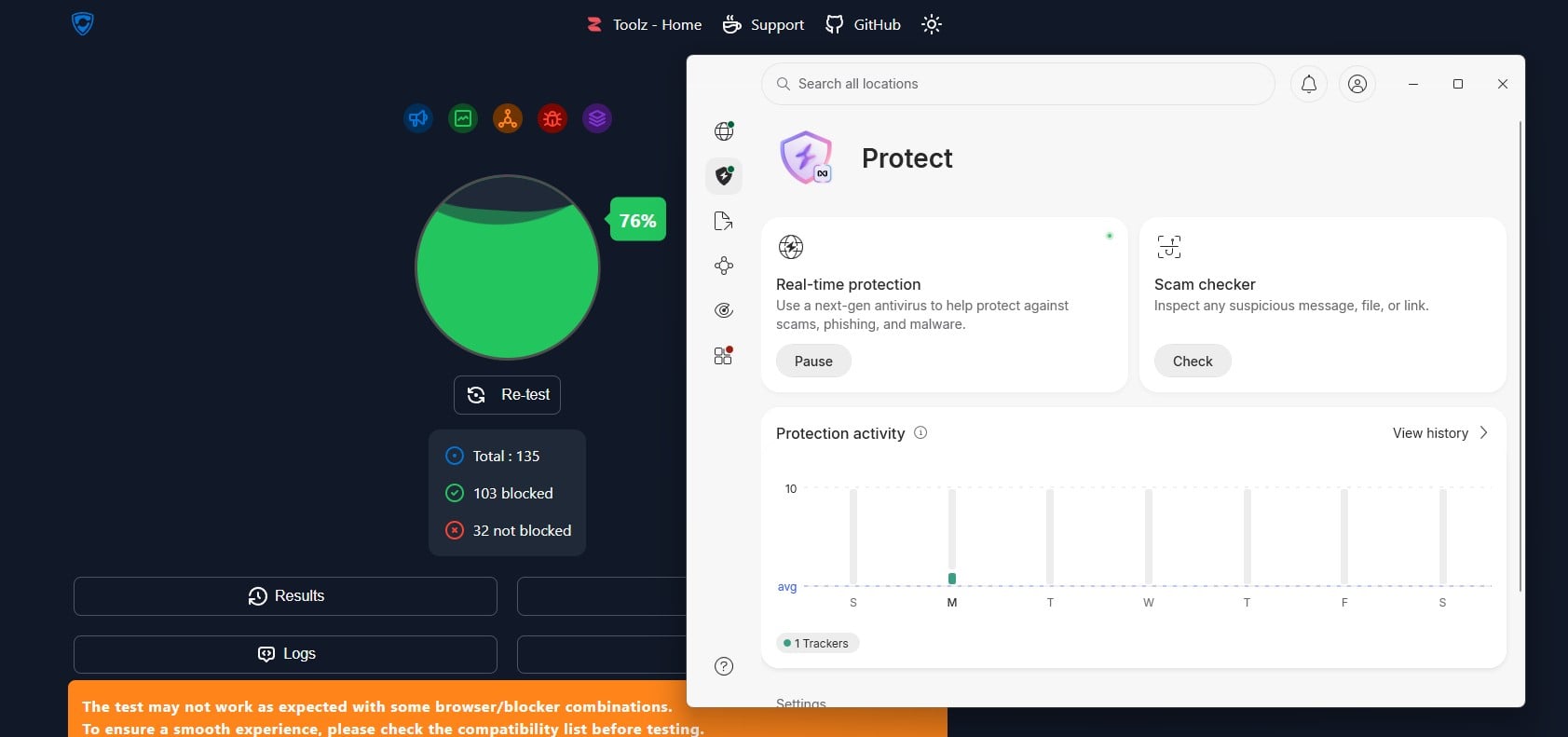
Its ad and tracker blocking stopped 76% on the ad-blocking test page I use, which is decent, though below the best blockers. Double VPN sends your traffic through two servers and encrypts it twice, which CyberGhost doesn’t offer.
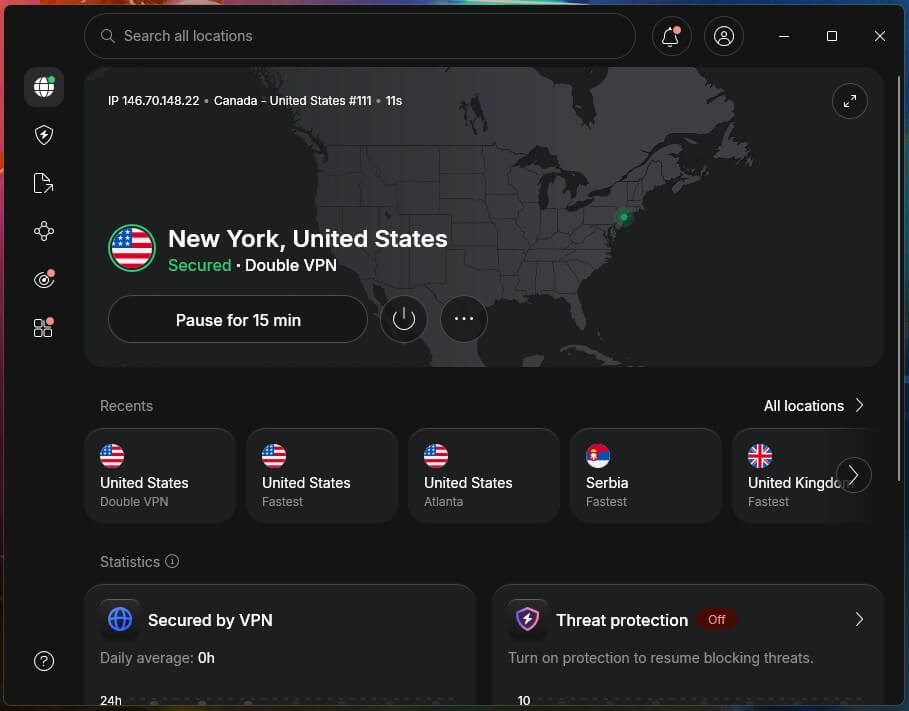
You choose from ready-made server pairs. In my test on a UK pair, Double VPN was only 2.9% slower than a regular connection, so the extra privacy costs almost nothing in speed.
Meshnet, free with every plan, links your devices into a private encrypted network for file transfers and remote access, with no third-party server in between. For example, a laptop abroad can connect through your home PC, which helps you work around Netflix’s password-sharing rules.
IP and DNS Leak Test
I ran each VPN through an IP leak test site on several servers and protocols, looking for my real IP address, DNS requests, or a WebRTC leak.
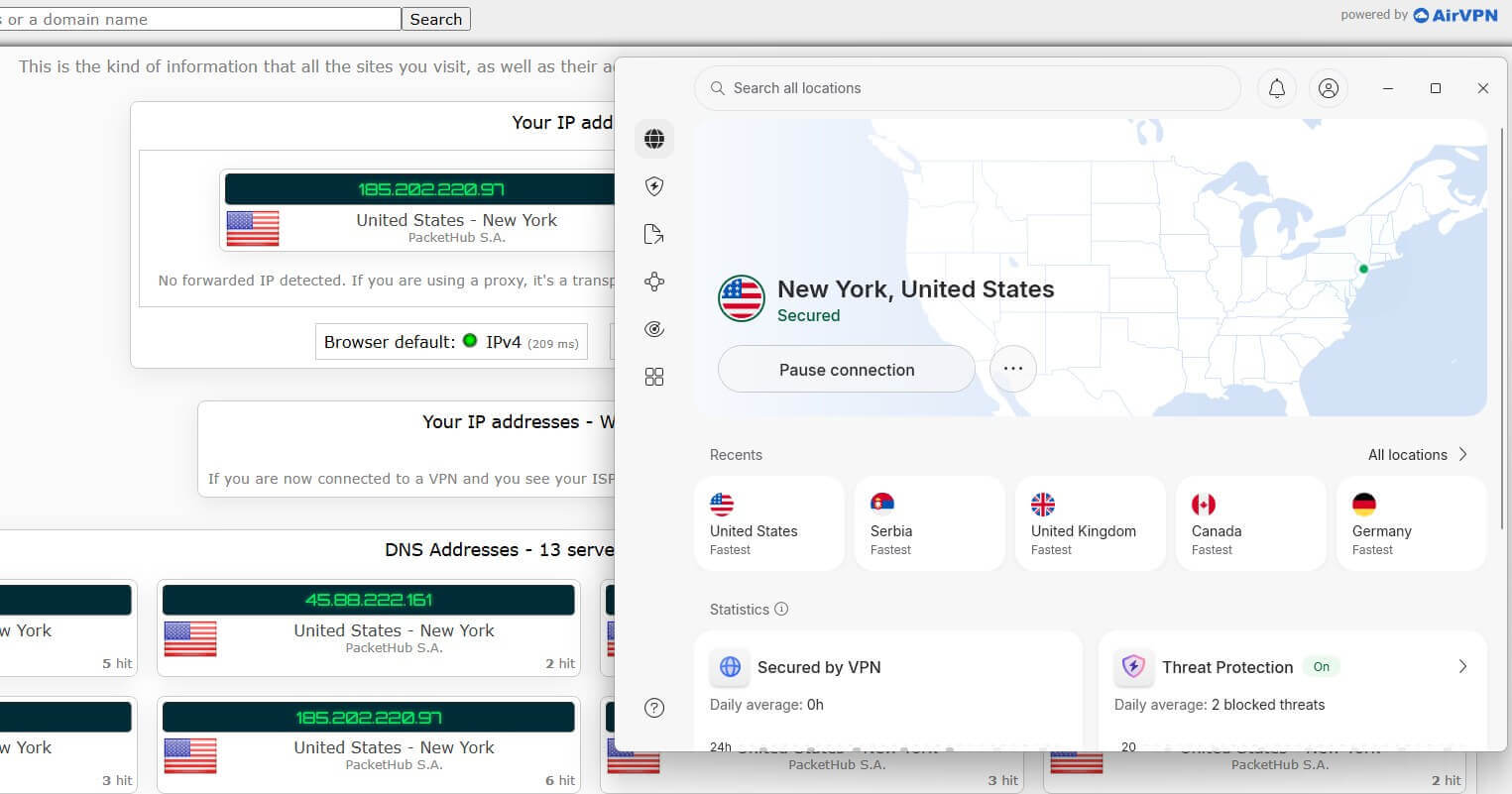
Every test came back clean on both. That’s the minimum a paid VPN should manage, and both managed it.

Winner: NordVPN
With no leaks on either side, NordVPN wins on its kill switch, post-quantum encryption, and tools that work beyond Windows.
CyberGhost and NordVPN Don’t Store Logs
Privacy is the one round with no winner. CyberGhost is based in Romania and NordVPN in Panama, and neither country requires VPNs to keep user data or belongs to an intelligence-sharing alliance.
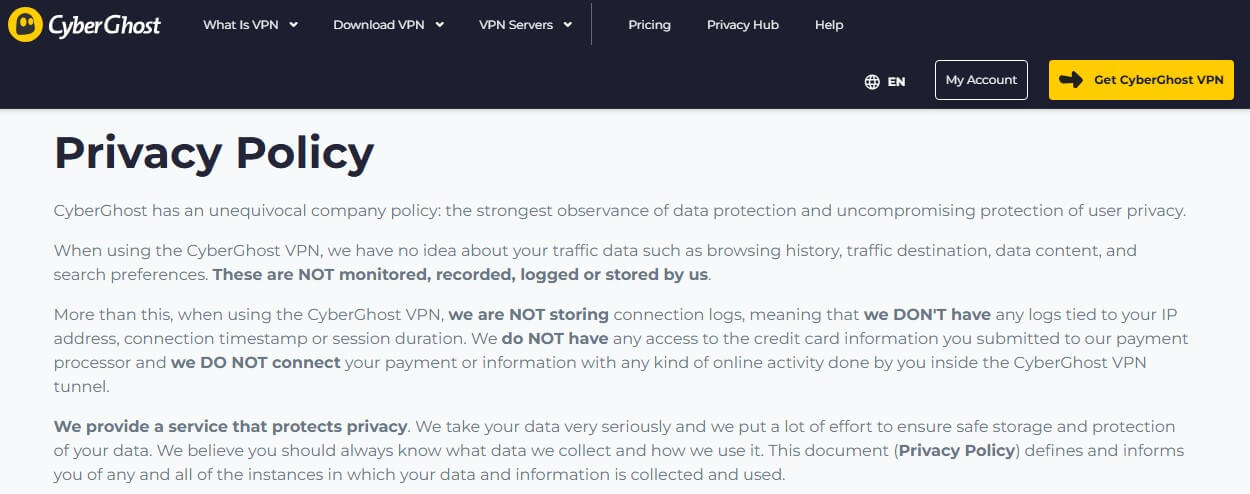
CyberGhost’s privacy policy keeps only what an account requires: your email address and anonymous troubleshooting data. Your IP address, timestamps, DNS requests, and browsing history aren’t collected.
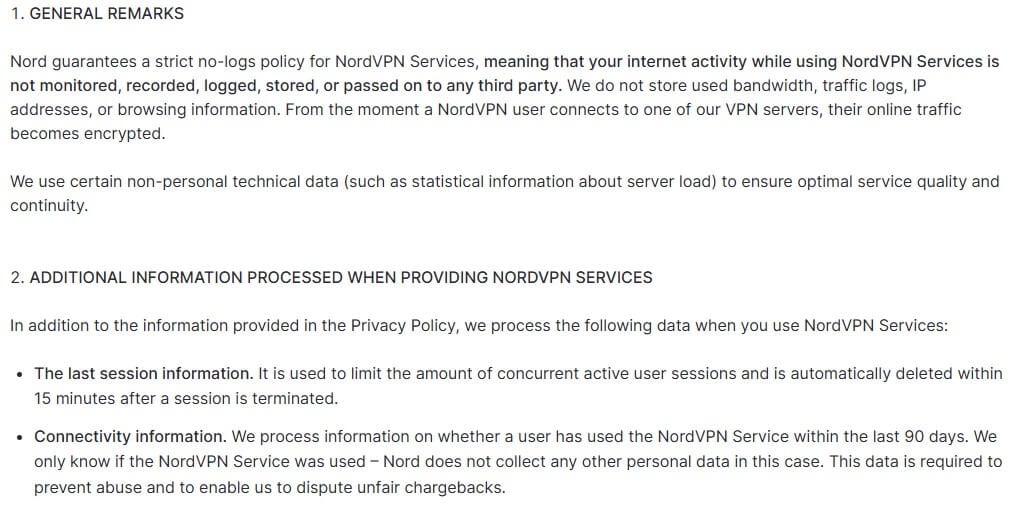
NordVPN’s policy is close to identical: an email address, plus a session record that enforces the 10-device limit, and nothing about what you do online. Both claims have been tested, too. Deloitte has audited the no-logs policies of both VPNs, and NordVPN’s has been audited six times. As a result, both are among our favorite no-logging VPNs.
Winner: Tie
Audited no-logs policies, privacy-friendly countries, and RAM-only servers on both sides. If privacy alone decides your choice, either VPN will do.
CyberGhost vs NordVPN: Compatibility and Apps
Neither VPN falls short on devices. NordVPN and CyberGhost cover:
- Windows, macOS, and Linux computers and laptops
- Android and iOS phones and tablets
- Streaming devices, such as Fire TV Stick, Smart TVs, Apple TV, etc.
- Routers (DD-WRT, Tomato, Raspberry Pi, etc.)
- Gaming consoles like Xbox, Nintendo, and PlayStation
- Browsers (Chrome, Edge, Brave, Firefox, etc.)
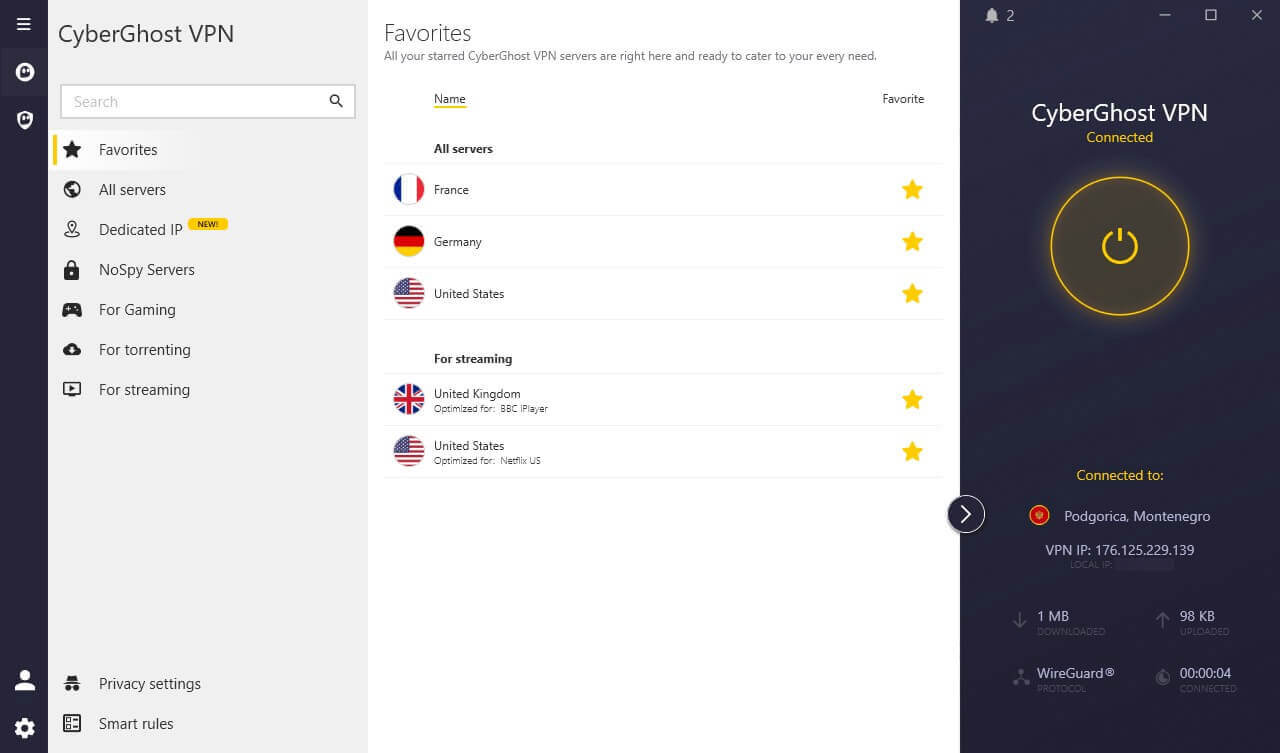
CyberGhost’s desktop app is the simpler of the two at first. It lists servers by task, such as streaming, torrenting, or gaming, so a beginner doesn’t have to know which country or server to choose. Its Chrome extension is free and requires no account, but it’s a basic proxy that protects only the browser.
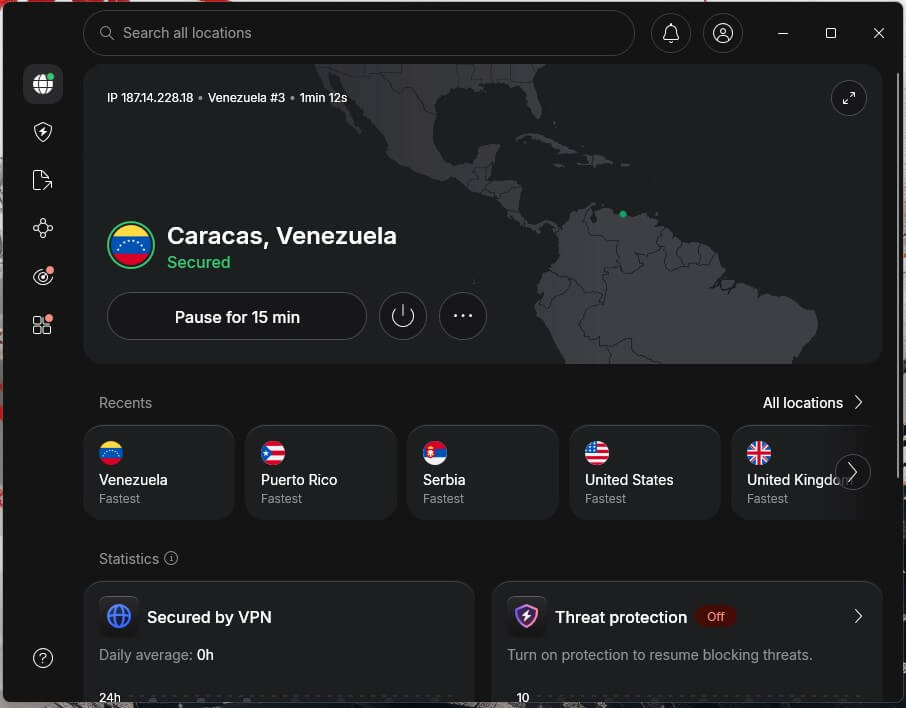
NordVPN’s app has more to it: a map, a server list, and a separate section for tools like Double VPN and next-gen antivirus. That takes a little learning for beginners, but once you know where things are, you reach each tool directly.
Its browser extension also hides your real time zone and location from sites, which helps when a streaming service compares them with your IP address. The device limit differs as well. CyberGhost allows seven devices at once, and NordVPN allows ten, so ten covers a family’s phones, laptops, and TV more comfortably.
Winner: NordVPN
Three more device slots and more tools within reach decide this round. CyberGhost is easier on day one, so beginners who only want to connect won’t miss much.
Server Network Size: Which Is Bigger?
It depends on what you count. CyberGhost has more servers, about 9,600 in 100 countries. NordVPN has about 7,000, but in 152 countries. More servers spread the load, and more countries give you more places to appear from.
| CyberGhost | NordVPN | |
| Servers | 9,600+ | 7,000+ |
| Countries | 100 | 152 |
| Locations | 125 | 225 |
| RAM-Only Servers | Yes | Yes |
| Dedicated IPs | Yes (21 locations) | Yes (32 countries) |
| Virtual Locations |
Yes | Yes |
The specialty servers favor NordVPN as well. CyberGhost sorts its network into streaming, torrenting, gaming, and NoSpy servers. NordVPN offers Onion Over VPN, Double VPN, and obfuscated servers: the first sends traffic into the Tor network, and the last hides the VPN connection on networks that block VPNs.
CyberGhost has no equivalent for either. US coverage shows the difference best. NordVPN has servers in 55 US cities, covering all 50 states, while CyberGhost has 11 US cities. For local sports, news, or a state-specific site, that makes NordVPN the better VPN for the USA.
Winner: NordVPN
52 more countries, five times as many US cities, and specialty servers CyberGhost doesn’t offer. CyberGhost’s larger server count is its only advantage here.
Censorship: NordVPN Connects, CyberGhost Doesn’t
This round has only one contender. NordVPN’s obfuscated servers disguise VPN traffic as ordinary web traffic, and they use NordWhisper, NordVPN’s own protocol built for networks that block VPNs. That improves its chances in China, Iran, or the UAE, and on hotel or office networks that block VPNs.
Obfuscation has a cost, however: NordWhisper was about 13% slower than a regular connection on the same UK server. CyberGhost has no obfuscation, and its website is blocked in China, so it isn’t the VPN to rely on where the internet is filtered.
If you’re traveling to a country like that, our list of the best VPNs for China covers what works there: NordVPN, Proton VPN, and ExpressVPN.
Winner: NordVPN
Obfuscated servers and NordWhisper keep NordVPN usable where CyberGhost has no answer. This round isn’t close.
Verdict: NordVPN Justifies the Higher Price
NordVPN wins this comparison, losing only on price, with privacy tied.
| Rounds | Winner |
| Speed | NordVPN |
| Streaming/P2P | NordVPN |
| Price | CyberGhost |
| Security | NordVPN |
| Privacy | Tie |
| Apps and Compatibility | NordVPN |
| Servers | NordVPN |
| Bypassing Censorship | NordVPN |
Where CyberGhost loses tells you more than the score. Its weak points are the ones a server change won’t fix: distant libraries, filtered networks, and a kill switch that leaks on a restart.
Still, CyberGhost is a sensible budget choice for streaming at home with the simplest app. Its long refund window also leaves time to test it. If you’ll ever use a VPN abroad, though, NordVPN is my choice in November 2026.
CyberGhost vs NordVPN FAQ
Which is better, NordVPN or CyberGhost?
NordVPN is better for most people. It’s faster on distant servers, unblocks more Netflix libraries, and works on networks that block VPNs, while CyberGhost costs less and suits budget streaming at home.
Is CyberGhost cheaper than NordVPN?
Yes. CyberGhost costs less on its long-term plan, renews for less, and charges less for add-ons like a dedicated IP address. It also offers a longer money-back guarantee on long plans.
Is NordVPN or CyberGhost better for torrenting?
NordVPN is better for torrenting. It allows P2P traffic on every server and offers a SOCKS5 proxy, while CyberGhost limits torrenting to servers labeled for it. Neither supports port forwarding.
Which is better for streaming, NordVPN or CyberGhost?
NordVPN unblocks more streaming libraries, especially Netflix catalogs in countries such as Brazil and South Korea. CyberGhost suits beginners better, with servers labeled for specific services and wider Smart DNS coverage.
Does CyberGhost work in countries that block VPNs?
No, not reliably. CyberGhost has no obfuscation, so networks in countries like China can detect and block it. NordVPN’s obfuscated servers disguise VPN traffic, which improves its chances there.
Whose no-logs policy is better proven, NordVPN or CyberGhost?
NordVPN’s is better proven. Both policies have been independently audited, but NordVPN has been audited more times, and both VPNs run RAM-only servers that store nothing on disk.
Is NordVPN or CyberGhost better for gaming?
Both work well for gaming on nearby servers. NordVPN is the stronger choice for distant servers, and its Meshnet can link players’ devices for LAN-style games over the internet.