We tested Surfshark and ExpressVPN side by side, scored each round, and ExpressVPN came out ahead. The headline result hides a lot, though. Surfshark wins two categories outright, and depending on what you’re buying a VPN for, those two might be the ones you care about.
This comparison covers apps, pricing, security features, logging, speed, streaming, servers, and censorship, with a winner named after each. The short question underneath it all: pay less for Surfshark, a genuinely cheap VPN, or pay more for ExpressVPN and get more polish? Here’s the answer.
Surfshark vs ExpressVPN: Overview
ExpressVPN took the win, 4 rounds to 2 with two ties. The table has the essentials; the sections below have the reasoning.
| ExpressVPN 🏆 | Surfshark VPN | |
| 📋 Our Current Ranking | #3 | #5 |
| 🔖 Starting Prices | $3.19 monthly | $2.49 monthly |
| 💸 Money-Back Guarantee | 30 days for all plans | 30 days for all plans |
| 🆓 Free Version/Free Trial | No/3 days | No/7 days |
| 📓 Logging/Jurisdiction | No logging/British Virgin Islands | No logging/Netherlands |
| 🔐 Protocols | OpenVPN, IKEv2, Lightway, Lightway Turbo, WireGuard | WireGuard, IKEv2, OpenVPN |
| 🌐 Servers | 3,000+ in 113 countries | 4,500+ in 100 countries |
| 🔝 Specialty Servers | Dedicated IP | Dedicated IP and Static IP, MultiHop |
| ⛔ Ad Blocking | Yes | Yes |
| 💾 RAM-Only Servers | Yes | Yes |
| 📺 Working With Netflix | Yes (15+ catalogs) | Yes (30+ catalogs) |
| 🔽 P2P Allowance | Yes | Yes |
| 📱 Concurrent Connections | 10-14 | Unlimited |
Apps and Ease of Use: ExpressVPN vs Surfshark
Compatibility is a wash. Both run on Windows, macOS, Linux, Android, and iOS, plus smart TVs, consoles, routers, Firestick, and Apple TV. Where they differ is philosophy. ExpressVPN’s app is built around one big connect button and gets out of your way. A first-time VPN user can go from install to protected in under a minute without opening a single menu.
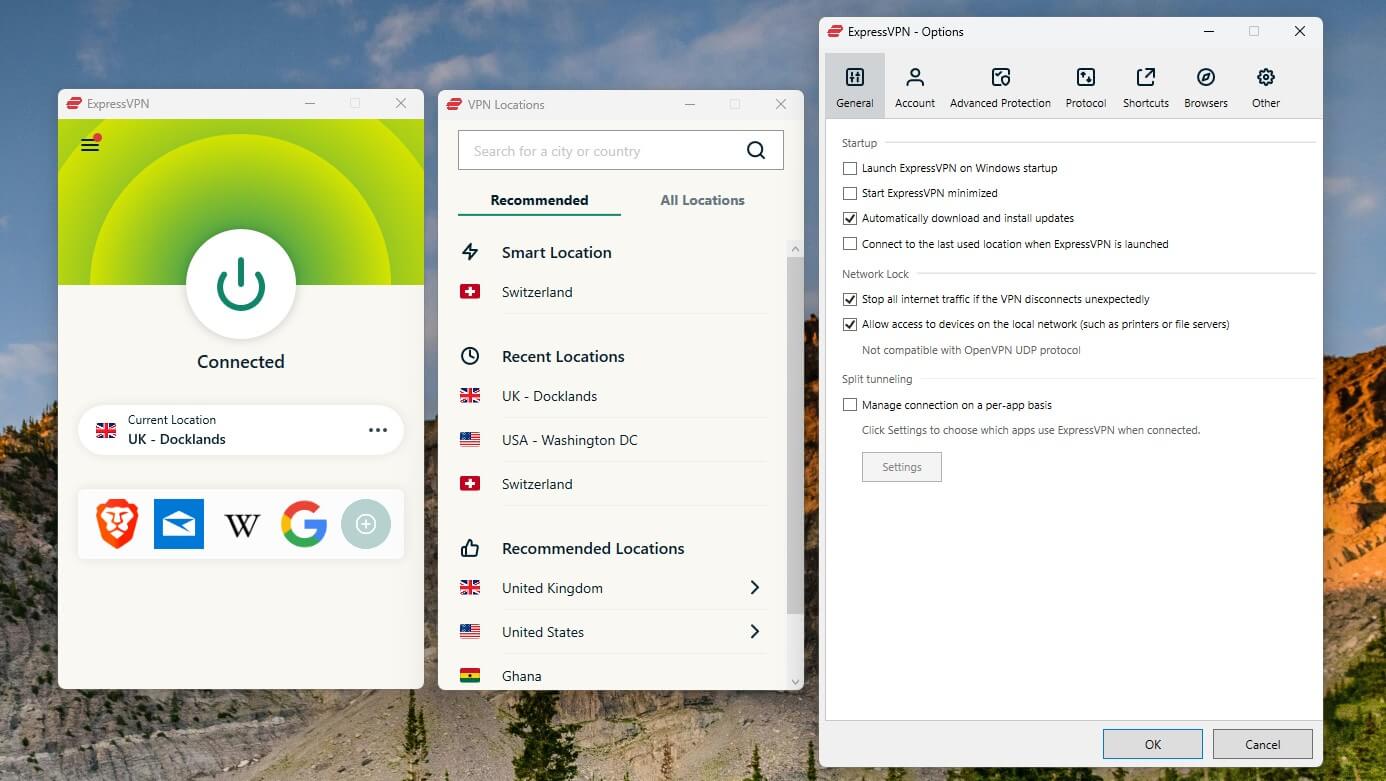
The server list and settings sit underneath for whenever you want them. Surfshark’s app carries more on screen because there’s more to carry: antivirus, Alternative ID, content blocking rules. It’s denser, and occasionally you’ll dig through a submenu that ExpressVPN wouldn’t have needed. We never got lost in it, but a beginner might take a day to feel at home.
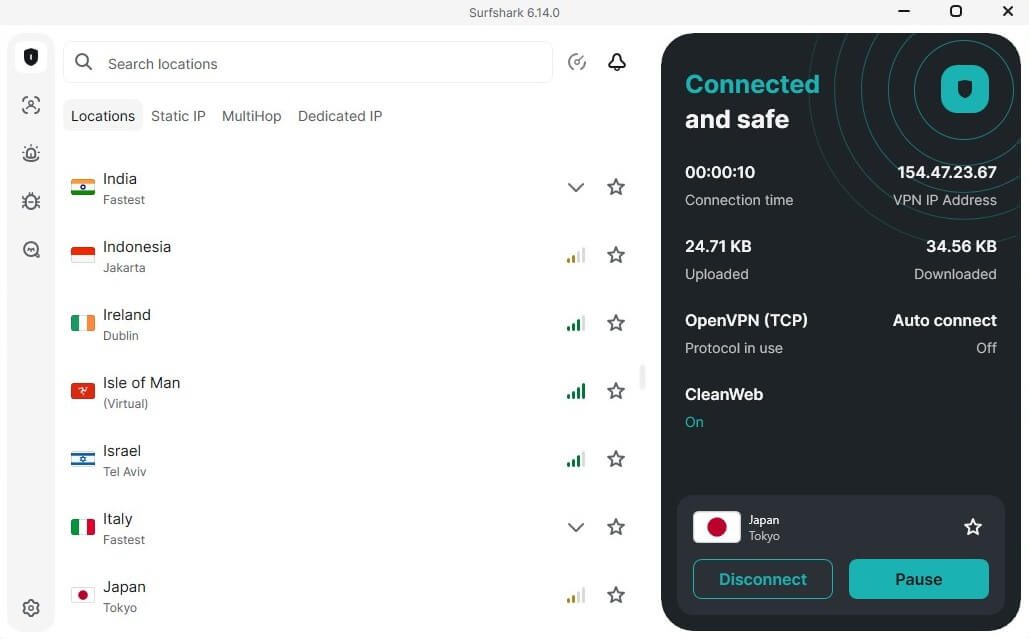
Both have browser extensions with WebRTC leak protection, and we rate each among the better VPNs for Chrome. The device math differs: ExpressVPN allows 10 connections on Basic, rising to 14 on Pro. Surfshark allows unlimited on every plan.
Winner: Tie 🟰
ExpressVPN is the easier app, and the one we’d put in front of a newbie. Surfshark covers every device you own with no counting. Which matters more depends on your household, so the round is even.
Surfshark is Cheaper than ExpressVPN
Price is where these two are least alike, so let’s put numbers on the gap.
| Minimal Biennial Price | Minimal Annual Price | Minimal Renewal Price | |
| Surfshark | $67.23 upfront | $50.85 upfront | $79 annually |
| ExpressVPN | $89.32 upfront | $74.85 upfront | $99.95 annually |
Quick Sidenote
Prices below are accurate as of October 2026. Both providers adjust promotions through the year, and we update this page when they do.
💰 Surfshark Prices
Surfshark’s 2-year deals come with 3 free months, and Starter opens at $2.49 per month. Starter is the plain VPN. One at $2.79 monthly is the tier we’d point most people to, since it adds the antivirus and identity tools covered later, and One+ at $4.49 bolts on data removal. Unusually, the 1-year plans are discounted too, also with 3 free months. The monthly plans are the trap.
Starter alone costs $16.45 month-to-month. Commit to a term instead, and check our Surfshark coupon page before you do. Every plan carries a 30-day money-back guarantee, with a 7-day mobile trial on top.
Get the Best Price on Surfshark
💰 ExpressVPN Prices
ExpressVPN restructured its pricing and buried its old reputation for costing $7 a month. The 2-year Basic plan now runs $3.19 monthly with 4 free months and a 78% discount. Advanced and Pro add ExpressKeys, email aliases, more connections, and, on Pro, a dedicated IP plus 5 days of free eSIM data for travel. Annual plans exist with 3 free months at higher rates.
Even after the restructure, ExpressVPN costs more than Surfshark at every tier, upfront and at renewal. It offers a 3-day trial plus the standard 30-day guarantee; our ExpressVPN free trial guide walks through claiming it.
Get the Best Price on ExpressVPN
Winner: Surfshark 🏆
Not close. $2.49 against $3.19 at entry, and Surfshark stays cheaper at renewal too. Over a two-year term, the difference funds a second subscription.
Surfshark is Safer than ExpressVPN: Here’s Why
Surfshark and ExpressVPN actually don’t share much except for the basics. While both work well in practice, and they’re some of the safest VPNs, I’d give Surfshark the edge because of its innovations.
🟢 Shared Features: Basics Covered
- Kill switch. System-level on both, and both held during our connection-drop tests. Surfshark had a wobbly patch years ago; it’s long fixed.
- Post-quantum encryption. Both have moved their key exchanges toward quantum-resistant standards on top of the usual 256-bit encryption.
- Ad and tracker blocking. CleanWeb on Surfshark, Advanced Protection on ExpressVPN. Both catch ads, trackers, and known malicious domains.
- Split tunneling. Route your banking app outside the tunnel while everything else stays inside, on either provider.
- Proprietary protocols. ExpressVPN’s Lightway Turbo is mature, fast, and runs everywhere. Surfshark answered in April 2026 with Dausos, built around per-user tunnels and AEGIS-256X2 encryption with a claimed 30% throughput gain. It’s audited by Cure53 but currently macOS-only, so for now Lightway Turbo is the one you’ll actually use across devices. Advantage ExpressVPN, narrowly and maybe temporarily.
🔴 Unique Features: Where Surfshark Really Takes Off
Our recent ExpressVPN test criticized how thin its advanced feature set is for the price. Surfshark piles features on. This round was never in doubt.
❌ Parental Control and Web Content Blocker (ExpressVPN and Surfshark)
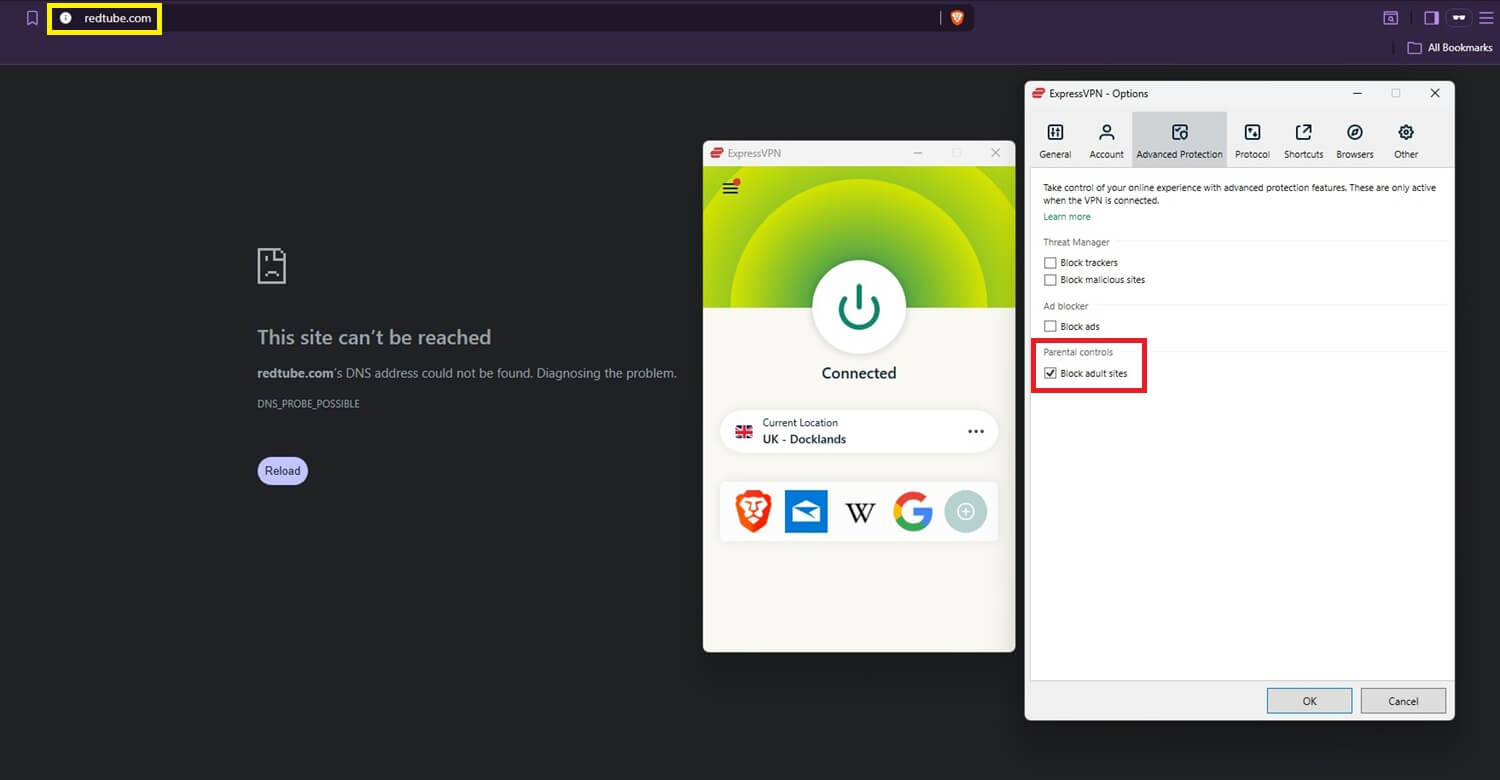
ExpressVPN’s Parental Control is a single on/off switch for adult content. It does the job, but you can’t pick categories, and it blocks torrent sites along the way whether you wanted that or not. Gambling sites, oddly, stay reachable.
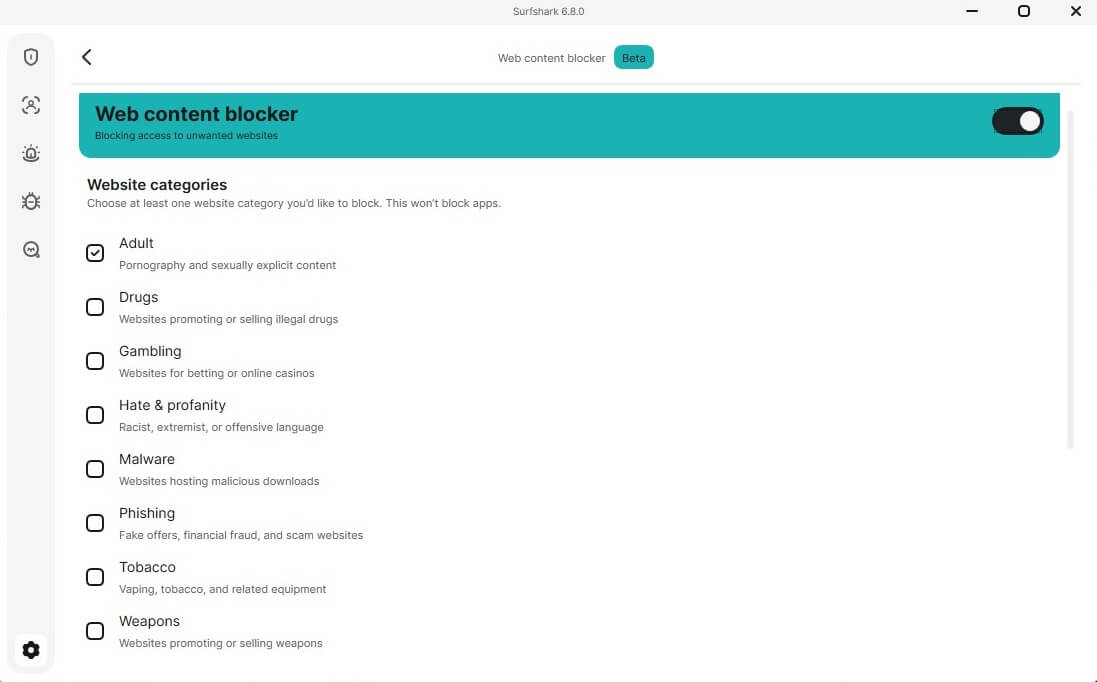
Surfshark’s Web Content Blocker does the same idea with actual controls: separate toggles for adult content, drugs, gambling, malware, phishing, and individual sites you name yourself. Quite handy.
↔️ Dynamic MultiHop (Surfshark)
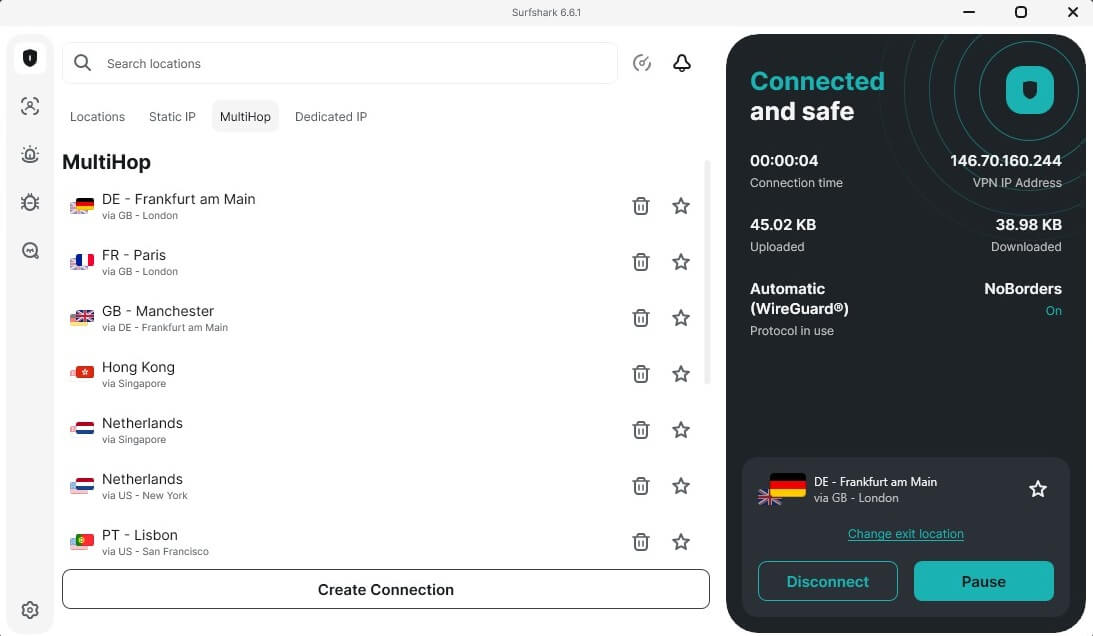
MultiHop chains your connection through two servers in different countries, and Surfshark lets you pick both the entry and exit yourself. ExpressVPN has no equivalent, a strange gap in a premium product. Expect a speed cost, as doubling the route always carries one; for raw pace, our fastest VPNs for 2026 list is the better shopping guide.
🦠 Antivirus (Surfshark)
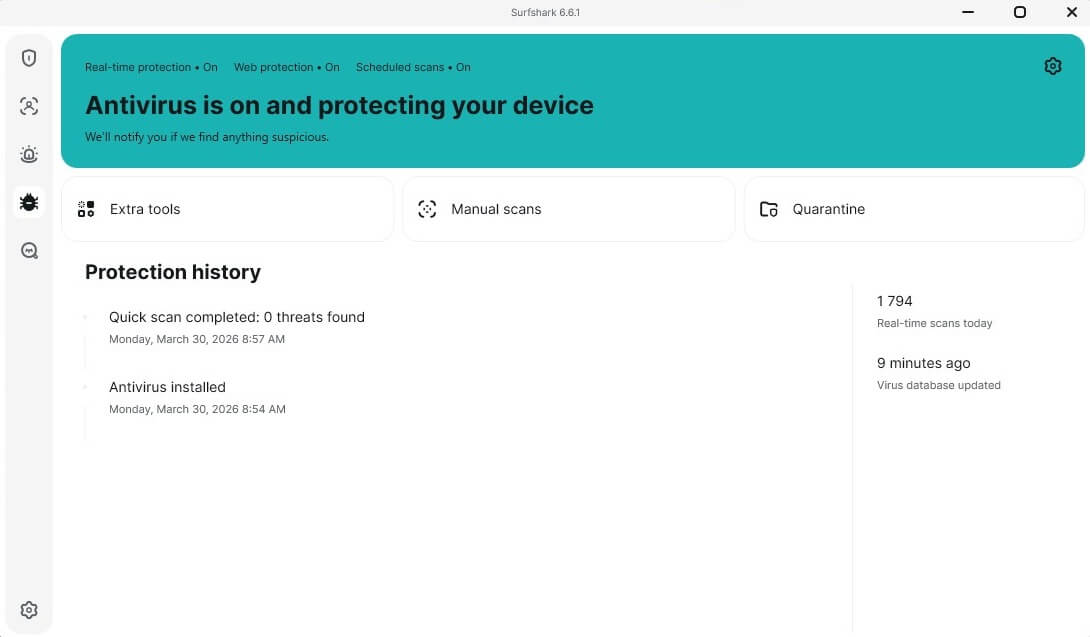
From the One plan up, Surfshark bundles an antivirus into the same app. We ran it against a handful of dedicated antivirus products on the same threat samples, and it kept pace on both detection and removal, which is more than bundled security tools usually manage.
🔄 IP Rotation (Surfshark)
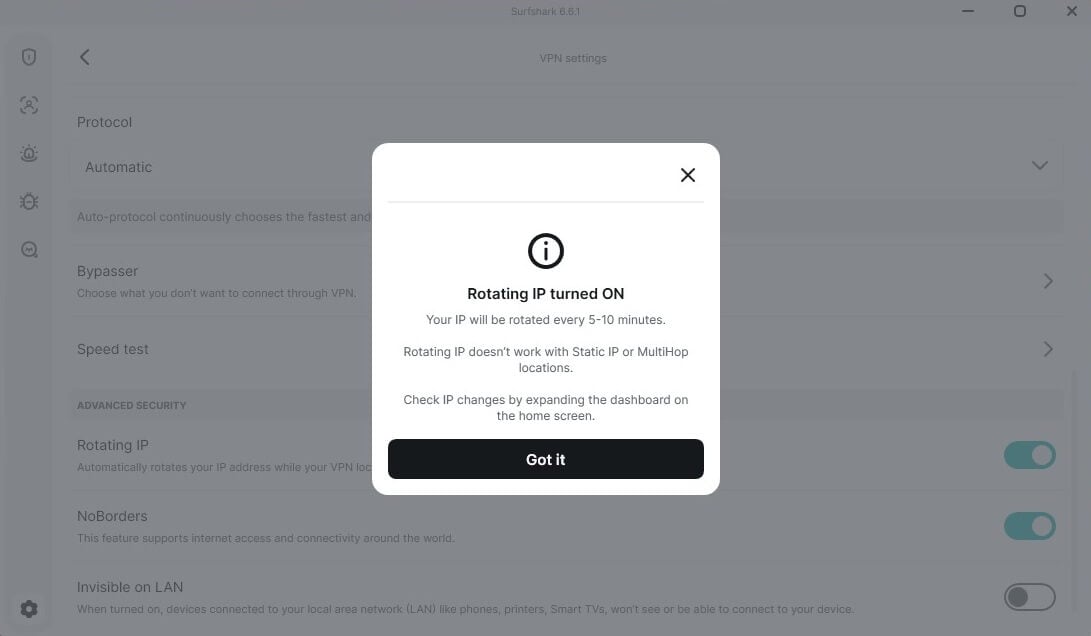
IP Rotation swaps your address every few minutes without dropping the tunnel. Connect to a UK server, and you keep a UK identity throughout, just never the same one for long. It frustrates the kind of tracking that follows a single IP across sessions, and because the connection never breaks, you don’t notice it happening.
🎁 ExpressVPN vs Surfshark: Other Extras
Beyond the VPN itself, the two companies are heading different directions. Surfshark stacks privacy tools: ID theft protection, its private Search product, Alternative ID. ExpressVPN branches wider, with ExpressAI for privacy-focused prompting across 5 models, an email relay, and eSIM data through Holiday. Handy, though little of it is VPN functionality in the strict sense.
Winner: Surfshark 🏆
Surfshark carries more security features: the antivirus, MultiHop, IP Rotation, and a content blocker with real controls. ExpressVPN’s extras are interesting but sit outside the security core.
Surfshark and ExpressVPN Don’t Store Logs
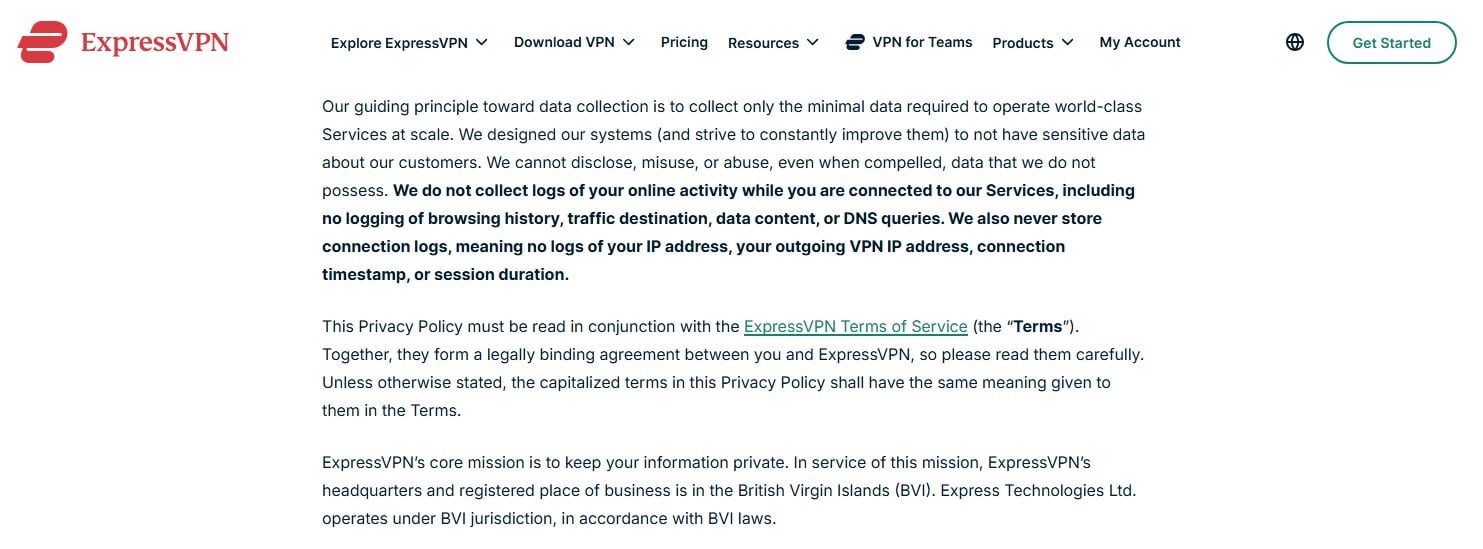
Jurisdiction first. ExpressVPN operates from the British Virgin Islands, outside every intelligence-sharing alliance and free of data retention mandates. Surfshark sits in the Netherlands, a Nine Eyes member and an EU state, a weaker starting position on paper even if it has never translated into an actual logging problem.
📜 Privacy Policy Analysis
In practice, neither keeps logs. Surfshark moved from the BVI to the Netherlands, and its policy survived the move intact: an email address, minimal diagnostics, nothing more. No timestamps, no browsing history, no IP addresses, no DNS queries. ExpressVPN’s policy makes the same commitments, and both VPNs run their servers on RAM, where a reboot wipes everything.
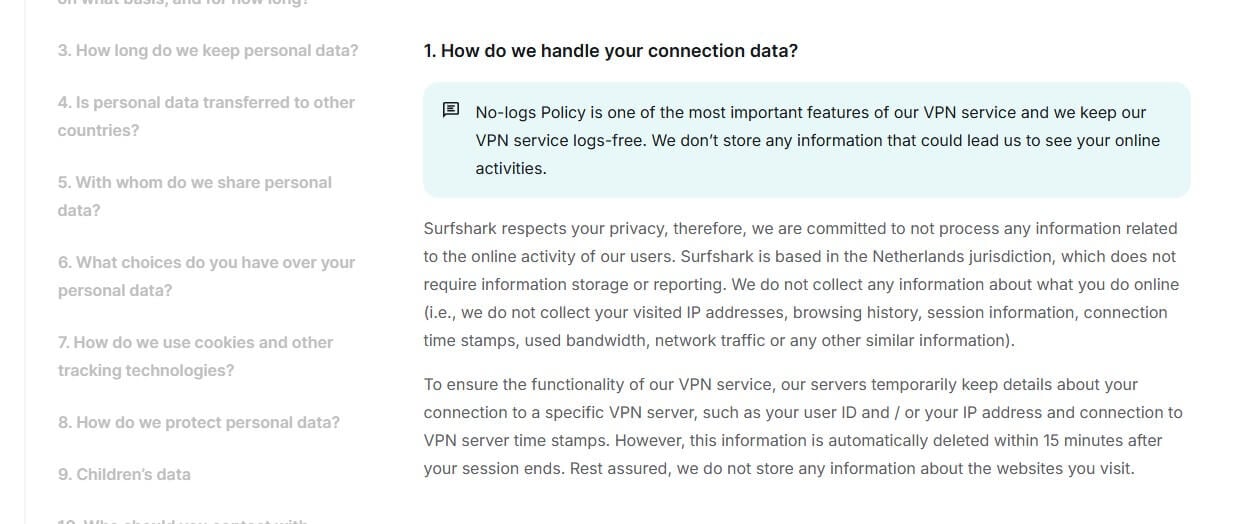
On verification, their record diverges. Surfshark’s no-log claims have been audited by Deloitte twice, in 2023 and 2025, with Cure53 separately auditing its Dausos protocol. ExpressVPN has racked up over 20 audits across different firms, KPMG’s repeated no-log confirmations among them, most recently in February 2025.
Winner: ExpressVPN 🏆
Both are trustworthy. ExpressVPN edges it on audit volume and the friendlier jurisdiction. A narrow win, but the criteria favor it on both counts.
ExpressVPN is Faster than Surfshark: Speed Tests
Every VPN costs you some speed. Encryption and the extra hop see to that, so the question is only how much. We measured from Belgrade over three days, three sessions a day, against servers in the UK, the USA, and Japan, with protocol selection left on Automatic so each provider made its own choices.
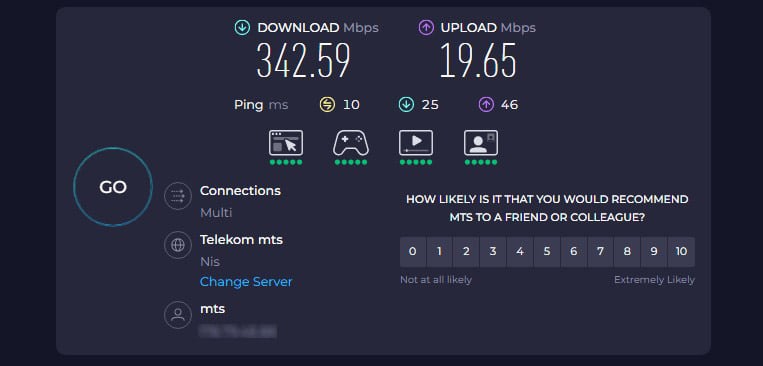
Downloads are close, a 3-point gap that you’d struggle to notice outside a benchmark. Uploads are not close. Surfshark shed 32% to ExpressVPN’s 9%, and that is the difference between a clean video call and a choppy one.
| Download Speed Loss 📥 | Upload Speed Loss 📤 | |
| Surfshark | 27% | 32% |
| ExpressVPN | 24% | 9% |
Per-location results:
| UK (DL/UL) | US (DL/UL) | Japan (DL/UL) | |
| Surfshark | 306.48/16.97 Mbps | 253.79/12.47 Mbps | 191.07/10.90 Mbps |
| ExpressVPN | 298.82/18.50 Mbps | 274.61/18.35 Mbps | 206.33/16.73 Mbps |
Surfshark won the UK download test. Elsewhere, and on every upload, ExpressVPN led, and its results stayed steadier as server distance grew.
Winner: ExpressVPN 🏆
Faster overall, dramatically better uploads, and more consistent at distance. For gaming, video calls, and seeding torrents, ExpressVPN is undoubtedly a better option in 2026.
Surfshark vs ExpressVPN for Streaming and P2P
ExpressVPN is faster overall, so it’s better for gaming. Does it translate to streaming and P2P in this case? Sort of, but for a few other reasons, too.
🎥 Streaming Tests
On Netflix specifically, Surfshark is the stronger unblocker: it opened 30+ regional catalogs in our tests against roughly 15 for ExpressVPN. If your whole reason for a VPN is hopping between Netflix regions, you have your pick.
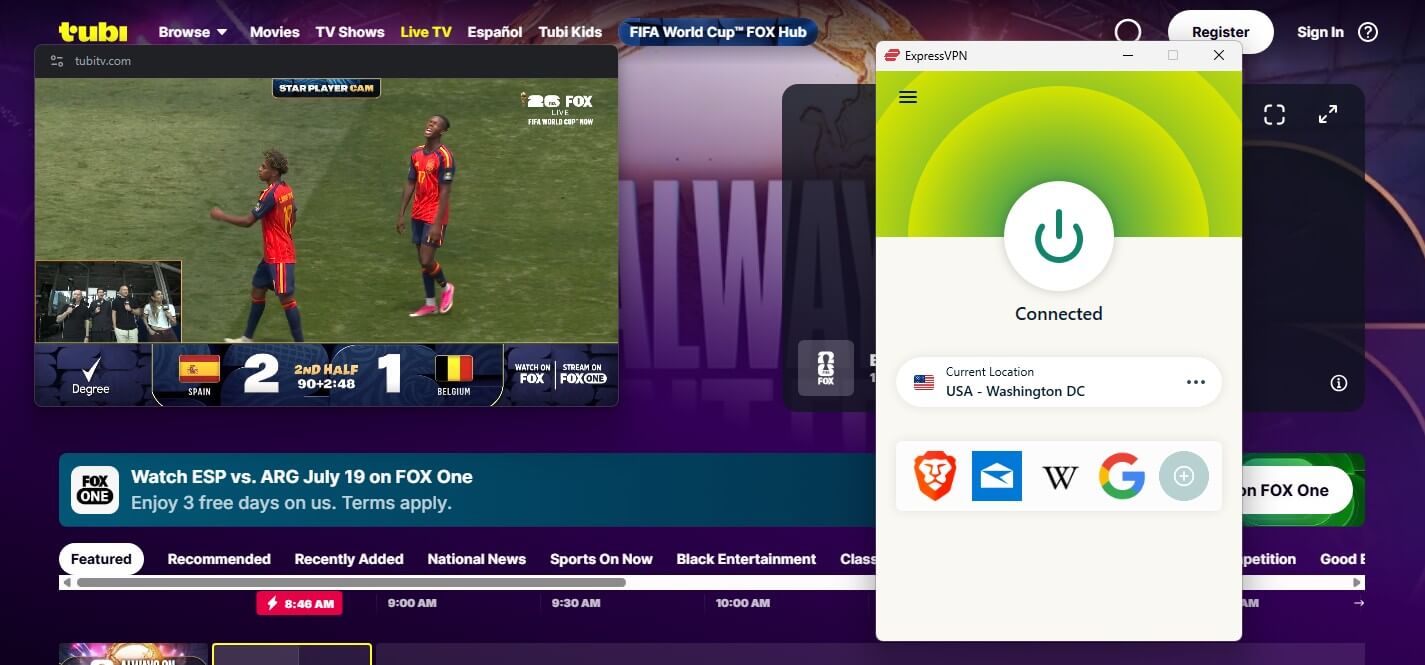
Beyond Netflix, both cleared everything we threw at them, including the harder targets like Hulu, Sky Sports, and ESPN+. Playback quality is where ExpressVPN pulled ahead: its 4K streams never faltered, while Surfshark occasionally stumbled and pushed us down from Ultra HD to Full HD until the connection settled. ExpressVPN also offers SmartDNS; its rival has removed it entirely.
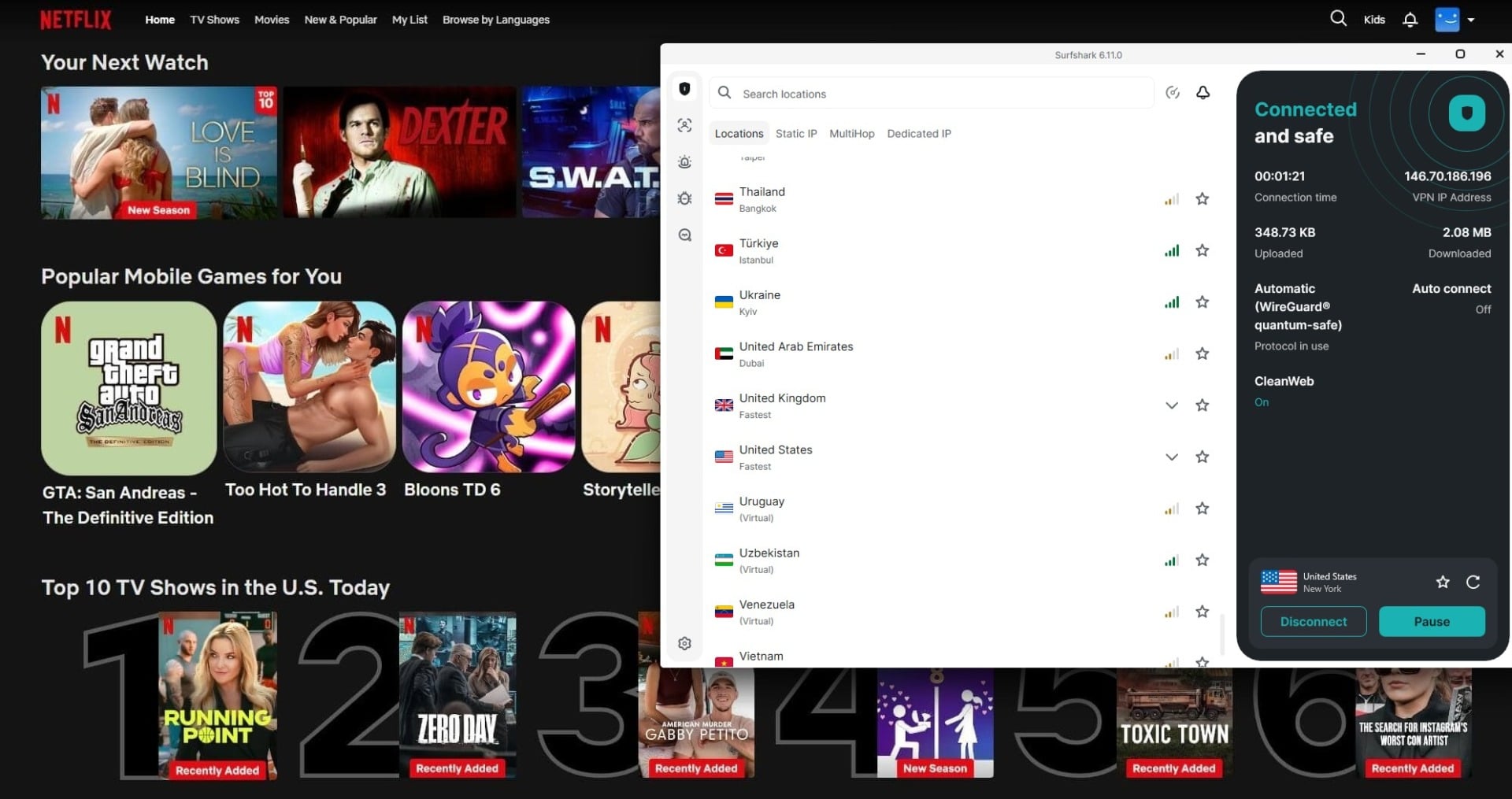
Here’s an overview of our full streaming testing results. The table comfortably confirms what we said: Both VPNs perform exceptionally well.
| Surfshark | ExpressVPN | |
| Netflix US | ✅ Works | ✅ Works |
| Prime Video US | ✅ Works | ✅ Works |
| BBC iPlayer | ✅ Works | ✅ Works |
| Sky Sports | ✅ Works | ✅ Works |
| HBO Max | ✅ Works | ✅ Works |
| Paramount+ | ✅ Works | ✅ Works |
| YouTube TV | ✅ Works | ✅ Works |
🧲 Torrenting Tests
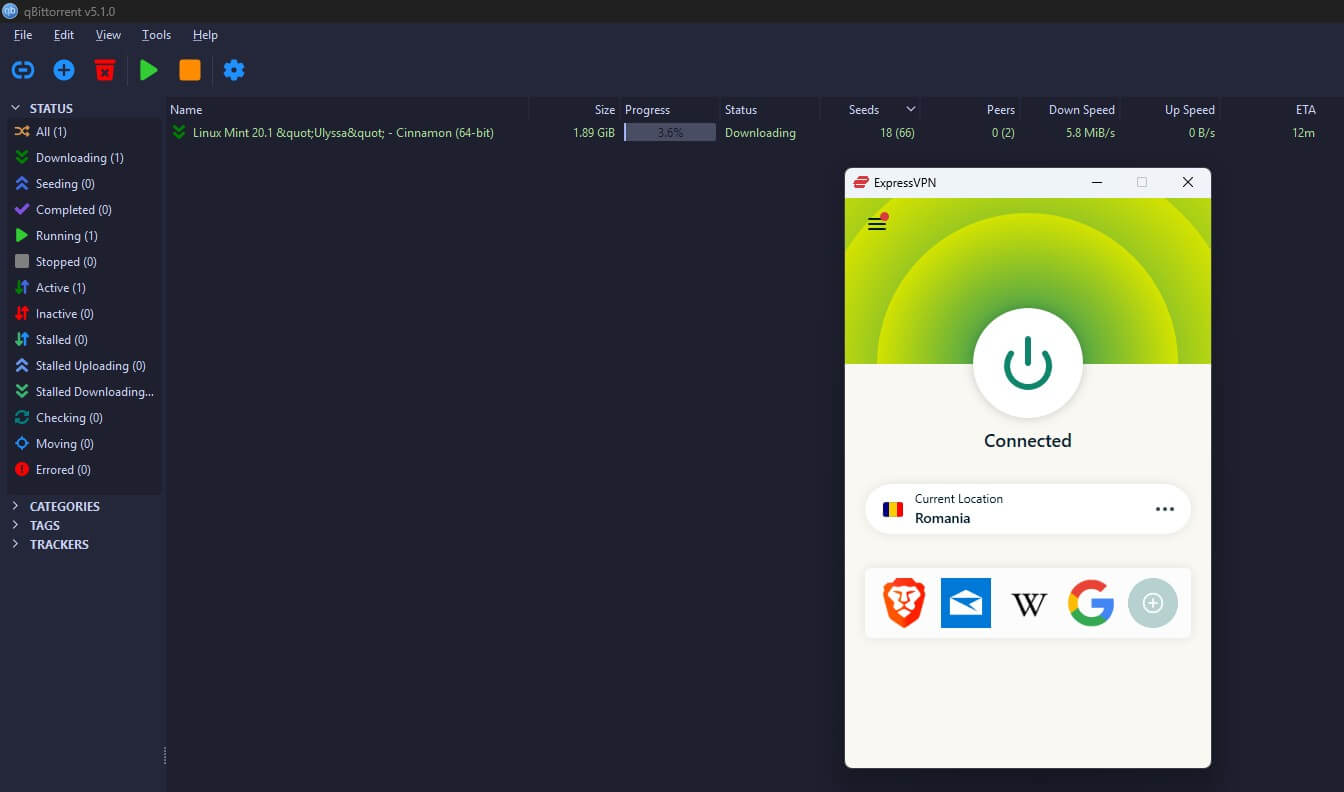
Every server on both networks is P2P-friendly, no special server hunting required, which is part of why both appear in our best premium VPNs ranking.
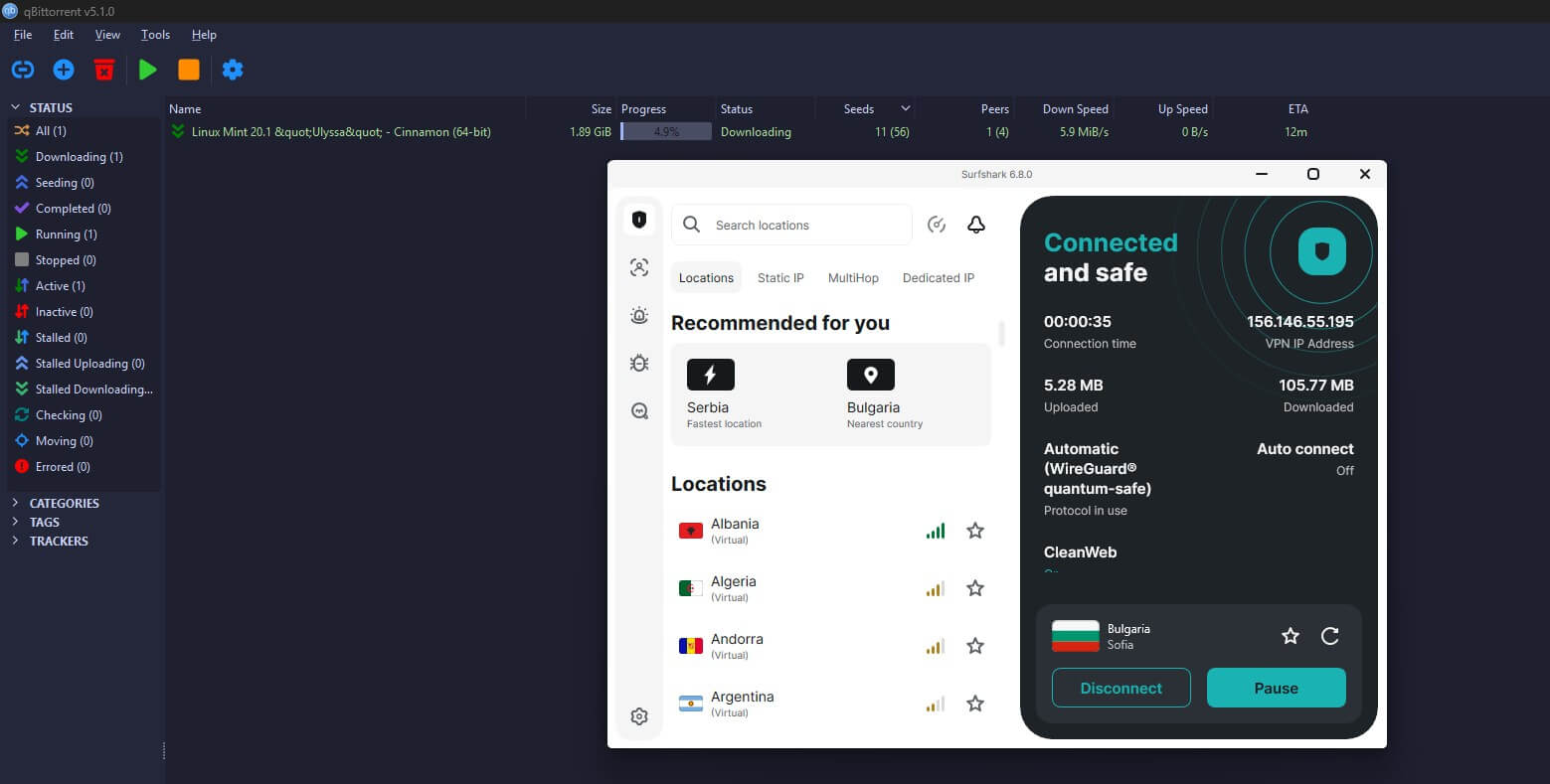
Download speeds tilted marginally toward ExpressVPN, though on the nearby servers you’d use for torrenting, the two were indistinguishable.
Winner: ExpressVPN 🏆
Surfshark takes the Netflix catalog count, ExpressVPN takes everything else: steadier 4K, faster P2P, fewer hiccups. A narrow round, and if Netflix region-hopping is your priority, read it the other way.
ExpressVPN vs Surfshark: Server Network
This section needed a rewrite because ExpressVPN moved the goalposts in July 2026, so here are the new, revised numbers:
- Surfshark: 4,500+ servers in 100 countries.
- ExpressVPN: 3,000+ servers in 113 countries, across 214 app-selectable locations after its network expansion added Nuuk, Lagos, Doha, Valencia, and Manchester, among others.
So each wins a different measure. Surfshark runs roughly 50% more physical servers, which helps with congestion. ExpressVPN now covers 13 more countries and offers far finer location choice, down to picking between seven different endpoints within the UK alone. Its US spread remains wider too, which is what you want for streaming. One caveat on the shiny new number.
Locations aren’t cities, and several of the 214 resolve to neighborhoods of the same metro area. On variety, Surfshark answers with Static IP servers included free and Dedicated IPs at $3.75/mo; ExpressVPN sells dedicated IPs as an add-on. Both have 10 Gbps server ports, and both play well with Tor for dark web access.
Winner: ExpressVPN 🏆
113 countries, 214 locations, and stronger US coverage beat a bigger raw server count. Surfshark’s fleet size matters, but reach matters more.
Both VPNs Work in China and Bypass Censorship
Both can beat censorship, but they ask different amounts of work from you, and this is where most comparisons get sloppy.
ExpressVPN applies obfuscation automatically. Connect, and traffic is already disguised; no settings involved. Surfshark splits the job across two features: NoBorders finds you servers that survive restricted networks, while Camouflage Mode does the traffic disguising, and Camouflage only runs on OpenVPN. Leave the app on its default, and the obfuscation never engages.
Our Surfshark China guide walks through the setup. Configured correctly, both got through in our checks, and both also handle Iran, the UAE, Qatar, Russia, and Turkey. Against the Great Firewall, neither is bulletproof, and results shift with the censors’ updates. For the most reliable picks there, see our best VPNs for China.
Winner: Tie 🟰
Both work in censored countries. ExpressVPN needs zero configuration; Surfshark needs one protocol change and costs less. Call it even, with a lean toward ExpressVPN for anyone who won’t read a setup guide.
Surfshark vs ExpressVPN 2026: Conclusion
ExpressVPN wins, 4 rounds to 2, and this year its case got stronger with the 113-country expansion and its upload speeds staying untouchable.
⭐ ExpressVPN is Better for:
- Privacy and jurisdiction
- Streaming performance
- Speeds, especially uploads
- Server reach (113 countries, 214 locations)
⭐ Surfshark is Better for:
- Simultaneous connections (unlimited)
- Price (roughly 40% cheaper at entry)
- Security features (antivirus, MultiHop, IP Rotation)
- Netflix catalog count
Apps and censorship ended even. The practical advice: households with many devices and tight budgets lose almost nothing choosing Surfshark. Everyone else gets the more refined product in ExpressVPN, and pays for the refinement.
Frequently Asked Questions
🏢 Are Surfshark and ExpressVPN owned by the same company?
No. Surfshark merged with Nord Security, the company behind NordVPN, in 2022, though the two brands keep separate infrastructure and apps. ExpressVPN belongs to Kape Technologies, which also owns CyberGhost and PIA VPN. So while VPN ownership has consolidated into a couple of large groups, these two sit on opposite sides of that divide and compete for real.
📺 Which is better for Netflix, Surfshark or ExpressVPN?
Surfshark, if catalog count is the measure. It opened 30+ regional Netflix libraries in our tests to ExpressVPN's roughly 15. ExpressVPN counters with steadier 4K playback once you're in. Region-hoppers should pick Surfshark; anyone who mostly watches one or two libraries and hates buffering should pick ExpressVPN.
🔗 Can I use Surfshark and ExpressVPN at the same time?
Not on the same device, and you wouldn't want to. Two VPN apps fight over the same network routes, and the usual result is no connection at all. Running them on different devices is fine, and subscribing to both is a legitimate strategy for travel to censored countries, where a second provider justifies its cost the first time the primary one gets blocked.