ExpressVPN has long been sold as the VPN that just works, and its renewal of about $100 a year is priced to match. To see whether the simplicity holds up, I put Lightway, Lightway Turbo, and WireGuard through the same UK server, then tried 14 streaming services.
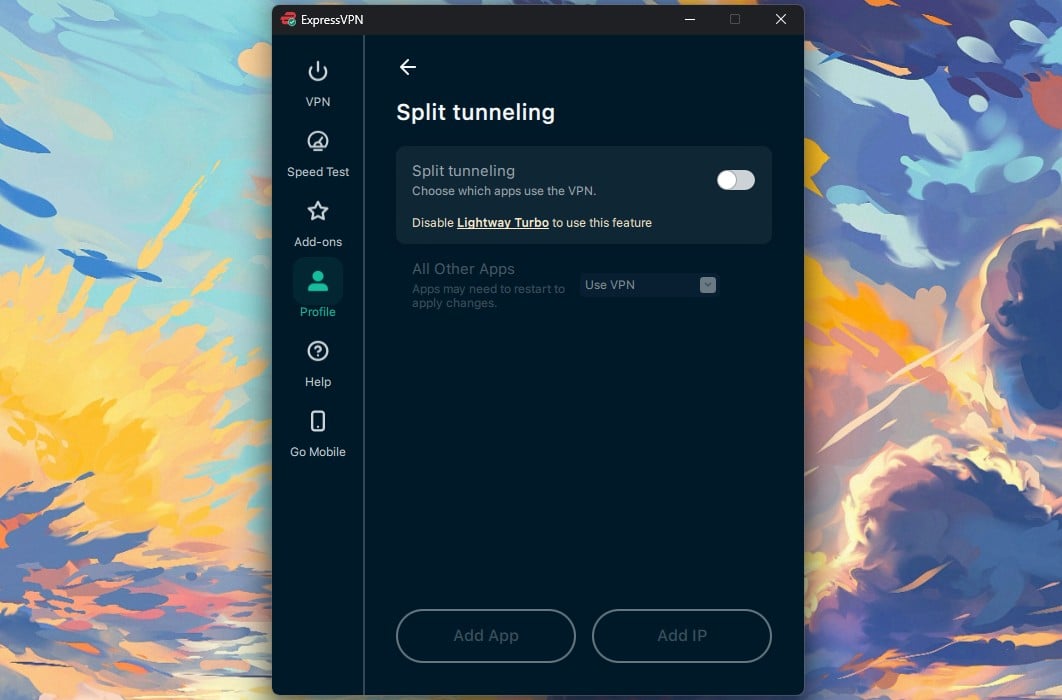
In our ExpressVPN review, it was the easiest VPN to live with: it lost 7.8% of its speed across UK, US, and Japanese servers, posted the fastest Japanese result we’ve measured, and unblocked all 14 services. Lightway Turbo was the letdown, though, adding nothing measurable on our connection and disabling split tunneling while active.
ExpressVPN
ExpressVPN loses less speed over long distances than any VPN we've tested, unblocks every major streaming service, and has the simplest apps in the category. It lacks multi-hop and port forwarding, its ad blocker caught 71% of test domains, and the Basic plan renews at $99.95 a year after starting at $2.99 a month.
Pros
- Fast on distant servers
- Obfuscation by default
- Post-quantum encryption
- Simplest apps around
- Netflix and iPlayer unblocked
- Apple TV and Fire TV apps
- Long public audit history
Cons
- No multi-hop
- No port forwarding
- Weak ad blocking
ExpressVPN Review: Quick Look
| Starting price | $2.99 per month, $83.72 for 28 months (Basic) |
| Renewal | $99.95 a year on Basic, so $8.33 per month |
| Money-back guarantee | 30 days, new subscribers only |
| Protocols | Lightway UDP and TCP, Lightway Turbo, WireGuard, OpenVPN |
| No-log policy | Yes, KPMG-audited as of 28 February 2025 |
| Countries | 113, counted in the app |
| Download speed loss | 7.8% averaged across our three server locations |
| Upload speed loss | 8.9% averaged |
| Streaming | All 14 streaming services we tested |
| Multi-hop | No |
| Port forwarding | No |
| Ad and tracker blocking | Advanced Protection, 71% on d3ward’s test |
| Simultaneous connections | 10 on Basic, 12 on Advanced, 14 on Pro |
| Supported platforms | Windows, macOS, Linux, iOS, Android, Fire TV, Apple TV, routers, browsers |
| Customer support | 24/7 live chat, email, help center |
ExpressVPN Speed Test Results
In our October tests, we measured on a 190.36 Mbps connection on Windows 11 from Europe, via Ethernet, using Speedtest. Each location was checked at three times of day across three days. The protocol was Lightway, which is what the app selects on Automatic.
| Server | Download | Upload | Ping | Download loss |
| No VPN | 190.36 Mbps | 19.37 Mbps | 10 ms | n/a |
| UK | 185.74 Mbps | 18.02 Mbps | 44 ms | 2.4% |
| US | 177.03 Mbps | 17.74 Mbps | 125 ms | 7.0% |
| Japan | 163.94 Mbps | 17.15 Mbps | 266 ms | 13.9% |
| Average | 175.57 Mbps | 17.64 Mbps | n/a | 7.8% |
The Japanese server is the most remote location we tested. Even so, it measured 163.94 Mbps, enough for 4K on several screens at once. The 44 ms ping to the UK is low enough for gaming on European servers.
Lightway, Lightway Turbo and WireGuard Compared
Turbo opens several Lightway tunnels at once and spreads traffic across them. As a result, speed can rise on very fast connections. We tested it in dual-tunnel mode next to plain Lightway and WireGuard on the same UK server.
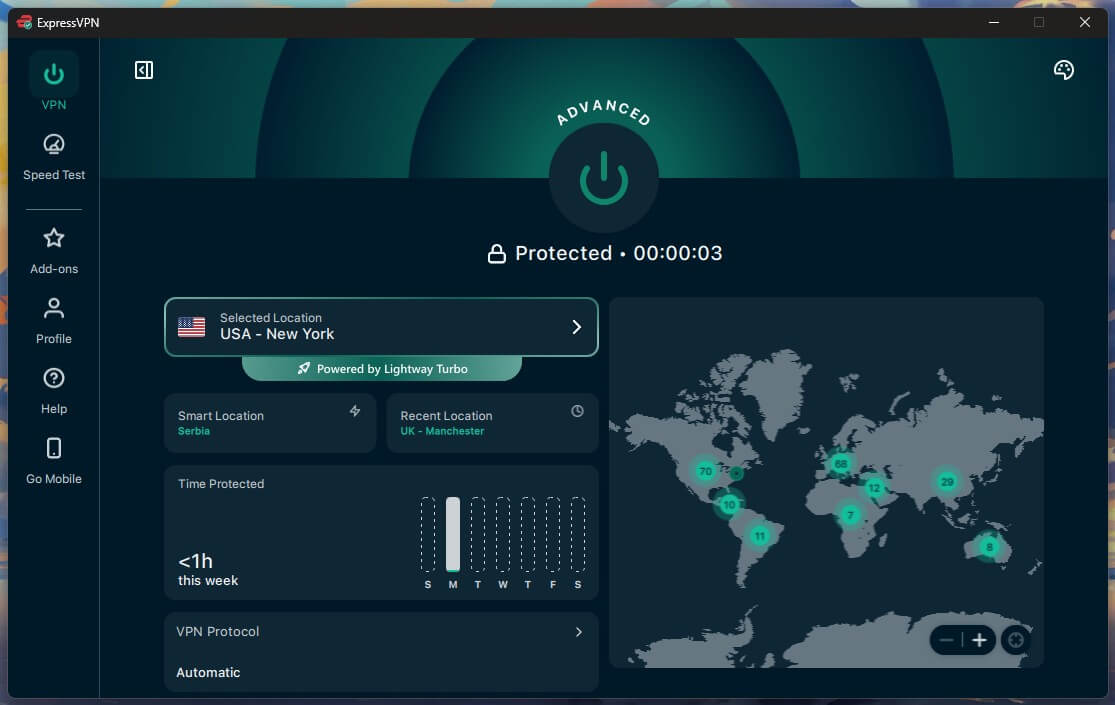
Turbo finished 0.45 Mbps ahead of plain Lightway, within the variation between two consecutive tests on the same server. It cost 9 ms of ping.
| Protocol | Download | Upload | Ping |
| Lightway Turbo | 186.19 Mbps | 18.16 Mbps | 53 ms |
| Lightway | 185.74 Mbps | 18.02 Mbps | 44 ms |
| WireGuard | 184.44 Mbps | 18.70 Mbps | 53 ms |
Turbo targets connections fast enough that a single tunnel becomes the limit. At 190 Mbps, that limit is nowhere near. Therefore, the feature adds nothing, and the split tunneling switch stays grayed out while Turbo is active. Turbo may help on a gigabit connection. On a normal home connection, there’s no reason to enable it, and one concrete reason not to.
ExpressVPN Price and Plans
Three tiers share the same VPN. The extra money buys device slots and tools. The connection underneath is identical on all three.
- The Basic plan: $2.99 a month on the 28-month term, $83.72 for the term, then $99.95 a year. Covers 10 devices and includes Lite Protection, which blocks ads, malicious sites, and adult sites but leaves trackers alone.
- The Advanced plan: $4.49 a month, $125.72 for the term, then $119.95 a year. Covers 12 devices and adds tracker blocking, the ExpressKeys password manager, ExpressMailGuard aliases, and part of Identity Defender.
- The Express Pro plan: $7.49 a month, $209.72 for the term, then $199.95 a year. Covers 14 devices and includes a dedicated IP address instead of selling it as an add-on. Also the only tier with ExpressAI.
Annual plans arrive with three extra months at $4.99, $5.99, and $8.99 a month. Monthly plans are $14.99, $16.99, and $22.99, which is poor value compared to the term prices. The ExpressVPN pricing breakdown covers what each tier includes. Meanwhile, current discount codes change often enough to check before paying. For most people, the Basic plan is enough. ExpressVPN pushes the Advanced tier. For this review, the password manager was the only extra that justified the higher price.
Refunds and the Free Trial
The 30-day guarantee applies to new subscribers. We asked for a refund on a secondary account through live chat, paid by PayPal. The money was returned within 15 minutes. There’s no free tier. The ExpressVPN free trial on iOS and Android is 3 days, which we confirmed in the Play Store.
It covers the full feature set, and the trial requires credit card information, as is the case with NordVPN. Our wider VPN free trial guide has the alternatives. Payment methods are card, PayPal, and Google Pay.
Security Features and What They Cost You
The security set is smaller than NordVPN’s or Surfshark’s, and the parts that exist work well. Two of them get in each other’s way.
Encryption, Kill Switch and Post-Quantum
Lightway uses AES-256-GCM or ChaCha20, with ML-KEM post-quantum protection enabled by default. OpenVPN uses AES-256-GCM. Forward secrecy applies to every session, so each connection uses a key that disappears on disconnect. Network Lock is the kill switch.
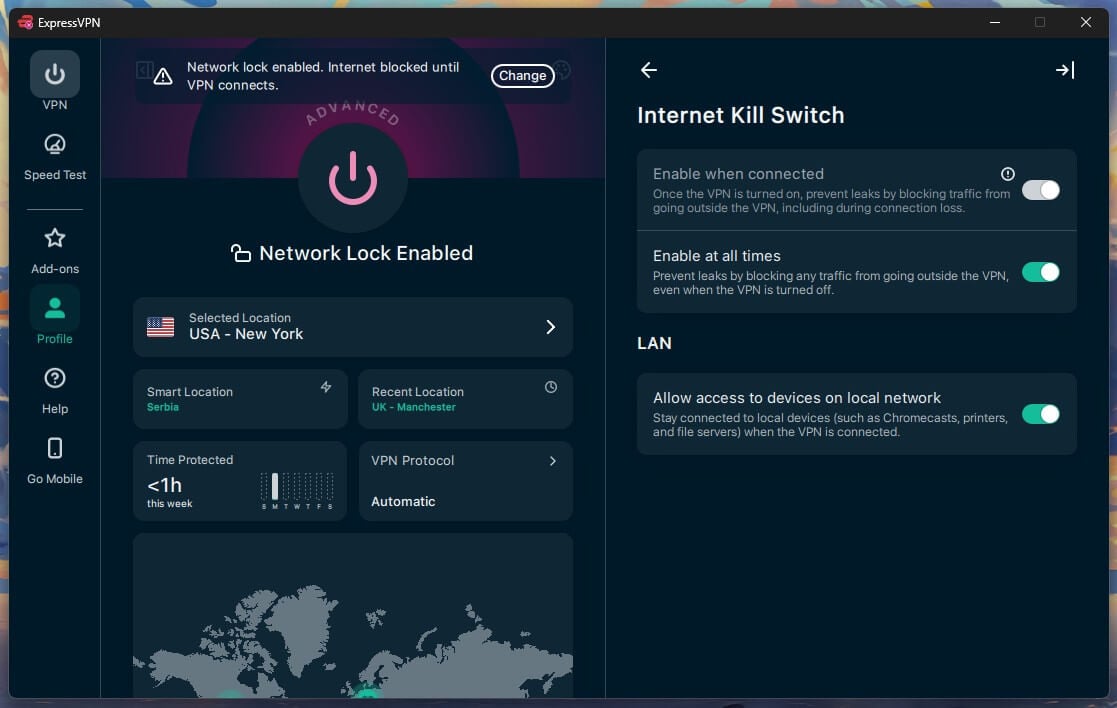
We tested it on Windows 11 in three ways, with a continuous ping running. No traffic escaped when the Ethernet cable was pulled mid-session or when the app process was killed from Task Manager. A PC restart was different: with the default Network Lock setting, traffic got out before the app reconnected, while its strictest setting kept everything blocked. Every default kill switch we restarted with leaked the same way, so enable the strictest setting on a laptop that joins public networks.
Advanced Protection Scored 71% in My Test
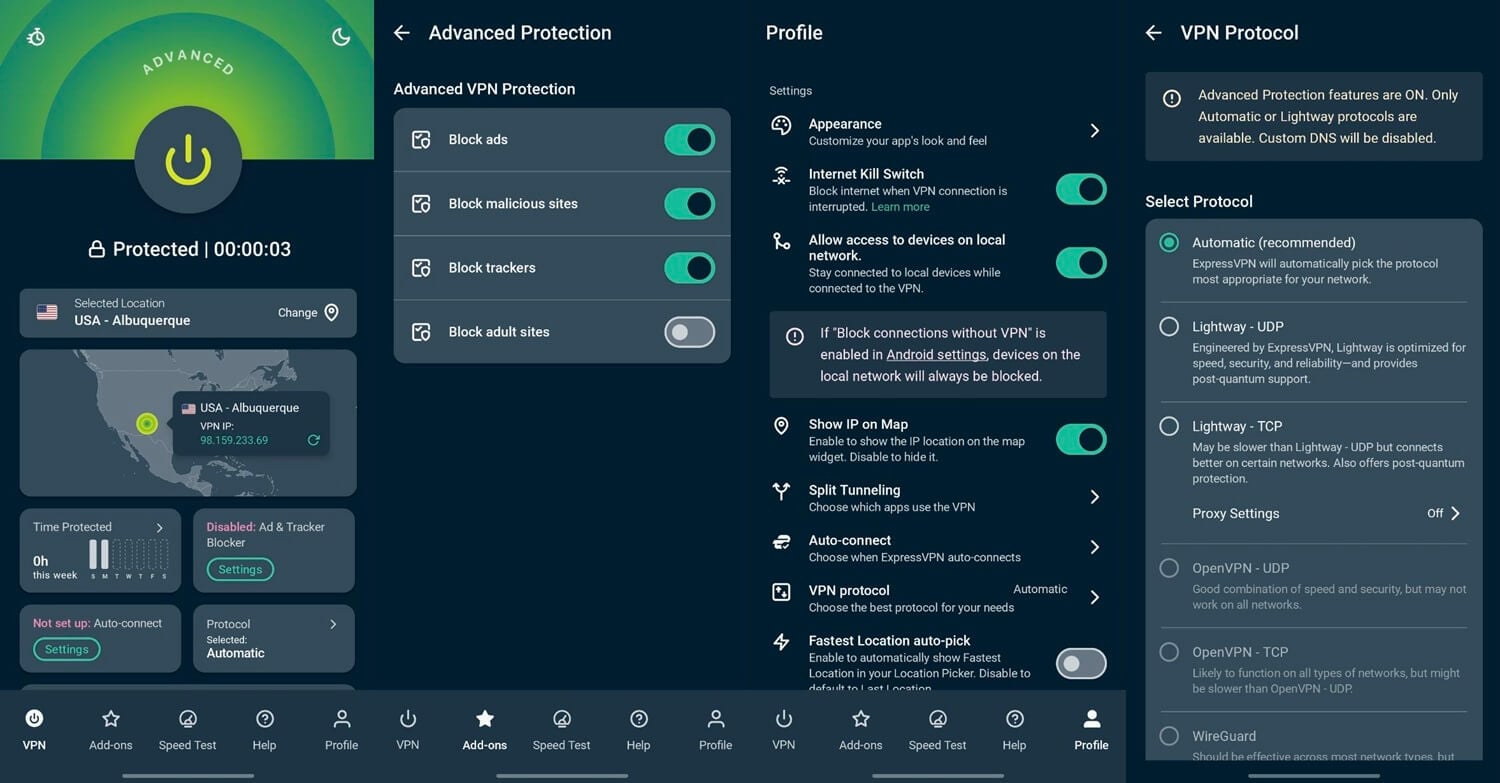
Advanced Protection blocks ads, trackers, malicious sites, and adult sites at the DNS level. With all four toggles enabled on a British server, it stopped 96 of 135 domains on d3ward’s blocklist test. That’s 71%, compared to 96% for PIA’s MACE and 93% for Proton VPN’s NetShield on the same list. Letting 39 domains through is enough to notice on an ad-heavy news site.
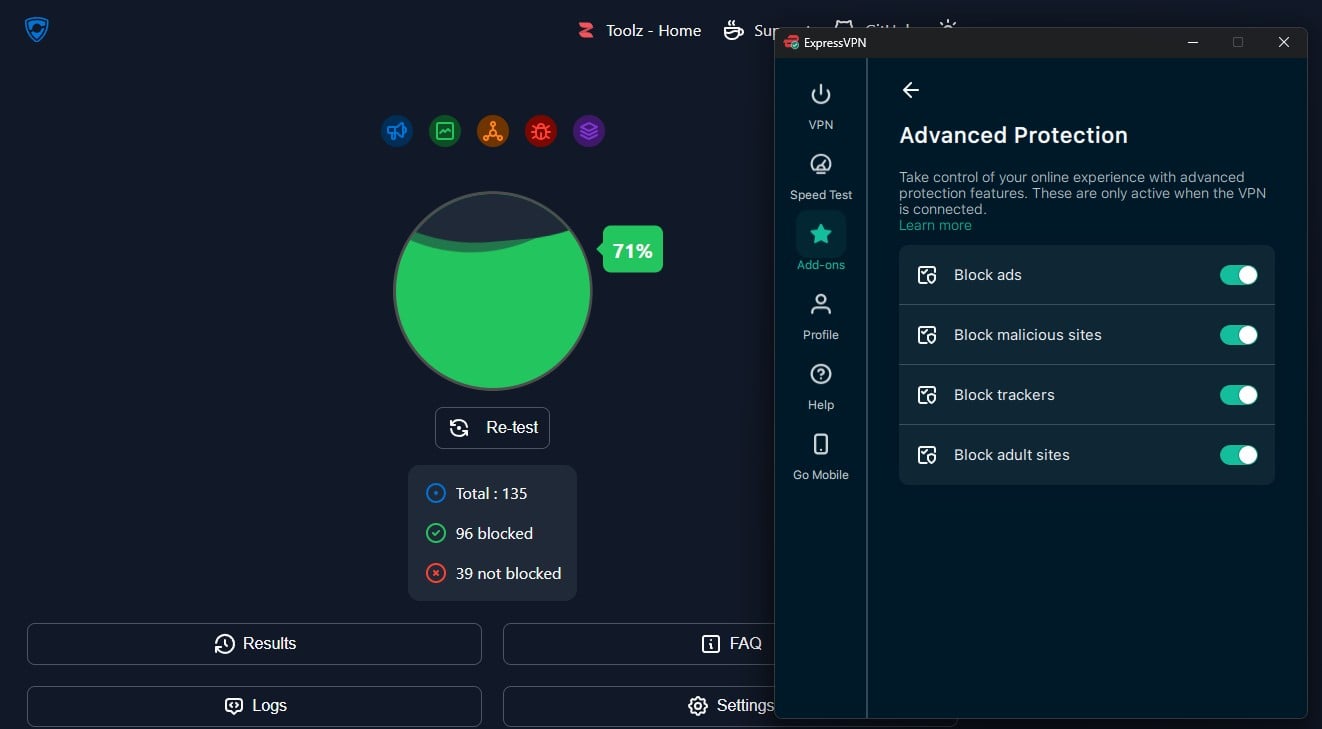
Basic subscribers receive Lite Protection, which leaves trackers unblocked, so the 71% figure applies to Advanced and Pro. Enabling Advanced Protection also grays out WireGuard and OpenVPN. The feature works on Automatic or Lightway only, so the ad blocker and the protocol menu are mutually exclusive. The adult site toggle doubles as parental control. It blocks Pornhub, RedTube, and similar sites at the DNS layer, across every device on the account.
Split Tunneling, MCP and the Missing Features
Split tunneling works at the app level on Windows. However, it can’t operate while Lightway Turbo is active. An MCP server appeared in the Add-ons panel in August 2026, and no other VPN offers it. When enabled, it publishes a localhost URL with an access token.
An AI client can read the connection state, change server location, and switch protocol through ordinary instructions, without opening the app. It works on annual and 2-year plans, including Basic. What’s still missing after years of requests: no multi-hop, no port forwarding, and no Tor support.
Multi-hop is the one we’d most like to see, since PIA and NordVPN both offer a version of it. ExpressVPN’s position is that TrustedServer and ShuffleIP, which changes your IP address between sites, make a second server unnecessary.
Leak Test Results and the 2024 DNS Incident
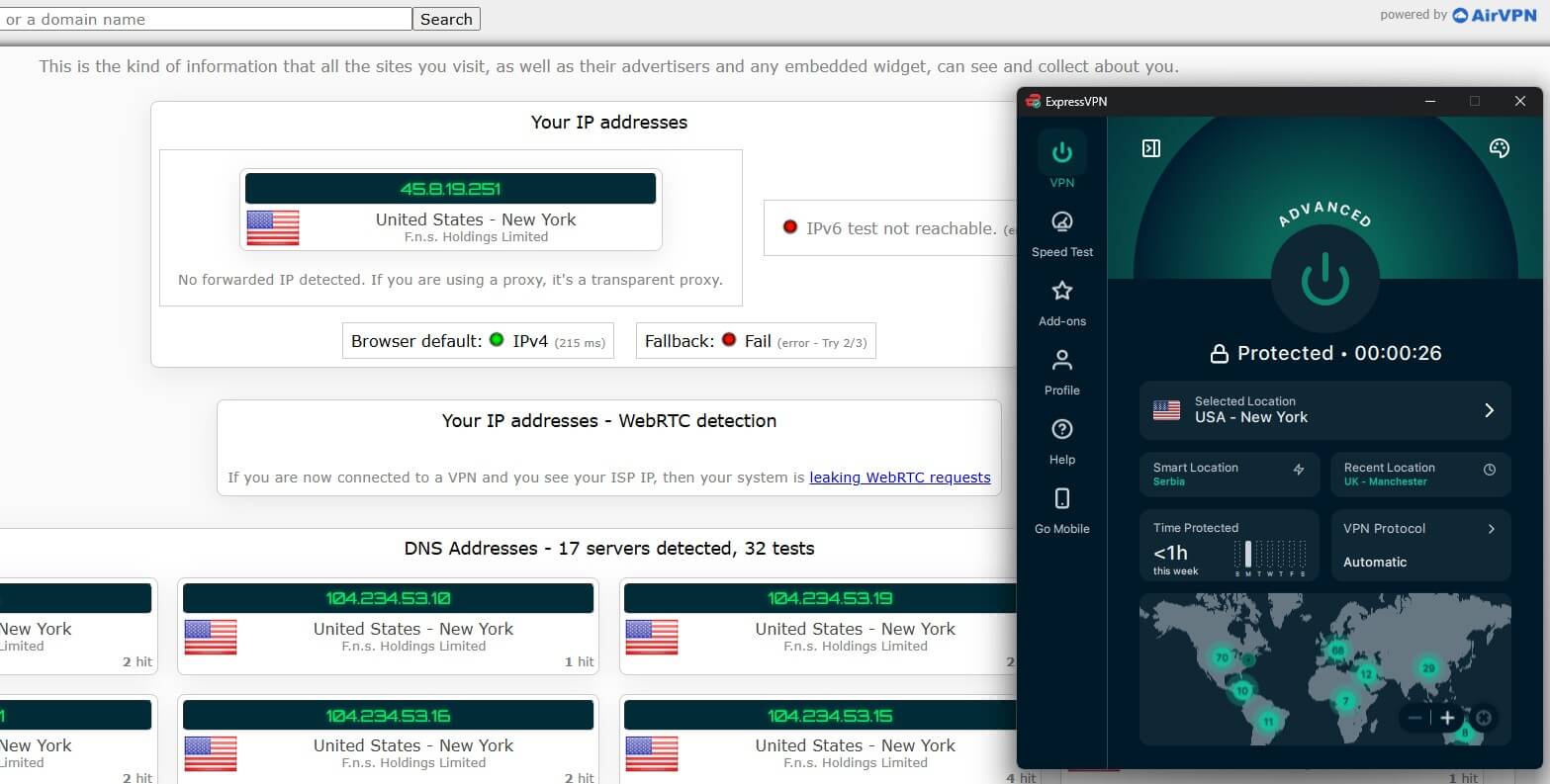
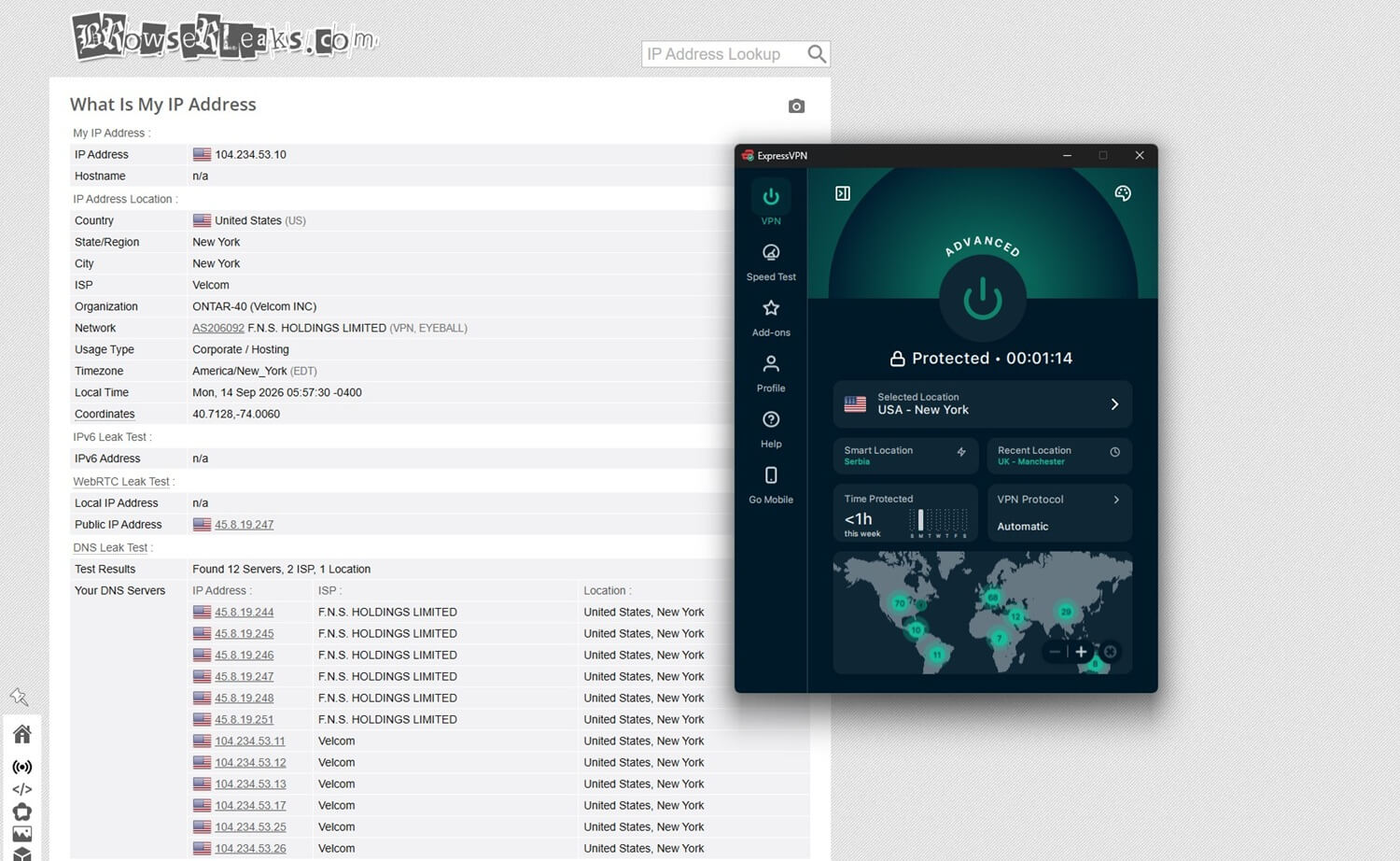
We checked ipleak.net and browserleaks.com on the British, American, and Japanese servers. Windows 11, with the browser cache deleted between sessions. No IP address leaks, no DNS leaks, and no WebRTC exposure. Our home IP address appeared nowhere, including the IPv6 test.
Between May 2022 and February 2024, ExpressVPN’s Windows app leaked DNS requests to the user’s ISP. The fault appeared in one split tunneling mode, “Only allow selected apps to use the VPN“. It went unnoticed for 21 months and through several audits. An outside reviewer found it before ExpressVPN did. The company then pulled split tunneling from the Windows app within days and released a fix in version 12.73.0.
It restored the feature in April 2024 and paid Nettitude to verify the repair. Meanwhile, the second cause matters here: other VPN apps on the same machine could interfere with its filtering rules, even when idle.
Is ExpressVPN Safe? Jurisdiction, Logs and Audits
ExpressVPN operates from the British Virgin Islands, with no data retention requirement and no intelligence-sharing arrangement. The privacy policy states that it doesn’t store IP addresses, DNS queries, browsing history, traffic destination or content, connection logs, or timestamps. It does keep an email address for billing, aggregate diagnostics, and the country of connection, with no timestamp.
In addition, it counts connected devices, since the plan caps them. KPMG examined TrustedServer and the privacy policy as of 28 February 2025. The audit found reasonable assurance that the system collects no activity or connection logs. Read the standard before the headline. An ISAE 3000 Type I engagement tests how the controls look on a given date. A Type II would test whether they worked over a period. It’s a stronger instrument, and few VPN audits use it.
The stronger evidence is older and came without an invitation. In 2017, Turkish authorities seized an ExpressVPN server during an investigation. They examined it and found no logs and no connection records. Kape Technologies owns the company, along with CyberGhost and PIA.
Streaming and Torrenting
There are no specialized servers. Every server allows streaming and P2P, so there’s no separate list to hunt through. ExpressVPN unblocked all 14 streaming services we tested, with no server hopping required on most of them. Netflix libraries in the US, Canada, and Japan loaded. Similarly, BBC iPlayer and Channel 4 worked from British servers, and ExpressVPN unblocked JioHotstar on an Indian server.
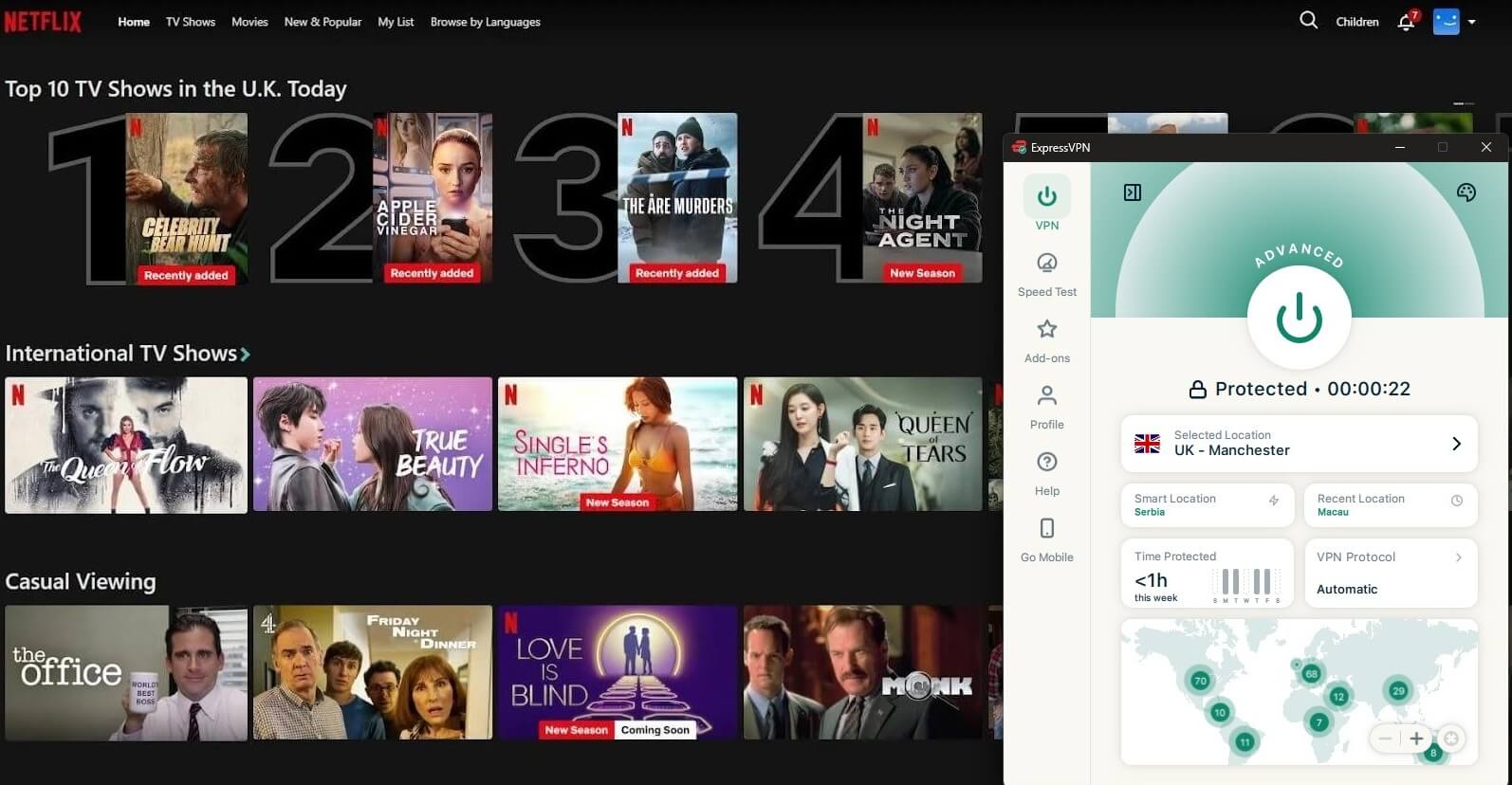
Two qualifications. ITVX and Prime Video detected the connection on several attempts and required a different server in the same country. Disney+ blocked the desktop app, and it worked only with location spoofing in the browser extension, so we count that as a workaround.
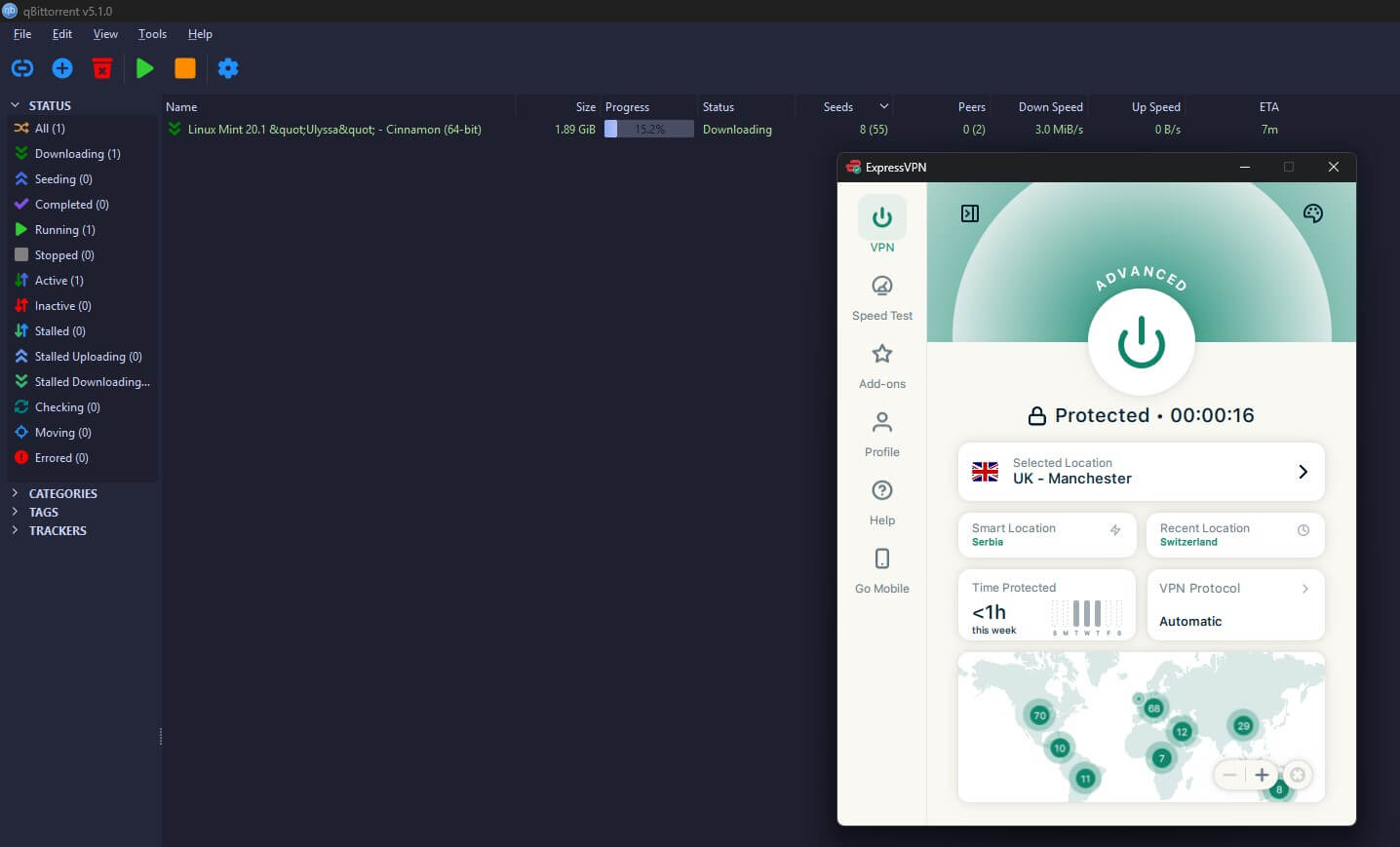
For torrenting, the missing port forwarding is the problem. Downloads are quick, and every server accepts P2P. However, seeding ratios on private trackers depend on an open port, and ExpressVPN argues that port forwarding adds too much exposure. If you seed on private trackers, this VPN is the wrong choice.
Server Network and Coverage
The app lists 113 countries, with city-level entries across the larger markets. However, ExpressVPN doesn’t publish a total server count. Country breadth is the trade-off it makes against raw server numbers. In practice, that suits a user who wants a specific country more than a specific city. The American network covers more than 20 cities, and Canada has Toronto, Montreal, and Vancouver.
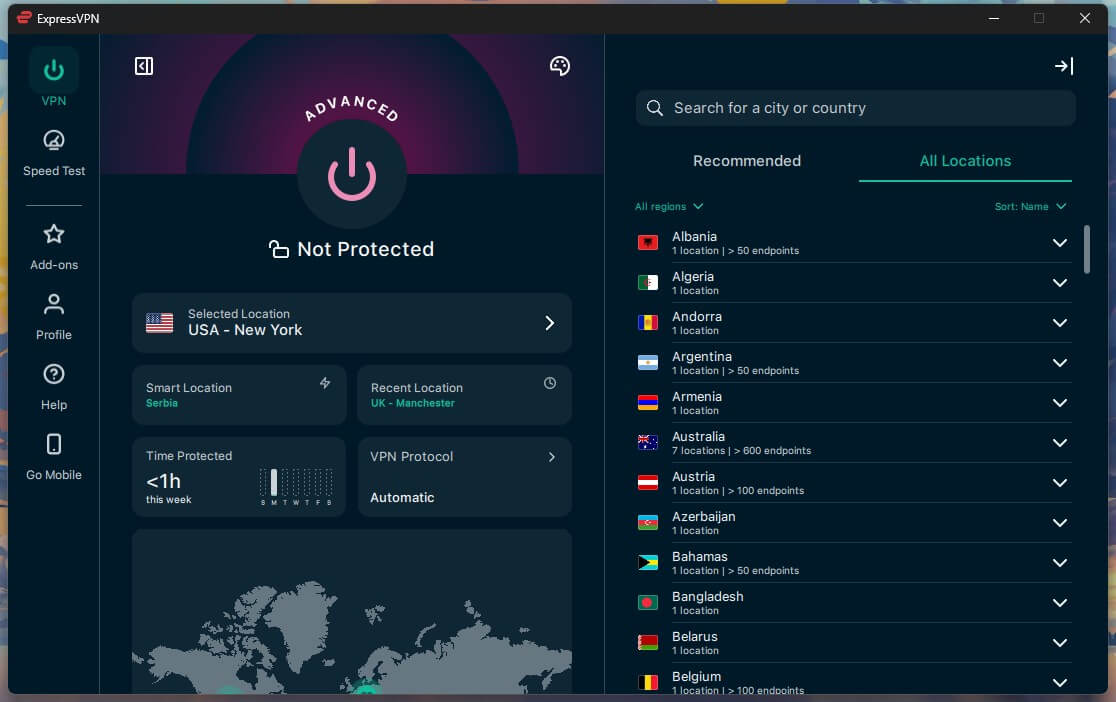
Some locations are virtual. The IP address belongs to the advertised country while the hosting happens elsewhere, and ExpressVPN labels those in the app. India is the clearest case, since its data retention law makes local hosting impractical. Router setups go through Aircove, ExpressVPN’s Wi-Fi router with the VPN inside the firmware, and general router support is being wound down in its favor. Dedicated IP addresses are an add-on on Basic and Advanced and included on Pro.
Does ExpressVPN Work in Censored Countries?
I haven’t tested ExpressVPN in China for this review. Every Lightway connection applies obfuscation automatically. Deep packet inspection has the hardest time with that design. ExpressVPN’s own guidance is to install the app before traveling, since China blocks the website.
Our ExpressVPN in China page tracks which servers keep working. For the milder cases, a work network or a hotel Wi-Fi that blocks VPN traffic, the automatic obfuscation unblocked every site we tried without a setting change.
Apps and Ease of Use
ExpressVPN redesigned the Windows app in early 2026. It’s still the simplest in the category: one connection button, recent locations underneath, the full list one click away. The mobile builds mirror it closely enough that switching between them requires no relearning. The redesign moved things around unhelpfully. There’s no Settings menu.
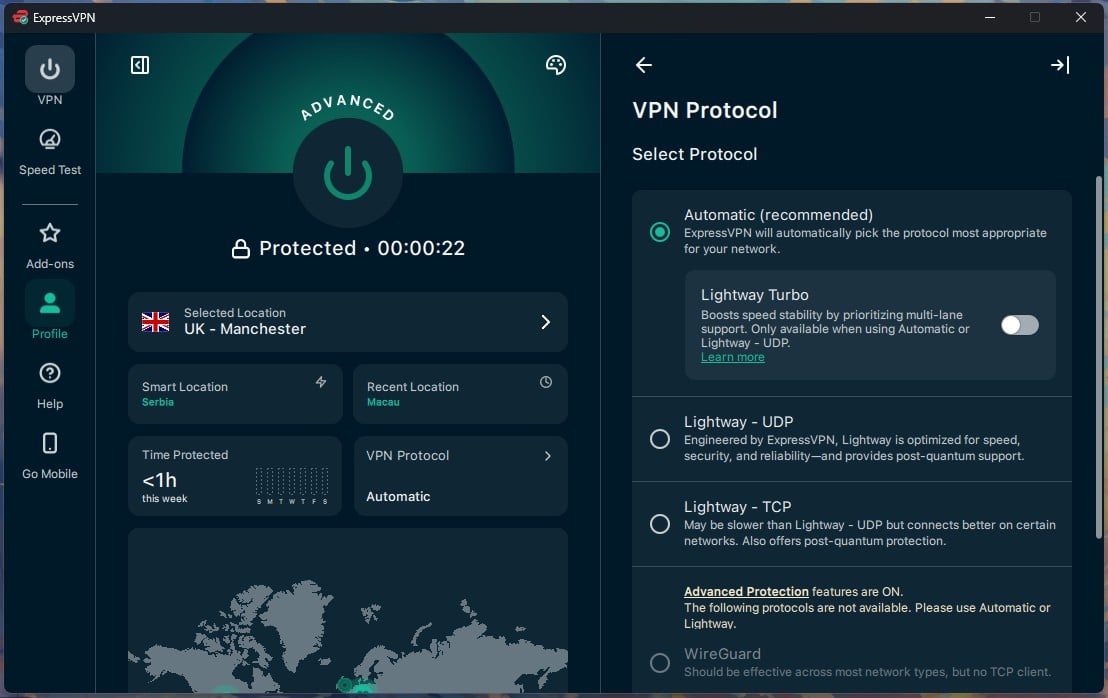
The protocol picker, kill switch, split tunneling, and auto-connect rules are under Profile, and Advanced Protection is under Add-ons beside the dedicated IP and the MCP server, an odd home for an ad blocker. Everything is there, but the first week involves hunting. Connections took 1 to 2 seconds, quick enough that the app works as a toggle, with no wait.
ExpressKeys, the bundled password manager, generates and autofills credentials and lacks family sharing and a proper recovery flow, so the dedicated password managers remain a better buy for people who take that seriously. One fault I recorded: on two occasions, the Windows app wouldn’t connect.
A PC restart fixed it, and stopping other VPN apps from launching at startup stopped it from recurring. ExpressVPN documented that exact interaction during the 2024 split tunneling repair, so the cause is no mystery.
Customer Support
Live chat opens with a bot, and the transfer to a human took under 20 seconds on every attempt. Agents answered product questions without deflecting, including the awkward one about Turbo blocking split tunneling, which the agent acknowledged instead of explaining away. The setup guides are thorough enough that we point people at them. Still, the help center barely covers torrenting.
How ExpressVPN Compares to Other VPNs
ExpressVPN vs TunnelBear
Many people start with TunnelBear, since its free plan includes 2 GB a month and never expires. ExpressVPN is the usual next step once that allowance runs out. In our head-to-head across eight categories, ExpressVPN won 6, TunnelBear took price, and apps ended in a draw.
| ExpressVPN | TunnelBear | |
| Starting price | $2.99/mo (28 months) | $3.33/mo (3 years) |
| Renewal | $99.95/year (Basic) | $59.88/year |
| Free plan | No | Yes, 2 GB a month |
| Money-back guarantee | 30 days | None |
| Jurisdiction | British Virgin Islands | Canada (5 Eyes) |
| Countries | 113 | 47 |
| Netflix | 15+ catalogs | US only, unreliable |
| Simultaneous connections | 10 to 14 | Unlimited |
TunnelBear’s case is long-term cost. It renews for less than the ExpressVPN Basic plan, allows unlimited devices, and has published a Cure53 audit every year since 2017. The trade-offs are a missing refund policy, apps for only four platforms, ad blocking limited to a browser extension, and obfuscation you have to enable manually.
ExpressVPN pulls ahead everywhere else. In a separate head-to-head on a slower 50 Mbps connection, it downloaded 103% faster to Tokyo than TunnelBear, and it unblocked streaming services TunnelBear kept getting caught on. It also covers Linux, TVs, and streaming devices TunnelBear doesn’t support. Get TunnelBear if budget is the deciding factor or 2 GB a month covers you, and our full TunnelBear review goes deeper. For other users, ExpressVPN delivers more for the extra $40 a year.
ExpressVPN Review: Conclusion
Buy ExpressVPN when nothing about the setup should require thought. Distance costs it less than almost any rival, every streaming service works, the apps are the easiest to use, the audit trail is long, and a seized server in Turkey tested the no-log claim in a way no audit can. There’s no multi-hop, port forwarding, or Tor support.
Advanced Protection blocks less than the tools it competes with. Lightway Turbo delivered nothing measurable on a 190 Mbps connection and disabled split tunneling. On renewal, the Basic plan costs $99.95 a year, or $8.33 a month, up from $2.99.
- Get ExpressVPN if you want the fastest connection to distant servers, you stream across several streaming services and want them all to work, you value an app that takes no learning, or you want a long public audit history behind the no-log claim.
- Skip ExpressVPN if you seed on private trackers and require port forwarding, you want multi-hop or Tor support, you want a strong built-in ad blocker, or the renewal price is the deciding factor.
The ExpressVPN vs NordVPN comparison covers the first case, and these alternatives cover the rest. For a lower price with deeper customization, the low-cost ranking is the place to start.
Frequently Asked Questions
Is ExpressVPN worth it?
Yes, for speed and simplicity. ExpressVPN loses little over long distances and unblocks every major streaming service. It lacks multi-hop, port forwarding, and Tor support.
How much does ExpressVPN cost?
The ExpressVPN Basic plan costs $2.99 a month on the 28-month term, $83.72 in total, and renews at $99.95 a year. The Advanced plan costs $4.49, and the Express Pro plan $7.49.
Is Lightway Turbo faster than Lightway?
Barely. Turbo opens several tunnels at once, which helps only on very fast connections, and it disables split tunneling while it's enabled.
Does ExpressVPN work with Netflix?
Yes. ExpressVPN unblocks Netflix libraries in the US, Canada, Japan, and the UK, alongside BBC iPlayer and Channel 4. Disney+ blocks the desktop app.
Does ExpressVPN keep logs?
No. ExpressVPN's servers operate from RAM and retain no browsing history, DNS queries, or connection logs. A server seized in Turkey contained no records.
Does ExpressVPN work in China?
Yes, usually. Obfuscation applies to every Lightway connection automatically, with no separate server list to select. The app requires installation before arrival, since the website is blocked.
Does ExpressVPN have a free trial?
Yes, on mobile. The iOS and Android apps include a 3-day free trial, but it requires a credit card, so it's vital to cancel before the trial ends.
Is ExpressVPN good for torrenting?
Yes. Every server allows P2P, and downloads are quick, though ExpressVPN doesn't offer port forwarding, claiming it costs privacy.