PureVPN is one of the cheapest VPNs from a name most people have heard of, and its long-term plans cost less than a single streaming subscription. The name also comes with a history. In 2017, connection records PureVPN said it didn’t keep helped the FBI identify one of its users. Since then, the company has rewritten its privacy policy and invited auditors in.
So I wanted to find out two things: whether PureVPN has earned back that trust, and whether the low price hides weaknesses you’d notice in daily use. I used it for streaming, torrenting, leak tests, and speed checks.
The answer turned out better than I expected on privacy, and less convincing in one area PureVPN advertises loudly. Here’s my short verdict, and below is all I discovered during my PureVPN testing.
PureVPN
PureVPN has come a long way since its logging scandal. Its no-logs policy has passed several independent audits, my leak tests came back clean, and it unblocks the main Netflix libraries for very little money on a long plan. The catch is speed on distant servers, and extras such as port forwarding cost more. I’d recommend it to budget-minded streamers, not to competitive gamers or anyone traveling to censored countries.
Pros
- Audited no-logs policy
- No leaks in testing
- Unblocks major Netflix libraries
- Quantum-resistant keys on OpenVPN
- Low price on two-year plans
Cons
- Slower on distant servers
- Port forwarding and dedicated IP cost extra
- No split tunneling on Mac or iPhone
- Mixed results in China
PureVPN Pricing: Cheap on Long Plans, Expensive Month-to-Month
PureVPN is cheap only if you commit. The two-year Standard plan costs about $2 a month, including three bonus months, while a single month costs about $13. Every plan covers 10 devices and comes with a 31-day money-back guarantee.
The higher tiers add privacy tools on top of the VPN, and there’s a business option too:
- Standard: the VPN and a tracker blocker, for about $2 a month on a two-year term or about $2.50 on a one-year term.
- Plus: adds the PureKeep password manager, for under $3 a month on the same two-year term.
- Max: adds data removal, dark web monitoring, and a small eSIM data allowance for travel, at about $3.50 a month for two years.
- Teams: a business plan at about $7 per user a month, billed yearly, for up to 1,000 members.
Prices go up at renewal. The two-year Standard plan renews at a lower yearly rate than the one-year plan, so it’s the better buy if you expect to keep PureVPN. To test it first, buy the 7-day trial for under a dollar. It turns into a yearly subscription unless you cancel before it ends. Frequent short promotions cut those prices further.
PureVPN accepts the usual payment options, plus a few that leave less of a paper trail:
- Credit and debit cards
- PayPal
- Google Pay
- Cryptocurrencies (Bitcoin, Litecoin, Ethereum)
- Paymentwall
Add-ons and What They Cost You
Several features that rivals include are paid add-ons with PureVPN, and this is where the low price starts to climb:
- Dedicated IP: an IP address only you use, which means fewer CAPTCHAs and fewer blocks from banking and work sites. It’s offered in ten countries, including the US, UK, Germany, and Singapore. Other VPNs with dedicated IP addresses cover more locations.
- Port forwarding: opens a port on the VPN server so torrent clients and game servers accept incoming connections. It’s sold alone or bundled with a dedicated IP.
- Dedicated server: a whole server for your own use, mainly for hosting.
- Residential network: an IP address from a home internet provider in the US or UK, which streaming and shopping sites rarely flag as a VPN. Plans start at 12 GB a month, so it’s for occasional use.
- Multi Login: 10 extra device logins on top of the standard 10.
- DDoS-protected VPN: shields your connection from attacks that flood it with traffic, mostly a concern for gamers and streamers whose IP address is visible to others.
Add two of these and the savings over bigger names disappear. VPNs that include port forwarding in the base price, such as Private Internet Access, are cheaper if that’s the feature you’re after.
PureVPN Security Features
PureVPN encrypts your traffic with AES-256 and covers the safety basics in every plan. The more interesting features come with conditions.
Kill Switch and Split Tunneling
The kill switch cuts your internet if the VPN connection drops, so a dropped connection never exposes your real IP address while the app reconnects.
Split tunneling lets you choose which apps use the VPN. You could route a torrent client through it while your banking app keeps your normal connection, so the bank doesn’t flag a login from abroad.
PureVPN offers it on Windows, Android, Fire TV Stick, and Android TV, but not on Mac or iPhone. On Apple devices, the workaround is to disconnect the VPN while you use the apps that object to it.
Quantum-Resistant Encryption Keys
Quantum computers could one day break the encryption VPNs use today, and traffic captured now could be decrypted later. PureVPN has started protecting against that with quantum-resistant encryption keys, but only on OpenVPN connections to six countries: the US, UK, Canada, Australia, Germany, and the Netherlands.
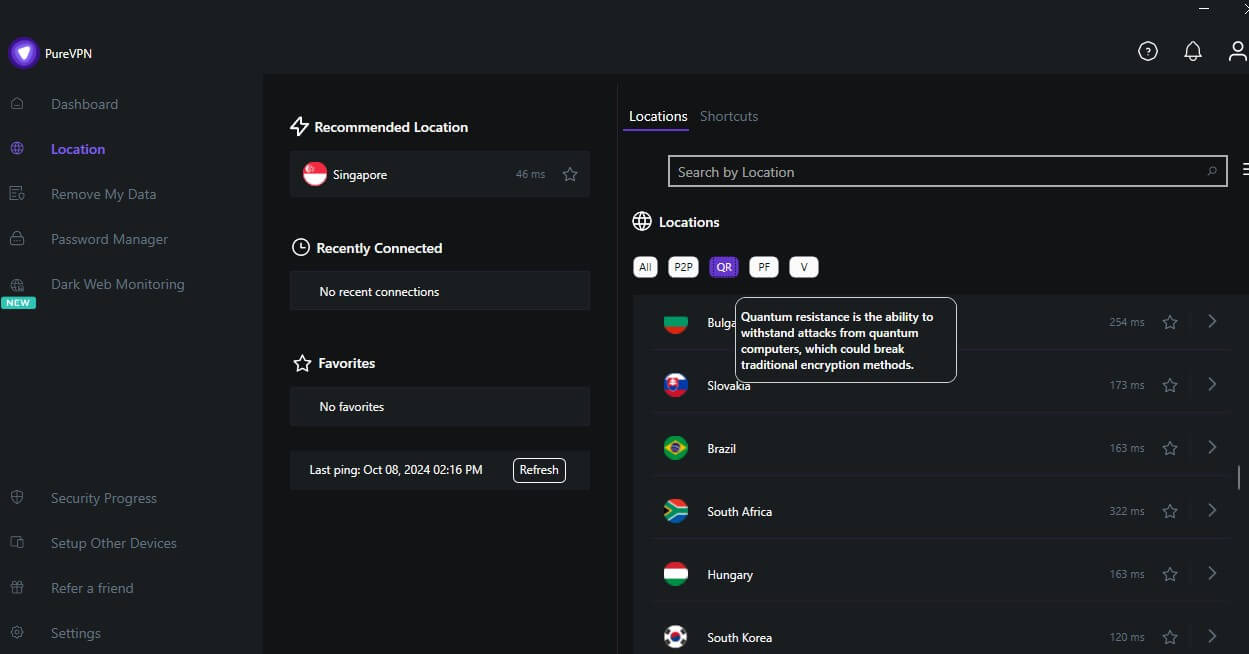
It’s a first step, and it trails VPNs that offer post-quantum protection across their whole network. To use it, select OpenVPN in the settings and connect to one of those six countries.
Protocols
A protocol is the set of rules a VPN uses to build its encrypted connection, and PureVPN’s apps offer three:
- WireGuard: the fastest option and the one I’d use day to day.
- OpenVPN (UDP or TCP): slower, but required for the quantum-resistant keys and for obfuscation. UDP is faster, while TCP copes better with unstable networks.
- IKEv2: reconnects quickly when your phone switches between Wi-Fi and mobile data.
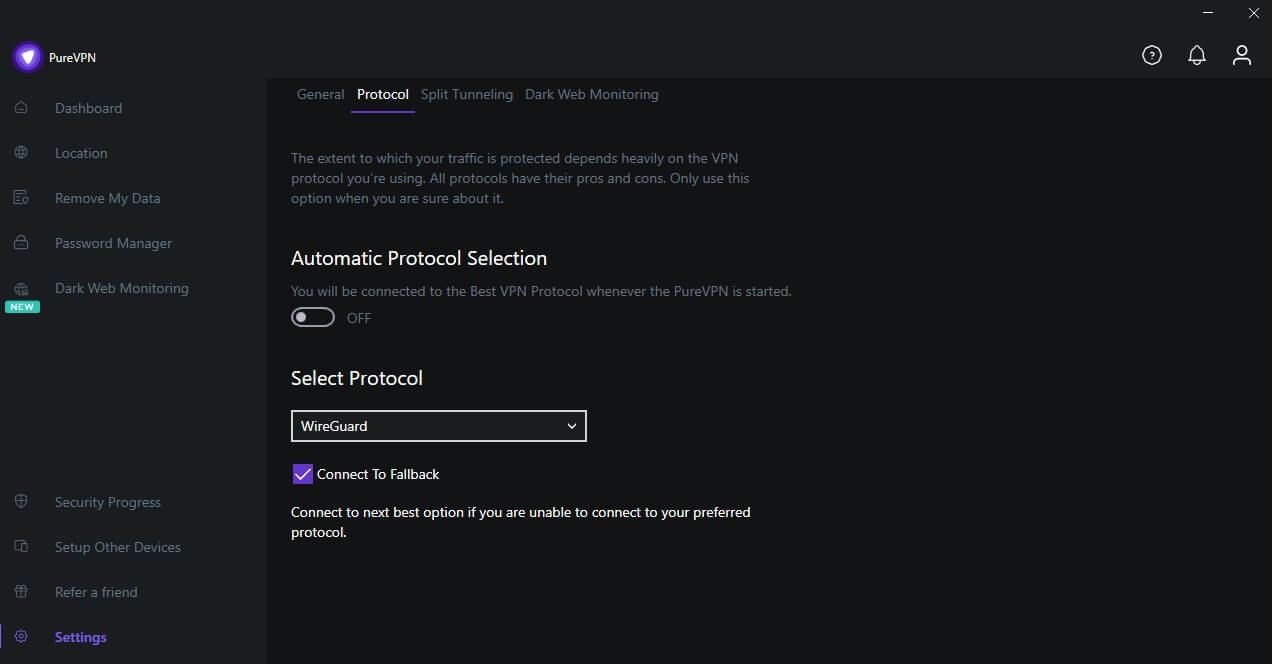
Older protocols such as L2TP and PPTP are gone from the apps and remain only for manual setup on legacy devices. That’s the right call: PPTP’s encryption is weak by current standards. Our WireGuard vs. OpenVPN comparison covers the two main protocols in depth.
Obfuscated Servers
Obfuscation disguises VPN traffic as ordinary web traffic. That way, a network that blocks VPNs, such as a school, an office, or a country’s firewall, doesn’t recognize it. PureVPN’s obfuscation isn’t enabled by default.
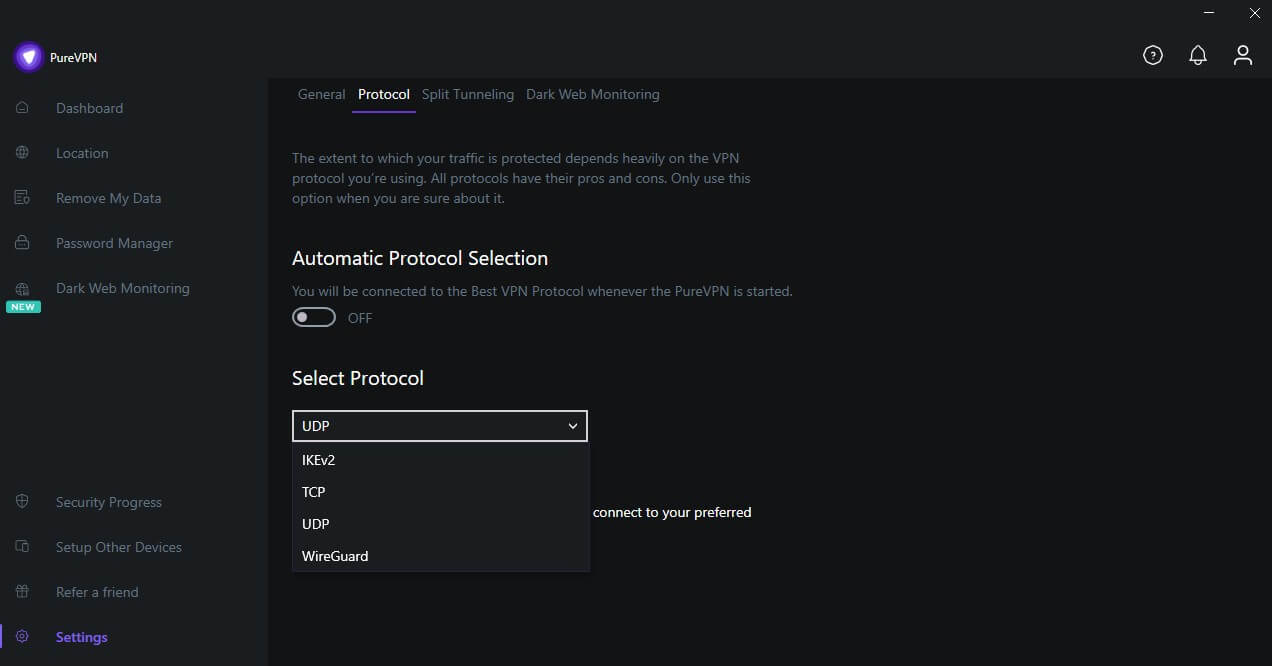
To use it, open Settings, disable Automatic Protocol Selection, and choose OpenVPN over TCP or UDP. Obfuscation then applies to your connection.
PureVPN Leak Tests: No Leaks Found
A leak test checks whether your real IP address or DNS requests escape the VPN tunnel, which would show websites and your ISP where you are. I connected to servers in the US, UK, and Asia and checked each one with ipleak.net and browserleaks.com.
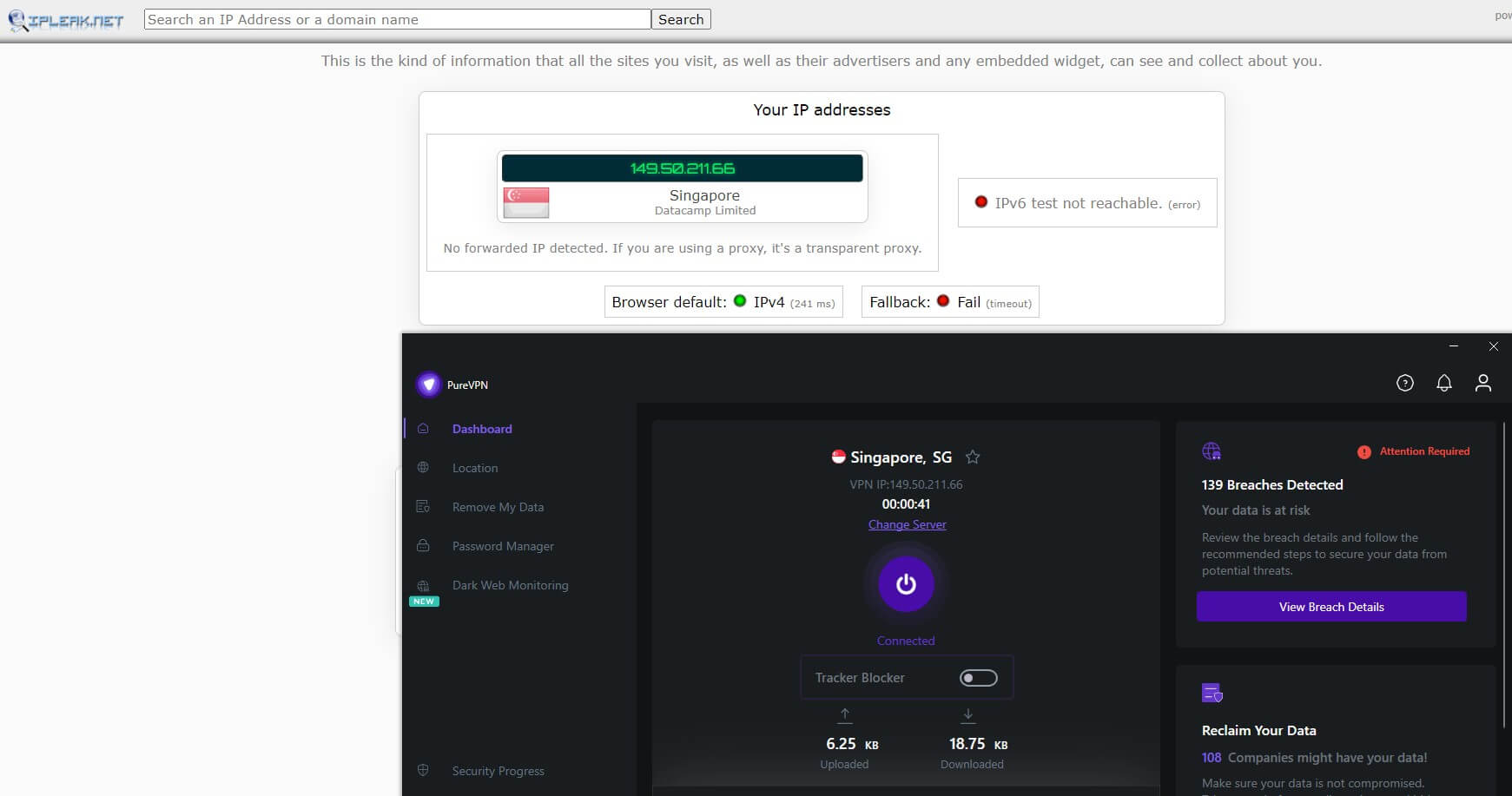
PureVPN passed every IP and DNS check. The sites saw only the VPN’s IP address and DNS requests routed through PureVPN’s encrypted servers, never my own.
IPv6 and WebRTC Leaks
IPv6 is the newer IP address format many networks use, and a VPN that tunnels only the older IPv4 can still expose it. PureVPN sent all IPv6 traffic through the tunnel, and no IPv6 address leaked in my tests.
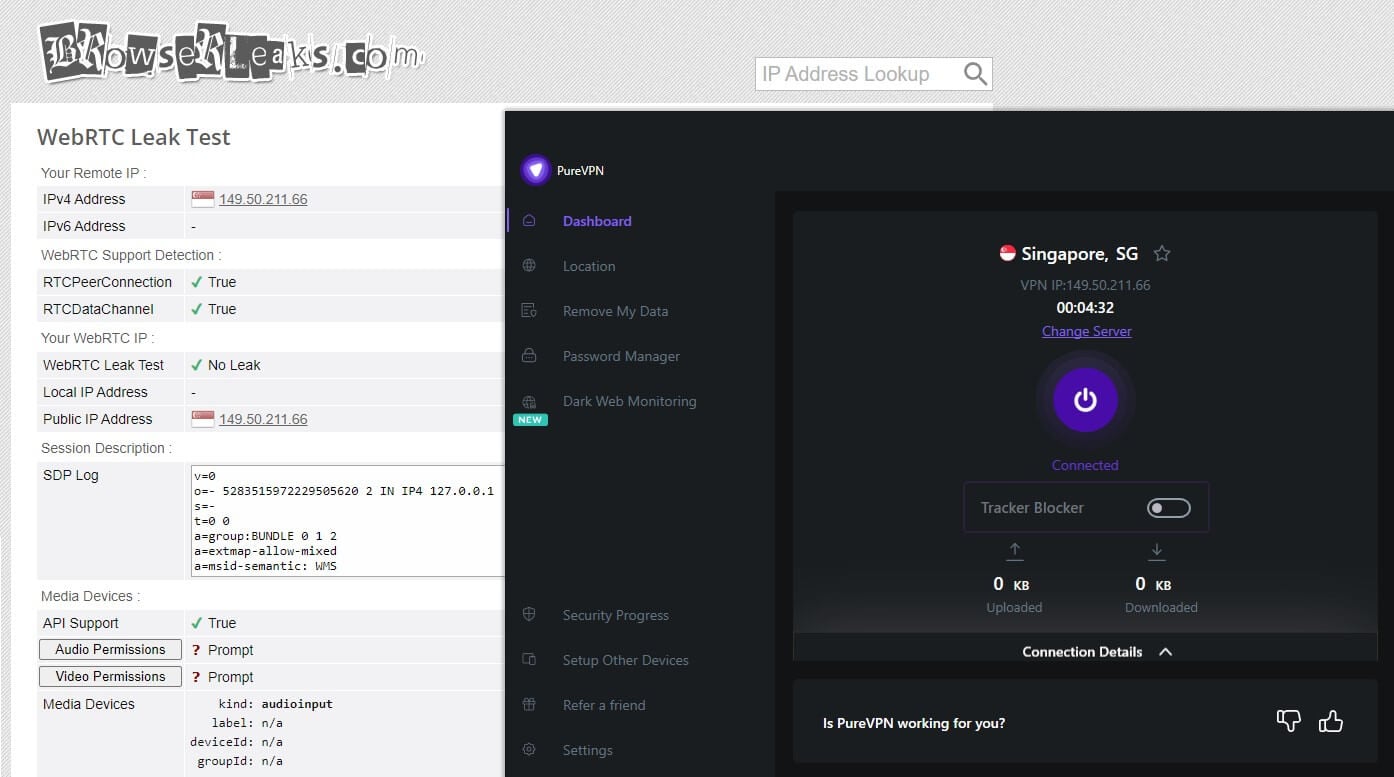
WebRTC, the technology behind video calls in your browser, can reveal your IP address even with a VPN connected. Chrome and Firefox showed no WebRTC leaks, and the browser extensions add their own WebRTC protection on top.
Leak protection can change with an app update. A quick check on ipleak.net after installing PureVPN, and after big updates, is a good habit.
Does PureVPN Keep Logs?
PureVPN’s no-logs policy says it doesn’t record your real IP address, the VPN IP address you’re assigned, when you connect, or what you do online. This is the area where PureVPN once failed, so I looked at how that promise is checked.
Independent Audits
PureVPN has passed four independent no-log assessments by firms including KPMG and Altius IT, the latest covering its servers in 2023. Its KPMG engagement is “always on”, which means the auditor can inspect PureVPN’s servers at any time without notice.
I like that approach, because a VPN can’t tidy up before an inspection it doesn’t know is coming. The catch is that the reports aren’t public. PureVPN sends them by email on request, which is less open than the audit reports some rivals publish on their websites.
What PureVPN Collects, and Where It’s Based
PureVPN keeps your account details (email and payment information), plus limited usage data such as the date you connected, your ISP, and how much bandwidth you used. None of it shows which sites you visited or ties your activity to an IP address.
PureVPN says it uses the data to manage its servers. PureVPN also moved its headquarters from Hong Kong to the British Virgin Islands. The territory has no mandatory data retention law. It’s also outside the Five, Nine, and Fourteen Eyes alliances, the groups of countries that share surveillance data, so there’s less legal pressure on PureVPN to log users.
The 2017 FBI Case
In 2017, PureVPN gave the FBI connection records that linked a cyberstalking suspect’s home and work IP addresses to his VPN use. At the time, it advertised a no-logs policy. PureVPN rewrote that policy in 2018, and the audits since then are its answer to the case.
For most people, the audits are reassuring. If your privacy needs are serious enough that a past failure rules a VPN out, it’s reasonable to choose one with a clean record instead.
PureVPN Speed Test Results: Fine Nearby, Slower Far Away
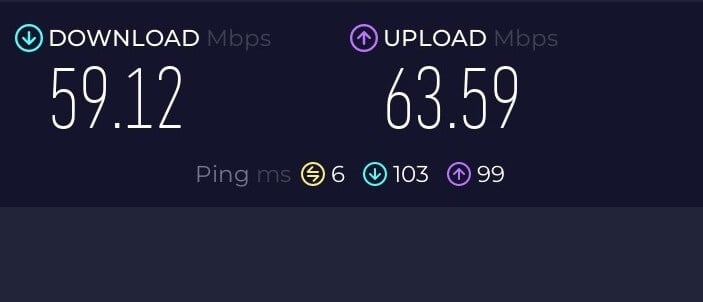
I tested PureVPN on nearby and distant servers, against my connection speed without the VPN shown in the screenshot.
Nearby Servers (US and Canada)
Nearby servers cost 15% to 20% of my speed, with ping under 100 ms. That’s enough for HD streaming without buffering and for most online games. Ping is the delay before a server responds.
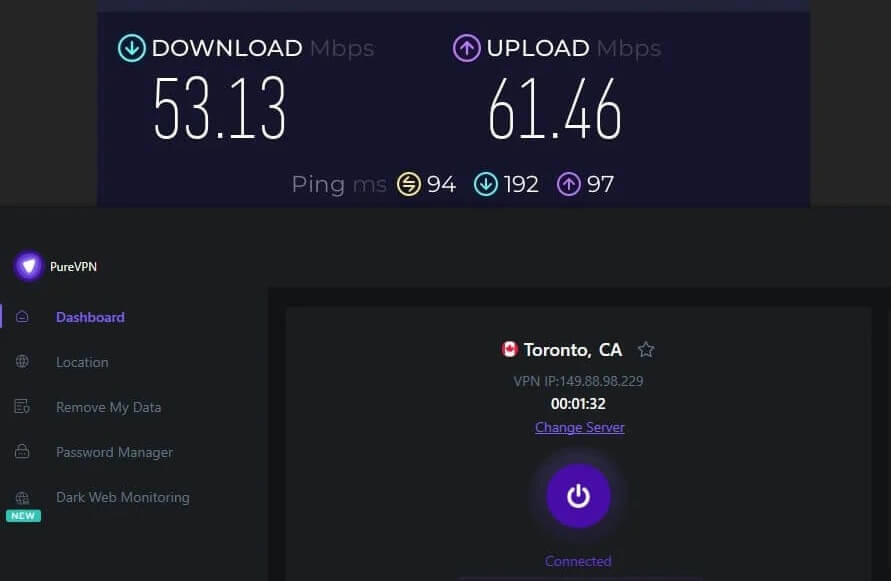
And in a fast shooter, those extra milliseconds decide who wins a close fight. Competitive players should look at the best VPNs for Black Ops 7, which keep ping lower.
Distant Servers (UK, Europe, Asia, and Australia)
On UK and European servers, the speed loss grew to about a third, and ping rose to between 100 and 200 ms. Browsing and streaming felt normal, but online games had a visible delay between pressing a key and seeing the result.
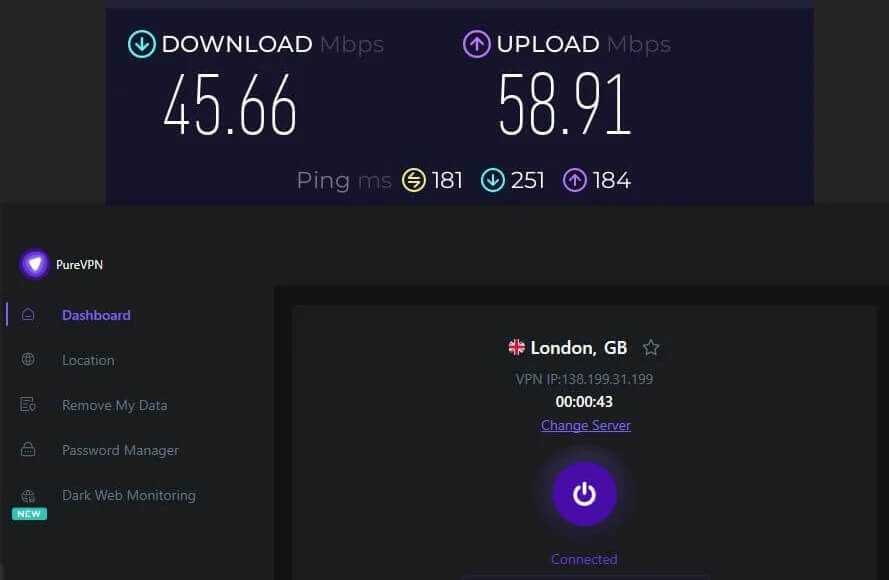
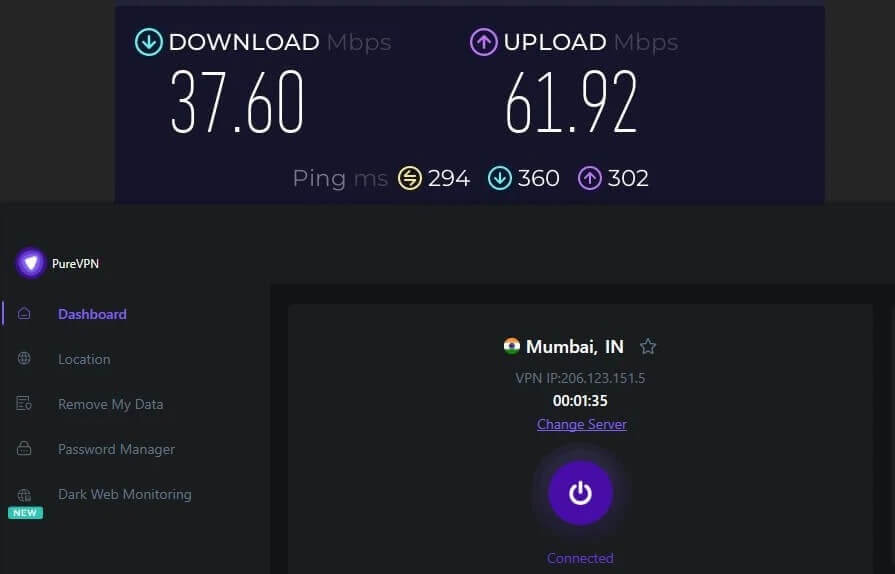
Asia and Australia were slower again, at around a 40% speed loss and ping above 250 ms. Streaming and downloads still worked, while real-time games and video calls lagged, so connect to the closest country that has the content you want.
WireGuard Makes the Biggest Difference
Switching to WireGuard added another 10% to 15% compared to the older protocols, and long-distance connections were noticeably steadier. I’d keep it as the default unless you need OpenVPN for obfuscation or the quantum-resistant keys.
Even so, VPNs with their own tuned WireGuard versions kept more of my speed on servers in Asia and Australia, NordVPN with its NordLynx protocol among them.
PureVPN for Streaming and Torrenting
Streaming sites check your IP address to decide which catalog you see, and they block IP addresses they recognize as VPNs. That makes streaming with a VPN one of the toughest tests, and PureVPN has improved a lot at it.
Unblocking Streaming Services
I visited geo-blocked sites without the VPN first, then connected to a server in the country each site serves.
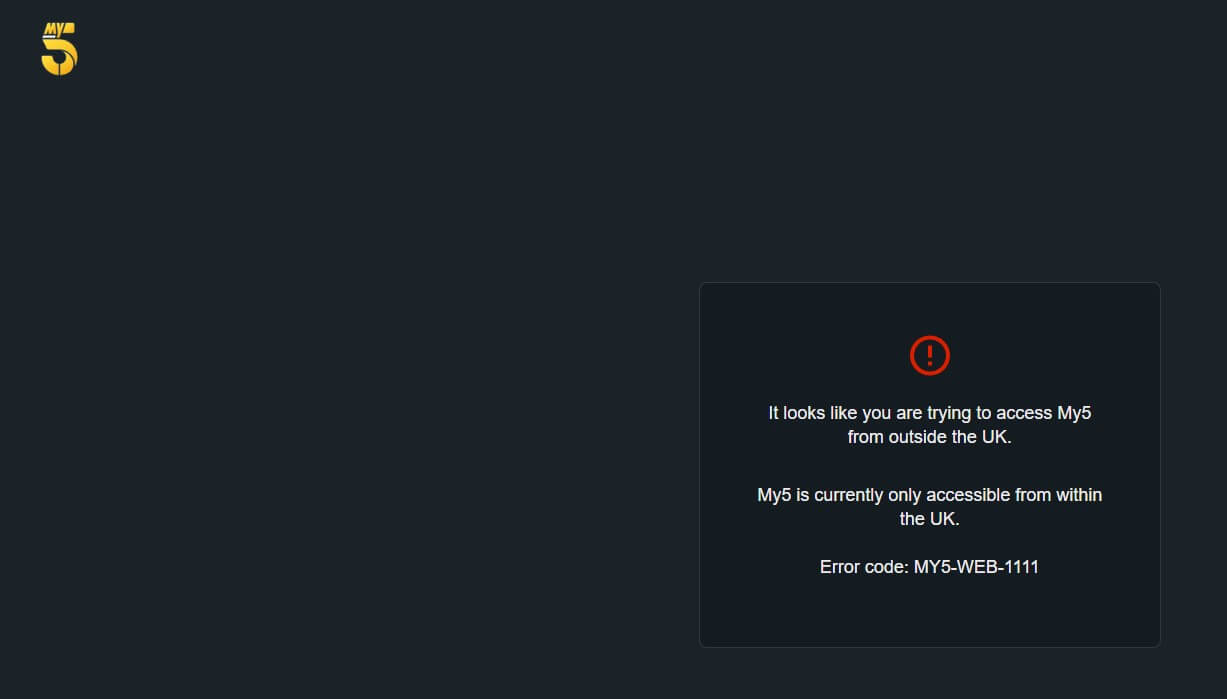
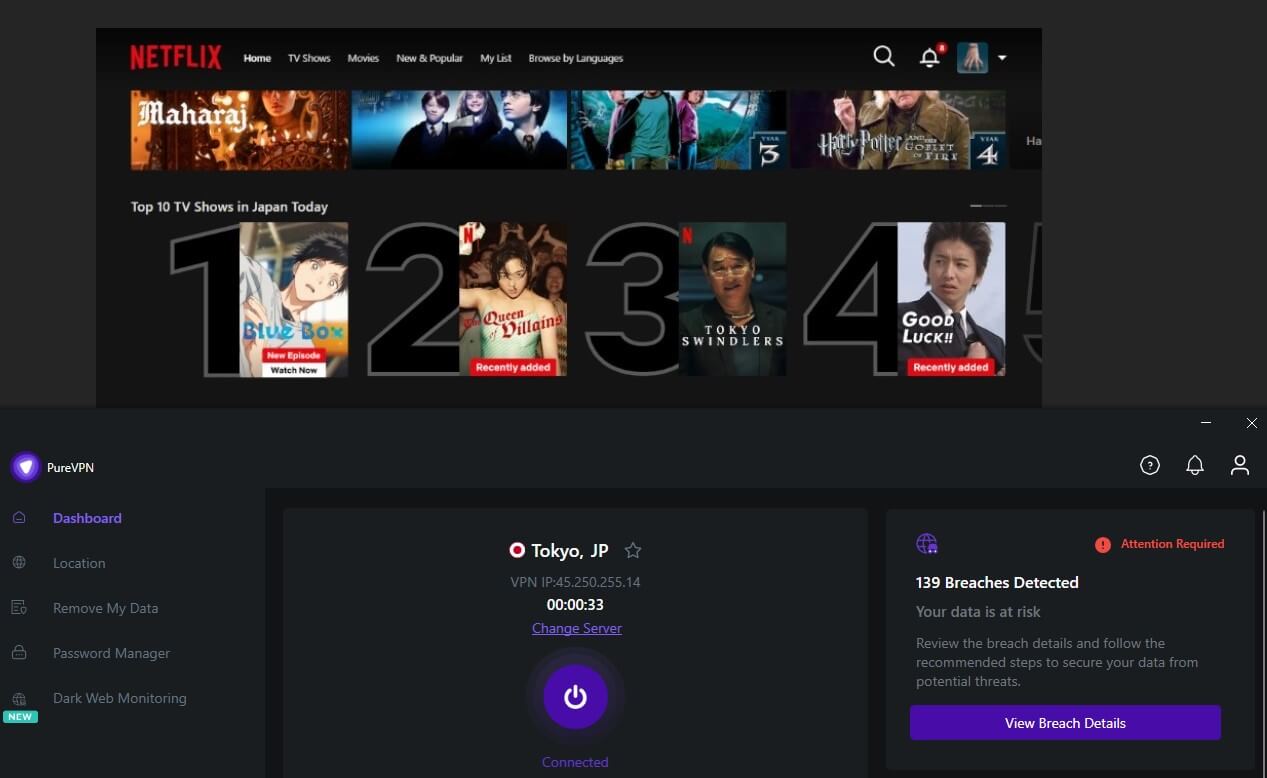
PureVPN unblocked Netflix in the US, UK, Canada, Japan, and Australia, and HD streams started quickly with barely any buffering. In a few cases, full HD took a moment to kick in. UK channels worked too, so you can watch Channel 4 from Australia with it.

Smaller regional platforms were less consistent. When one blocked a server, switching to another server in the same country or changing the protocol usually fixed it.
If streaming is the main reason you’re buying, compare PureVPN with the best VPNs for Netflix, which unblock more libraries.
Torrenting
PureVPN allows torrenting on its P2P servers, and my test downloads kept decent speeds. A NAT firewall, which blocks unsolicited incoming connections, is part of the setup. The catch is location. US, UK, Canadian, and Australian servers don’t support P2P traffic, so torrenting from those countries means picking another nearby location that does.
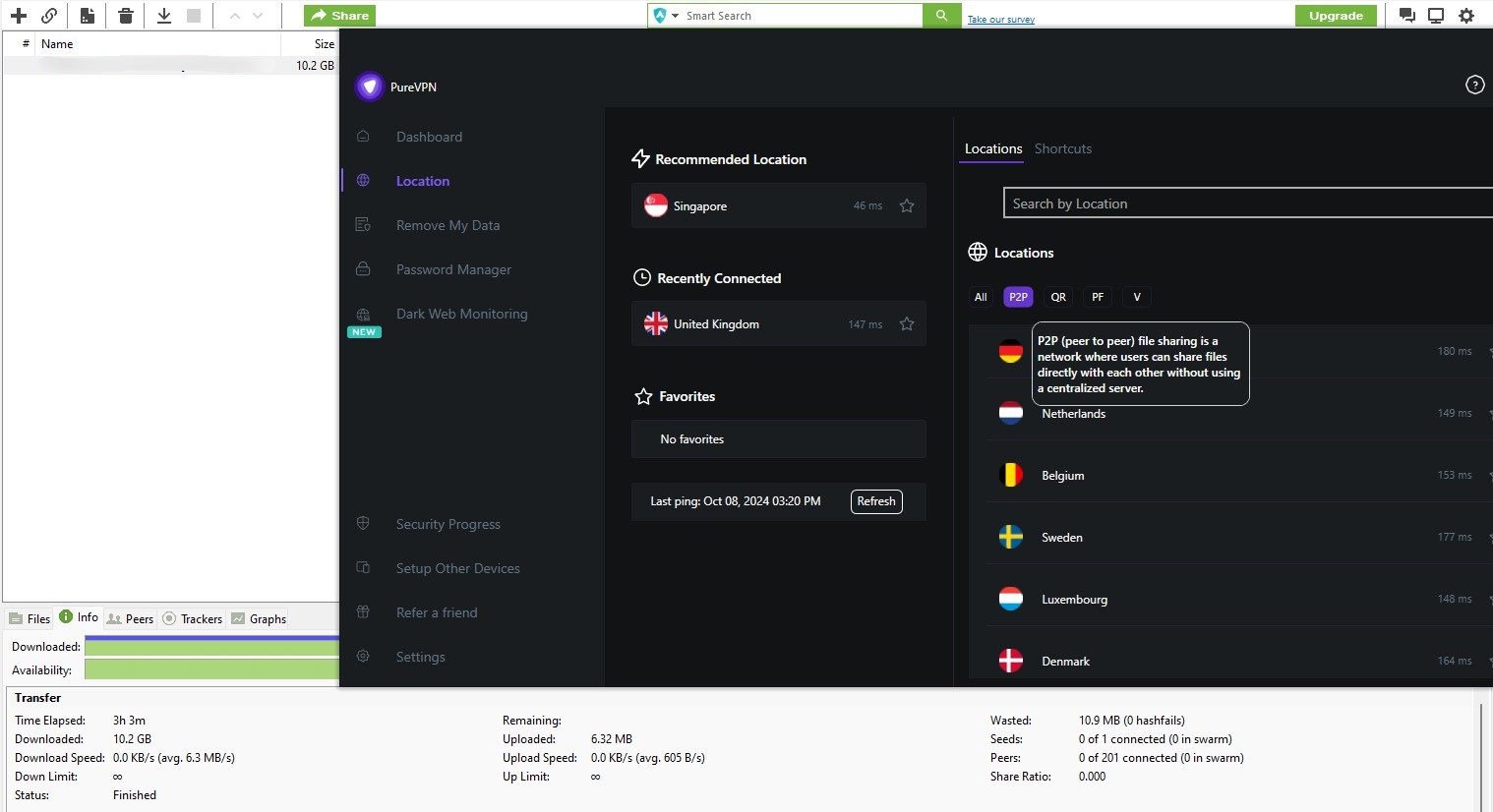
It’s an extra step more than a dealbreaker, and the port forwarding add-on helps if your torrent client struggles to find peers.
PureVPN Servers and Locations
PureVPN lists 6,000+ servers in more than 65 countries, spread over 80+ locations, with the most choice in Europe and North America. That’s plenty for streaming catalogs and everyday browsing, and it includes locations in Africa and the Middle East that smaller VPNs skip.
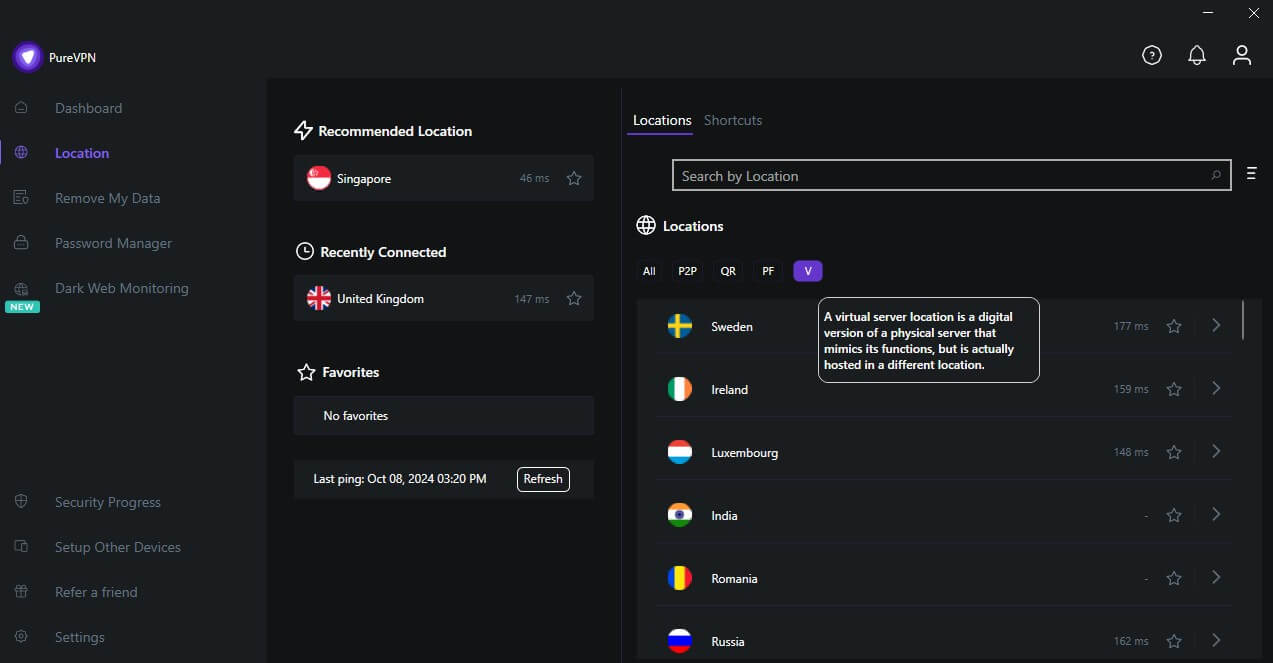
Some locations are virtual: the server is in one country and assigns an IP address from another, usually because hosting in that country is difficult. PureVPN labels these in the app, so you know when a connection may travel farther than the flag suggests.
Does PureVPN Work in China and Other Censored Countries?
PureVPN’s obfuscated servers disguise VPN traffic as regular HTTPS, the encrypted traffic every website uses. That helps on networks that inspect traffic to find and block VPNs. In China, I had mixed results: some connections worked, and others didn’t, so I wouldn’t rely on PureVPN there. The best VPNs for China connect more reliably.
In countries with lighter restrictions, PureVPN worked well, and it’s a good VPN for Dubai if you’re planning a trip there.
Russia is different again. PureVPN no longer lists Russian servers and blocks there change often, so check the VPNs that still work in Russia before you travel.
PureVPN Apps and Ease of Use
On first launch, PureVPN asks what you’ll mainly use it for, such as streaming or privacy, and tailors its suggestions to your answer. It’s a small touch that saves beginners from digging through settings.
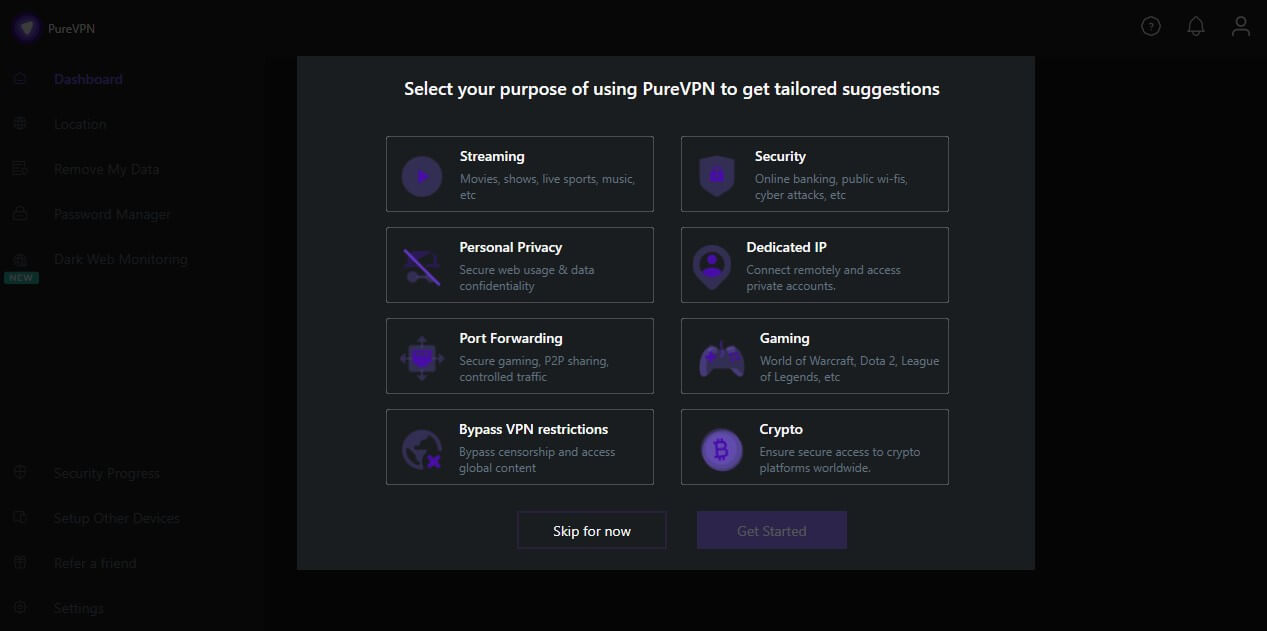
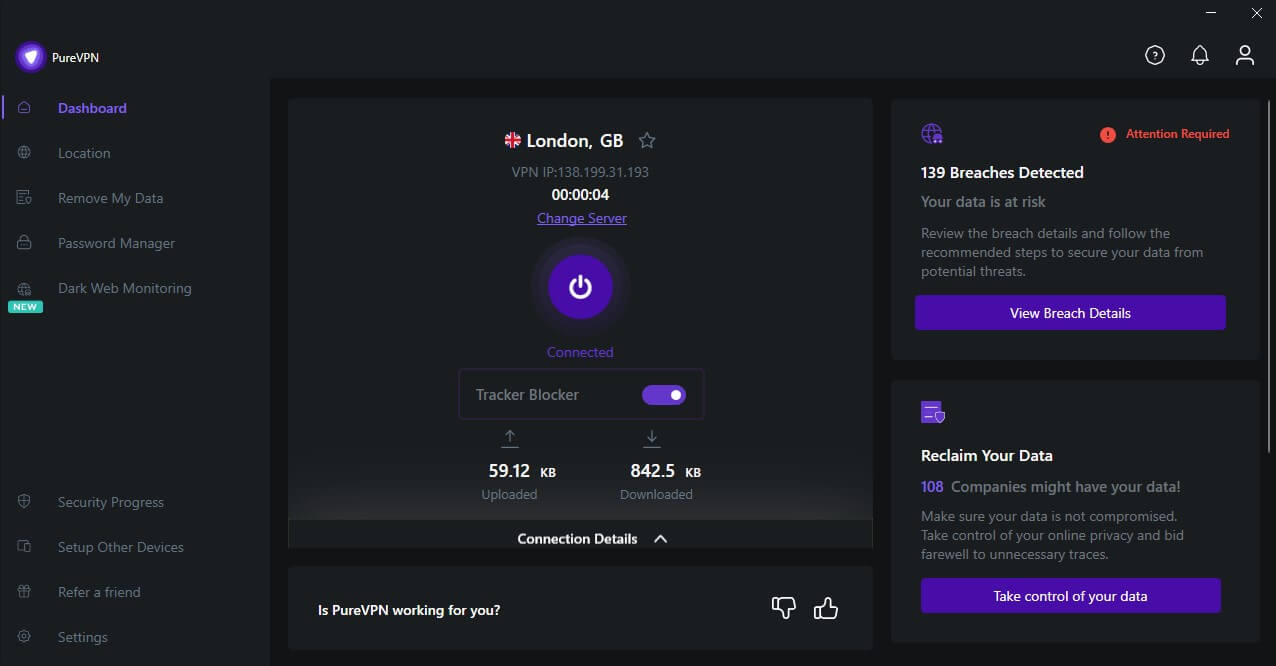
The design is plain next to slicker rivals, but the layout puts function first. The kill switch, split tunneling, and protocol settings are easy to find, and I never had to search for a setting I’d used before.
Device Support
- Desktop (Windows, Mac, Linux): The Windows app has every feature, including split tunneling, while the Mac app covers the essentials without it. Linux has a graphical app and command-line control, though better Linux VPNs offer more features.
- Mobile (Android, iOS): The Android app mirrors the Windows one, including split tunneling and protocol choice. The iPhone app lacks split tunneling, but it can reconnect automatically after a dropped connection.
- Browser extensions (Chrome, Firefox, Edge): These encrypt browser traffic only, not the rest of your device, and they add WebRTC leak protection. They require a PureVPN subscription.
- Streaming devices (Fire TV Stick, Apple TV, Android TV): Native apps are easy to set up. The Fire TV Stick and Android TV apps include split tunneling, so a streaming app can use the VPN while the rest of the device doesn’t.
Routers and Simultaneous Connections
PureVPN supports routers running DD-WRT and Tomato firmware, along with Asus, Netgear, and other brands. Installing it on a router protects every device at home, including consoles and smart TVs that can’t run a VPN app.
One subscription covers 10 devices at once, and the Multi Login add-on raises that by another 10 for larger households.
Customer Support
PureVPN offers 24/7 live chat, email tickets, and a library of setup guides, but no phone line. The guides cover common setups well, with screenshots for each system.
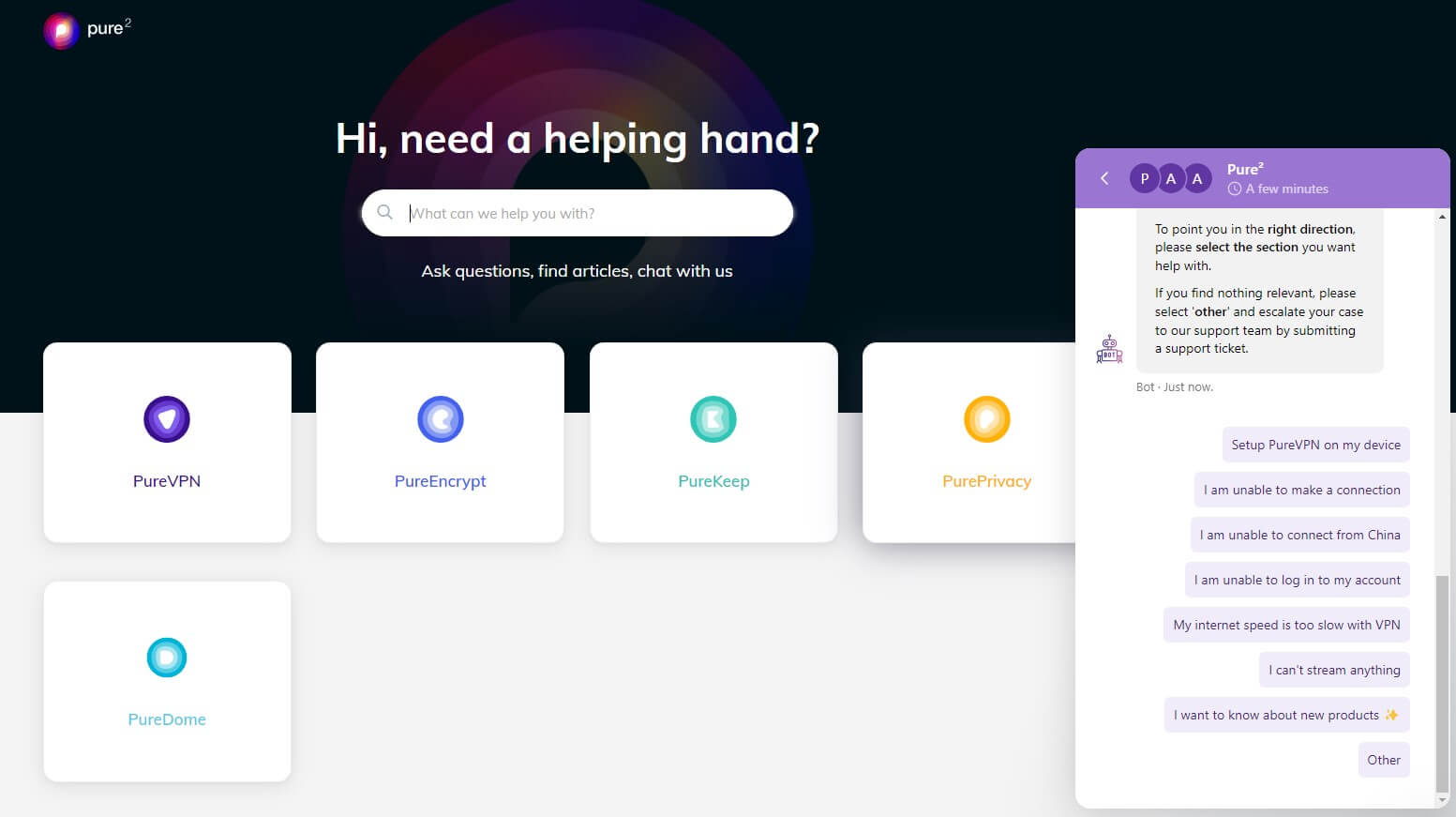
Complex router or manual configurations have thinner coverage, and for those, an email ticket with your setup details is the better route.
PureVPN Extras: Password Manager, File Encryption, and Privacy Tools
PureVPN’s higher tiers bundle privacy tools from the same company, and they’re the main reason to pick Plus or Max over Standard.
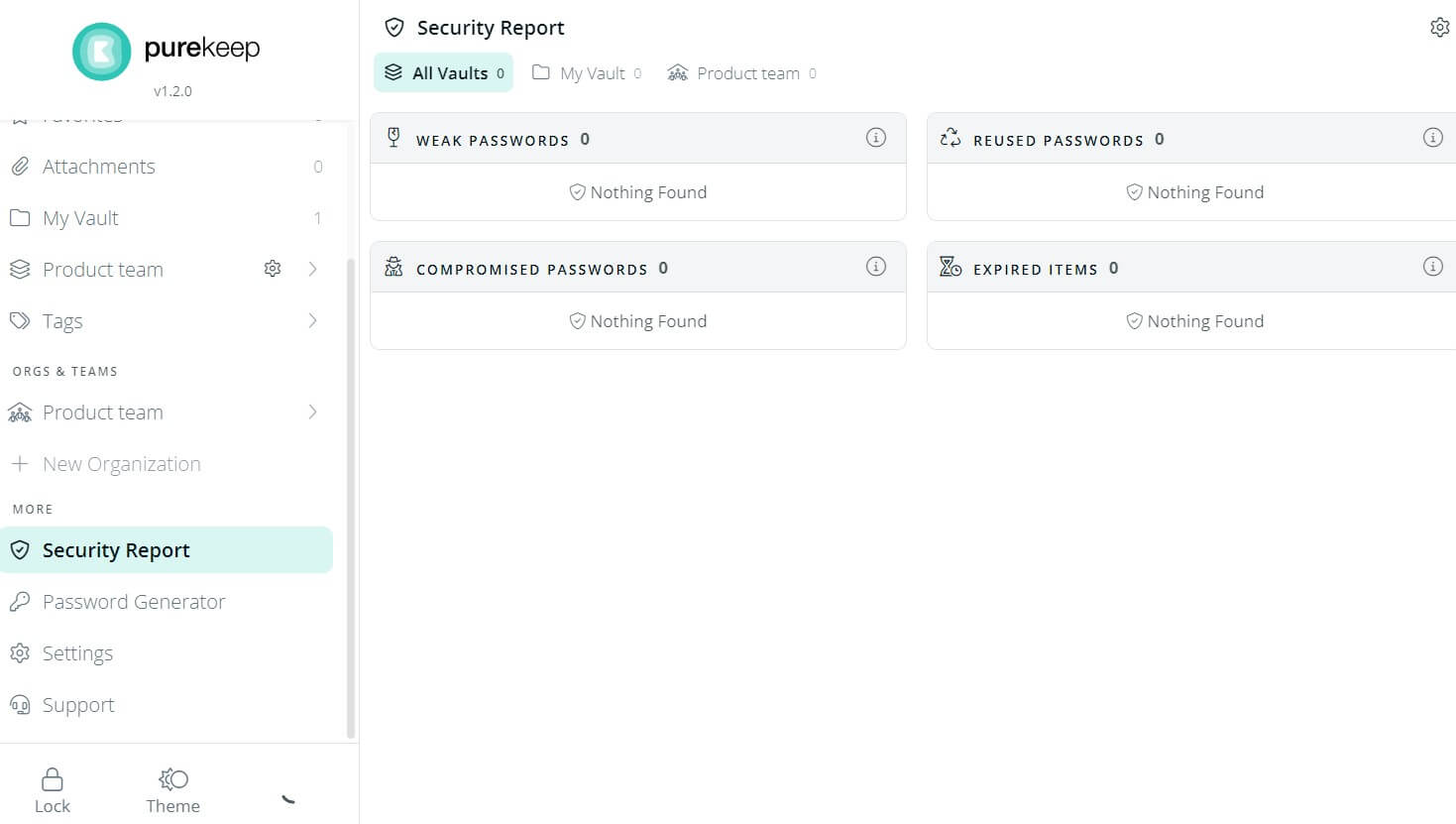
PureKeep, included with Plus and Max, stores your passwords in an encrypted vault, syncs them across devices, and generates strong new ones. It’s newer and simpler than the established password managers, but it covers the basics well enough for most households.
PureEncrypt, for Windows and Mac, encrypts files before you store or share them, so a cloud service or a lost laptop doesn’t expose their contents. The Max plan adds data removal, which asks data brokers to delete your personal details.
It also includes dark web monitoring, which alerts you if your email or passwords appear in a leak. If you already use a password manager you like, I’d stay on the Standard plan and keep the savings.
PureVPN Review: My Verdict
So, has PureVPN earned back the trust it lost? Mostly, yes. Four no-log assessments and an auditor who can inspect its servers without notice are a solid response to the 2017 case. Every leak test I ran came back clean, too. It also unblocked the main Netflix libraries, and on the two-year Standard plan, that’s a lot of VPN for the money.
The weaker spots are speed and extras. PureVPN advertises itself as fast, but distant servers cost a big share of the connection, and our PureVPN vs. NordVPN comparison shows how the two compare on speed. The features power users want, such as port forwarding and a dedicated IP, also cost extra.
I’d recommend PureVPN to budget-minded users who stream and browse mostly from nearby servers. If you game competitively or travel to censored countries, NordVPN and ExpressVPN are stronger picks. Before you commit to two years, compare the other alternatives to PureVPN too.
PureVPN FAQs
Is PureVPN safe to use?
Yes. PureVPN uses AES-256 encryption, protects against DNS, IPv6, and WebRTC leaks, and has passed independent no-log assessments since a past case where it handed connection records to the FBI.
Does PureVPN keep logs?
No, not activity logs, according to its audited policy. PureVPN keeps account details, connection dates, ISP names, and bandwidth use, but not browsing activity, assigned IP addresses, or connection times.
Is PureVPN free?
No. PureVPN has no free plan, but it offers a low-cost paid trial and a money-back guarantee on every subscription, so new users can test it before committing.
Does PureVPN work with Netflix?
Yes. PureVPN unblocks several Netflix libraries, including the US, UK, Canadian, Japanese, and Australian catalogs, though smaller regional streaming services can require switching servers.
Where is PureVPN based?
PureVPN is headquartered in the British Virgin Islands, after relocating from Hong Kong. No law there requires VPN companies to keep user records, and the territory doesn't belong to any intelligence-sharing alliance.